Loopy Pro: Create music, your way.
What is Loopy Pro? — Loopy Pro is a powerful, flexible, and intuitive live looper, sampler, clip launcher and DAW for iPhone and iPad. At its core, it allows you to record and layer sounds in real-time to create complex musical arrangements. But it doesn’t stop there—Loopy Pro offers advanced tools to customize your workflow, build dynamic performance setups, and create a seamless connection between instruments, effects, and external gear.
Use it for live looping, sequencing, arranging, mixing, and much more. Whether you're a live performer, a producer, or just experimenting with sound, Loopy Pro helps you take control of your creative process.
Download on the App StoreLoopy Pro is your all-in-one musical toolkit. Try it for free today.

Comments
Enable the loop option in the inspector to loop the region...
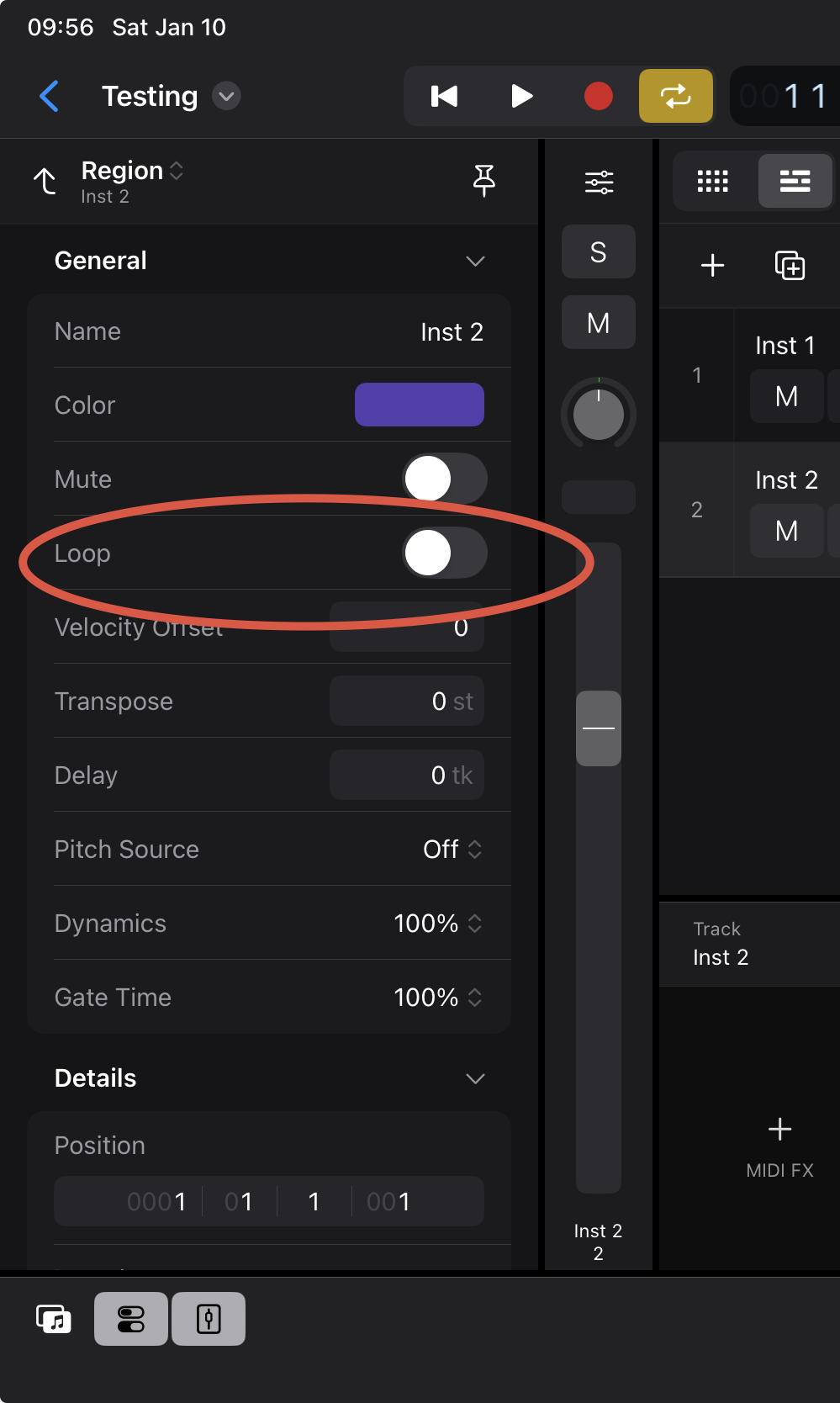
...or use the loop-tool in in the tool bar and extend the region for as long as you wish to loop it.
You can also tap on the region and select loop...
(ie. tap on the region and under 'Edit' you can select Loop).
I'd suggest getting to know the Inspector as it provides many options that may only available thru the inspector
Thanks as always! You're very helpful.
I really enjoy using LogicPro for iPad even though it misses a few things and still has plenty of small glitches here and there
Is there a follow track button somewhere? Like when the timeline goes along, the timeline gets updated so it follow? If that makes any sense I tried using Zeon synth today, but it looks so small compared to in Drambo or BM3..Any fixes ? thx
No 'follow actions' from what what I know, it's not 'Ableton Live'
Resize the 'panes' (keyboard etc.) as needed to give the Zeeon plug-in more room to breathe.
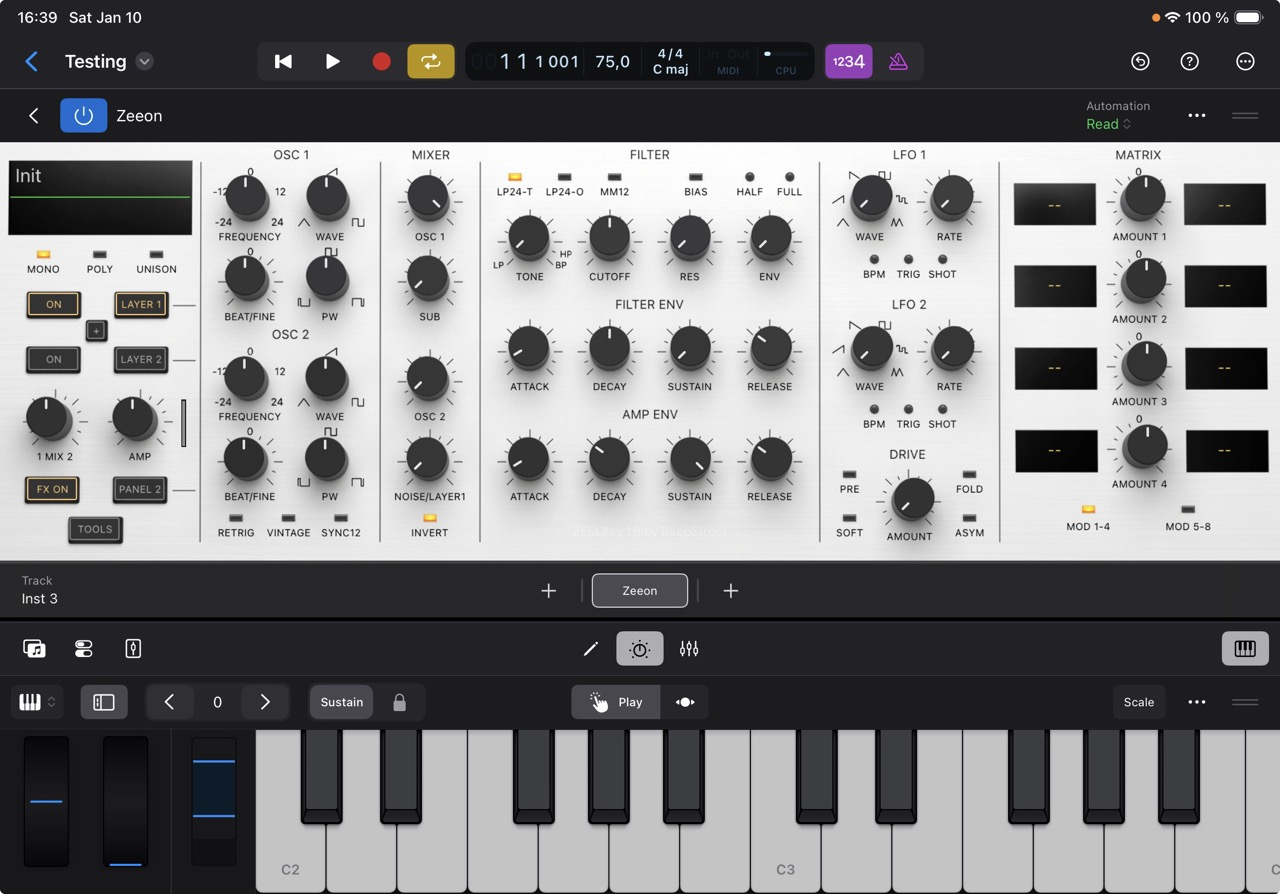
When using an external controller the on-screen keyboard can be completely hidden giving the plug-in even more space
If you mean can the view update to follow the play head then yes.
Tap the More button in the menu bar for the Tracks area, then select ‘catch playhead’.
Thanks to the both of you.
Solved ..
Really enjoying Logic, the more I get comfortable with it. It has a nice workflow.
All day and never crashed.