Loopy Pro: Create music, your way.
What is Loopy Pro? — Loopy Pro is a powerful, flexible, and intuitive live looper, sampler, clip launcher and DAW for iPhone and iPad. At its core, it allows you to record and layer sounds in real-time to create complex musical arrangements. But it doesn’t stop there—Loopy Pro offers advanced tools to customize your workflow, build dynamic performance setups, and create a seamless connection between instruments, effects, and external gear.
Use it for live looping, sequencing, arranging, mixing, and much more. Whether you're a live performer, a producer, or just experimenting with sound, Loopy Pro helps you take control of your creative process.
Download on the App StoreLoopy Pro is your all-in-one musical toolkit. Try it for free today.
Master EQ for all projects

Hi, is there something like a general equalizer setting for all Loopy Pro projects.
Background: I've just started with Loopy Pro coming from RC-600. I'm used to having a separat project for each song (containing song characteristics, effects, etc.). Depending on the specific room characteristics of a venue, I could simply adapt the general EQ setting within RC-600. This is what I'm missing in Loopy Pro.
How do you handle this? Thanks in advance for your inputs.
Guille
Comments
You could set up presets that you automatically load in a load project follow action. When you get to the venue, tune and re-save the presets in ind project and the other projects will use them.
That's outstanding advice. 👍🏼
This sounds awesome, but I can’t quite get my head around it. Is there a video demo of this somewhere?
I don’t know of a video. Which of these parts are you unsure about?
1- save an AUv3 effect preset using Loopy’s built-in preset mechanism for each preset you want to be universal to your project.
2- add the effects plugin to all your project
3 - in each project, add a load project follow action that has a select effect preset action for each effect that you want to be refreshed when it opens
4- as needed (such as at the venue) , update the preset and re-save it so that when the other projects open they use the updated preset.
Got it. I wasn’t clear on saving/loading as an auv3 preset. I get it now.
Thank you!
Thanks a lot!!! I'll check this
Thank you for your advice, @espiegel123
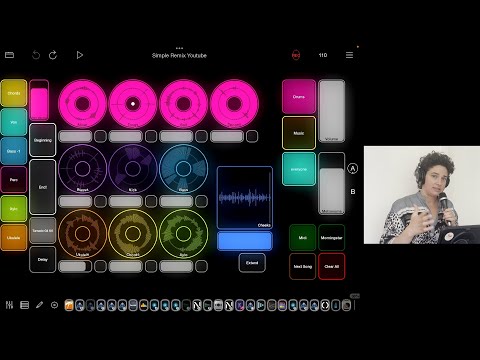
For all those who are not yet familiar with the "project follow action", as I was not until now: