Loopy Pro: Create music, your way.
What is Loopy Pro? — Loopy Pro is a powerful, flexible, and intuitive live looper, sampler, clip launcher and DAW for iPhone and iPad. At its core, it allows you to record and layer sounds in real-time to create complex musical arrangements. But it doesn’t stop there—Loopy Pro offers advanced tools to customize your workflow, build dynamic performance setups, and create a seamless connection between instruments, effects, and external gear.
Use it for live looping, sequencing, arranging, mixing, and much more. Whether you're a live performer, a producer, or just experimenting with sound, Loopy Pro helps you take control of your creative process.
Download on the App StoreLoopy Pro is your all-in-one musical toolkit. Try it for free today.
Routing audio clip to Samplr (Inter-app) pluggins

Hi,
I have a very basic question.
I would like to send audio from an audio clip to Samplr (Inter-App)
I would like to know how to do it with Auv3 app like fluss.
Comments
That’s a problem. In order to receive audio input, Samplr would need to be loaded as an FX plugin. Samplr doesn’t work as an FX plugin. It used to be able to accept audio running in Audiobus. Maybe it still can. It can’t in Loopy or any other host as far as I know.
Brilliant app that hasn’t kept up with the times, and is unfortunately never likely to change.
Thank you so much!
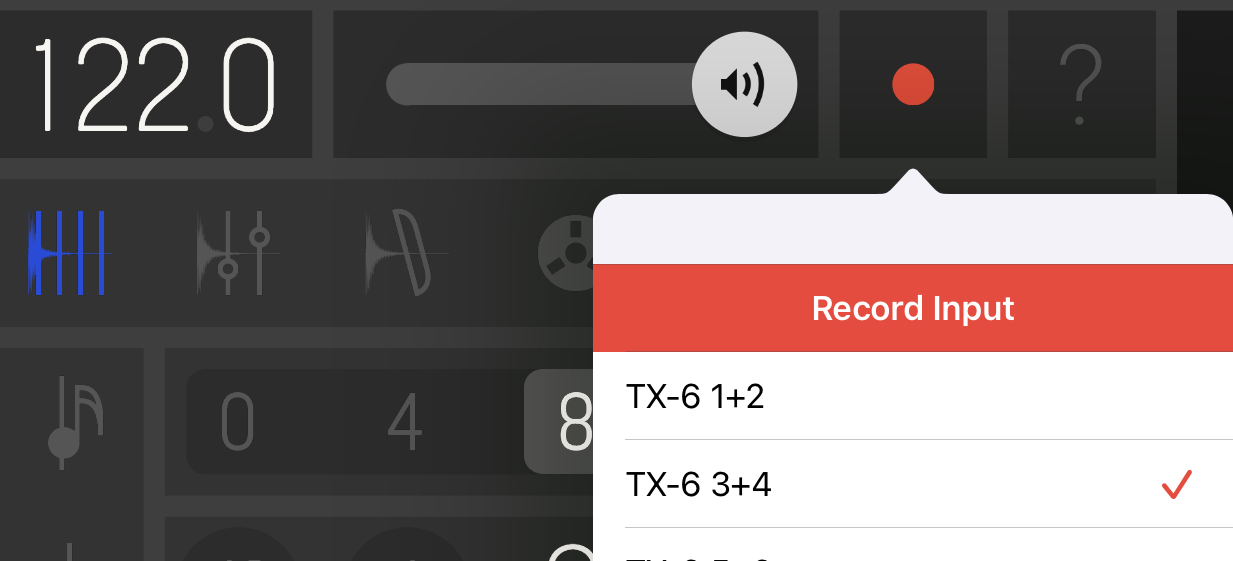
I totally forgot about the record button at the top of the Samplr app.
It's not what I planned first but it's nice.
When I use Samplr’s record function within LP, the sound becomes super glitchy.
If I quit LP and use Samplr as stand alone, everything is fine.
I tried with AUM, and it worked too.
Could this be an issue with an FX plugin (Inter-App) or something wrong with my routing?
tried with a new project in Loopy Pro, and it worked fine.
I think I might have found the cause.
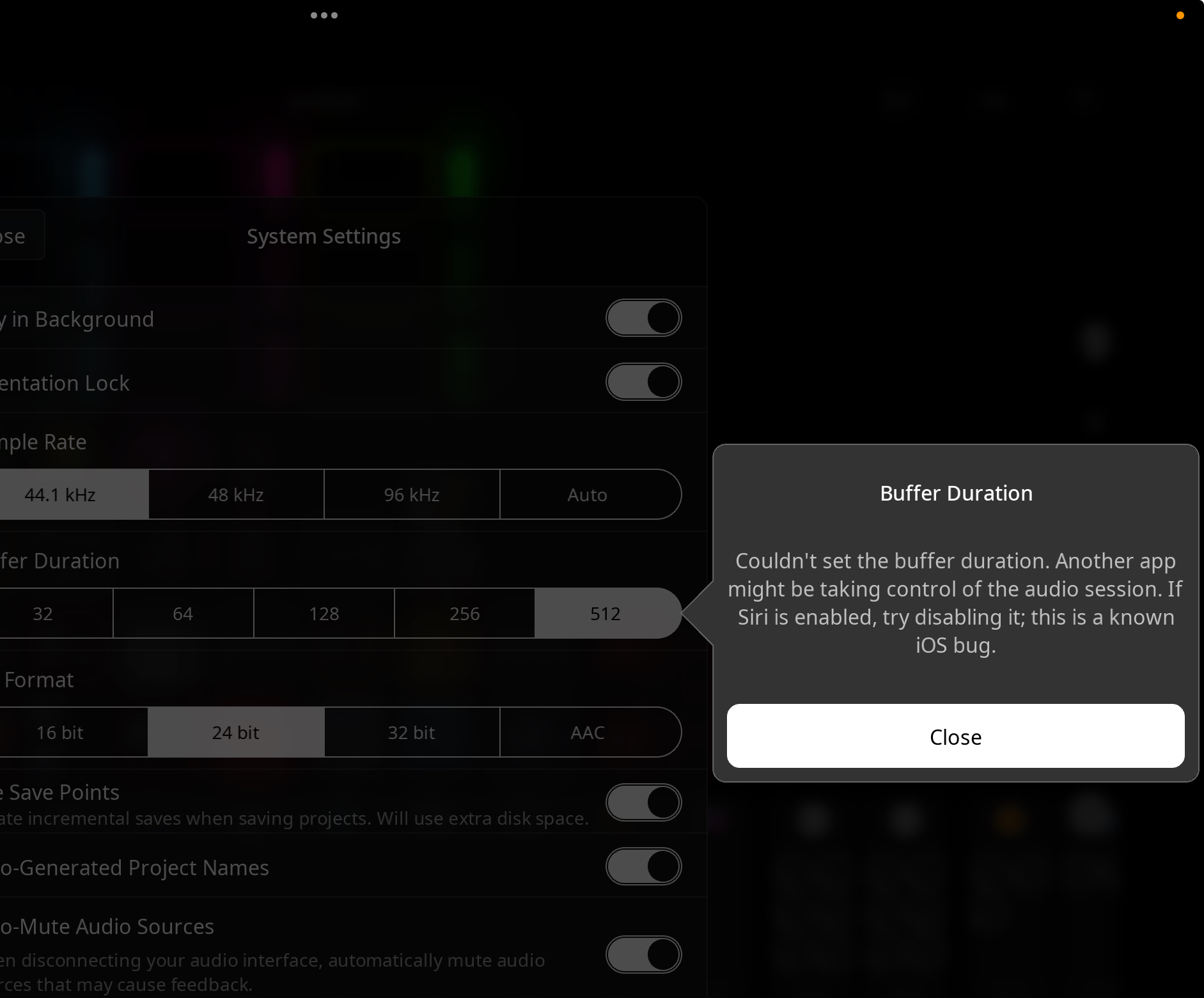
When I try to change the buffer size — for example, from 128 to 64 — I get this message:
“Buffer Duration: Couldn't set the buffer duration. Another app might be taking control of the audio session. If Siri is enabled, try disabling it; this is a known iOS bug.”
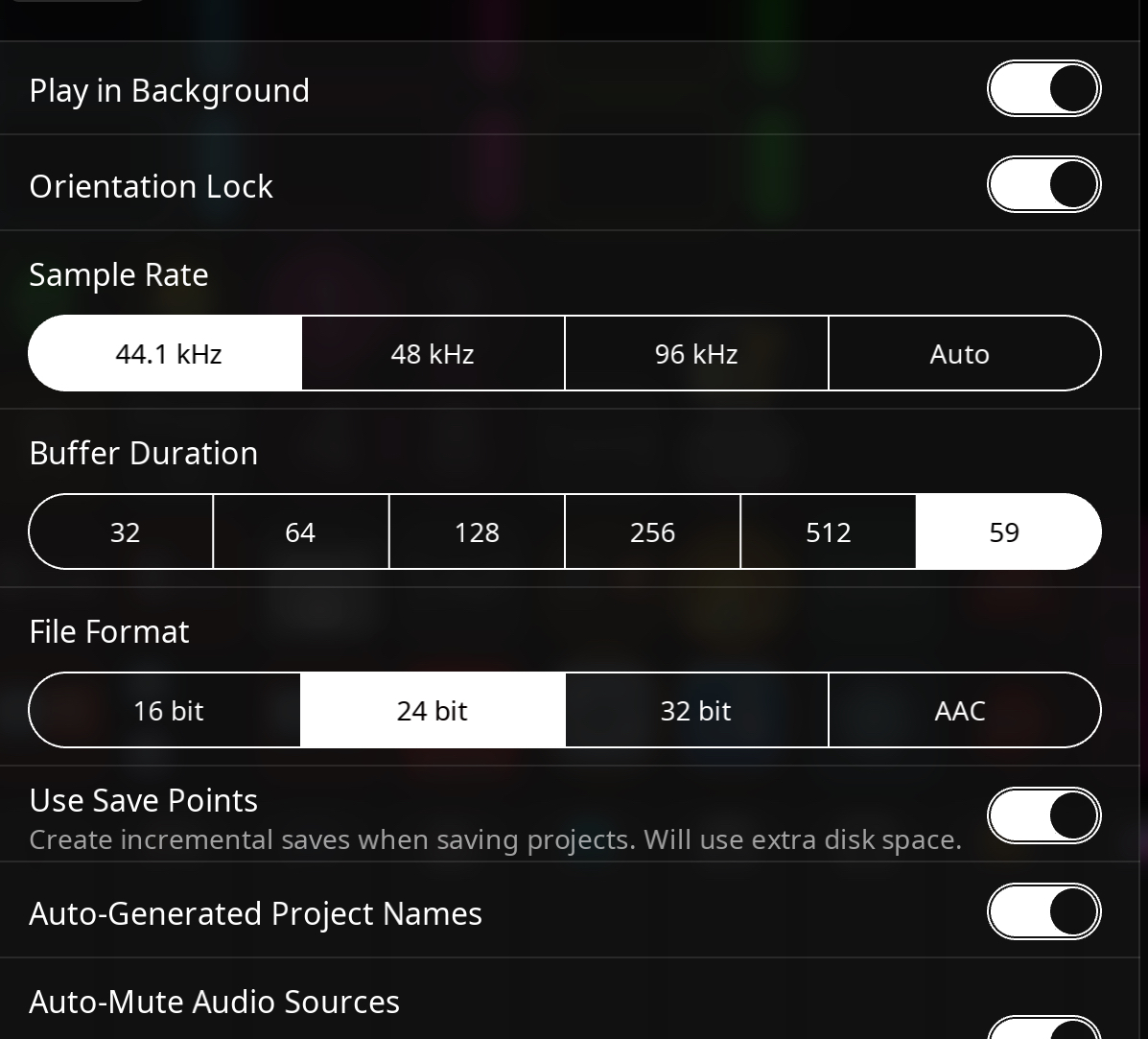
After that, the buffer size changes to 59, which seems to cause the glitchy sound in Samplr.
Siri is set to OFF on my iPad.
Does anyone know how to properly change the buffer size when using multiple plugins?
Hi. Only the first app using audio can set the buffer size. Then it's fixed for all the others. So you need to quit everything, then start Loopy Pro in order to set the buffer. Might even need a device restart. Also, the odd buffer size (like 59) is a feature of the Siri bug.
Thank you.
I'll quit everything when changing the buffer size and double-check it after reopening it.
I don't use Siri, but now I understand why I got glitchy sounds.