Loopy Pro: Create music, your way.
What is Loopy Pro? — Loopy Pro is a powerful, flexible, and intuitive live looper, sampler, clip launcher and DAW for iPhone and iPad. At its core, it allows you to record and layer sounds in real-time to create complex musical arrangements. But it doesn’t stop there—Loopy Pro offers advanced tools to customize your workflow, build dynamic performance setups, and create a seamless connection between instruments, effects, and external gear.
Use it for live looping, sequencing, arranging, mixing, and much more. Whether you're a live performer, a producer, or just experimenting with sound, Loopy Pro helps you take control of your creative process.
Download on the App StoreLoopy Pro is your all-in-one musical toolkit. Try it for free today.
Auv3 plugin greyed out when using Loopy Pro with AUM

Hello,
The AUv3 plugins are greyed out when using Loopy Pro with AUM.
I wanted to run Loopy Pro inside AUM because Loopy Pro doesn’t yet support adjusting the Ableton Link offset.
However, I noticed that when AUM is hosting Loopy Pro, I can’t use any plugins.
Does anyone know a good way to use plugins with AUM in this setup?
Maybe there’s a clever routing solution in AUM?
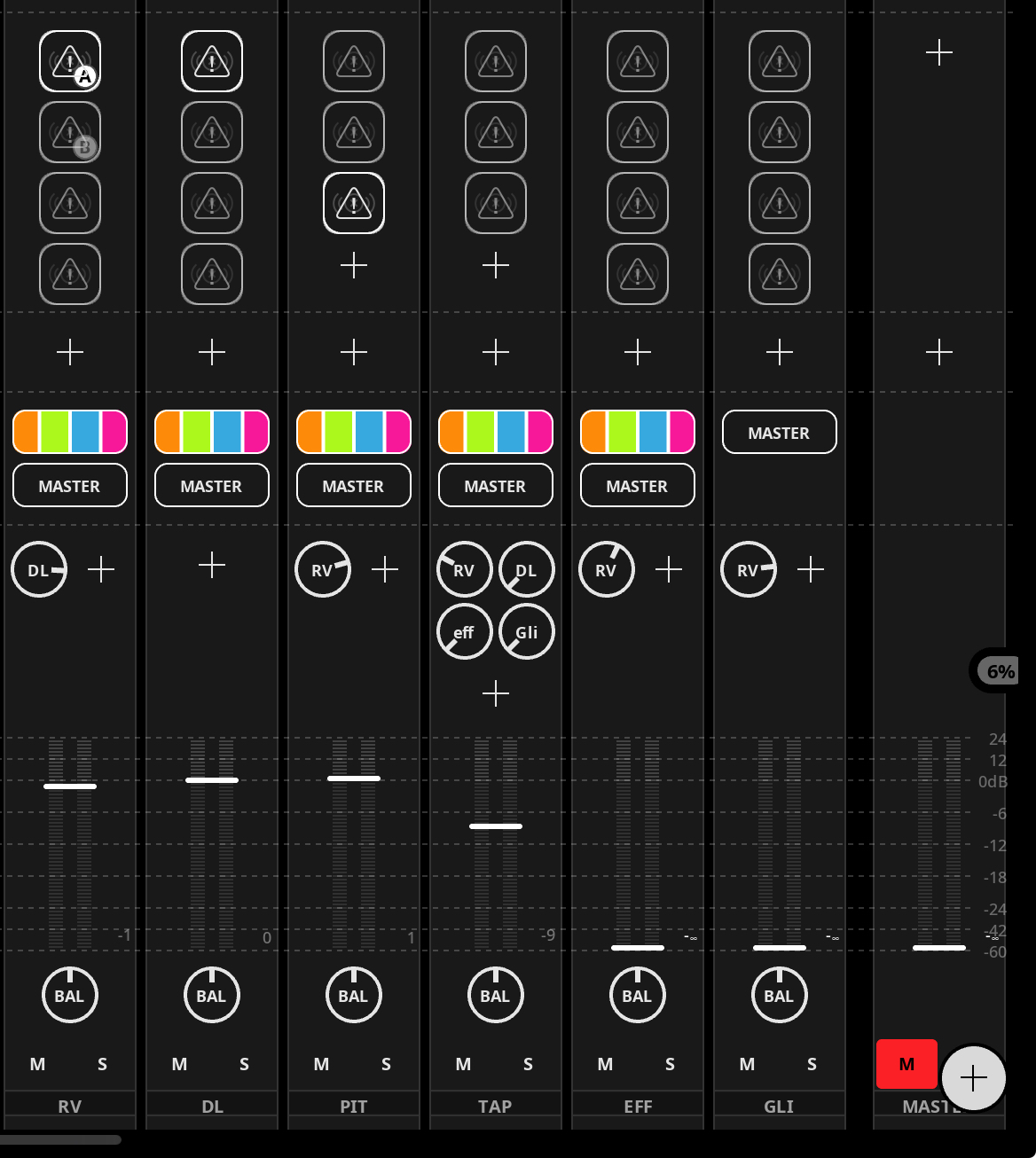
I’d like to separate delays and reverbs onto different channels and then send them back through sends.
Something like that
Comments
AUv3 can’t be loaded inside another AUv3, an Apple design decision at OS level.
Thank you.
I don't know how to get separate delays and reverbs onto different channels and then send them back through sends,
but I'll find out.
You'll have to host the plugins in AUM and use multi-input/output Loopy Pro plugin instances primarily just for recording and playing back loops. Work from there. Note that each Loopy multi-input instance also has a selectable output. Your busses are going to need to be in AUM.
It's not practical to get more specific than that without knowing exactly what you need to accomplish. I'm just hoping to help point you in the right direction. Feel free to ask questions as you explore, starting with getting the instrument and FX plugins hosted where you need them in AUM, then getting the Loopy inputs in the right FX positions.
Of course, if you're not recording or playing back Loops and you're not making use of widgets, you don't need Loopy at all. AUM can handle it.
I forgot about the widget. I need it.
My request to be able to adjust the offset on Ableton Link in Loopy Pro has been accepted.
So fingers crossed.🤞🏻
I'm planning to live looping, launch samples, control effects plugins (I sold all my effect pedals), and control Ableton Live with Midi to control Light and video...
I'll definitely need your help.
You should post a link to the feature request here so that people can upvote it.
Have you considered trying MIDI Clock rather than Link? Depending on how you're connecting the iPad to your desktop, you should be able to send clock. Bluetooth MIDI might be able to handle it, but wired would be way better.
I'll might post a link of my request but I don't know how to do.
The feature request website is down now, so I'll check another time.
Thank you for suggesting wired Midi clock sync.
I don't know how to connect it to my TX-6 and my audio interface on my Mac is an Apollo Twin.
I guess I could somehow connect my Mac and the TX-6 with a USB cable to a hub...
I prefer avoid Bluetooth Midi sync for stability.
I'd suggest iDAM, going USB direct to the Mac, but then you couldn't make use of your TX-6 on the iPad.
I don't know anything about how you'd get the TX-6 sync out to work with your Mac. I'm not sure what you're saying about using a hub, but generally configurations like that will not work due to the way USB works.