Loopy Pro: Create music, your way.
What is Loopy Pro? — Loopy Pro is a powerful, flexible, and intuitive live looper, sampler, clip launcher and DAW for iPhone and iPad. At its core, it allows you to record and layer sounds in real-time to create complex musical arrangements. But it doesn’t stop there—Loopy Pro offers advanced tools to customize your workflow, build dynamic performance setups, and create a seamless connection between instruments, effects, and external gear.
Use it for live looping, sequencing, arranging, mixing, and much more. Whether you're a live performer, a producer, or just experimenting with sound, Loopy Pro helps you take control of your creative process.
Download on the App StoreLoopy Pro is your all-in-one musical toolkit. Try it for free today.
Comments
Ditto, but I doubt we'll see that...
I would love to import my SF2S into the BIG Sampler on the iPad but that's also a no-go at the moment...
...on the Mac this works perfectly.
Few more days to go
Well, I'm happy that LogicPro 12.0 still works in Intel Macs (Just downloaded it).
Had a quick poke around and things I’ve noticed so far:
Here's the "what's new" summary from Apple Support: https://support.apple.com/guide/logicpro-ipad/whats-new-in-logic-pro-3-lpipc9ddd617/ipados
They did improve the UI of the stock instruments(!) Alchemy is still dumbed down, and still no love for multi-sampler, but the legacy built-ins look a lot better. Still not a "pretty" UI for any of them, but controls are grouped and don't slide around in the UI as the window gets resized. Huge improvement in usability for these instruments.
ETA: I had most of the content packs installed prior to the upgrade, and the new content plus updates to existing packs is going to consume an extra 9gb or so.
Further release notes here as well: https://support.apple.com/en-us/101628
The Sculpture improvement is especially great after how hilariously bad it was before.
Love to see the step seq improvements too!
Weird, mine still hasn't updated.
IPad is taking f o r e v e r to upload/open....
iOS 26 only sadly.
I just updated and my current in-progress project starts to load then crashes back out to the home screen
I’ve restarted, made sure all libraries / packs are up to date, no joy.
Other projects seem ok bar 1. Edit: 6 projects fail to load with v3
I tried creating a new project and loading a multi out instance of one shot or battalion, which is used in this project.. both fail to load, could this be the issue. Anyone else have this problem?
Wow. That’s a shame.
By the way, the desktop version of Logic Pro just updated. And it looks like it doesnt' get that horrible new icon the iPadOS version gets (thankfully).
Yep exactly the same issue for me 😕 If we submit bug reports hopefully we can get a speedy fix (esp given the new price point) 🤞
I’ve found this affects Battalion, Oneshot, Koala and Splat-to-clat so far. Drambo, Loopy Pro, Tekno and FAC Drumkit seem okay.
Oh I just tried Tekno and it works, so does blip box... Makes me wonder if there's something more strict in the APIs for developers. Will also submit a report to Klevgrand, see if the issue "is at their end".
Thanks for trying out some other plugins
If something like this didn’t get fixed, I wonder if a refund is possible.
For anyone else with Logic projects that fail to load, I uninstalled Oneshot and I can now open my project files again. Phew! I removed the Oneshot instance from my project and saved.
I would be happy but I discovered an issue with Oneshot, this thread is about logic but mentioning it anyway..
I was careful to export all my user slots and presets. This created a Oneshot folder On My iPad with my backups.
I reinstalled Oneshot intending to use it as a stereo plugin for now. After opening it, OneShot wiped the folder it had exported my slots to. They’re gone. I wish I had known to copy them somewhere else. Damn, that’s hours of pain ahead to recreate some drumdrops kits.
On a more positive note, as someone who’s terrible at organising tracks, I’m loving the extra zoom out level.
So the synths got new interfaces?
Could you share some screen shots of what have changed?
And the compressors - what do they look like now?
I am still on ios18 - so it has to be a large upgrade - is it?
Def digging the new bass 808 player and the randomizer in the sequencer for the drums is nice especially with velocity and nudging. Seems like projects are bigger size and the battery drain is a little more than expected. I’m happy but of course I don’t get as technical and deep as some of yall lol. Still don’t have parameter unlocks for some instruments that are on the Mac even those instruments are on GarageBand iOS.
oooh sorry, that happened. 😕
That trips up a lot of people. It's universal behavior in iPadOS / iOS that uninstalling an app will remove its folder and all data such as presets and settings.
There is an option in device storage under settings to "Offload" apps, which removes the app but keeps the app data. That can sometimes fix a few issues. Not all that often really, but it's worth trying. Just be sure to do it only for individual apps. Never turn on the option to have the OS manage that automatically when space is needed.
Thanks @wim , good to know it’s an iOS thing so I can be more careful in future. I’m just relieved it’s an admin task to fix rather than losing anything creative.
@NTKK - most plugins, like the compressors, look the same but they’ve tried to clean up the mess of endless dials in the synths by grouping them into tabs and aligning the layout. Sadly it doesn’t look like we’ll get a more functional alchemy.
You'll be able to get a one month free trial to creator studio btw to check this for yourself - just remember to cancel before the trial ends haha
Woow.. ok this is massive improvement !!
Nice colours though
For those who 'loved' the old style there's a toggle for adaptive layout under the three dots
...the layouts are slightly improved for the 'old style' UI, require less horizontal panning and the UI elements scale to fit the current view-port which the new ones don't (hence more need for horizontal panning).
Apart from the few new features plenty of the old WTF issues still remain unfixed...
I'm a bit clueless what to do...
got a ipad 11 gen, about six month ago, to run logic on it.
now it seems i would have to buy a new one (M), just to use all new features that came with the update?
I can’t actually select any of the other header tabs on this synth on iPad M1 .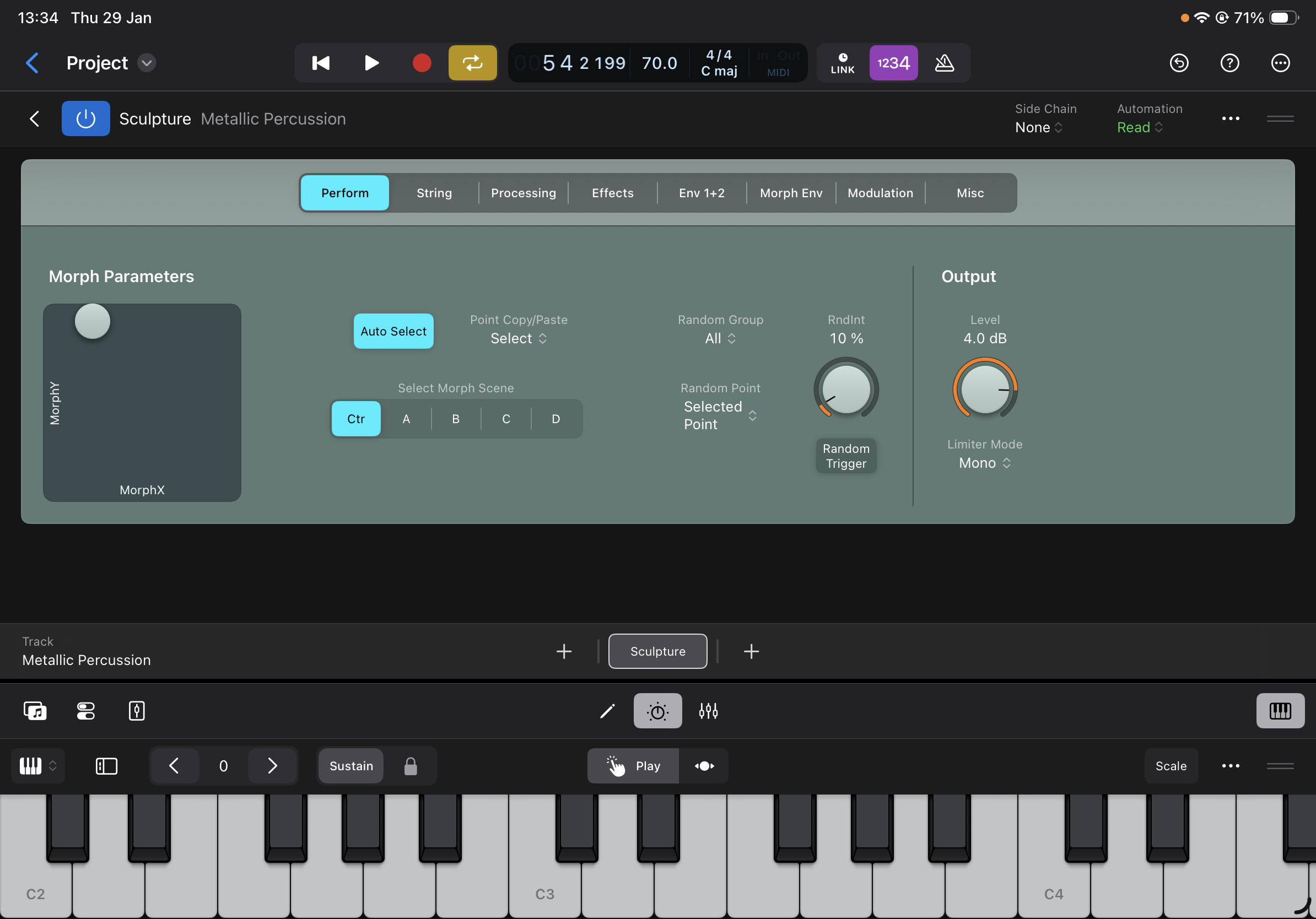
No problems here...
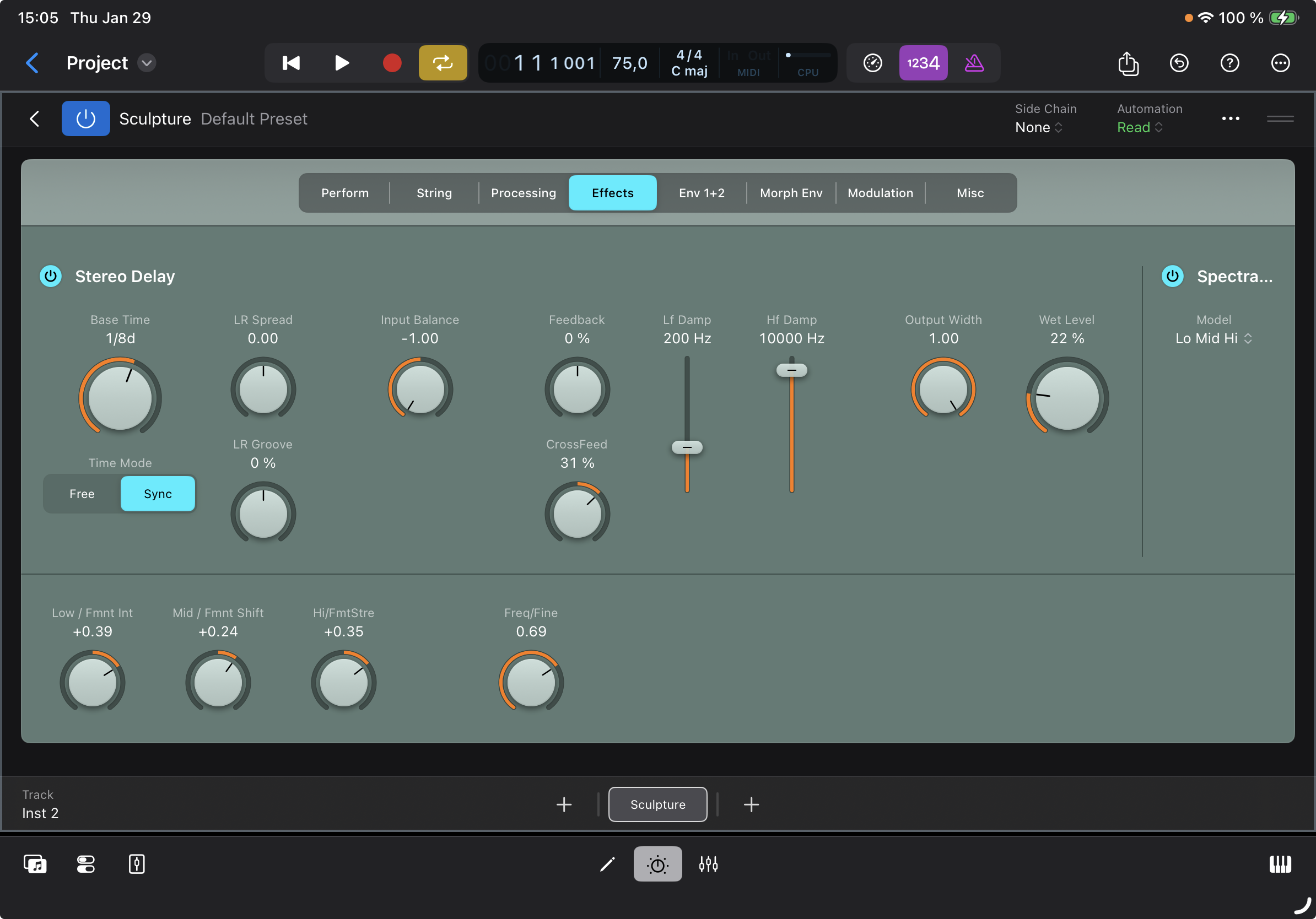
...LogicPro for iPad 3.0, 11" M1 iPadPro, iPadOS26.2.1.
They should remove the word PRO from the name and call it Logic Buggy (maybe someday will fix, but probly not)
Anyone else running into a fully unresponsive channel strip every now and then?
Had it happen a few times since 3.0 that after closing a plugin window that I can’t interact with anything on there.
Only fix I’ve found is to duplicate the whole project, but it comes back after a while 😬
In the crash-logs it's still called Mobile Logic or was it Logic Mobile
Will be interesting to see if the Logic Team ramps up the update/bug-fix schedule which will be needed if there's a lot of new users who jump onboard the Logic Train due to the subscription on both Mac and iPad and start to run into various issues and quirks...
(I've done my share in the past and many of those things are still present in both Mac and iPad versions of Logic).