Loopy Pro: Create music, your way.
What is Loopy Pro? — Loopy Pro is a powerful, flexible, and intuitive live looper, sampler, clip launcher and DAW for iPhone and iPad. At its core, it allows you to record and layer sounds in real-time to create complex musical arrangements. But it doesn’t stop there—Loopy Pro offers advanced tools to customize your workflow, build dynamic performance setups, and create a seamless connection between instruments, effects, and external gear.
Use it for live looping, sequencing, arranging, mixing, and much more. Whether you're a live performer, a producer, or just experimenting with sound, Loopy Pro helps you take control of your creative process.
Download on the App StoreLoopy Pro is your all-in-one musical toolkit. Try it for free today.
Issues with Multi-Page Midi Learn .

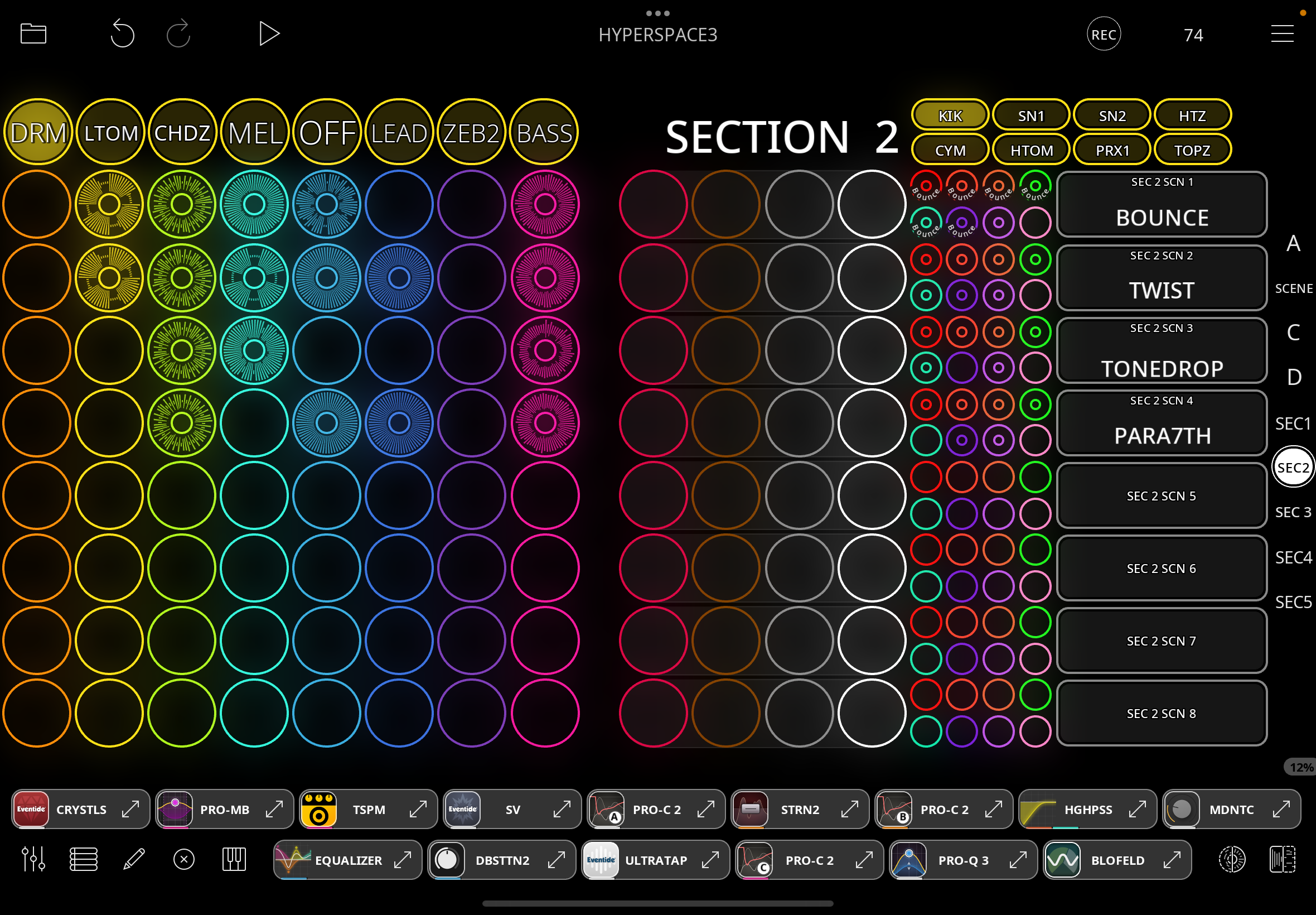
Trying to replicate my Ableton Live template ;
40 Scenes are split into 5 Sections (in Loopy using Pages) so 8 scenes per section/page .
Each Scene row has L> R 8 instrument stems , 4 empty clips to loop into (red, brown,grey,white) ,
& 8 Drum Subgroup .
8 button Footswitch is midi assigned , long press on first 5 buttons changes Sections/Pages ,
then normal press triggers each of 8 Solo Grouped scenes within the section ( using controller profile switching)
All working fine so far ….
Next I need to trigger recording of 4 empty clips for live looping (red,brown,grey,white ) ,
with a hardwired button for each - which is proving difficult .
I set each group of (red,brown,grey,white) in each scene to a separate Play Group , hoping I could midi assign Record Clip using Specific Clip/ Specific Play Group/Active Page but this doesn’t seem possible -
firstly - because Play Groups aren’t specifiable as target groups ? it seems (except next empty whereas I need fixed button to clip mapping )
secondly - Active Page is not appearing in the midi learn actions menu when selecting one of the clips to assign actions - as the manual misleadingly implies it should ?
the manual image shows Trigger Widget with This Page Only/Active Page but the accompanying text refers also clips - whereas I don’t seem able to get this option to appear for clips .
A second method I tried , following @Michael ’s One Button to Rule video has also proven problematic - because I have additional pages to my 5 identical Section pages (for additional controller functions) - it breaks the All Pages function in the video !
I have proved this by deleting the non - Section pages , & verily ! if all pages are identical ,
an All Pages page appears for mapping …. but I need those additional pages .
It seems a Page Group function is necessary , to create groups of pages that the All Pages function can work within … another Feature Request for @Michael ’s MikeBot to re-express better than I ?
Is there any suggestion how I could get this to work “internally” using existing features ?
I have proof of concept found that I could continue with my “external” footswitch strategy
of switching controller profiles - but one for each of 8 scenes x 5 pages seems excessive & a chore
given similar nearby functionality is advertised “within” the app .
Maybe I’m missing something obvious ? , any help appreciated .
Comments
@RetroNewb : in what way do your ‘section’ pages break All Pages?
Can you post screenshots demonstrating?
Navigation dots also stop working , once you enter the final page you can’t go back & have to close .
It previously also showed the contents of a widget on page one , until I deleted that page
Individual pages do work -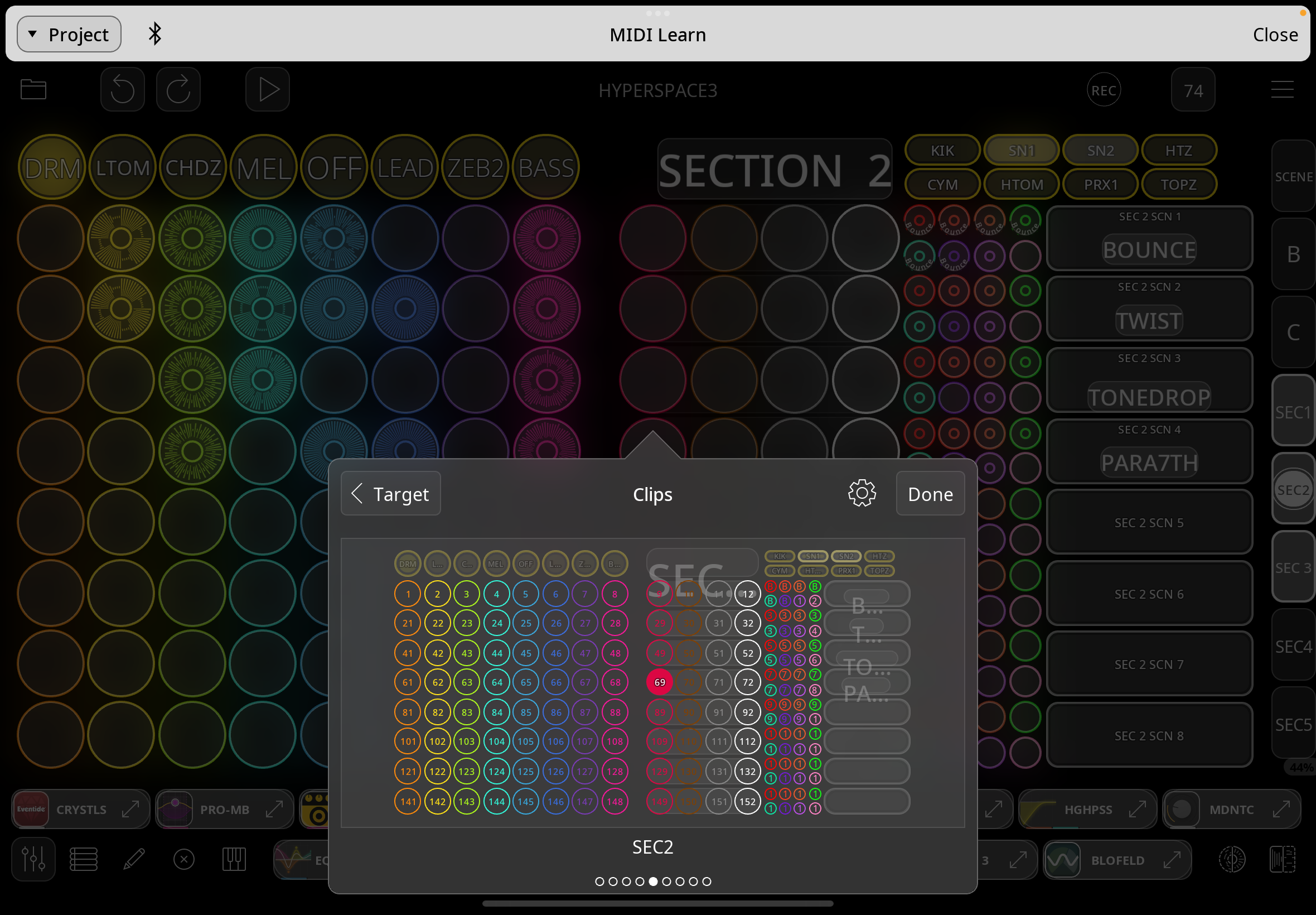
@RetroNewb : can you zip and upload a copy of your project with no audio. All Pages should be there even if there are some non-identical pages — it is working for me. So, it would be helpful to have a copy of the project so we can reproduce and address the problem.
RE MIDI LEARN AND THIS PAGE/ACTIVE PAGE
for clips this is handled differently than widgets. You have to manually select the target by tapping on target and selecting the target. For active page functionality, you choose the clip on the All Pages tab.
Attached file - hope it can be fixed soon -
so re midilearn this page /active page
1 I will need All Pages working correctly for this also I guess ?
2 the manual is misleading then , as it implies similar behaviour between widgets & clips ,
this confused me for quite a while , given that the Canvas (& tutorials thereof) refer to Clips as members of the widgets options .
When working , I suspect I may be back with more questions as to how I switch between Scenes (PlayGroups) …..
but thanks for help so far .
edit - should I have mentioned Ipad Air 4 , IOS 17.7.2 ?
I took a quick look at your project. I checkef and if you change the order of your pages so that the Section pages are first, All Pages will work. You can long press a page icon and drag to rearrange the order.
Damn..didn’t think to try that .. just tested & it does work! …if you tap sequentially thru the pages,
but tapping straight to the final page still gives a blank here though .
At least I can proceed , thanks !
Hope other issues were worth sharing ,
& may be back with PlayGroup switching query once I see how far I can get .
If you want to hardwire the buttons for the clips in the play groups, I think you will need to switch control profiles and have a binding that switches between the target groups