Loopy Pro: Create music, your way.
What is Loopy Pro? — Loopy Pro is a powerful, flexible, and intuitive live looper, sampler, clip launcher and DAW for iPhone and iPad. At its core, it allows you to record and layer sounds in real-time to create complex musical arrangements. But it doesn’t stop there—Loopy Pro offers advanced tools to customize your workflow, build dynamic performance setups, and create a seamless connection between instruments, effects, and external gear.
Use it for live looping, sequencing, arranging, mixing, and much more. Whether you're a live performer, a producer, or just experimenting with sound, Loopy Pro helps you take control of your creative process.
Download on the App StoreLoopy Pro is your all-in-one musical toolkit. Try it for free today.
Second mapping of Scene Trigger Widget breaks quantization of previous mapping- Please Ignore .

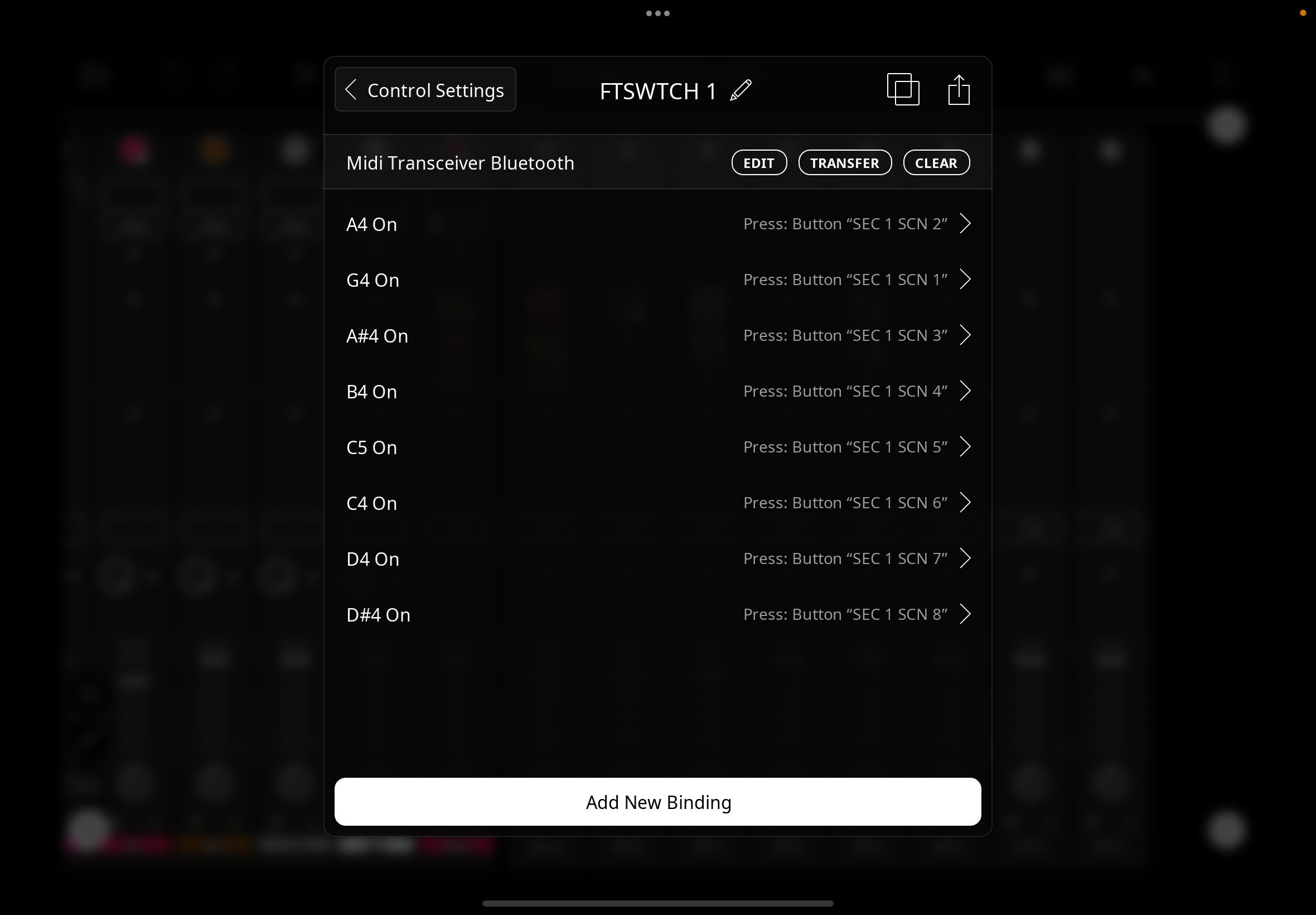
Adding to my previously sent Ableton- style template ,
where button widgets change rows of clips “scenes” using Solo /Specific Clip all set to Master/Master ,
& triggered by a unique project profile footswitch mapping per page producing correct quantization whereby newly triggered scene button flashes whilst waiting to switch for correct number of bars …..
I find adding an additional midimapping , from LaunchpadMini ,
(because in some moments I want to use this instead of footswitch);
causes correct inherited quantization behaviour with newly added Launchpad mappings
BUT previous footswitch quantization is broken ,
& scenes switch immediately instead of flashing & waiting for correct number of bars .
Deleting the newly added Launchpad mappings , & the footswitch mappings re-inherit the correct
quantization behaviour immediately .
I suspected that buttons cannot apply quantization settings to multiple triggers per se,
but further testing using 5x5 solo switching sample template ,
using 2 different midi mappings mapped directly using midi learn DID both keep quantization -
so the issue is maybe that the footswitch mappings are within a switched project profile in control settings ?
Hope I have explained clearly enough ,
if you still have the project I sent , adding new midi learn mappings to Sec1 Page Scene buttons
should show the issue .
Comments
@RetroNewb : I am not understanding. As long as you aren’t sending conflicting midi messages, creating a binding for one device should have no effect on another device’s bindings.
Can you please zip and upload a project in this thread and provide step-by-step instructions for reproducing the problem?
When you provide the instructions also explain what you expect to happen and explain what happens instead.
Sorry , posted thread before sending accompanying private video -
which hopefully shows
first 2 scene switches are with Launchpad - correct quantization -
then when I try Footswitch (from Controller Profile List - unique mapping ) quantization is broken , switches immediately -
I then remove the Launchpad mappings , & the footswitch then switches scenes with correct quantization .
Project is same as previously sent ,
if I could ask you to add loops *so Section 1 Page scene changes to function with correct quantization using Footswitch1 profile (switched automatically when on Sec1 page ) -
then midi learn a couple of scene button widgets to a different controller to see if problem persists ?
expected behaviour is that either controller can trigger a scene change with correct quantization
*edit ps 6/8
If you could send the project all set up, it would be much appreciated.
Project file sent ,
adding a second controller’s mappings to scene trigger widget buttons via midi learn should show issue .
many thanks .
Can you send the project with those mappings already set up?
I have set up many projects where two different controllers can trigger the same widgets. It would be helpful to have the project ready to fail in case it had something to do with how you set up the second controller’s bindings.
sorry , I sent it with the original footswitch quantization working correctly -therefore single controller -
the video showed removal of the 2nd midi mapping .
will send again with 2nd controller mapped (so first will stop working ) , tomorrow I’m afraid now .
thanks for your attention.
please ignore - working again .
Thanks & sorry to @espiegel123 for his time .
Any idea what solved it?