Loopy Pro: Create music, your way.
What is Loopy Pro? — Loopy Pro is a powerful, flexible, and intuitive live looper, sampler, clip launcher and DAW for iPhone and iPad. At its core, it allows you to record and layer sounds in real-time to create complex musical arrangements. But it doesn’t stop there—Loopy Pro offers advanced tools to customize your workflow, build dynamic performance setups, and create a seamless connection between instruments, effects, and external gear.
Use it for live looping, sequencing, arranging, mixing, and much more. Whether you're a live performer, a producer, or just experimenting with sound, Loopy Pro helps you take control of your creative process.
Download on the App StoreLoopy Pro is your all-in-one musical toolkit. Try it for free today.
Button to change MIDI channel.

I’m wanting to control the NoInputMixer plugin as an AuV3 in Loopy Pro using a small MIDI controller such as a Korg NanoKontrol or SMC-Mixer
The Noinput Mixer has 7 “channels”, each channel with their own effects. The NoInputMixer can be MIDI mapped through the app, but I can only figure out a way to use one MIDI channel and don’t know how to configure the controller so I can press a button, either on the controller or in Loopy to change the MIDI channel.
I’m trying to figure out a way where I can have each “channel” in the NoInputMixer mapped to an individual MIDI channel so all the buttons / faders / dials can control effects only in that “channnel”, but(!) I also would like to be able to press a button in Loopy Pro to then select the next “channel” in NoInputMixer with a different MIDI channel.
The kicker is that I want to be able to select each of the 7 “channels” easily and be able to mute them or adjust them if need be, but all from a MIDI controller, not on my iPad.
I’m not opposed to having multiple templates in Loopy Pro, but I’d prefer not to have 7 different screens for each “channel”.
Here’s the NoInputMixer app
Comments
It sounds like you need to use a midi AU such as mozaic, streambyter or mfx convert to remap the incoming channel.
Here’s a detailed and categorized list of Mozaic scripts, there is one for midi channel changing, I haven’t used it, but should help.
https://abwiki.loopypro.com/doku.php?id=mozaic_scripts_list&s[]=mozaic
I recommend mfxStrip which is simpler than dealing with scripting apps. You can use its
CHANNEL outgoingAUv3 parameter to do the channel selection. There is more than one way to set it up. Here's one:Add mfxStrip as a MIDI Input
Add a stepped dial with seven steps
Adjust MIDI AU Parameter, targetmfxStrip CHANNEL outgoing,Value 1then press Back. (Hint: double-tap the number to type in rather than trying to set with the slider)Valueto 2Bind your controller button to the stepped dial using MIDI Learn
Scrolland Action toNudge Value.Adjustment = 1,Wrap Around ONThe dial setup will look like this:
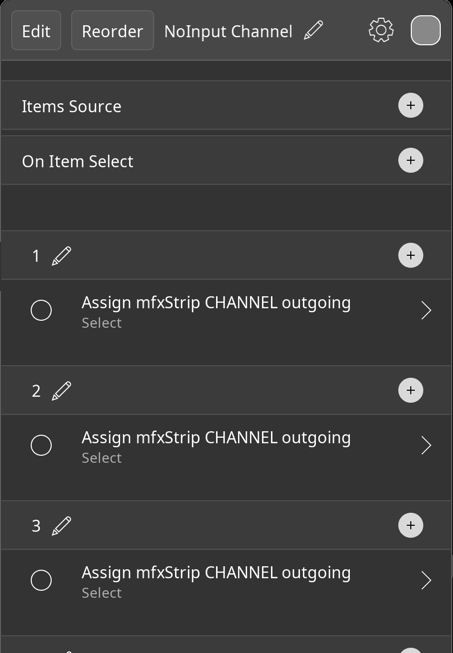
Each step will look like this, with the value set to the channel number set for each:
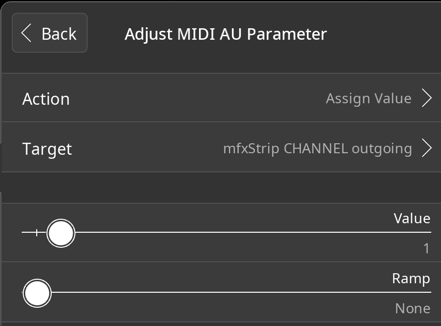
The binding for the widget will end up looking something like this:
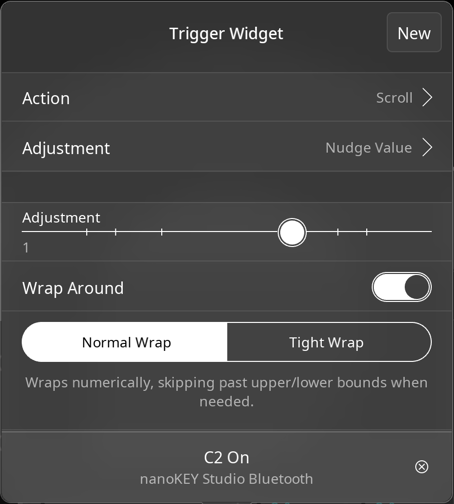
Thanks. I downloaded Mozaic, but couldn’t quite get my head around it, even with scripts.
Thanks! This looks perfect. I actually downloaded mfxStrip last night after reading about it in another thread, but couldn’t quite figure out the steps I needed to do. Admittedly I was also falling asleep.
I hope it works out for you. Let me know if you have any remaining questions.
fwiw, Mozaic isn't usually difficult to use with pre-made scripts. It's the same idea - pass MIDI data through the Mozaic plugin. It can take a little bit to get your head around the process of downloading and importing scripts, but once you get that the rest should usually be straightforward (depending on how well the script is written).
I think my brain is fried currently from coding macros in Excel at work so looking at codes in Mozaic gave me PTSD.
Take a break and mess with SunVox for a bit.
Good call on mfxStrip @wim
Would mfxconvert work too?
mfxConvert is too granular for this task. You'd have to do a conversion mapping for every note, cc and other message you want to pass through.
This works great, but(!) it’s like it hesitates. Say I press a button on my controller or even a button in Loopy, the mfxStrip shows that the midi channel goes from 1 to 2, but the stepped dial is still showing at channel 1. I then press the button again and the stepped dial goes to the marking for channel 2. If I press the button a third time, it goes to channel 3, but will stay on the marking for channel 2.
However, this doesn’t happen every time I press the button. Sometimes it will move the stepped dial as it should.
The stepped dial works perfectly and goes through the midi channels in mfxStrip though. Unfortunately I don’t have a stepped dial on my midi controllers.
Here’s some screenshots.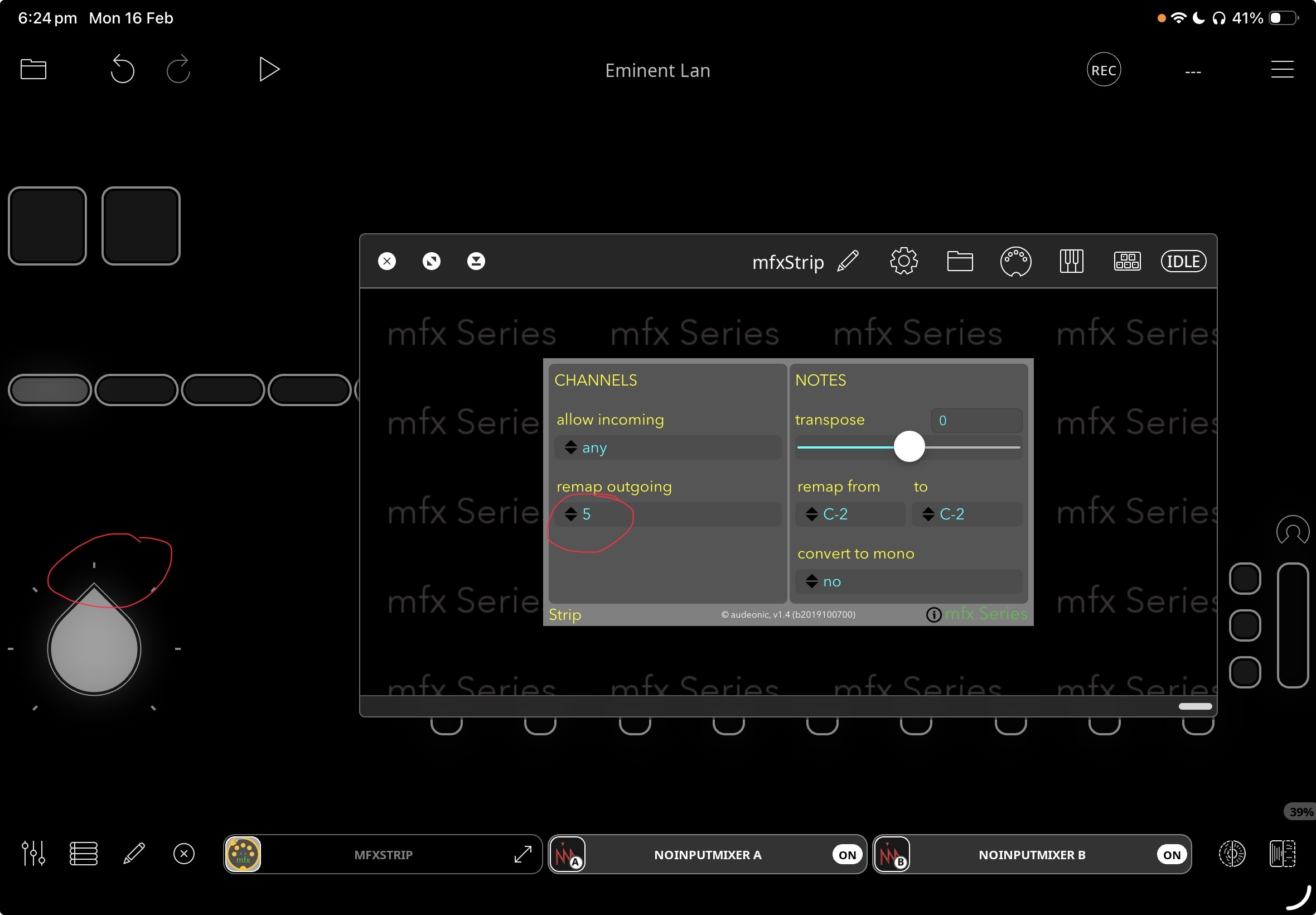
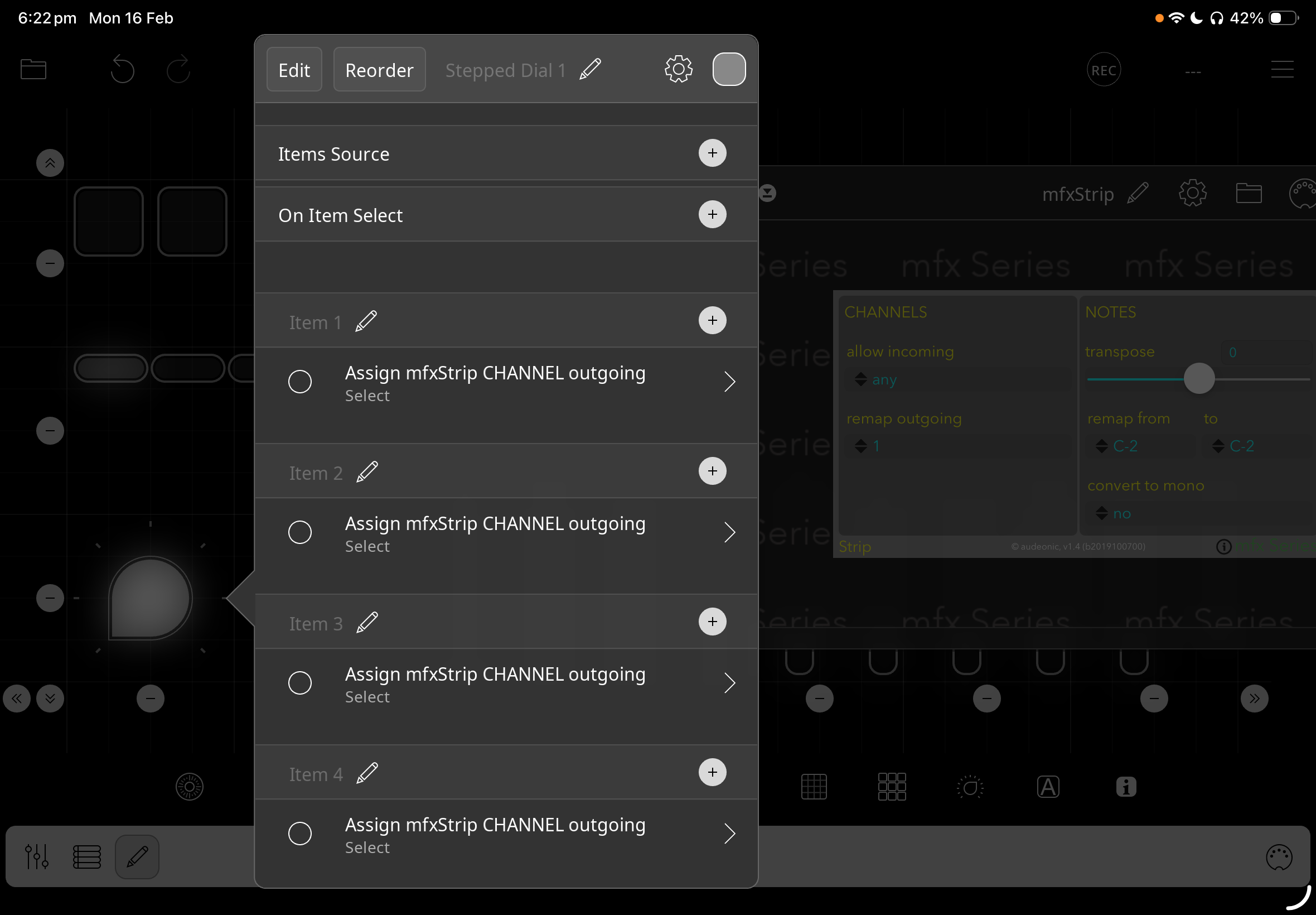
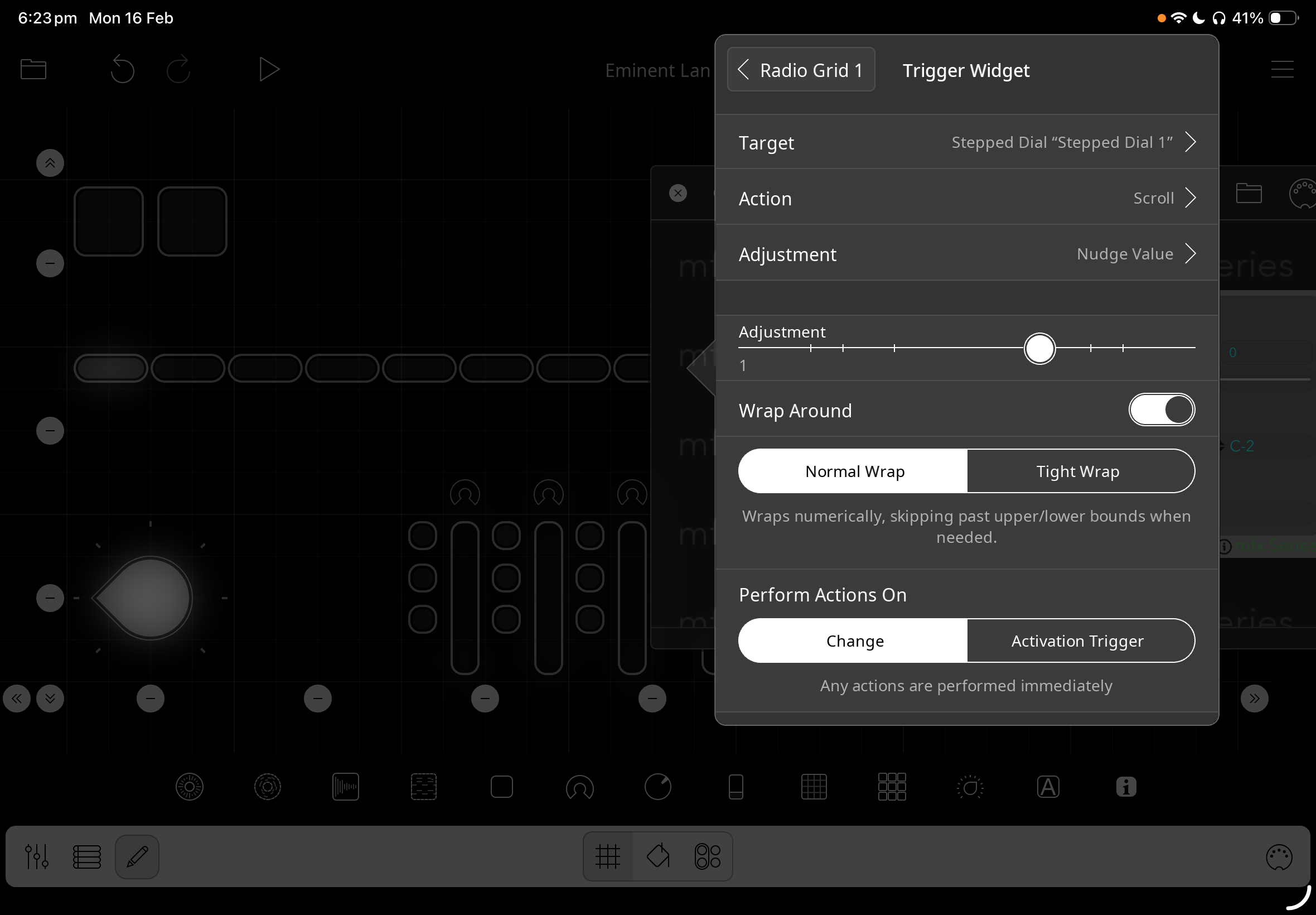
@Verbs_and_Nouns : post a screenshot of the dial options as shown in the gear wheel. You may want to try turning state feedback off. It is possible that mfxstrip is not updating its state.
That was it! I disabled the state feedback on the dial and it works perfectly now with the button and midi controller. Thanks.
This has opened up so many possibilities with only a few controllers and multiple apps that require a lot of knobs and sliders for adjustments, like the Ripplemaker.
So good.
Only thing that I’m struggling with is once I change the midi channel with the widget through mfxStrip, it’s not reflected in NoInput Mixer, it still shows as midi channel one, no matter what channel the mfxStrip is showing. Feel like I’m missing a step or routing something wrong.
In saying that, I may need to plug my Korg nanokontrol into my laptop and remap it.