Loopy Pro: Create music, your way.
What is Loopy Pro? — Loopy Pro is a powerful, flexible, and intuitive live looper, sampler, clip launcher and DAW for iPhone and iPad. At its core, it allows you to record and layer sounds in real-time to create complex musical arrangements. But it doesn’t stop there—Loopy Pro offers advanced tools to customize your workflow, build dynamic performance setups, and create a seamless connection between instruments, effects, and external gear.
Use it for live looping, sequencing, arranging, mixing, and much more. Whether you're a live performer, a producer, or just experimenting with sound, Loopy Pro helps you take control of your creative process.
Download on the App StoreLoopy Pro is your all-in-one musical toolkit. Try it for free today.
Help please with creating an audio track in LP4 iPad…

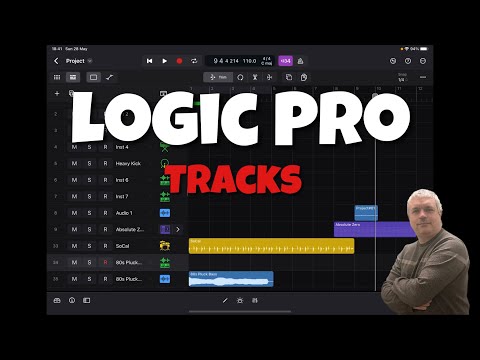
At exactly 10:15 Leo drags “80s pick bass “ down and creates a track..Right after that he creates an audio track by duplicating the same action except dragging it down into the “Drag here to create audio “ region..The difference is that the first track has that blue keyboard icon and the second track that I drag into the audio region is supposed to have a different blue audio icon..But when I do it , it doesn’t show the audio icon, just the same blue keyboard icon as I had on the previous plucked bass track..What am I doing wrong? I’m trying to duplicate what he does exactly……I am able to go in and change the icon but he doesn’t..it just seems to happen automatically when he does it ..@sfm
Comments
Just tried it.. this is what I get.. don’t think the icon makes any difference.. functionally the same..
Leo’s video is 2 years old now so I’m guessing Apple has changed a few things since then..
@royor : I thought as much but being a little OCD I wanted to make sure . I really appreciate you taking the time ..
@Telstar5 No problem.. I just recently subbed to Logic so it’s all a bit new to me too..
Found this helpful..
@royor : Man! How did you find that? Just what I needed but I didn’t know what it was called .. Thanks AGAIN!!!!