Loopy Pro: Create music, your way.
What is Loopy Pro? — Loopy Pro is a powerful, flexible, and intuitive live looper, sampler, clip launcher and DAW for iPhone and iPad. At its core, it allows you to record and layer sounds in real-time to create complex musical arrangements. But it doesn’t stop there—Loopy Pro offers advanced tools to customize your workflow, build dynamic performance setups, and create a seamless connection between instruments, effects, and external gear.
Use it for live looping, sequencing, arranging, mixing, and much more. Whether you're a live performer, a producer, or just experimenting with sound, Loopy Pro helps you take control of your creative process.
Download on the App StoreLoopy Pro is your all-in-one musical toolkit. Try it for free today.
Choppa by Elijah Lucian (Released)

https://apps.apple.com/app/id6759894845
WaveLoop Choppa is a lightning-fast sampler and slicing instrument built for songwriters, live loopers, and sonic sketchers. Stop clicking notes into a piano roll and start performing your ideas.
Whether you are capturing a quick vocal chop through your microphone or slicing up a synth loop inside your favorite mobile DAW, Choppa turns static audio into a playable, dynamic instrument instantly.
ESCAPE THE GRID Designed for speed and musicality, Choppa lets you bounce loops into slices, trigger sections as one-shots, and remix ideas into fresh patterns without slowing down your creative flow.
STANDALONE & AUV3 PLUGIN Use Choppa as a standalone instrument to jam and sketch ideas on the go using your device's microphone. When it's time to produce a full track, load Choppa as an AUv3 plugin inside GarageBand, Logic Pro for iPad, AUM, or any compatible host to integrate it directly into your mix.
KEY FEATURES • Instant Chopping: Record audio and immediately map it across playable trigger pads. • Perform Your Loops: Trigger sections organically as one-shots to create new rhythms and call-and-response patterns. • Destructive Fun: Reverse, choke, and manipulate slices to discover happy accidents. • AUv3 Support: Full Audio Unit v3 support for seamless integration into iOS DAWs. • Export Anywhere: Part of the WaveLoop ecosystem—export your ideas and build them out in your desktop DAW.
Catch the vibe, mangle your loops, and build your next track with WaveLoop Choppa.
Details:
Universal: Yes
Minimum OS version: 17.0
Comments
this looks fun, anybody try it yet?
Looks interesting for sure, but not sure if it'd fit one of my particular workflows. ❤️ Elijah Lucian. I used to know a bloke by that name from a long time ago.
ESCAPE THE GRID.
You have my attention
Any Videos yet. If it’s anything like Samplelist but AU3 I’m in!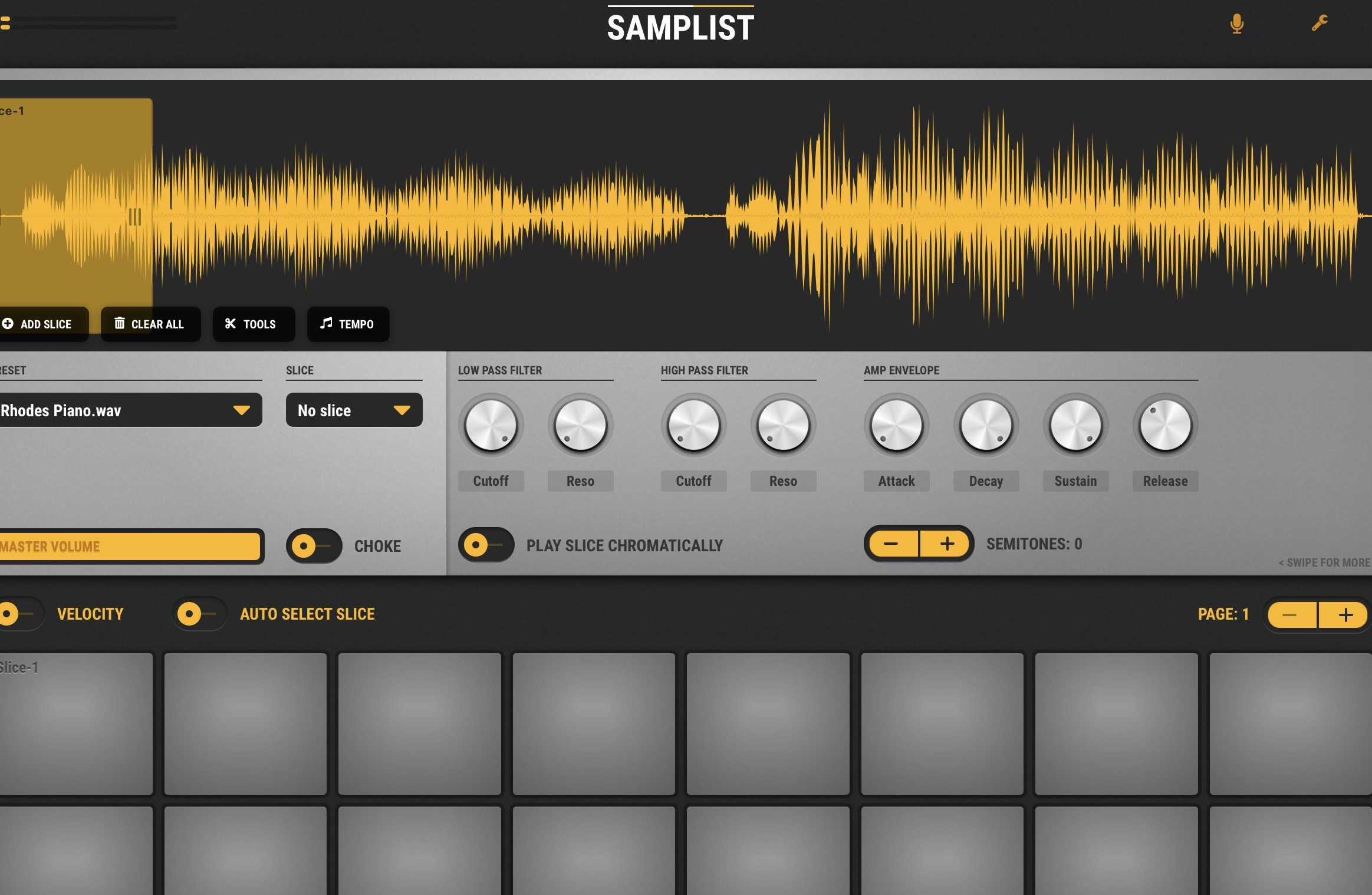
Yeah I’ve got my eyes on this one as well, home alone this weekend so I’ll probably give it a go at some point, the whole desktop integration looks interesting too…
Does Koala not cover all of this already? It's not that clear to me from the description what's distinctive here
I guess that’s the quest
as far is i can see reslice (virsyn) does the same.
Don’t own but seems the big draw for Choppa is the ease of slicing up samples on the fly and then playing those slices by pressing them, which Koala didn’t have UP UNTIL the most recent Chopper update. I’m guessing this app was being made before that update dropped, which I guess is rather inconvenient timing. Like others, I look forward to Choppa demos that might show features that Koala lacks
Yes, loved Samplist. This does look promising though.
That or Flexi Sampler in Drambo.
Not sure, about Drambo... Can you trigger slices on the waveform display? Gotta check that out, that would be pretty cool, if you have several lanes showing the maximised waveform of Flexi samplers and triggering the slices.
I mean, not by tapping on the waveform display itself, no.
so i dove in and tried it. it is cool. its really more like a instrument than a sampler. it instantly chops a sample up lays it out in a way that feels more spontaneous. it does have a few features lacking still. when in AU instrument, i cant import samples( probably just a bug). also it doesn’t sit in the au fx slot in AUM. i emailed the developer , im hoping it will get implemented soon. and also a pitch adjustment could be nice.
but it does have something interesting and fun about it. i’d say it’s worth the price
Thnx for checking and for the feedback! No ability to record into the AUv3 is a bit of a deal breaker for a sampler, so hopefully the dev will do something to add that.
How does it compare to the Echo Beach app?
Or EG Segments ?
Why are some developers so lazy that when they launch a new app there’s no demo video or informative material about it?
Segments has more control over parameters like pitch etc. i’m not familiar with the echo beach app.
yeah it’s hard to explain it’s just different.its almost like the lack of features makes it more creative.
Yeah it’s got an immediacy that I like, I tried getting the reaper plugins going earlier but I’m not particularly au fait with it so didn’t get far. I messaged through his site but I think it’s not writing right as I got an error while sending. Interested in the whole wave loop ecosystem he’s building though…
Loopy pro community!
Forgive me for this SUPER late reply! I didn't see the thread until last Thursday (when I googled my own app), and wanted to push an update to address some of these notes, which have been on my 'todo list'.
I just released 1.2.0 which adds AUV3 instrument support, 'export to koala', standalone MIDI in (with hot-plug + performance mode), MIDI Learn for per-chop pitch/volume/loop/reverse, and Mac Catalyst support so it runs as a macOS audio unit too
I am just loving all this feedback, and it excites me to see people having purchased the app (thank you thank you!)
@eross you nailed it! Instant instrument. And on your specific notes — the AU instrument sample import, and pitch adjustment (now via MIDI Learn, ±24 semitones per chop, plus pitch bend ±2) are all addressed in 1.2.0. Thank you for the thoughtful feedback, it directly shaped this release. I haven't tested it in an AU fx slot, as it is meant to be used as an instrument. I will play with the AU FX in my next version.
@Gavinski re: AUV3 - This one has haunted me since creating this app - I stubbed out the AUV3, shipped it, and put it on my "todo" list - I honestly didn't realize it would immediately hit all the communities and be picked up with such zest! Anyways, it's now fully working as an auv3 instrument (tested in Loopy Pro) - I don't own Logic Pro or AUM (yet) - I am going to be putting the purchases towards buying new software to test on all the platforms - I still don't own Loopy Pro yet, just HD - something that I will remedy very soon! (used the 7 day trial)
So to address the "how is this different than koala": I LOVE Koala, I have owned it for years, and I own all the packs. I actually did use the chopper instrument, and even though it is a fairly quick workflow, it is not as "instant" as I like - just personal preference, so I decided to create something that was focused on "record / import something", and instantly dial in chops to play as an instrument. Choppa is meant to be complimentary to Koala, and to that note, I have added an "export to Koala" feature in this release - each Choppa bank maps to a Koala bank with metadata preserved (24-bit PCM, pitch/volume/reverse/loop all carry over). Something I am going to use on the regular myself!
@Meek3, this app is similar to those apps, but just a different flow. Choppa doesn't have (and honestly never will) a sequencer, but you can sequence it with an external controller like a beatstep or midi software! Also Choppa is focused on recording live audio right into the app (though you can import). Segments and Reslice are parameter-heavy by design — Choppa's limited parameter set is deliberate, it forces play over tweaking.
@Charlesalbert, regarding the "no demo videos" - fair hit, I'll own it. A proper iOS-focused demo isn't cut yet (the current ones are REAPER-focused on YouTube and a rough one on Facebook). I regularly post updates to my youtube shorts, instagram, and tiktok, please follow if you wish! Maybe I should put a link in the app.
@Krupa hey thank you, I am happy that the immediacy resonates! The waveloop stuff is what I have been so deeply focused on (why I missed all these posts) - the broader vision is Choppa ↔ WaveLoop ↔ REAPER session-level interop across iOS and desktop. The .koala export is the first bridge shipping; WaveLoop ↔ Choppa session interop and REAPER project import/export are in progress. I just made a video on the waveloop reaper (a long one, but I will be cutting it down to some shorts this weekend) describing how to get you up and running in reaper. Please send me an email and I would love to chat about waveloop! Sorry about the feedback form, I have been doing a ton of server refactors - and the feedback form fell thru the cracks (I am a super DIY person, so things break from time to timeeeee)
my latest youtube short demos the 'instant feel' (and the "export to koala" feature): https://www.youtube.com/shorts/j6JAb8QAuM8
p.s. if you click 'choppa' at the top, there is a "how do i use this" dialog that opens up (been there since the start), not immediately obvious, but I figured eventually people might try clicking all the things haha.
p.p.s @jwmmakerofmusic yoooooo dude long time, from fruity loops to loopy pro good to see you here!
Hell yeah it is you, mate! Thought so. How the hell have you been lately?! Been too long.
Interface not usable in AUM
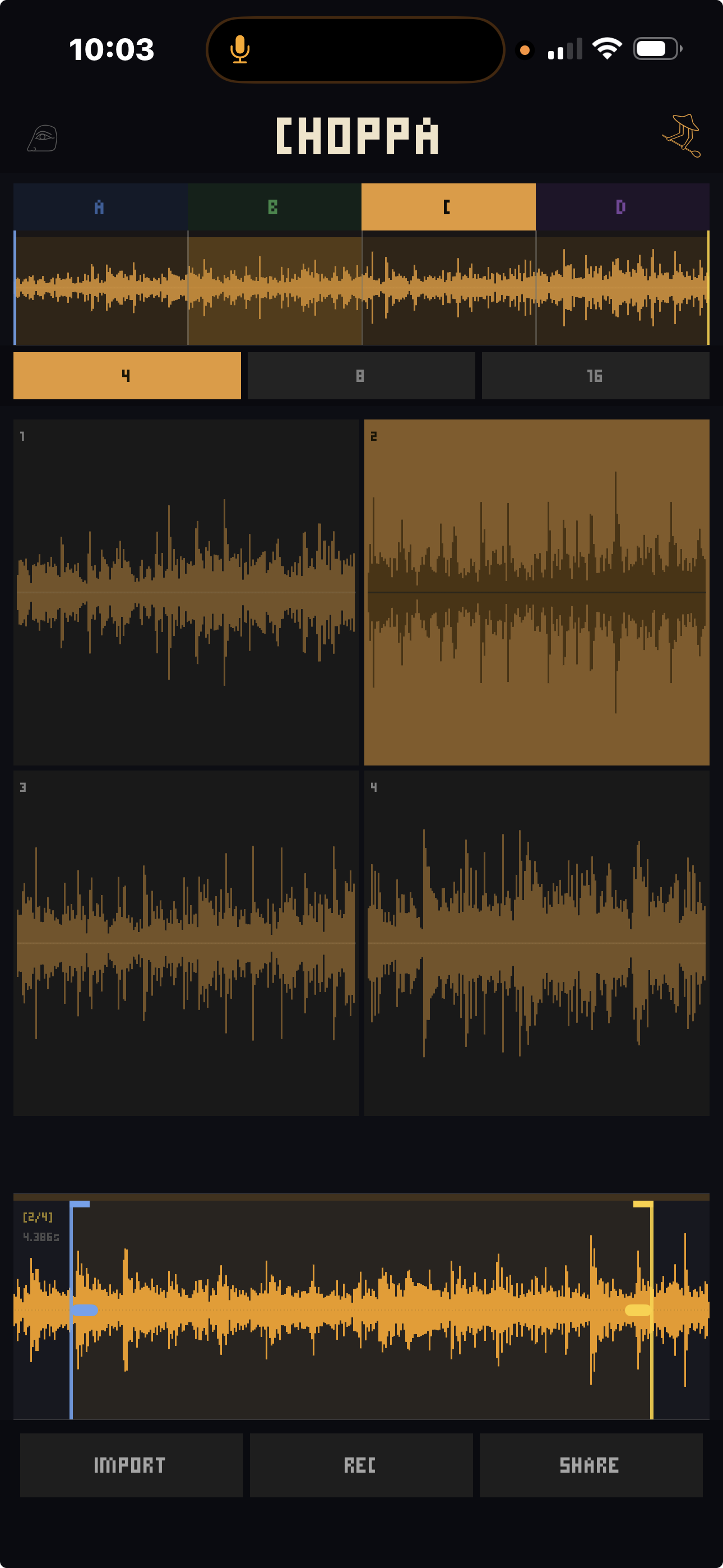
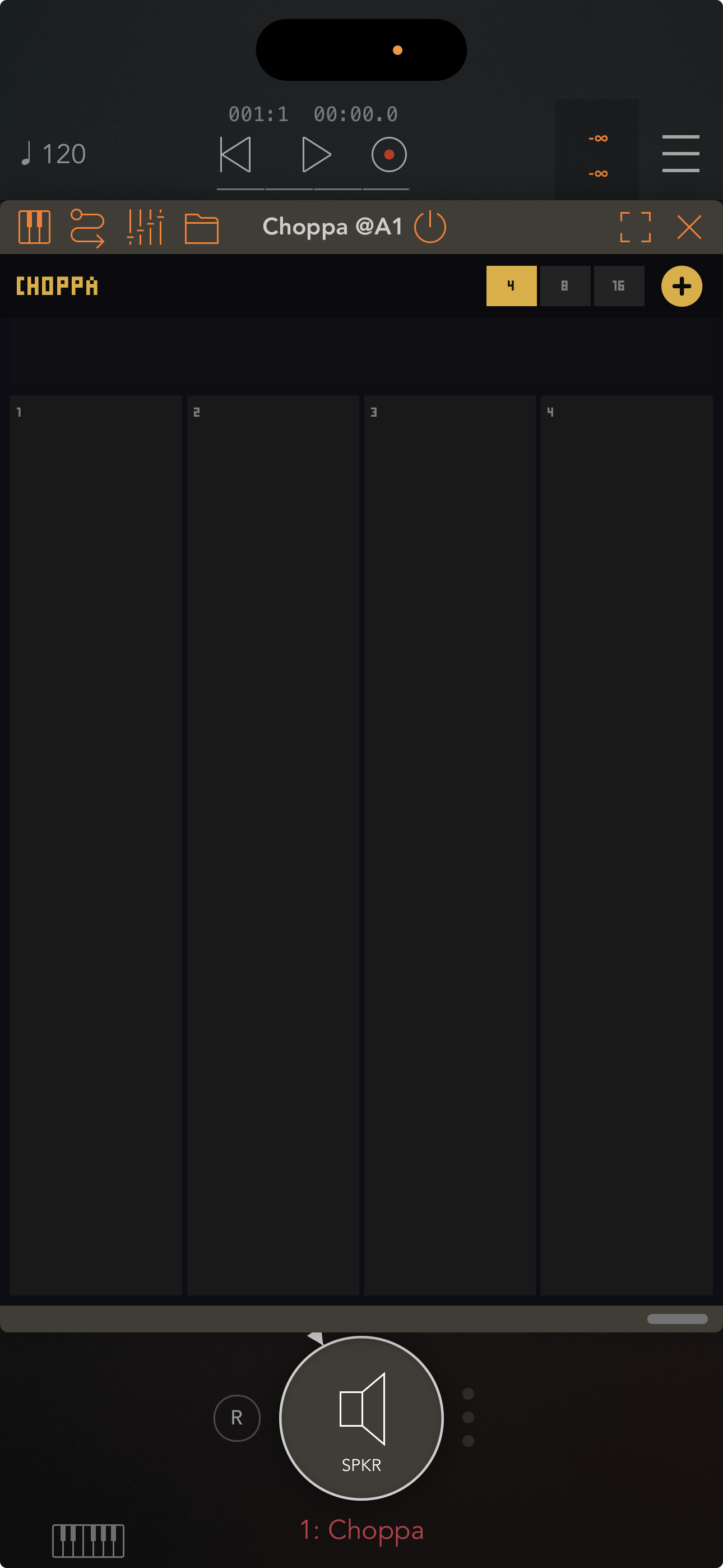
Stand alone works fine ios 26 and 18 also sample loading is broken in AUM when you navigate to a sample folder the samples are not selectable.
In Aum unusable in current state
@eli7vh I really like the standalone hope you can fix the audio unit. In the AU please try to expose as many parameters as possible including the direction play, looping mode, reverse etc. And the last thing is very easy to erase all you work when you accidently touch the rec botton on the iphone all your sample chops are gone in a flash. Maybe move rec to the top because you have to tap in the area right above it to manipulate the sample and will eventually tap rec by accident. Export to Koala is excellent. Midi learn works well in standalone able to send midi cc from LFO's running in AUM to Choppa.
yes i cannot get any samples to load. also if you had Choppa so that it would sit in AUM fx slot( like Koala). then you could record directly into Choppa from anywhere. that would be really cool
Ok the AU does work but only with Choppa files which you make and save in the standalone. Whatever tweaks you do in the standalone will be perserved in the AU. The 4 exposed parameters are not responding to midi cc when used in AUM havn't tried any other host yet.
@eli7vh This is fun + immediate.. I really like how quickly you can adjust things with finger gestures in Chop View (standalone ONLY).. SUPER FAST..
I know this is new and still in its infancy.. a few recent observations in addition to those already mentioned above..
The AU version of Choppa needs to do more than what it can at the moment.. otherwise, what’s the point of it?
Choppa Version 1.2.0
iPad A16, iPadOS 26.3.1
If the standalone had a record audio input, plus count in, record and playback loop feature I'd buy it.
Hey loopyans! Been in deep building mode with Choppa, and my other music creation tools !
!
I wanted to acknowledge a few things, thank you @royor for posting this update note, and for the poke to hop back in the thread!
@hacked_to_pieces & @eross I hope you will give 1.3.0 a chance! I added a better workflow for importing samples, managing library, etc from the standalone, and having that immediately update in the AU version
I also added an AUfx that can be loaded and you can grab samples from your performance and chop them up.
I also did a bit of a UI polish. I will be buying AUM soon, so I can try to finesse the workflows and such! I really want to make sure this is a good experience for us all!
Curious if anyone here can shere their peripheral setup, like how they usually do midi mapping, etc. I use an Arturia Minilab 3, but I know we all have different setups, would love to find a common ground for routing.
As far as what is available to route thru AU, I think almost everything is, I will go thru the code with a fine tooth comb for 1.5.0 - just have a dope new feature in development
@Ailerom - The standalone does have record in, as of this next release, even has input selectors. count-in has been on my todo list. I will also get that in my 1.5 pipeline, when I get internal beat/bar timing/quantization happening - that said, this is not really a sequencer, It's meant to be controlled either externally, or played like an instrument. for looping record, you can have a loop going in loopy pro, and then capture the loop in an AUFX. Many ways to skin this, I hope you give it a try and tell me your thoughts, if this is the blade you need, I would love to sharpen in in ways that we all will benefit from!
@royor Did you give the latest update a try? How did you feel about the AU experience? The fonts.... yes haha the fonts!
ok I am pushing out an update today, and I promise this font issue will be solved! ... maybe I should expose some kind of dynamic theming.... .hmmmmmmmmm (scope creep)
See you guys soon!
@eli7vh I love choppa I use it all the time now. But it would be nice if we could delete the Library recordings in the AU version and also rename them currently it impossible to know what they contain without selecting them.