Loopy Pro: Create music, your way.
What is Loopy Pro? — Loopy Pro is a powerful, flexible, and intuitive live looper, sampler, clip launcher and DAW for iPhone and iPad. At its core, it allows you to record and layer sounds in real-time to create complex musical arrangements. But it doesn’t stop there—Loopy Pro offers advanced tools to customize your workflow, build dynamic performance setups, and create a seamless connection between instruments, effects, and external gear.
Use it for live looping, sequencing, arranging, mixing, and much more. Whether you're a live performer, a producer, or just experimenting with sound, Loopy Pro helps you take control of your creative process.
Download on the App StoreLoopy Pro is your all-in-one musical toolkit. Try it for free today.
I’m having a grand time with VS2
Imaginando has a hit - at least with me.
The new iteration is so much more user-friendly than the first one.
If you’re looking to add a visual dimension to your music, I cannot recommend it enough.
Keep in mind that I’m just scratching the surface here.
Talk to me, please!🙂
Comments
Beautiful Yvonne! Love the music too!
You owe me $25 for pushing me off the fence.
Thanks very much!🙂
I’ll pay you when I see you.🙂
Nice. I got VS2, haven’t dived into the water yet. Wondering if you modulated the video based on audio if you understand
Mesmerizing as always. But I'm not clear on what VS2 is doing here either. Didn't you have to create the basic video elsewhere and import that to the background layer?
Wow. Nice creation - both song and video!
I thank you both.
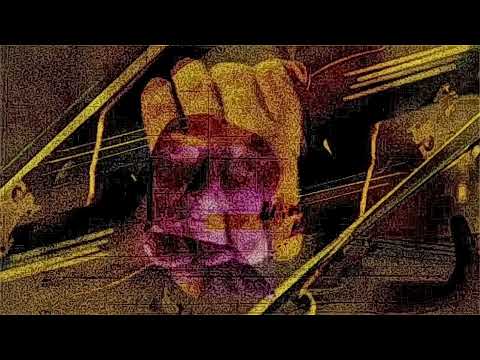
This video was fashioned from 3 instances a 7 second clip of a guy playing a violin and one of the included shaders.
No audio modulation here, just LFO’s.
Thanks @tubespace!🙂
Curious, @rottencat:
In VS v1, manipulation of video and images was less interesting than of shaders. There were just a few aspects of imported video or images you could manipulate like scale, speed, rotation etc. Is V2 more sophisticated in this regard or is that aspect basically identical to v1?
In VS2, video and images can be imported into any or all of the 8 slots on the mixer panel. A full range of modulation is available to each.
This, to me, is the most significant improvement in VS2.
I’m still trying to work out VS1 🤔 but I enjoyed this… music and video were both 🙏