Loopy Pro: Create music, your way.
What is Loopy Pro? — Loopy Pro is a powerful, flexible, and intuitive live looper, sampler, clip launcher and DAW for iPhone and iPad. At its core, it allows you to record and layer sounds in real-time to create complex musical arrangements. But it doesn’t stop there—Loopy Pro offers advanced tools to customize your workflow, build dynamic performance setups, and create a seamless connection between instruments, effects, and external gear.
Use it for live looping, sequencing, arranging, mixing, and much more. Whether you're a live performer, a producer, or just experimenting with sound, Loopy Pro helps you take control of your creative process.
Download on the App StoreLoopy Pro is your all-in-one musical toolkit. Try it for free today.
Inky AUv3 by Scale Degrees LTD (released)

https://apps.apple.com/app/id6758839326
MIDI FX plugin for LogicPro, AUM, Cubasis etc.
Inky is a scale-based chord generator and rhythm player. Get a collection of the most usable chords in any key, have control of the chord voicings and the humanisation of the midi output.
Good for EDM, songwriters, game composers - beginner to advanced.
All based around simple scale theory - if you're interested, the built-in lessons can teach you how chord progressions work in a key and how to compose melodies.
There's also an interactive keyboard trainer which can teach you to physically play progressions on your keyboard.
Go to scalenumbers.com and follow the link to the youtube channel to see video guides and demos before you buy. There's also a trial version for macOS / Windows which you can test for free.
This is a brand-new iOS port, so if you have any issues or find any sort of bug then please email me at [email protected] and I will fix it within the next couple of days, or help you get a refund - Apple does not update developers if you leave a review, so I won't know you've tried to contact me that way.
Details:
Universal: No
Minimum OS version: 15.0
Comments
Looks interesting, gonna check it out. @Pixel One little glitch right now is that it shows me a modal when it launches saying there’s an update available, which is of course not true. Leftover check from the desktop app?
Yea I thought it looked interesting as well.
Huh, interesting @mjm1138 can you get past that?
I want to see it in action on the Tube or something.
Detailed tutorials: https://www.youtube.com/@scalenumbers2766/videos
I’ll give it a spin for a fiver.
Hot take; it doesn’t scale/size well at all in Drambo or AUM, but it does have some interesting chord/arp stuff. I had to squint to see the tiny controls, but I was able to go through some presets and turn on/off the arp.
Nvmd
Really not sure what to make of this, spent about 10 minutes with it.
The GUI could be better definitely a desktop port bit squeezed together and jumps about a bit. Which leads to initial confusion what’s going on and what’s where.
If the desktop version is free might be worth trying that one first to see what you think.
@Pixel Getting some held chords in AUM at the moment not sure if that’s by design or you can turn the hold off ! More investigation needed.
Just having the pads show in Cubasis 3 it’s not to bad GUI wise and binds directly to CB3 built in keyboard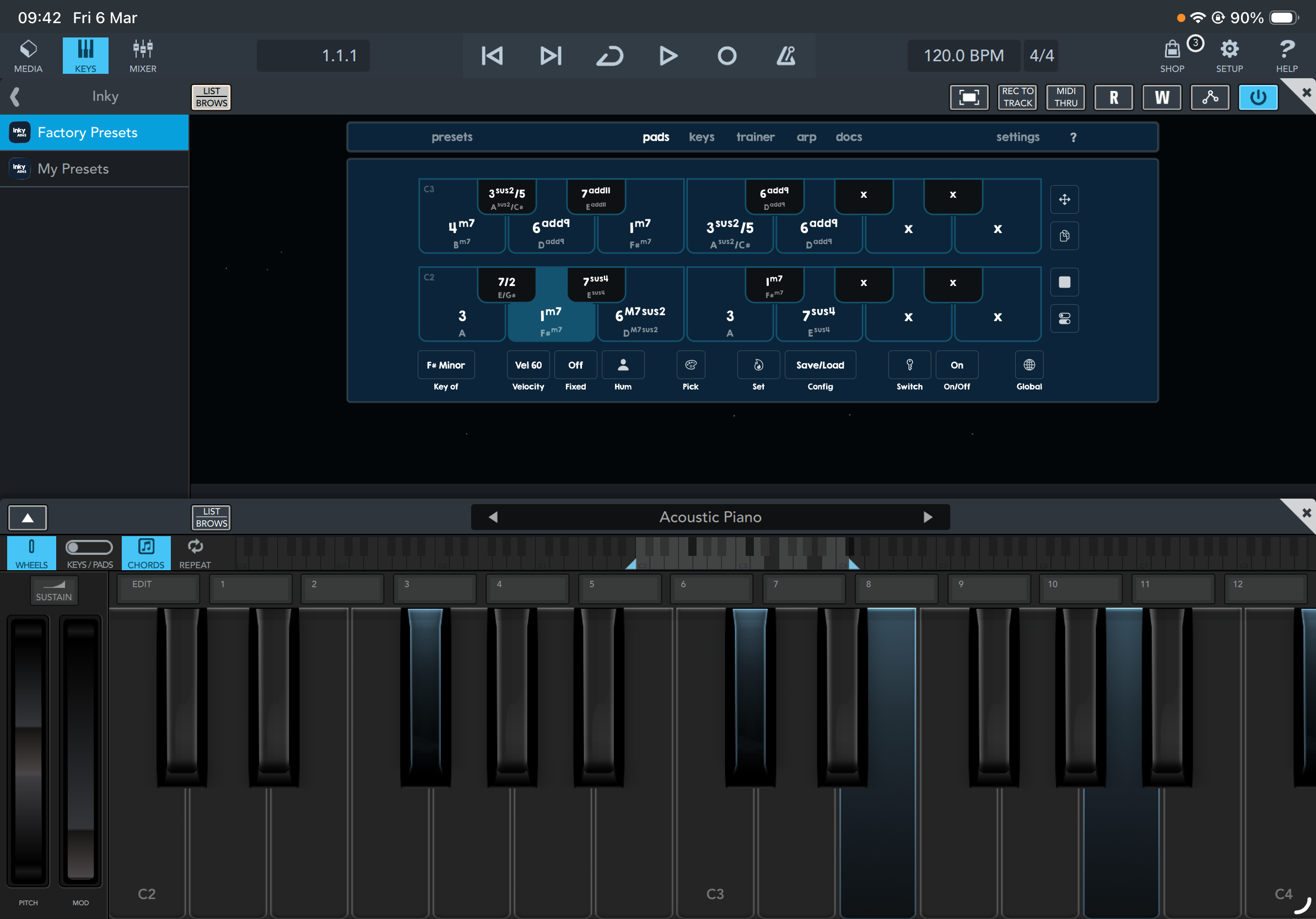
This seems nice but "loading" the chords looks a bit clunky. Can you audition them when choosing which one to put into your set?
I already have plenty of chorders (is that a word?), but this one looks very fun and I like the UI. I know a coworker who might get use out of the trainer, though the lack of stand-alone might be a barrier for him.
Wish Changeling was brought back as a AU3 one of my favourite chorders for playing in patterns.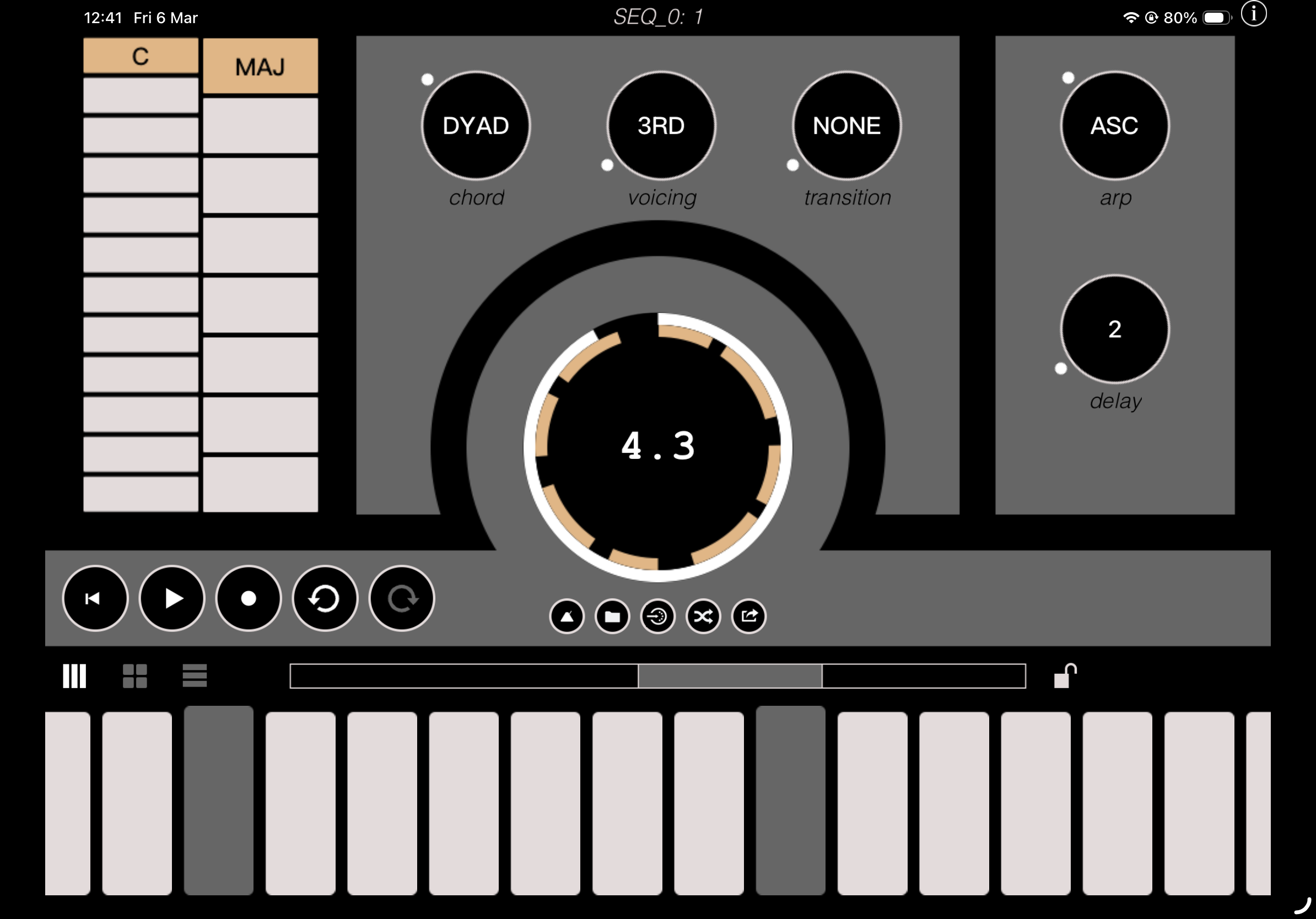
Yeah you can just dismiss it. It's just a very minor annoyance.
I ended up getting this for iOS and am enjoying it. The VST is very reasonably priced as well. It has a workflow similar to W.A. Production's Instachord and Venomode's phrasebox.
searched for a video a few days back, and couldn’t find one, thanks for sharing @filo01
Developer has a ton of videos, how did I not find them. I literally searched the app name, developer name, and the combo, with no results. I see them now. Cheers!
It is now. Lol.
So do I, but it’s one of my favorite ways to write music and if this can help me write different, new, interesting progressions, it might be worth it. Going through the vids now.
It's standalone now for iOS? neat!
Here’s the entire playlist of videos showing what this app can do. It pretty cool how you can customize the humanization for different playing styles.
Inky AUv3 App YouTube Playlist
Oh nice, just got the update from today (version 1.03) and it scales to the screen correctly now.
How are people liking this? I want to get it but was wondering how it was? Is it working well?
I have been messing some with it. I need to look at more tutorials but I am missing an easy way to select any chord you want for a pad, as opposed to a list of chords based on the scale. Similar to Tonality where you can assign any chord. Maybe there’s a way to do it through midi learn.
Other than that, I am loving the sequence window and being able to use key switches to change what sequence plays. It’s something I like about phrasebox and instachord on the pc or Mac.
I like it.
I’m still trying to learn how to use it, which is much easier now that I can actually see what I’m doing.
It’s got some interesting arp and pattern features. Good for coming up with ideas at least.
Yea the developer has a set of desktop videos and app videos on their YouTube channel they are both very helpful, since there is a lot of features. I’m gonna grab it. Thanks.
Awesome. Thanks for the feedback. This was shared earlier in the thread. I believe the desktop and app videos apply.
Is this pretty much an exact port of the desktop version?
Update I think it is a 1:1 port.
Full playlist off videos for Inky
Caved. Lol.
Still buggy on opening had a freeze in CB3.!
can’t get rid of the screen log do we really need these notifications! Annoying
That’s awesome but I meant more like being able to assign any chord you want, from any key, to the pads, so I don’t have to play them myself into the arp.
I am liking this app so far after a few initial test sessions, does anyone know how, or if you are able to send the midi out on a specific channel?
I’d love to send the chords to one audio channel and the arp section to another, but couldn’t find a way to change the audio output channel from anything but channel 1…
Is the developer around in these parts? Or does anyone know best way to reach out to them?
Update, nevermind found a way to contact the developer right on their website.
https://scalenumbers.com/inky
Dev has a new sidechain app out for £2.99
https://apps.apple.com/gb/app/sidechain-auv3/id6761114332 https://apps.apple.com/gb/app/sidechain-auv3/id6761114332