Loopy Pro: Create music, your way.
What is Loopy Pro? — Loopy Pro is a powerful, flexible, and intuitive live looper, sampler, clip launcher and DAW for iPhone and iPad. At its core, it allows you to record and layer sounds in real-time to create complex musical arrangements. But it doesn’t stop there—Loopy Pro offers advanced tools to customize your workflow, build dynamic performance setups, and create a seamless connection between instruments, effects, and external gear.
Use it for live looping, sequencing, arranging, mixing, and much more. Whether you're a live performer, a producer, or just experimenting with sound, Loopy Pro helps you take control of your creative process.
Download on the App StoreLoopy Pro is your all-in-one musical toolkit. Try it for free today.
Massively reduce Logic Pro AirPods latency on the Mac (and maybe iPad)

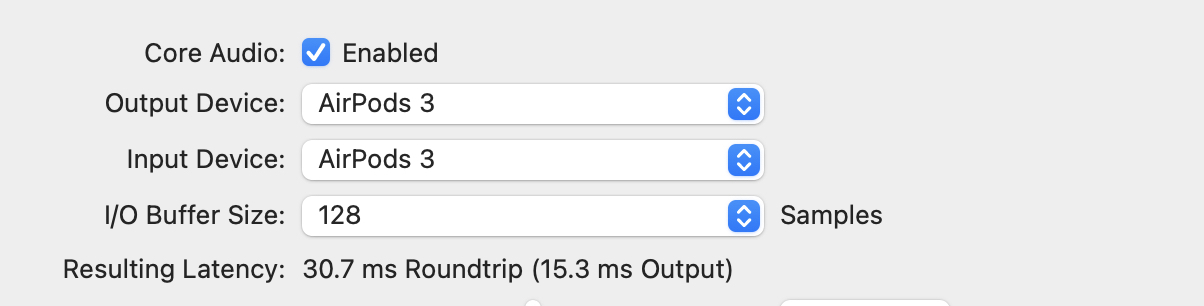
Here’s a great tip for massively reducing latency when using AirPods with Logic. You just have to set the AirPods both as audio output, and also as input.
The input part is the key. This seems to force the AirPods to use the HFP (Hands-Free Profile), which is worse quality (a 24kHz codec) but has much less latency.
For me, it’s good enough that I can mostly track a piano in time with the song. Obviously wired headphones are better, but if you’re traveling, AirPods are hard to beat, plus they have that sweet noise-canceling.
Here are the numbers:
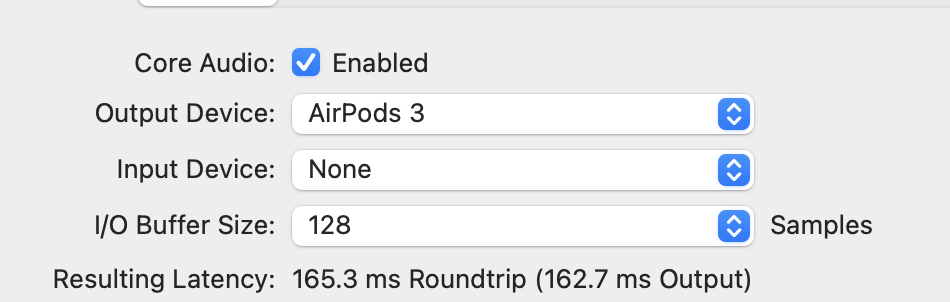
Before—162.7 ms delay on the output.
After, just 15.3 milliseconds!
Make sure you also set the Mac’s system output to anything other than AirPods, as sharing them with Logic seems to ruin this trick.
Gonna try this with the iPad version too.
Comments
Absolute game changer. I can get 64ms on my Macbook Air M1 using Air Pod Pro 2.
👍
05-01
?
Can’t seem to be able to reduce latency on iPad.
Hold it closer to your head.
lol 🤣
Same. Although it already seems fairly usable there.
a typo unfortunately