Loopy Pro: Create music, your way.
What is Loopy Pro? — Loopy Pro is a powerful, flexible, and intuitive live looper, sampler, clip launcher and DAW for iPhone and iPad. At its core, it allows you to record and layer sounds in real-time to create complex musical arrangements. But it doesn’t stop there—Loopy Pro offers advanced tools to customize your workflow, build dynamic performance setups, and create a seamless connection between instruments, effects, and external gear.
Use it for live looping, sequencing, arranging, mixing, and much more. Whether you're a live performer, a producer, or just experimenting with sound, Loopy Pro helps you take control of your creative process.
Download on the App StoreLoopy Pro is your all-in-one musical toolkit. Try it for free today.
Mela 7.4: Mod Steps module, 16-step sequencer modulator

hey all, here's what's new in Mela
TL;DR: Mela 7.4 introduces Mod Steps, a simple yet powerful 16-step sequencer modulator. Get 40% off Collections until April 4.
Mela 7.4 introduces the Mod Steps module, a simple yet powerful 16-step sequencer modulator. Its flexible parameters enable sophisticated, evolving patterns. Everything is modulatable, including pattern start, length, each step value, and even the sequencer clock, which can be driven by another modulator.
The module pairs naturally with Note Event and Note Pulse, allowing you to create custom note sequencers. Check out the Note Sequencer preset in the Parts factory preset group. Starting with 3 presets, this new group will grow over time with useful, reusable presets that can be dragged and dropped into your own presets.
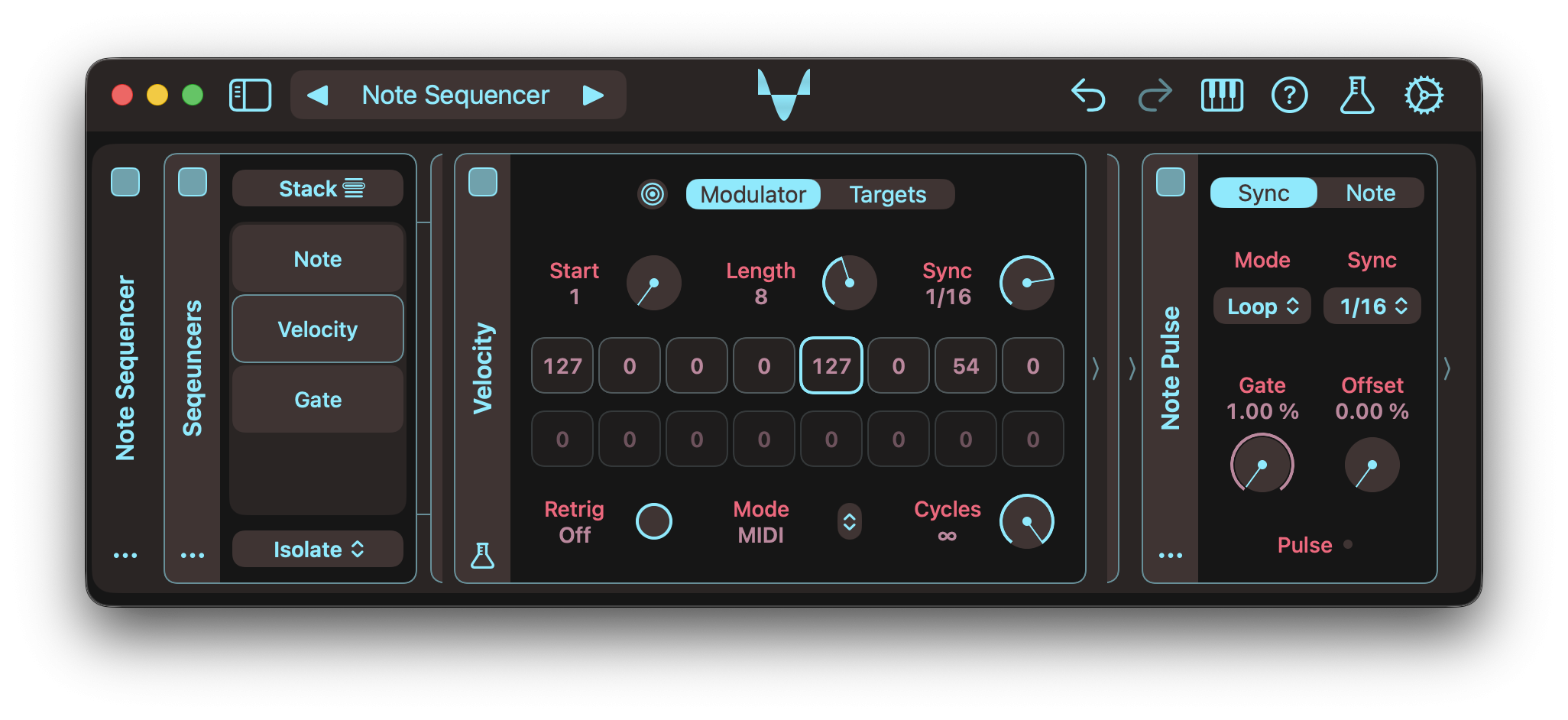
For the full details, check out the Changelog.
Video Tutorial
Mod Steps
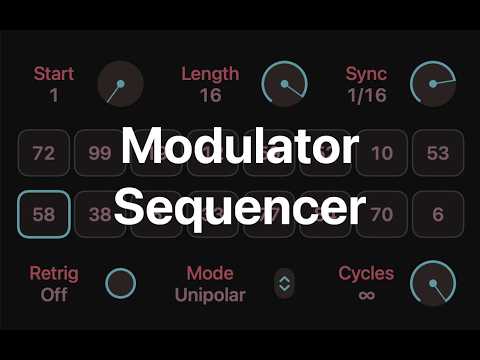
- The Mod Steps module is a simple yet powerful 16-step sequencer modulator.
- Its flexible parameters enable sophisticated, evolving patterns.
- Modulate Start and Length to create moving sequences.
- Retrig controls whether the sequence follows the host or restarts on note-on.
- Cycles sets how long the sequence runs.
- Modulating Cycles between 0 and infinity can freeze the pattern at intervals.
- Mode adapts the sequencer for different uses, including note and MIDI generation.
- Each step can be modulated for dynamic patterns.
- The module includes actions to randomise or reset step values.
- Mod Steps is a Mela Lab module and part of Collection 5.
Note Pulse + Mod Steps
- Note Event and Note Pulse pair naturally with Mod Steps.
- For example, 3 Mod Steps modules with Note Pulse can build a note sequencer.
- One in Pitch ±12 mode controls pitch.
- One in MIDI mode controls velocity.
- One in Unipolar mode controls note length.
- Check out the Note Sequencer preset in the Parts group, which demonstrates this setup.
Factory Presets
- Added a new factory preset group called Parts.
- Starting with 3 presets, this group will grow over time with reusable presets that can be dragged and dropped into your own presets.
- Added the "Pulser" MIDI preset, showcased in the latest Note Pulse demo video.
- Added the "Drone 1" and "RM Resonators" presets to the Pads group.
Other Changes
- List Parameters: Dials and sliders now once again update values while being adjusted instead of on release (restored pre-3.3 behaviour). Tapping or clicking the title/value button lets you select a value without intermediate changes.
- Modulation: List or index-style parameters now respond evenly to modulation.
- MIDI Logger: Copy and clear actions have been moved to the module's actions menu.
- Modules: Lane-level preset drops now mirror module moves, adding a wrapper lane only if the root module is not a Group.
- CC Modulator: The module graduated from Mela Lab and can be found under the Modulator category.
- Mono Modulators: CC Modulator and Mod Steps always operate in Mono mode, generating a Mono Mod signal and leaving the incoming Mono or Poly signal unchanged.
- AUv3: Plug-ins now correctly report the Mela version number.
- Ableton Live: Fixed an issue where the Mela UI did not appear after the plug-in window was closed and reopened.
- Note Event: Fixed a bug in Skip mode where increasing Velocity from 0 could trigger note-on while Gate was already high.
- Internal: Global parameter value loading improvement
Grab Mela from the App Store.
As always, let me know if you have follow-up questions 🙏
Comments
Cool stuff! Thank you
@Nikolozi: What's the price for the Collection 5 in the UK? Last time I saw it was around 25 GBP and today the discounted price that I see is 14.99. I bought all the other collections in the past. This one is definitely on the pricey side.
Here 4 & 5 are 18,- euros each.
I set prices in USD, and Apple automatically adjusts them for each region based on currency exchange and local taxes. All collections are priced at $24.99 normally, but when I release an update, I discount them by 40%. So, they are currently at $14.99, and it looks like the GBP prices are also at 14.99.
Previously, each Collection used to cost $19.99, and I promoted Mela updates with 30% discounts, which were around $13.99. Since most users purchase Collections during promo periods, for most people, the change is only $1.
Watched the video. I think I have finally found a tool to get my chiptune chords arpeggios.
15 dollar is 13 euros and the price is 18 euros
So apple adjusts the price 5 euros up.
Weird
Nice 🧡
There are 2 factors at play here:
1. VAT is included in euro prices
2. Apple probably uses an older exchange rate from when the EUR was weaker against the USD
Apple doesn't adjust prices constantly with the market. Usually, they only update them when there's a big enough gap. That's why prices look way off when compared to euros.
Try this
prices in eu > @Nikolozi said:
in the eu you have a 14day money back option without questions.
they have to calculate that.
How does that affect things? AFAICT, when a user requests a refund, the transaction is simply reversed. i.e. it deducts the same amount that was paid to me when the user purchased.
outside the eu not all refund requests will be accepted.
in the eu they have to during the 14 days.
this means more refunds, as they have no consequences.
they put that load on all users inside the eu.
pretty simple.
Thanks. Yes, I bought them long time ago so I may not even remember how much I paid.
Awesome addition! Expanding on Mela's sequence capabilities is highly appreciated. @Nikolozi
Not sure if I understand your example @Samu . That's a PWM mono synth but the name suggests a relation to ARPs. However, there's no ARP in it. I kind of can get a chaotic arp with that note stack in it when I use the first modulator which currently is not linked to any targets, but that's not the arp I need.
Examples of what I need:
It's definitely a 'chip-tune-arp' and the sequence controls the pitches of the individual notes which is typical for most C64 music.
The examples You have there in the Atari tunes are simple octave or 5th arpeggios you can be done with a uni-polar square LFO running at 6.25hz.
I was aiming for this type of arpeggios when I made the preset...
It all depends how sound is then 'tracked/sequenced'.
They are not octave arps. They are major/minor chords with different inversions when needed. What I am saying is I cannot get any arp using this instrument and I think I am missing something obvious. The note stack captures the notes but they are not played as arpeggio. The lead-like arp instrument in the second video is an octave arp, but that is not what I am interested in. I have always struggled to get nice sounding chord arpeggios. I was hoping to combine scale-filtering and this new step modulator to get better results.
Gotcha, so you want to arpeggiate the chords you manually play instead of triggering a pre-defined chord pattern.
(the last track has that type of arpeggio using a mela-preset that uses the 'mod-wheel' to control the level).
Attached is modified version of the preset on the last track.
(Hold down your favorite chord and use the mod-wheel to control its level).
I hade to use the mod-wheel to control the level as the arpeggiator stops arpeggiating notes when the notes are released, meaning the arpeggio would stop playing durung the release-stage of the envelope.
@Samu , your first example was actually perfect. It was not working because I tried to use it before buying the Collection 5. That's exactly what I thought would be easy to achieve with this new mod steps sequencer.
Goodie, I usually try to create presets that can easily be adapted/modified for various use-cases.
So far I've made a few chip-tune focused preset packs for Mela.
You can find them here but they might need some modification for more recent versions of Mela.
https://nikolozi.com/mela/artist-presets/
They are far from as 'optimized' as they could be when it comes the number of needed moules...
'Chips Sounds' by design are relatively simple and with the new Mod Steps module designing them becomes even easier.
It's just a matter of directing and then re-creating them one way or the other
Other apps I enjoy for 'Chip Tune' stuff are Drambo, Square Synth 2, SunVox, Disco DSP's OPL, AudioThing miniBit, SidTracker 64 and Kira Studio. Some might like Deflemask but for me it was a no-go, didn't 'gel' with it...
Cheers!
The preset should have worked even without buying C5. Is it possible you were still running Mela 7.3 when trying Samu's preset? Mela 7.3 would have happily loaded the v7.4 preset. It would have silently skipped loading Mod Steps because it wouldn't have known what it was.
(I didn't bump the preset version for 7.4 because I wasn't migrating preset format, other than adding the new module. I always did in the past for the new modules. That way, users get an error dialogue when the preset is not supported by the Mela version they are running. When working on 7.4, I thought most people would be running the latest version by the time they were going to use a Mod Steps preset. Clearly, it's a wrong assumption. I will continue to bump the version numbers for new modules in the future, so users can't open presets made by newer versions of Mela by older versions.)
Yes, it's possible I did not update Mela before trying Samu's preset.
Cool.
Just to reiterate, anyone reading this in the future, you don't need to own any collections to be able to use any factory or artist preset. Unless you want to directly tweak the module parameters via their UIs. They will all process audio and MIDI the same, regardless of the collections owned. Purchasing collections simply unlocks module UIs for direct control.