Loopy Pro: Create music, your way.
What is Loopy Pro? — Loopy Pro is a powerful, flexible, and intuitive live looper, sampler, clip launcher and DAW for iPhone and iPad. At its core, it allows you to record and layer sounds in real-time to create complex musical arrangements. But it doesn’t stop there—Loopy Pro offers advanced tools to customize your workflow, build dynamic performance setups, and create a seamless connection between instruments, effects, and external gear.
Use it for live looping, sequencing, arranging, mixing, and much more. Whether you're a live performer, a producer, or just experimenting with sound, Loopy Pro helps you take control of your creative process.
Download on the App StoreLoopy Pro is your all-in-one musical toolkit. Try it for free today.
Mute Current > Unmute Next?... (iPad M3 running Loopy Pro, latest iOS).

Hi all, hope well... I'm trying to set up a Bluetooth Footswitch command (M-Vave Chocolate), to cylce thru Backing Tracks (Clips), in a basic Project. I'll need a command/s that: Mutes Current clip, then Unmutes Next clip. I've looked in 'Midi Learn' but can't find this anywhere. Any help much appreciated. 🙏🏻 Tia RBK
Comments
What do you mean by “current clip”? The selected clip?
You will need to manually create a midi binding or widget to do this. MIDI Learn is for single actions.
I’d suggest starting by creating a button to perform the actions then midi learning the button. This lets you work in and test your action sequence without the added complication of the MIDI parts and widgets are faster to edit.
Are you working with phase-locked or free loops?
If these are phase-locked , do you mean mute/unmute or play/stop?
Are you trying to mutually exclusively play a series of clips in order?
Hi, thanks for getting back.
Re your Q's: 1. Yes, I mean the 'selected clip'. The Project launches with Clip 1 (a backing track) selected/active. 2. Loops are Phase-Locked, but I don't think it matters in this case, (see later answers). 3. I mean 'Mute/Unmute', but you might say 'De-select/select'. Fyi I have a Footswitch Action set up to Toggle the Playhead/Playback (of ALL clips/loops) between On and Off. 4. I'm trying to play each clip separately, (they are Stereo Backing Tracks), in the order I place them in the Project. Fyi: This is a self-contained Live Show. Some of the songs will have 'basic' full backing tracks, in this way - while others (in different projects), will use more complex Looping techniques, (hence the use of Loopy Pro). Re: your comments on 'creating a midi binding' and 'creating a button to perform the actions' etc., please could you expand on this, (using my answers here). Much gratitude in advance, RBK 🙏🏻
@bobbykemp : I am still trying to understand your desired workflow. It sounds to me like you want the clips to be mutually exclusive. I am wondering if you mean something different by mute than we mean in loopy.
If you could give me the steps in order (line breaks will help). For example:
Anyway, list the specifics and I can be of better help.
Also, unless the clips are all the same length you probably want phase-lock off. It is mostly for use-cases where all the loops are the same length or multiples and you want to turn the clips on or off while others are playing at any time. Play/stop is essentially mute/unmute.
When you want tracks to always begin at the beginning regardless of length, you turn phase-lock off.
This tutorial will introduce you to setting up a widget and midi bindings to change and trigger the selected clip:
https://wiki.loopypro.com/Simple_Looper_Tutorial_Projects#Simple_Navigation_Example
This page will explain for about phase-lock:
https://wiki.loopypro.com/Phase-Lock_and_Free_Loops
This video introduces groups. I may be wanting your clips to be in a one-at-a-time group:
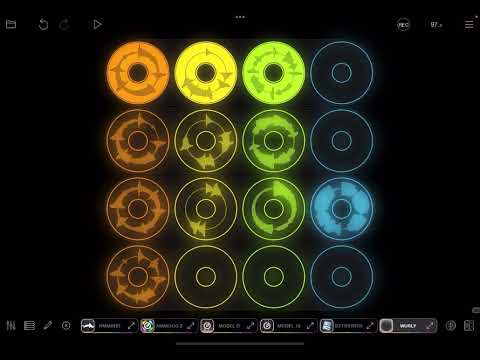
Hi and thanks again for more info - apologies if I'm brief here, but running in-between my kids etc. 😅. To answer your Qs: I think what could be confusing, is that this scenario is really 'simple/basic'. All I'm trying to do is, use a specified Project as a simple way to 'Hold' several Backing Tracks - each to be used for different songs, and played separately. I have a Footswitch action already assigned to 'Play/Stop' all of the clips for this, and so all that's needed for (hopefully 1) other F/Sw action, is to 'Toggle/Move thru' the Backing Track clips, allowing the 'next one' to play each time. So, putting this into your 'workflow example' above, we have:
1. Load Project, w'Clip 1 ready to play, and all other clips disabled/'muted'.
2. Play/Stop Clips (Clip 1 heard) with F/Sw button 1.
3. Hit Button 2: Clip 1 is disabled, Clip 2 becomes active/enabled/'unmuted'.
4. Hit Button 1: Clips Play/Stop (Clip 2 heard).
5. Hit Button 2: Clip 2 disabled, Clip 3 becomes active/enabled/'unmuted'. etc. etc.
Thanks again, RBK
@bobbykemp : when clip 1 is playing and you activate clip 2 to play, do you want clip 1 to play to its end before clip 2 starts playing ? Do you want it to stop immediately or at the next bar?
Do I understand correctly that the backing tracks are different lengths?
If so, what you want is something like the following:
The details of how to do those things are provided in the links I posted a few posts up.
Depending on your situation, you may want to turn time-fitting off.
That's great! Thanks a lot 🙏🏻 - I think I have everything I need now... 👏👏