Loopy Pro: Create music, your way.
What is Loopy Pro? — Loopy Pro is a powerful, flexible, and intuitive live looper, sampler, clip launcher and DAW for iPhone and iPad. At its core, it allows you to record and layer sounds in real-time to create complex musical arrangements. But it doesn’t stop there—Loopy Pro offers advanced tools to customize your workflow, build dynamic performance setups, and create a seamless connection between instruments, effects, and external gear.
Use it for live looping, sequencing, arranging, mixing, and much more. Whether you're a live performer, a producer, or just experimenting with sound, Loopy Pro helps you take control of your creative process.
Download on the App StoreLoopy Pro is your all-in-one musical toolkit. Try it for free today.
outpu volumeo clip group

I have a strange thing happening. I have two clip groups.
Group 1 has sliders on each clip to control each individual clips volume (not mixer volume).
Group 2 has two clips with one slider controlling both clips volume as a group (controlling the volume by clip group not colour group)
To be clear, it's setup this way so it does not affect the mixer settings which are all set to unity.
When I slide volume of group two to max, it slightly reduces all of group ones volume
I'm really puzzled by this?
Is it something to do with the max output allowed through the iPads speakers and not loopy?
Comments
That does not sound familiar.
Raising the volume of a color channel won’t lower the volume of other channels.
Can you make a screen recording to demonstrate?
How are you judging the output level?
What do the level meters show?
What is your output device?
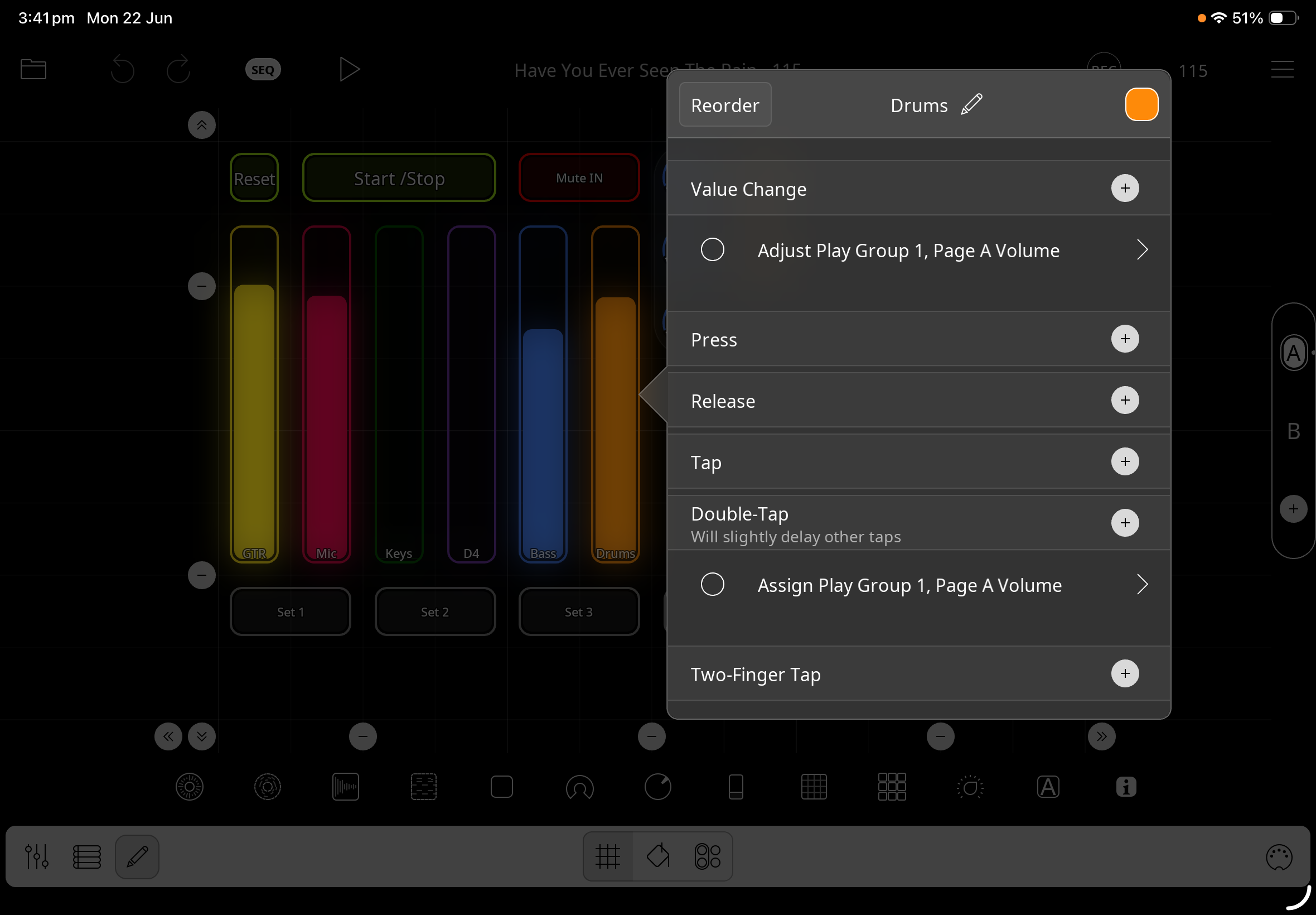
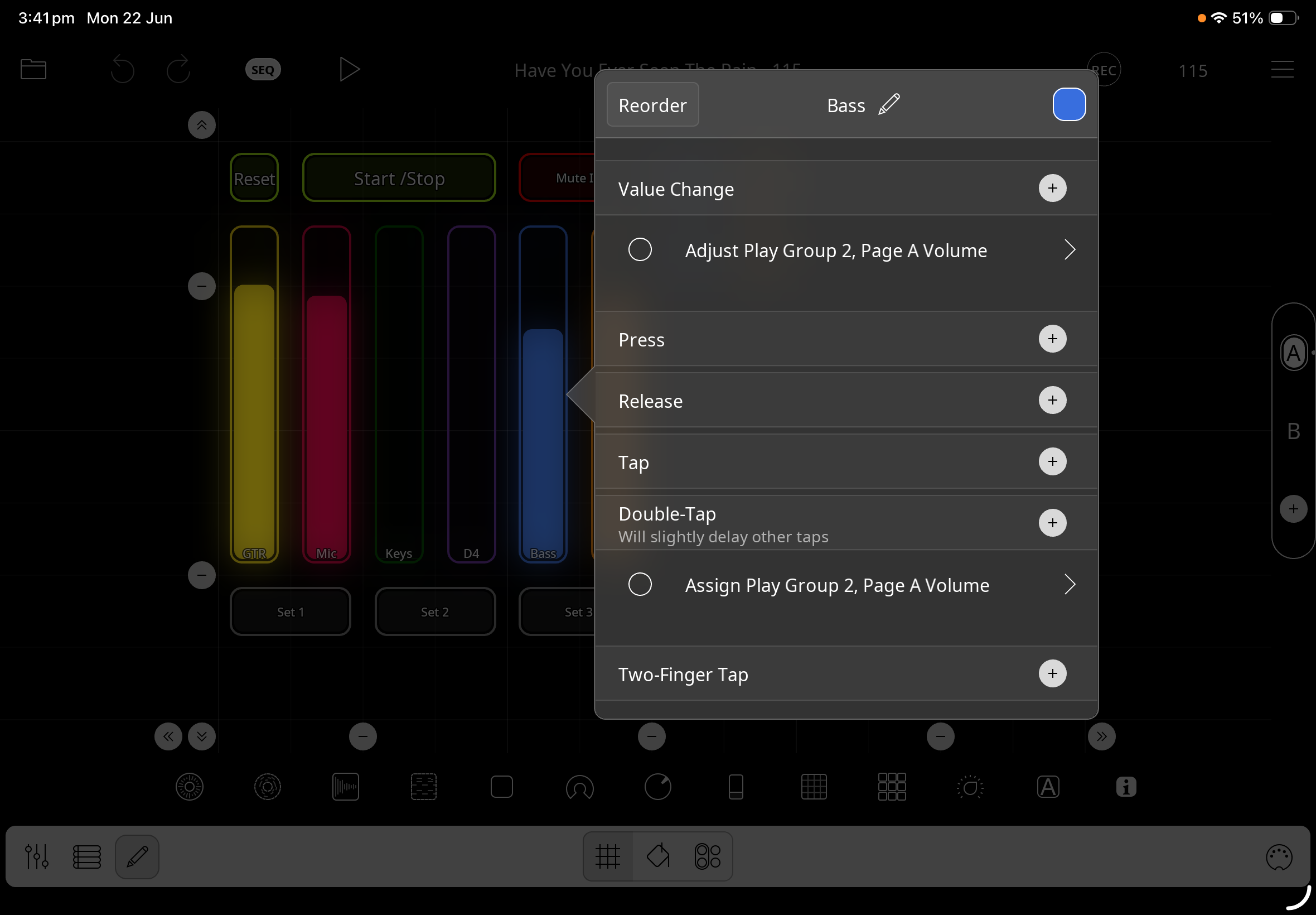
Can you post still screenshots showing the actions assigned to the sliders?
i will try and make a recording, but in the meantime some more info...
The output difference can be heard either from the iPad speakers or when I use my PA, as you raise one group the other dims a little.
I dont have level meters.
you can see the two play groups here.
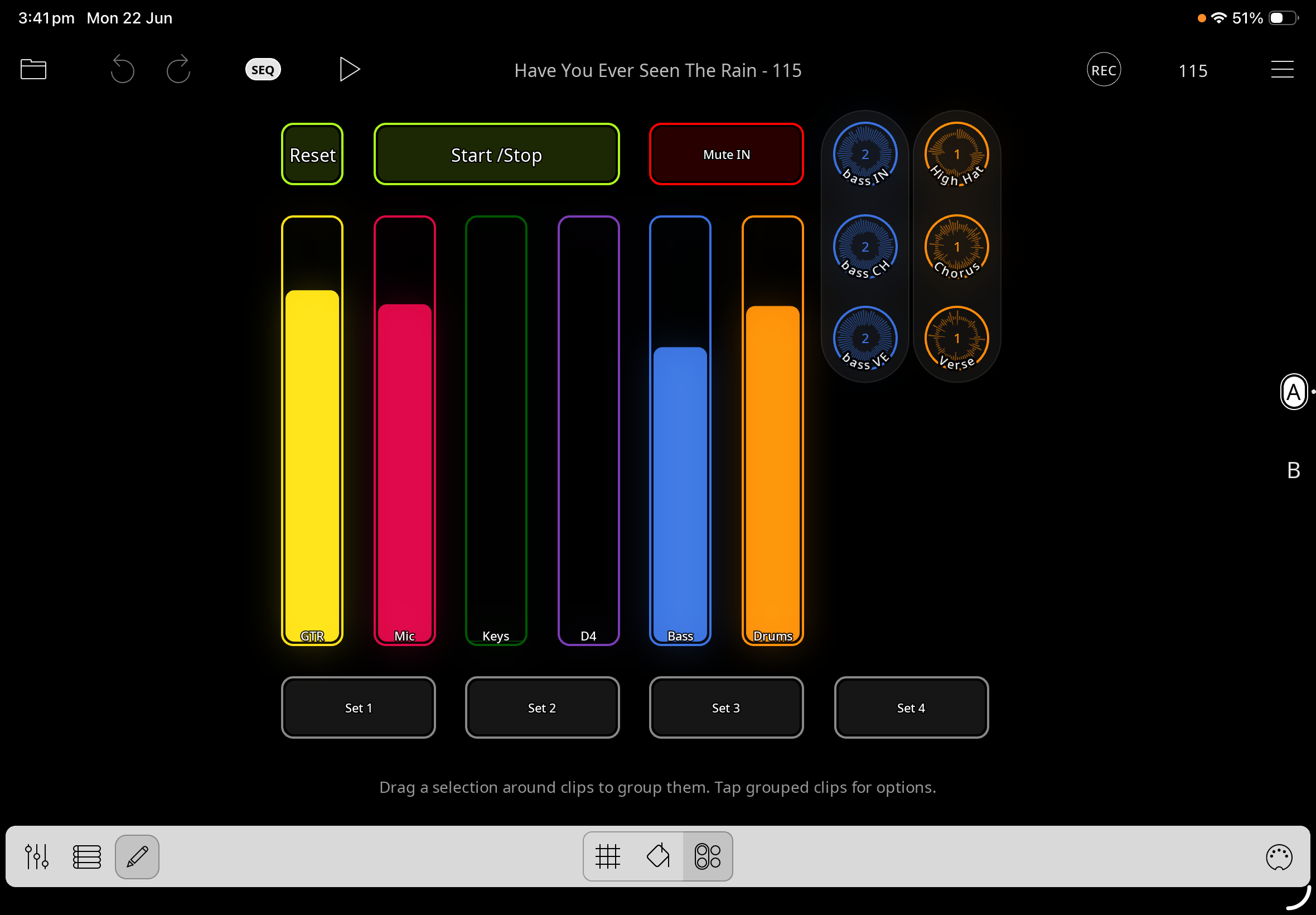
You can see play group 1 (Drums) is assigned to volume
Same with play group 2
This shows these groups bypass the groups mixer adjustments (mixer is always set to unity). Only the groups slider changes the volume, or if I go into a specific clip and adjust it there for overall balance.
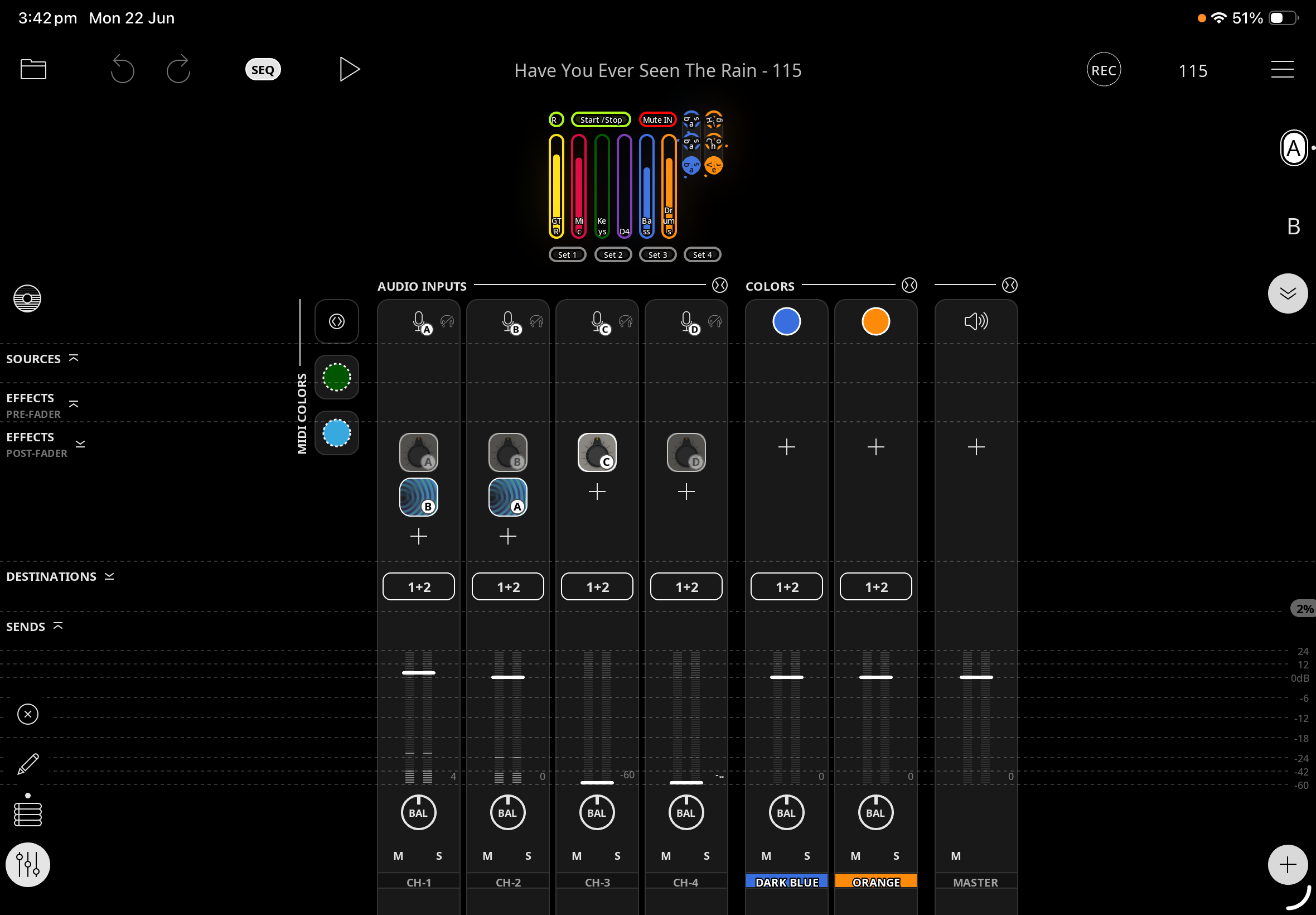
The other live channels (colored yellow, red, green, purple) are adjusted through the mixer by the dedicated sliders i have created for each one.
What are you using for your audio input/output?
If you make a screen recording with the mixer showing, we will be able to see if the levels are changing in Loopy Pro.
Loopy’s mixer has level meters that will show us the output levels of the color channels and the overall output level.
If you are using the built-in speakers, you may be encountering some output-limiting OS artifact. Seeing/hearing a demonstration will help us understand what is happening for you.
@deano : a test you can do to see if the color channel levels are changing in loopy pro would be to do a session recording with color groups as a target as well as combined outputs.
While it is running, have both play groups playing. Adjust the level of one play group only through the full slider range.
Stop the recording, open each color channel’s audio recording in a waveform editor. And see if the level changed in the color channel you did not adjust.