Loopy Pro: Create music, your way.
What is Loopy Pro? — Loopy Pro is a powerful, flexible, and intuitive live looper, sampler, clip launcher and DAW for iPhone and iPad. At its core, it allows you to record and layer sounds in real-time to create complex musical arrangements. But it doesn’t stop there—Loopy Pro offers advanced tools to customize your workflow, build dynamic performance setups, and create a seamless connection between instruments, effects, and external gear.
Use it for live looping, sequencing, arranging, mixing, and much more. Whether you're a live performer, a producer, or just experimenting with sound, Loopy Pro helps you take control of your creative process.
Download on the App StoreLoopy Pro is your all-in-one musical toolkit. Try it for free today.

Comments
I am confused about what you are trying to do.
Can you explain?
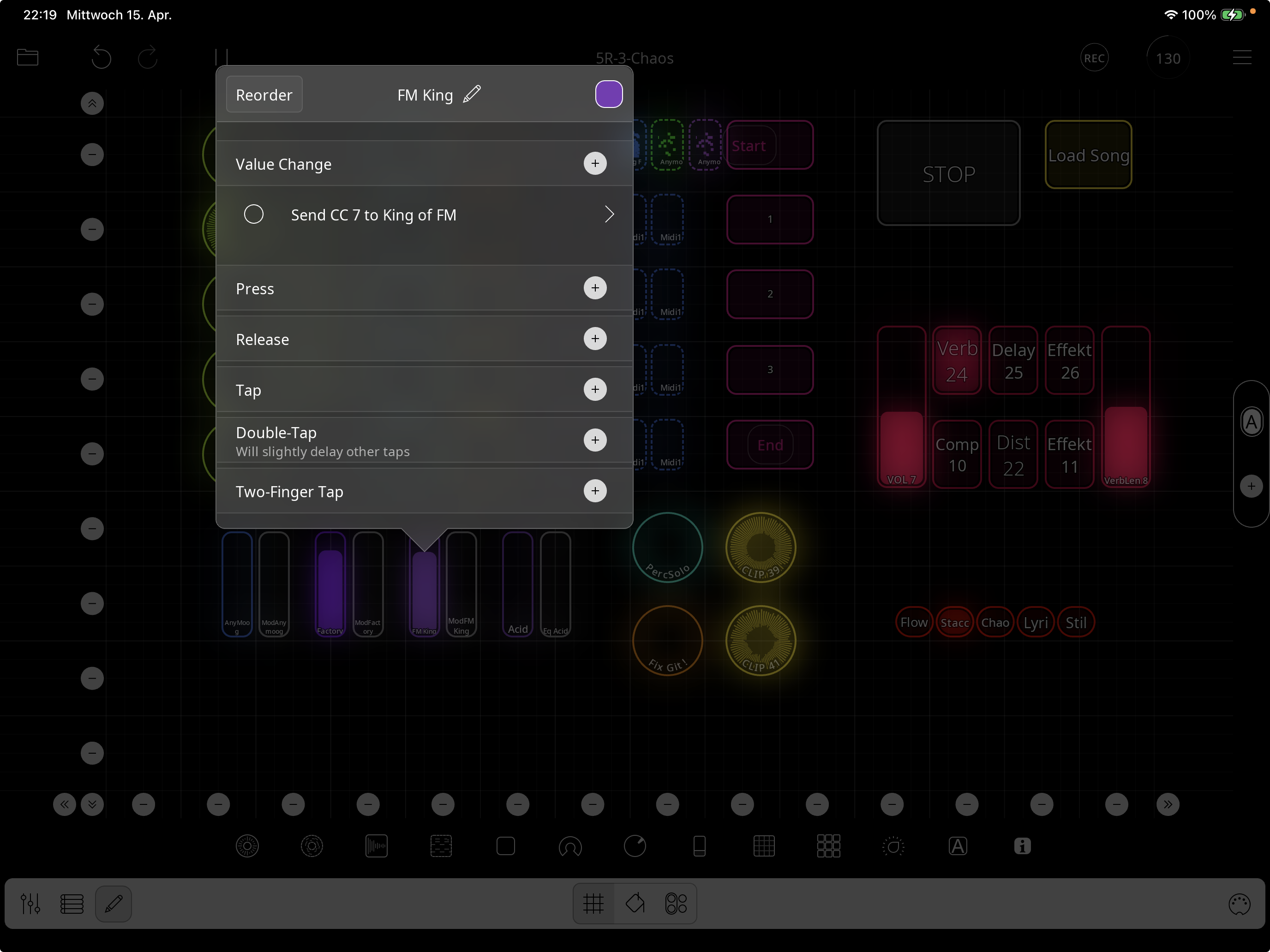
You have a slider sending Cc 7 to King of FM
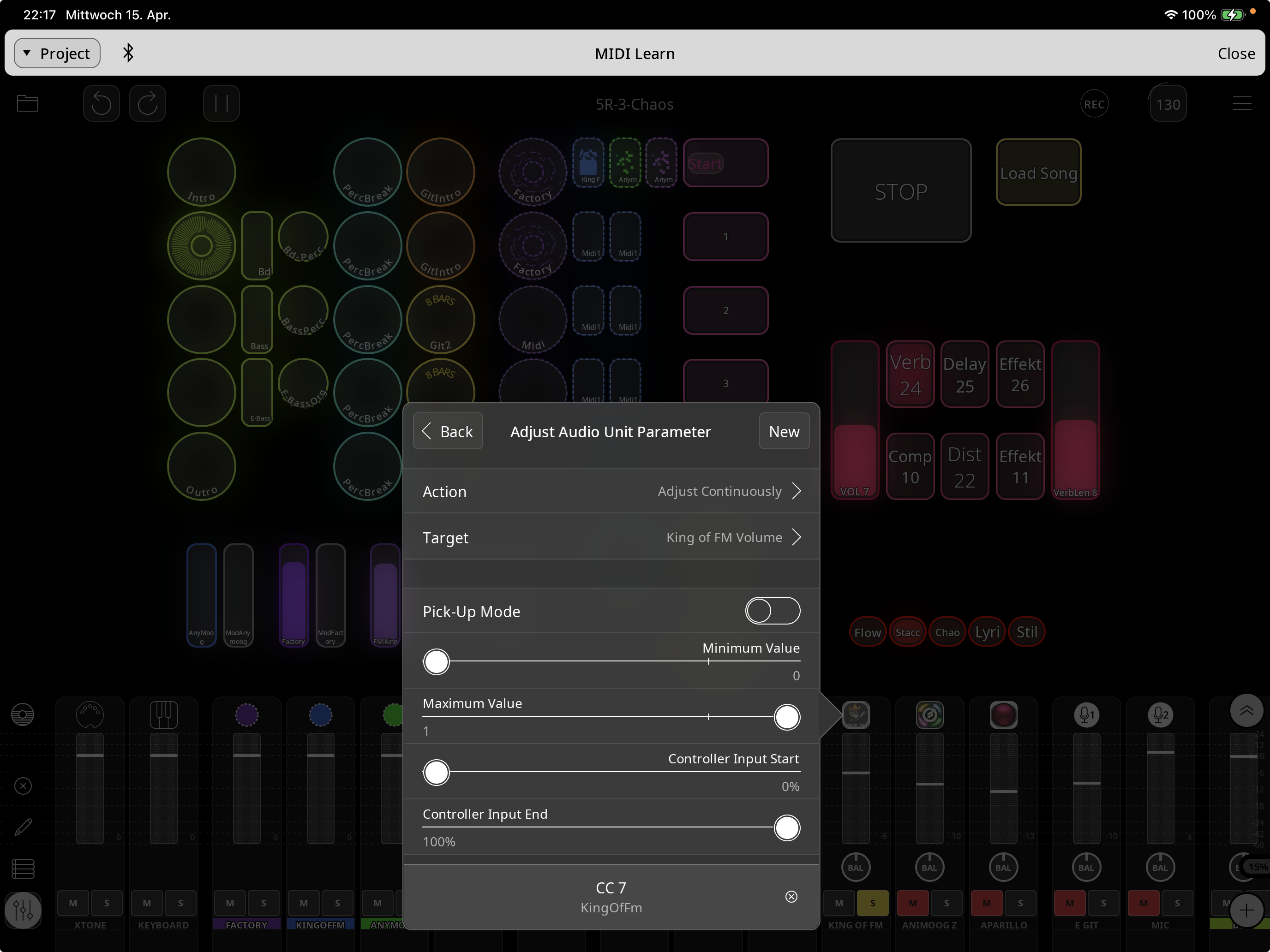
And you have set up a midi binding from King of FM to its volume.
I am guessing you should not be sending midi from the fader but should be using the Adjust Audio Unit Parameter action to adjust its volume. Or to adjust the audio source parameter to adjust its channel’s volume.
Great ! Now I'ts clear. And it works.
My mistake:
I was also confused, because I didn't know about the "Adjust Audio Unit Parameter action". So I thought I had to do this via the MIDI-Learn function. There, I did not find a way to select a Loopy widget as a source (understandably).
A great feature this "Adjust Audio Unit Parameter action"
So all the midi bindings to the Auv3 are superfluous.
>
Plus, that way you can have two-way state feedback so that if you adjust the volume in the app, the widget stay in sync. Also, widget values are saved and restored with the session. MIDI send values aren’t saved with the session, so the project will reload with the control out of sync if Send MIDI is used.
Wow absolutely great !
Thanke you.