Loopy Pro: Create music, your way.
What is Loopy Pro? — Loopy Pro is a powerful, flexible, and intuitive live looper, sampler, clip launcher and DAW for iPhone and iPad. At its core, it allows you to record and layer sounds in real-time to create complex musical arrangements. But it doesn’t stop there—Loopy Pro offers advanced tools to customize your workflow, build dynamic performance setups, and create a seamless connection between instruments, effects, and external gear.
Use it for live looping, sequencing, arranging, mixing, and much more. Whether you're a live performer, a producer, or just experimenting with sound, Loopy Pro helps you take control of your creative process.
Download on the App StoreLoopy Pro is your all-in-one musical toolkit. Try it for free today.

Comments
@Stefanoni : can you post a link to demonstration of it not working properly?
What are you wanting to happen that isn’t happening?
What retrigger does is queue the clip to solo. If the quantization is loop (the default), it means “solo the clip again the next time around”. If you want it to restart at a different time, you would change the quantization setting.
I want the already running clip to start from the beginning when I recall it with Solo. So that I don't have to pay attention to what position the clip is in at the moment.
you meen a link to a video ?
Yes.
You need to set the play quantization in the action if you want it to be different from the loop’s normal setting.
I guess you understand me differently, I have now made a video and enclosed the Test project.
Video:
https://drive.google.com/file/d/1Ymi86iozTIFPh-04dlk_RVw1TgsB9sm_/view?usp=sharing
Project:
https://drive.google.com/file/d/1LcFpkx087HdI1eQid5JijOVscES6sVox/view?usp=sharing
What is throwing things off is that the second Solo action has two targets and is starting one. I will bring that to Michael’s attention.
There is a simple workaround:
I know the Workarround. In particular, I wanted to understand why it doesn't work. Because in practice this would be very convenient: During a jam session/live gig I can mess around with the clips as I like (stop several clips at different times), but at a certain time I want to get everything back in sync so that the sequences of chords and bass lines match again.
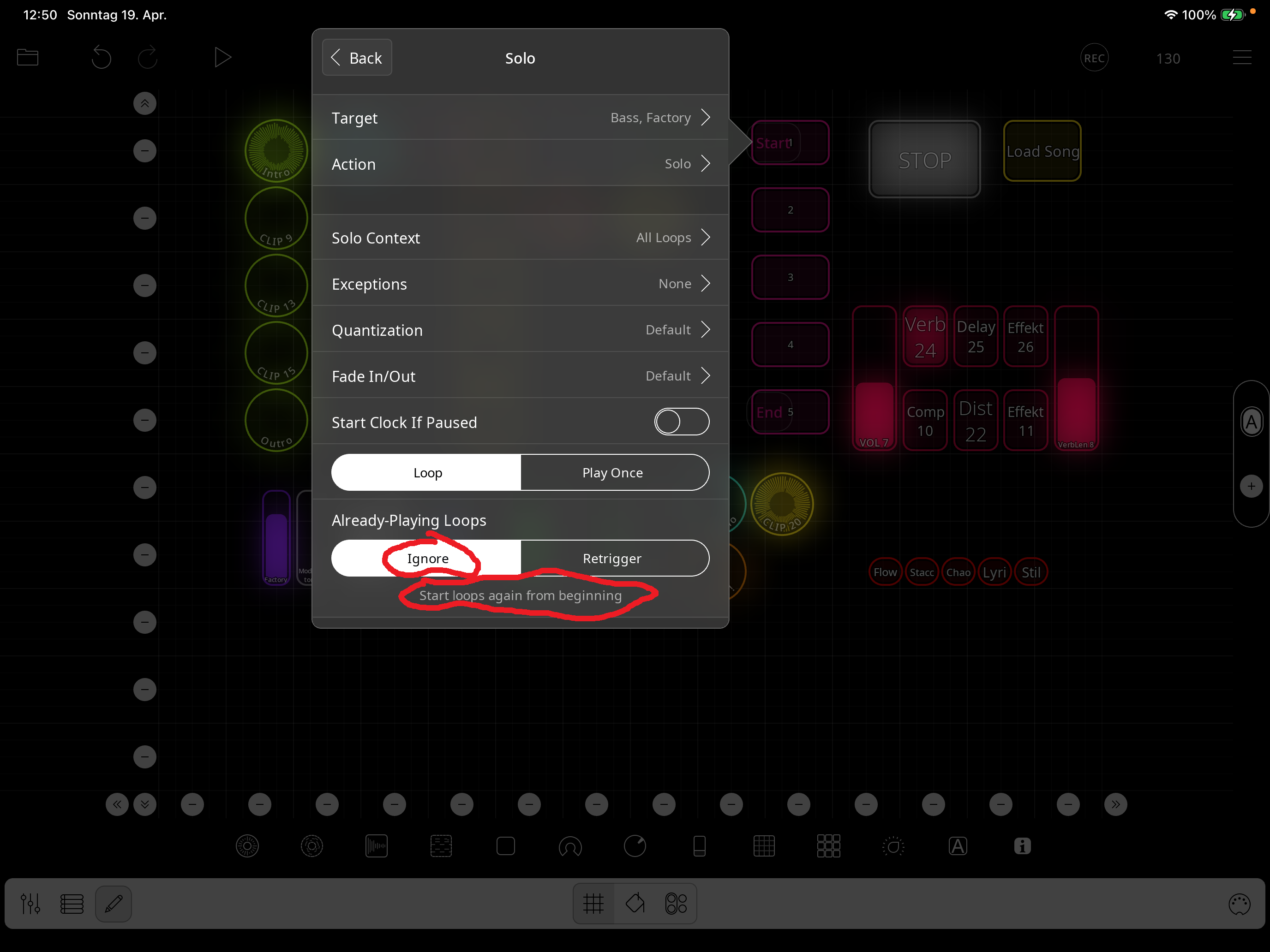
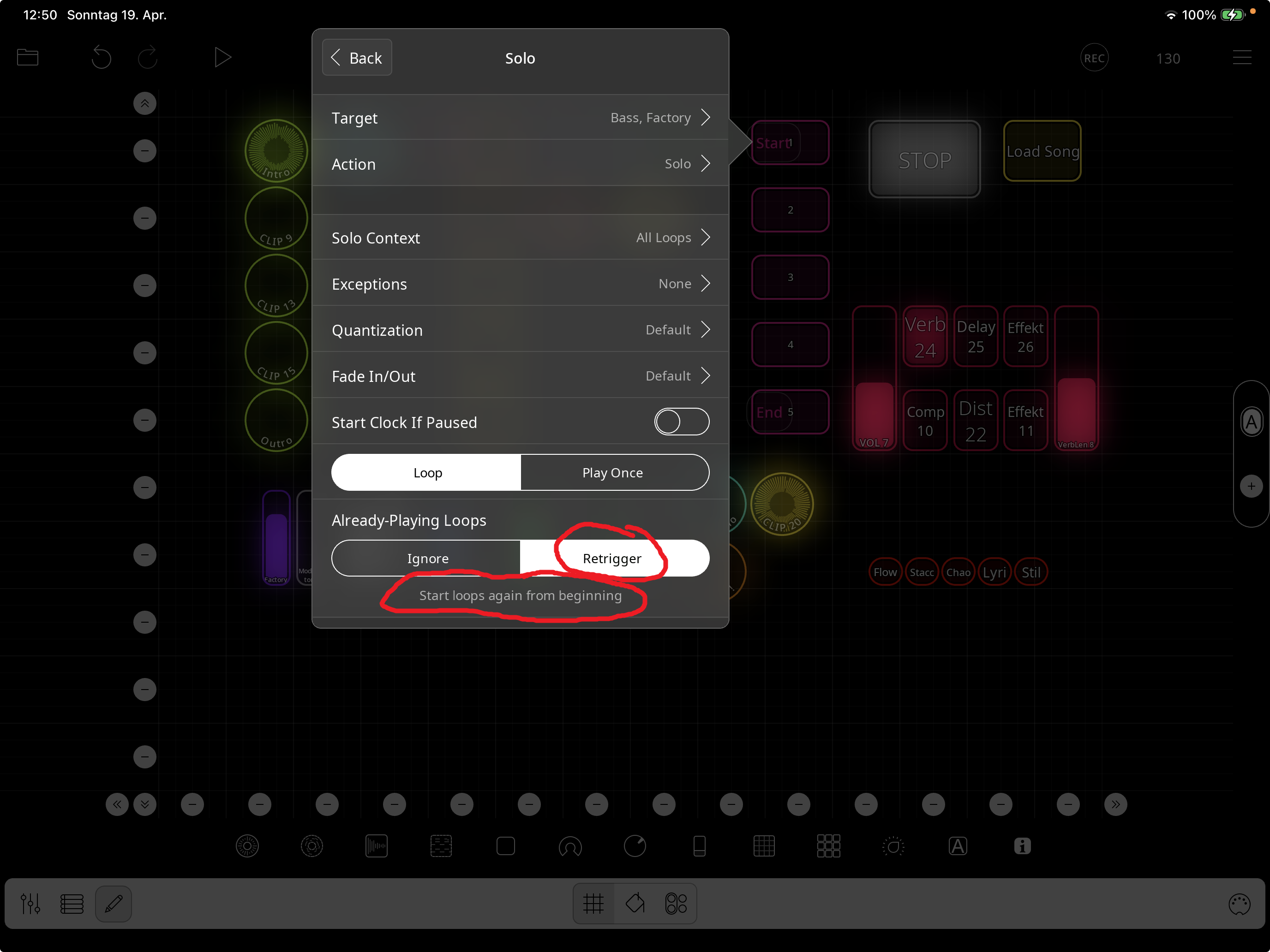
Which is also incomprehensible to me (see the red marking of my very first two screenshots of this tread): Even if I change the option, the same explanatory text always appears. Sometimes this text is also starting with the opposite statement and remains even when I toggle the option on or off
@Stefanoni : you have run into two bugs. One is that the text hint isn’t being updated onscreen when you change the option. If you close the panel and re-open, you will see the correct hint text.
The other is that if the solo action has retrigger on and has multiple targets and one (or more) of the targets is not already playing, retriggering doesn’t happen. If all the solo targets are playing then they each get retriggered.
Play does not have that problem. We will work on the solo issue. There are fairly simple workarounds, you can use for the time-being.
Thanks for the clarification. It is important to me to understand the situation, not to complain.
I love Loopy pro and as a programmer, I have boundless respect for the complexity you have to handle !