Loopy Pro: Create music, your way.
What is Loopy Pro? — Loopy Pro is a powerful, flexible, and intuitive live looper, sampler, clip launcher and DAW for iPhone and iPad. At its core, it allows you to record and layer sounds in real-time to create complex musical arrangements. But it doesn’t stop there—Loopy Pro offers advanced tools to customize your workflow, build dynamic performance setups, and create a seamless connection between instruments, effects, and external gear.
Use it for live looping, sequencing, arranging, mixing, and much more. Whether you're a live performer, a producer, or just experimenting with sound, Loopy Pro helps you take control of your creative process.
Download on the App StoreLoopy Pro is your all-in-one musical toolkit. Try it for free today.
Patterning 3: Delete Drumkits?

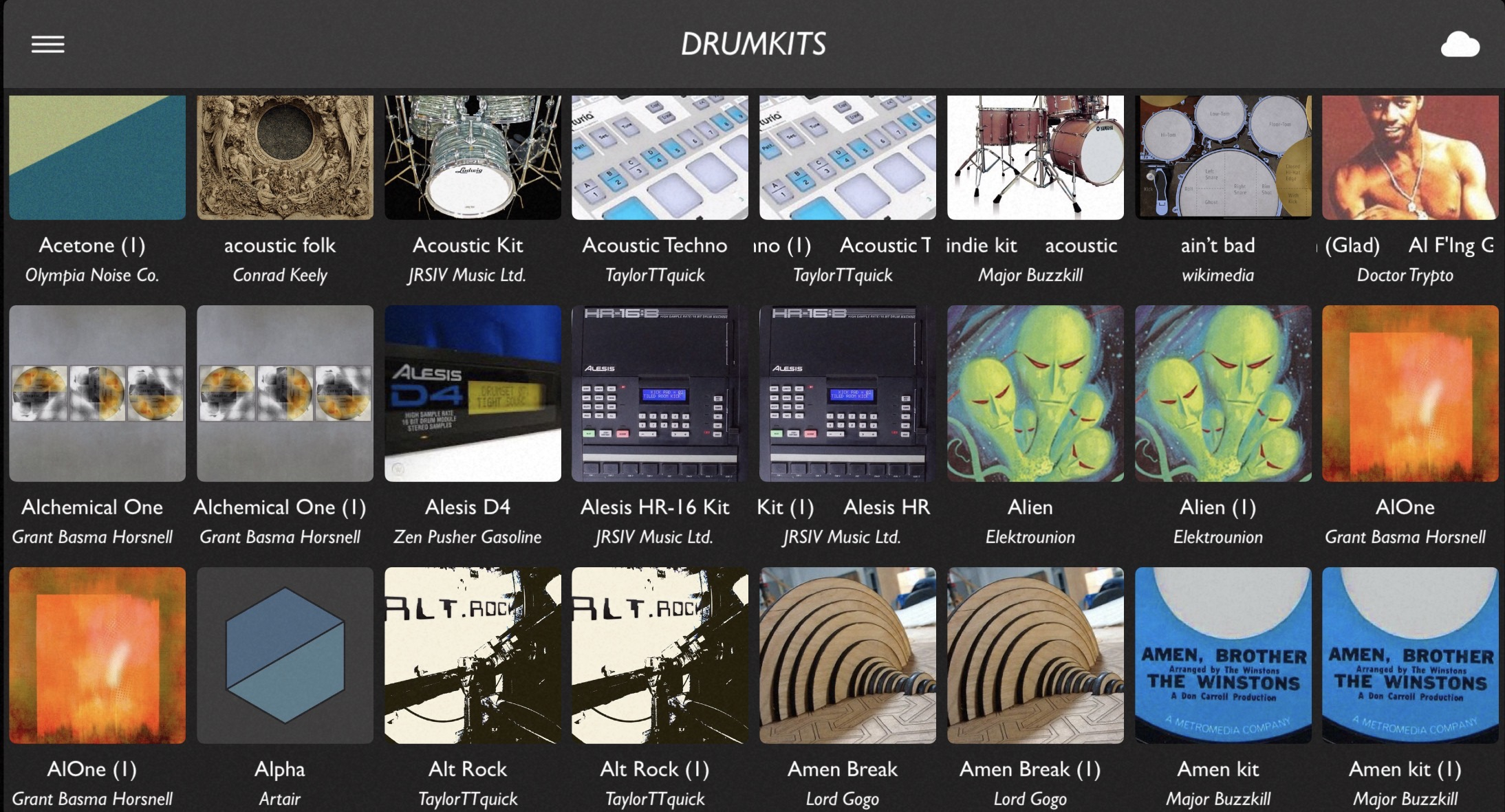
I downloaded a bunch of what I thought were new cloud kits, but in fact I already had many of them (side question—why are they indicated as downloadable when I already have them?). I was able to delete the duplicates from the Files app, but the duplicate icons still appear on the drumkit page. Advise on how to remove them? Nothing in the manual at all on deleting kits. Thanks.
Edit: screenshot…
Comments
I don't see anything obvious. I'd email support using the link under Contact & Links in the main menu.
I wondered the same myself.
Files app > On My iPad > Patterning > Drumkits > select and delete
I think the OP already did that successfully. However the icons for the deleted kits are still there.
Oh I missed that bit. Thanks Wim.
Well, this is odd.
I don’t have this problem. When I delete a drum kit in the files app the icon disappears as well.
I say it’s odd because this is the kind of thing that usually happens to me and nobody else.
I can think of 2 possibilities, neither of which seem likely to help.
I did this with Patterning in the standalone mode. I imagine you did too.
Do you have the latest version of P3?
For some reason I can’t the “after” photo to upload.
(Again, the type of thing that seems to happen only to me.)
You need to delete both the kit file from the Drumkit folder, and the samples from the Samples folder. That's what I ran into when I only deleted the kit folders from the Samples folder. Then it works for me.
The DrumKits view should just be showing the actual up-to-date contents of the DrumKits folder in Files. Let me know if that is not the case.
Sorry for not adding the "delete" button to this! It's on my todo once I open P3 up for bug fixes.