Loopy Pro: Create music, your way.
What is Loopy Pro? — Loopy Pro is a powerful, flexible, and intuitive live looper, sampler, clip launcher and DAW for iPhone and iPad. At its core, it allows you to record and layer sounds in real-time to create complex musical arrangements. But it doesn’t stop there—Loopy Pro offers advanced tools to customize your workflow, build dynamic performance setups, and create a seamless connection between instruments, effects, and external gear.
Use it for live looping, sequencing, arranging, mixing, and much more. Whether you're a live performer, a producer, or just experimenting with sound, Loopy Pro helps you take control of your creative process.
Download on the App StoreLoopy Pro is your all-in-one musical toolkit. Try it for free today.

Comments
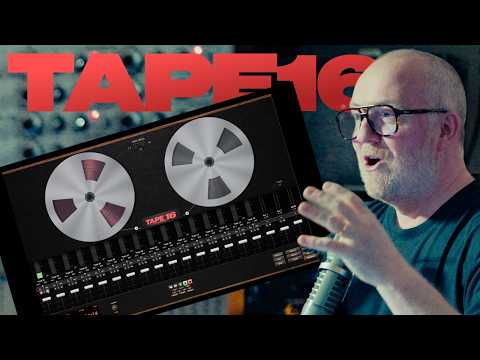
Thnx for sharing. Have only had a quick look at the feature set, first impression is that I'd rather stick with aum than something like this. AUM is as elegant and stripped back as you want it to be, but gives you flexibility when you need it. I'm sure some people will appreciate the limitations of this Tape 16 tho
And really, you can just impose limits on yourself. Stick to the DAW you’re already using. Make a rule that you’re not going to edit anything, but are just going to re-record your takes. Stick to that rule. Add tape FX as needed 🤷
@Gavinski - yeah, was thinking the same thing, and it's something I tend to do myself when using Logic.
Also...
I would've thought as a media and film composer, you'd want that flexibility to be able to tweak things further down the line.
Not because you want to endlessly refine your track, but because you're writing to picture using cues, that have a tendency change, sometimes drastically.
Disclaimer: Don't know if he mentions that in the vid as I haven't had a chance to watch it yet.
See it comes with a remote control web page could be used maybe as a looper
OK, so watched the video and he doesn't mention using it for the day job.
Mind you, if you've just spent 5 years on a scoring project for an Apple Original TV Series, maybe you can afford the luxurry of re-recording everything when the film editor decides to radically change a scene...
That said, I totally get the enthusiam for the fresh / stripped-back approach. It kinda reminds me of when the 4-track recorder was introduced in the original version of Animoog. So you had a cool little no-frills sketch pad right there in the app making Animoog a mini DAW of sorts.
If nothing else it seems great for getting down ideas quick. Or making drone material using the scrub feature which is fun to use.
Looking at it as a potential 16 track free-form looper actually excites me more about it!
Not sure you can loop instantly on the fly with this haven’t tried yet. Would be cool as an actual instrument plugin inside another daw.
I’ve been looking at this jumpercollins. Looks really good. Nice to get away from a sequencer screen.
It's really a pity that Jonatan never made AUM available for Mac. Seeing the interest in this, he really should consider it. AUM has nearly all the features this has and yet is better in so many ways. Genuinely, add Gauss, add Reelbus, you've got a similar but wildly superior setup. Edit: well, Gauss maybe not, very limited recording length, but still...AUM does allow you to adjust the playback rate of files loaded in the File Player, no reverse mode though, which actually surprises me! Would be easy to add, I assume.
I was demo-ing this yesterday & don’t see how you could use it as a looper. You have to hit stop on the transport bar & then rewind. You have 3 options for rewind/fast forward speed - auto (which I think speeds up as you get to the beginning of the “reel” or near zero) , 5x real time or 10x real time. There is no auto stop return to zero function. It behaves very much like a physical cassette or reel-to-reel recorder.
From the videos I’ve watched thus far it reminds me of what Auria could have been or could still be