Loopy Pro: Create music, your way.
What is Loopy Pro? — Loopy Pro is a powerful, flexible, and intuitive live looper, sampler, clip launcher and DAW for iPhone and iPad. At its core, it allows you to record and layer sounds in real-time to create complex musical arrangements. But it doesn’t stop there—Loopy Pro offers advanced tools to customize your workflow, build dynamic performance setups, and create a seamless connection between instruments, effects, and external gear.
Use it for live looping, sequencing, arranging, mixing, and much more. Whether you're a live performer, a producer, or just experimenting with sound, Loopy Pro helps you take control of your creative process.
Download on the App StoreLoopy Pro is your all-in-one musical toolkit. Try it for free today.
Comments
Jade made a great demo video that also showing how SoundFont import works:
Leo made this in minutes after I sent him the TestFlight:
I have totally failed to find a way to trim/crop the recorded sample?!
Here's my demo video for it, including how to sample, running through my fav free+iap presets and more
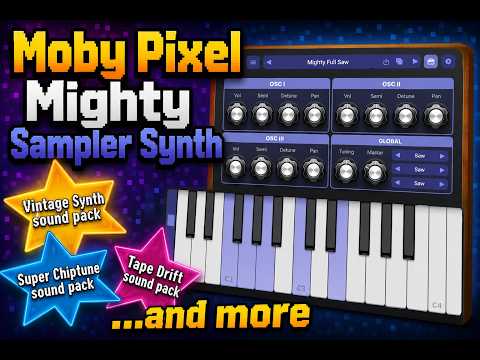
@Samu I'm showing the trim/crop part at around 0:19
Do you mean trim the existing audio file into a smaller audio file? If so, that isn't currently supported. You can use the side light bars on the sample waveform view to drag the start/end points and loop start/end points.
Great video, eylvy!
Hmm, I know how to move the handles but how to cut/strip away the redundant data?
Exactly, if the recording is long and you just need to use a smaller portion.
Good point! I'll add that to the list. I use that in Logic all the time.
Goodie!
I've also noticed that loop-points are not always correctly interpreted in some SF2 files like the 'Current'(ie. latest) version of the classic GeneralUser.SF2 which is one my most used SF2 files.
https://schristiancollins.com/generaluser
FLSM had a lot of issues ('missing' samples, loop-point errors, missing layers, note-ranges etc.) with it but they sorted it out in the latest update.. KQ Sampei are pretty much flawless here.
But hey, no worries even LogicPro on the Mac fails to properly convert that SF2-file into 'Sampler Instruments'
Really digging the additional AUv3s that are part of the Mighty package!
Well if Logic Pro has problems, this will too because for SF2 playback the app uses Apple's AUSampler, the same sampler in GarageBand. They don't give developers access to how they handle the SF2 internally. So that's the trade-off, easy-to-use impossible to edit. The other option would be to move to another audio engine library for SF2s, but that probably won't happen anytime soon.
Thanks! Hopefully I can flesh those out even more in the future too.
Goodie!
If really want to geek out into SF2s the complete specs date back to 1998!
https://www.synthfont.com/SFSPEC21.PDF
Where I think it fails is that Apples AUSampler doesn't support the complete SF2 feature set
Real great. Thank you for this.
.
The quality of the effects ( comp and lfo ) on retro keys Rhds vaporwave (#3) sounds super thicc.
Incredible that it’s free. Very cool
We do need the ability to trim samples. A simple crop ( fit to window ) should suffice with the existing sliders. When sampling, the waveform has the dead air and is positioned towards the right, and it feels mischievous.
I've encountered a bit of an issue, and I'm not sure if it's a widespread issue or something isolated to me. I've installed this on both my iPhone and iPad Pro with a Launchkey Mini 25 Mk4 connected, and regardless of which preset I play using the Launchkey, every note remains stuck. The "HOLD" button in the app isn't highlighted, so I'm not sure what's going on. If I just play using the on-screen keyboard in the app, I don't encounter this problem, but with the MIDI keyboard connected, every note I play just stays held down, even if I'm not touching the keyboard. This seems like a fun instrument to play around with, but playing it with the Launchkey is not working out too well. Has anyone else had a chance to mess around with this using a MIDI controller, and if so, is the app working normally for you, or are you getting stuck notes as well?
@betamax999, if you know how to send the output from your Launchkey to a midi monitor, check to see if the note off's are true note off, or if they're note on with zero velocity. Both are legal midi note off messages, but some apps fail to recognize the latter form.
In hexadecimal, like you would see in Streambyter's midi monitor, a Note Off in hex will start with an 8 and look something like 80 24 00. A Note-On at zero velocity start with a 9 and will look like 90 24 00.
As I mentioned, both are legal note-off messages but I'm guessing maybe the sampler isn't responding properly to the latter.
Hmm. That could be problematic. I had hoped to use it with my own recorded samples.
Anyone notice the heavy crackling that happens when changing presets while the previous sound is still playing?
(It also triggers DSP max in AUM. Could it be that the sounds loaded inside the audio-rendering loop causing the CPU spikes?).
I don't fully understand how to use the StreamByter MIDI Monitor, but I did manage to set a up a MIDI event monitor in the MidiFire app, and when I look at the log of key presses, all the "note off" messages have an associated code of "90 3C 00" or "90 43 00". I don't know why some have 3C in the middle and others have 43, since I don't know what those numbers/codes correspond to in the first place, but I'm assuming the fact that all the note-off codes start with "90" means means the keyboard isn't sending a "true" note-off signal. Am I understanding this correctly? I'm not very proficient when it comes to working with MIDI, to say the least, so I feel like a total moron right now.
That's what I thought. It looks to me like Mighty Sampler is failing to recognize
Note ON / Zero Velocityas a Note Off message. That's a bug @MobyPixel. Many hardware devices and also software controllers send that for note off.@betamax999 - what you're seeing in those messages has four parts.
9means Note ON.0is the MIDI channel. We call it channel 1 but in MIDI speak, the numbering starts at 0.3Cin hex is = note 60 in decimal,43hex = note 67.00is the velocity of the note - how hard it was hit. In this case it's zero and that is an alternative Note OFF message that the app isn't recognizing.What Mighty Sampler is expecting is the format of Note OFF that starts with
8. For example80 3C 00,80 43 00. The last numbers are usually, but not always zero.Yeah, I get that too...
I’m seeing something similar with my Yamaha MX88 and Mighty Sampler run stand-alone; when I press a key, the note sounds, and when a key is released the note plays again, and then sustains forever. Other midi controllers don’t do this.
When I run Mighty Sampler as an auv3 inside loopy pro this doesn’t happen.
I noticed this late last night and haven’t had a chance to investigate further, but it sounds like it’s probably a similar issue as mentioned above.
I'll have to check with my LaunchKey Mini 25 Mk4.
I know some synths/apps have issues with interpreting Note Off events with a set release velocity as a Note ON message.
When using My LaunchKey Mini 25 Mk4 with the stand-alone app I definitely get the 'hanging notes' and have to use the Midi Panic multiple times in order to cut all the playing notes.
I'll check with another midi-monitor but so far what I've seen is that the LaunchKey Mini 25 Mk4 sends Note On with Velocity 0 as the Note Off message.
The retriggering is cast iron evidence that note on velocity zero isn’t being handled correctly as a note off.
@MobyPixel the other MIDI gotcha to be wary of is “running status” (omission of the command byte if it’s the same as the previous one), but IIRC on Windows at least the OS handled this.
PS had a brief play last night, I think I’ll be finding this useful and may well displace KQ Sampei and/or iSFizz (which both have their annoyances).
For the Mighty Mighty Wish List would be really handy if SFZ import could import each SFZ file within a zip with the zip file being equivalent to an SF2 file, and each SFZ within like an SF2 preset.
Thanks for all the feedback, gang! I appreciate that you all care and see the potential enough to request features.
Yes, currently you can only import 1 SFZ at a time. I'll definitely be looking to add multiple SFZ imports and multiple sound imports in the Sampler.
I'll also look more into the CPU spikes between presets. I think it is related to how DunneSampler loads all samples into memory on initialization but adding a slightly longer delay between unloading and loading should smooth things out.
I'm planning to fix things like the stuck note bug (Note On vel 0 = Note Off) first, then I'll compile the feature requests across here, Facebook, and email and start working through the list.
It will all get there. In the meantime, please continue to pass along any bugs or requests, and enjoy the app!
Do you get the same behavior in standalone and AUM? It looks like AUv3 already handles the Note On vel 0 = Note Off but standalone does not.
I just tried running it in AUM and it seems like it works fine in there, but the notes do get stuck in standalone mode. I also hadn’t realized it until this morning, but like another person in here posted, in addition to the notes getting stuck, releasing the key also re-triggers the note before getting stuck. So basically, if I’m running in standalone mode with the Launchkey Mini, pressing a key will trigger a note, then releasing the key triggers the note again, and then the note just holds and the only way I can get it to stop is to switch to a different preset or close out of the app entirely and reopen it. The in-app MIDI kill switch doesn’t even seem to help.
I would gladly pay for another soundpack where Atari ST soundwaves are sampled. Examples:
... or 8-bit Atari - I can help with that.
Thanks! That helps narrow it down. Fix incoming.
Those sound great! I love chiptune trackers, but the way some people use them is an art form.
There is a lot of PWM happening there which is a weakness for romplers, except for wavetable synths that can dynamically change the currently loaded sample. Fun fact: There are a couple 2600 samples in the Super Chiptune pack and in the Tape Drift pack some of the samples were run through a shoebox tape deck that was used to play 2600 games.