Loopy Pro: Create music, your way.
What is Loopy Pro? — Loopy Pro is a powerful, flexible, and intuitive live looper, sampler, clip launcher and DAW for iPhone and iPad. At its core, it allows you to record and layer sounds in real-time to create complex musical arrangements. But it doesn’t stop there—Loopy Pro offers advanced tools to customize your workflow, build dynamic performance setups, and create a seamless connection between instruments, effects, and external gear.
Use it for live looping, sequencing, arranging, mixing, and much more. Whether you're a live performer, a producer, or just experimenting with sound, Loopy Pro helps you take control of your creative process.
Download on the App StoreLoopy Pro is your all-in-one musical toolkit. Try it for free today.
(Solved) In Loopy or with App? Help wanted with a MIDI channel workaround..

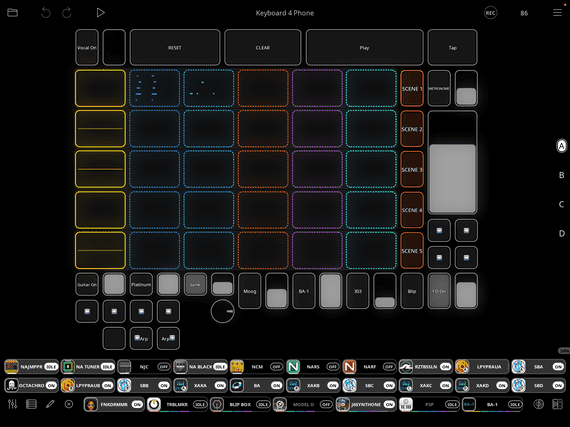
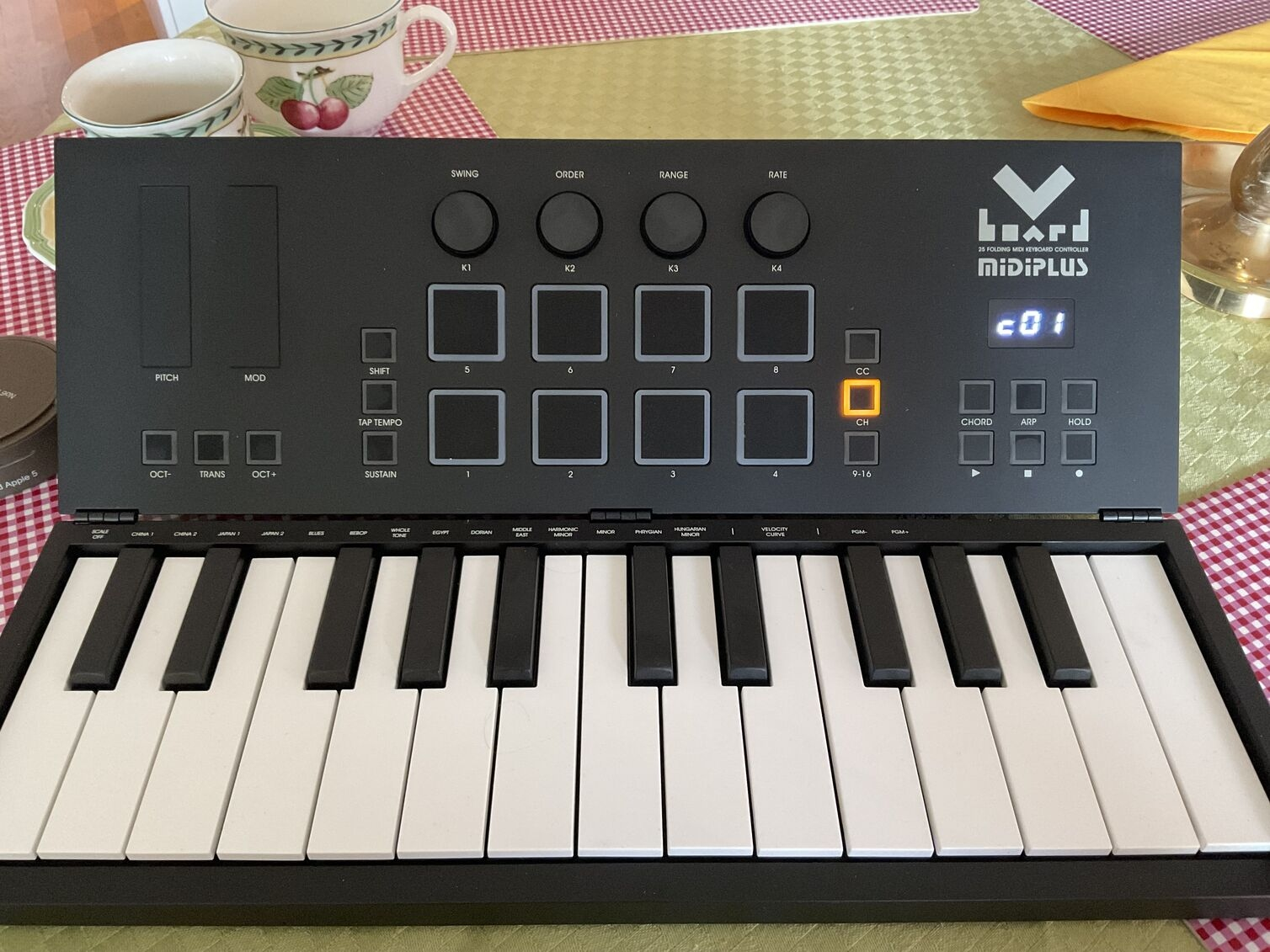
Is there a way to exclude a midi channel from a color?
I imagine I have a fairly common problem.
How I figured I am going to work is I send MIDI to all my instruments on global, and Mute the instruments I dont use. I only record one instrument at a time so its not a problem for clips receive MIDI on the same channel.
Im using a scene setup with 6 scenes use a MIDI controller with 8 pads that are locked to sending midi notes on channel 10.
I am setting this up so I can use it on the phone outside so I need it to be intuitive, I cant really use the touch screen (i set it up on an iPad first). As you see on the picture the keyboard has a button called CC that changes the pads to send CC.
As it is I can either use that mode to trigger and scroll scenes, or mute/unmute instruments
-But when I use drumpad 7-8 with notes to scroll scenes it sends a midi note that gets recorded.
-If I send notes to mute/unmute intruments that can accedantally triggered when i play they keyboard. So thats a bummer aswell.
I tried both ways but I still get stuck while jamming with sending an extra midi note.
Is there a workaround where the drumpads that send notes on channel 10 can get excluded from a color, even if I have my midi keyboard set to send on global to all?
An app? Where should I place it? Is there simply anway to exclude a color from a MIDI channel?
Hey, Thanx for looking in!
Comments
@_smund : in the loopy pro mixer tap on a midi destination in the destination slot and you can turn on a midi filter so that only the desired channel passes through.
@espiegel123 Hola, I did that, but then I'd have to change midi channels when switching between instruments? Or?
If that is the case I would rather exclude channel 10 for the color clips, so I can use the pads without sending midi notes on that channel.
Im trying to skim things down for minimal presses. I might have to use an app for rewriting those channel 10 midi notes to something else
In that case, you will want to use streambyter or mozaic or another MIDI filter AU as a go-between. You might even be able to use the free MIDI Messenger.
You can set them to filter out all messages on channel 10. So, add the the MIDI processor to your mixer. Route the MIDI from your controller to the MIDI Processor. Set the MIDI processor up to filter out channel 10 and pass out the rest. Route the MIDI from the MIDI AU to your midi colours or synths as desired.
@espiegel123
Halp. I cant figure out how to add more conversions to the list using MFX.
I don’t see how to add conversions to the list on the top right,
There is a small yellow text on the bottom left that says convert but IDK if its a button, it dosent add to the list.
The problem was the pads were showing up as «channel preassure” instead of midi notes in MFX.. the workaround got to be a litthe much so
I figured I will use midi channels instead of messing around
Thanx for the recommends!