Loopy Pro: Create music, your way.
What is Loopy Pro? — Loopy Pro is a powerful, flexible, and intuitive live looper, sampler, clip launcher and DAW for iPhone and iPad. At its core, it allows you to record and layer sounds in real-time to create complex musical arrangements. But it doesn’t stop there—Loopy Pro offers advanced tools to customize your workflow, build dynamic performance setups, and create a seamless connection between instruments, effects, and external gear.
Use it for live looping, sequencing, arranging, mixing, and much more. Whether you're a live performer, a producer, or just experimenting with sound, Loopy Pro helps you take control of your creative process.
Download on the App StoreLoopy Pro is your all-in-one musical toolkit. Try it for free today.
Nuts, @*#(&§¨ nuts. Halp? Automation stopped working for ‘Troublemaker’

I’m not the troublemaker.
Though I wish I was making trouble, with the maker. Let me generate my help request:
-I made handy widgets for recording automation in a loopy project using an Auv3 instance of loopy.
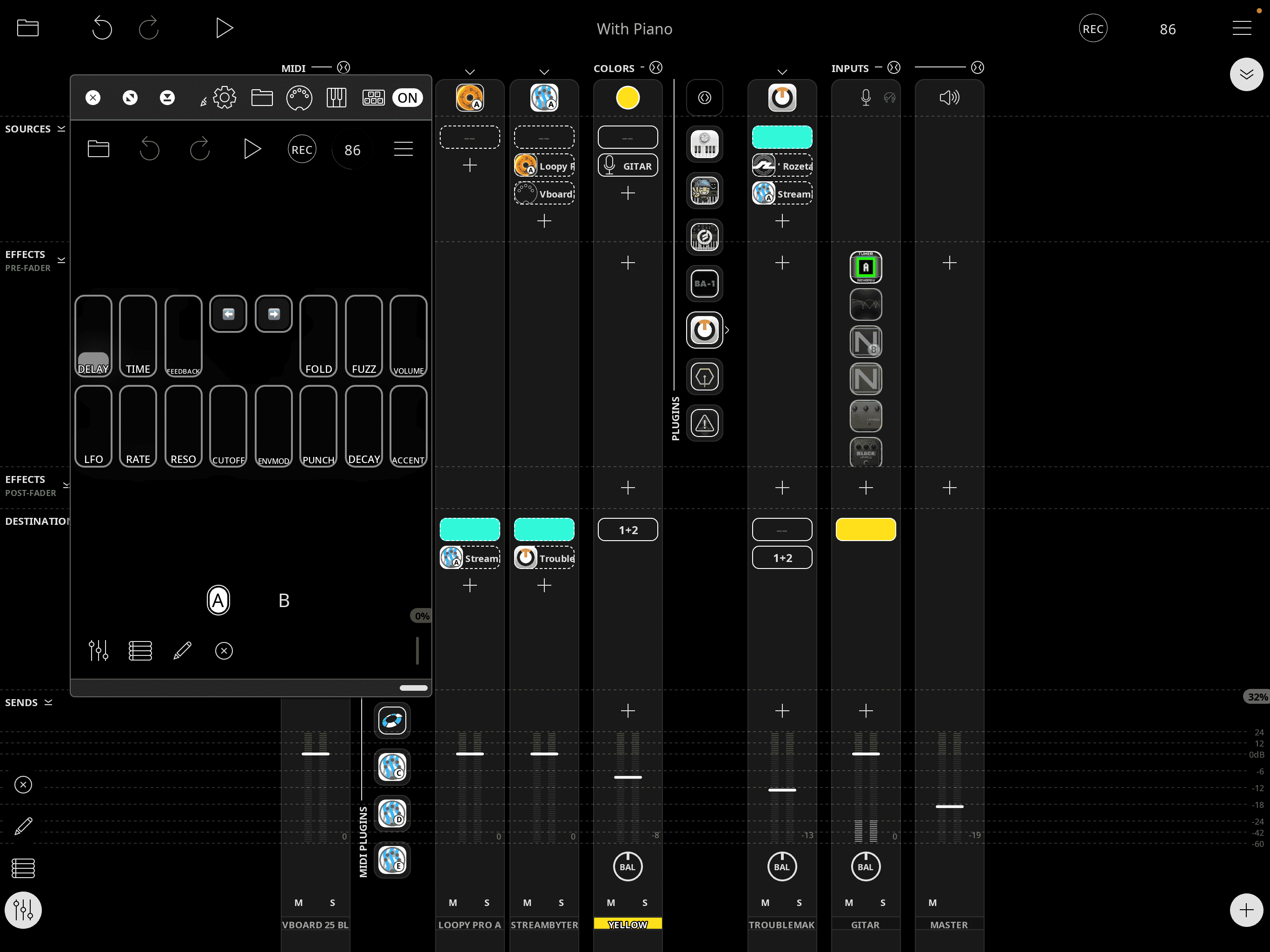
-I send the widgets to ->midi midi out, and to Streambyter for them to register again in loopy.
It works fine, it records the automation to “Aqua” clip.
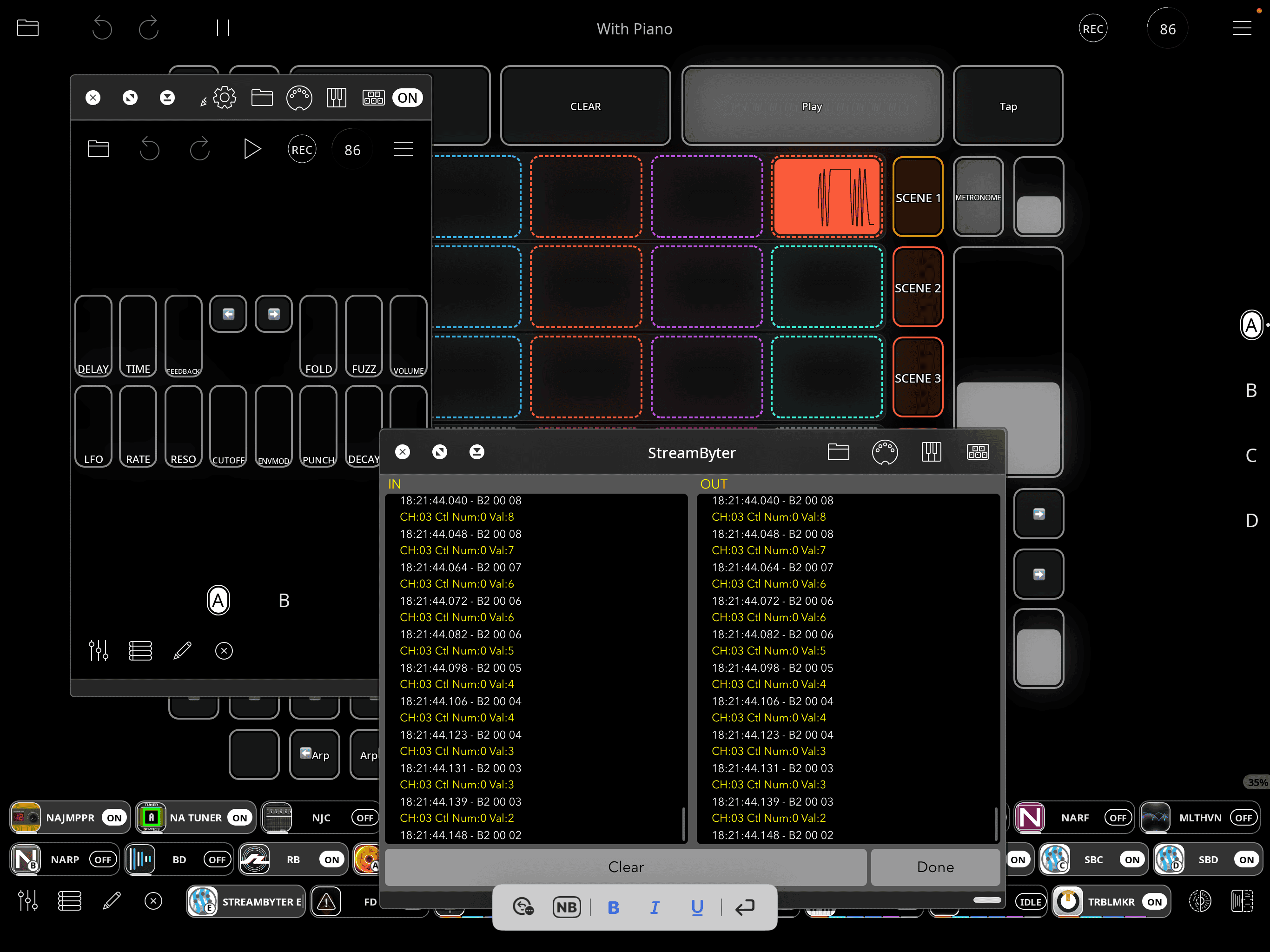
It used to work so when I moved a widget in the Auv3, the controller moved in Troublemaker, but it stopped working and I dang don't know why. Did I miss something?
Midi input on all the apps are set to channel 3, on everything from the Auv3, streambyter, Aqua and Troublemaker.
I made it work by manually mapping the virtual midi in, inside troublemaker, like this
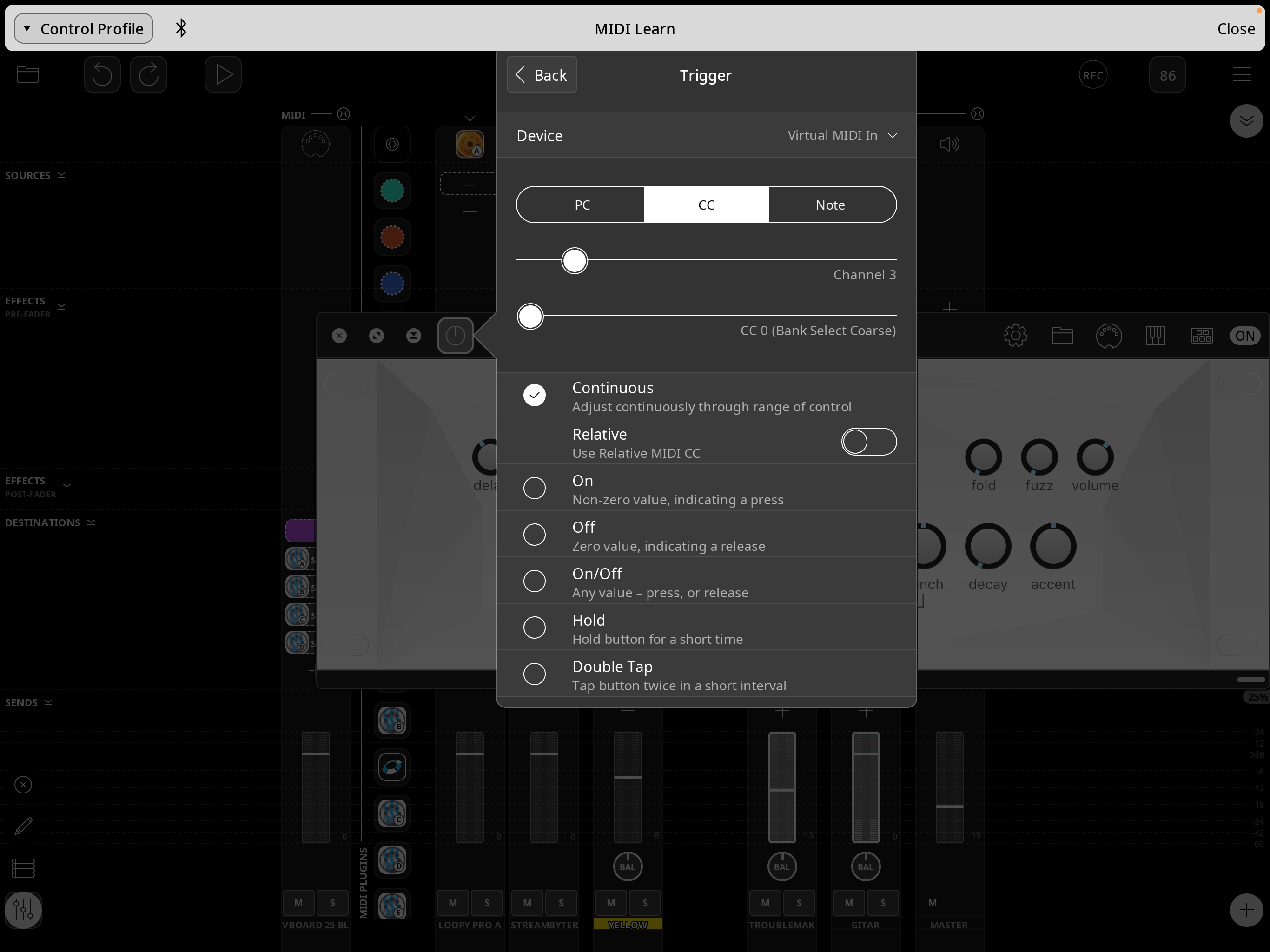
Should it work or no? What have I done wrong to be punished so greatly?
Thanx
Comments
@brambos
Tagging @brambos to see if he can help. Wishing you lots of luck.
Edit - Same idea at the same time. Lol.
I am not familiar enough with Loopy Pro MIDI routing to be of much help here.
There hasn't been any recent change to Troublemaker, so the problem must be in one of the other parts of the chain.
Is it possible to use AU Parameters instead of MIDI CC in Loopy Pro when automating plugins? Those are always more reliable when using any AUv3 in general.
@_smund; it sounds like you probably haven’t set up your midi bindings correctly. And the routing you show looks like it is problematic but we can’t see your routing as we don’t see your mixer.
If you want to record midi automation events on turquoise, route the loopy AU to turquoise only. Route turquoise to troublemaker. Set up your troublemaker midi bindings so that turquoise is the trigger.
Virtual midi in is only for external midi events sent to the Loopy Pro midi port. It isn’t used for internal midi routing.
I have to set a target when mapping the Widgets in the Loopy Audio Unit. I got the advice to set them to midi out and send them to streambyter. What should I set as a target on the widget sliders?
Thank you
@espiegel123
Choose MIDI Out.
In the standalone loopy, make turquoise the destination if that is where you want to record it. Make troublemaker the destination of turquoise. Have turquoise be the trigger source for the bindings.
Helloo @espiegel123
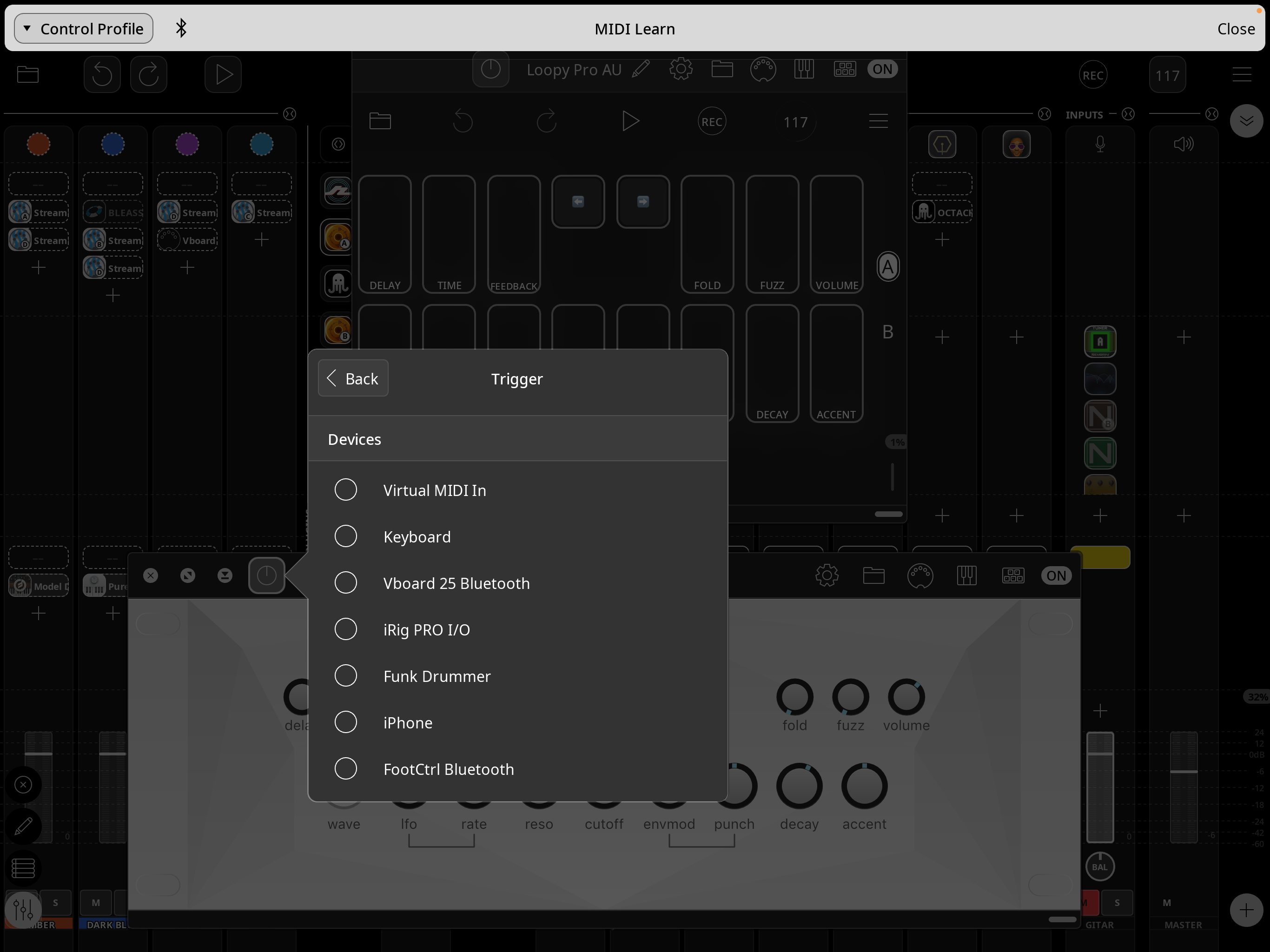
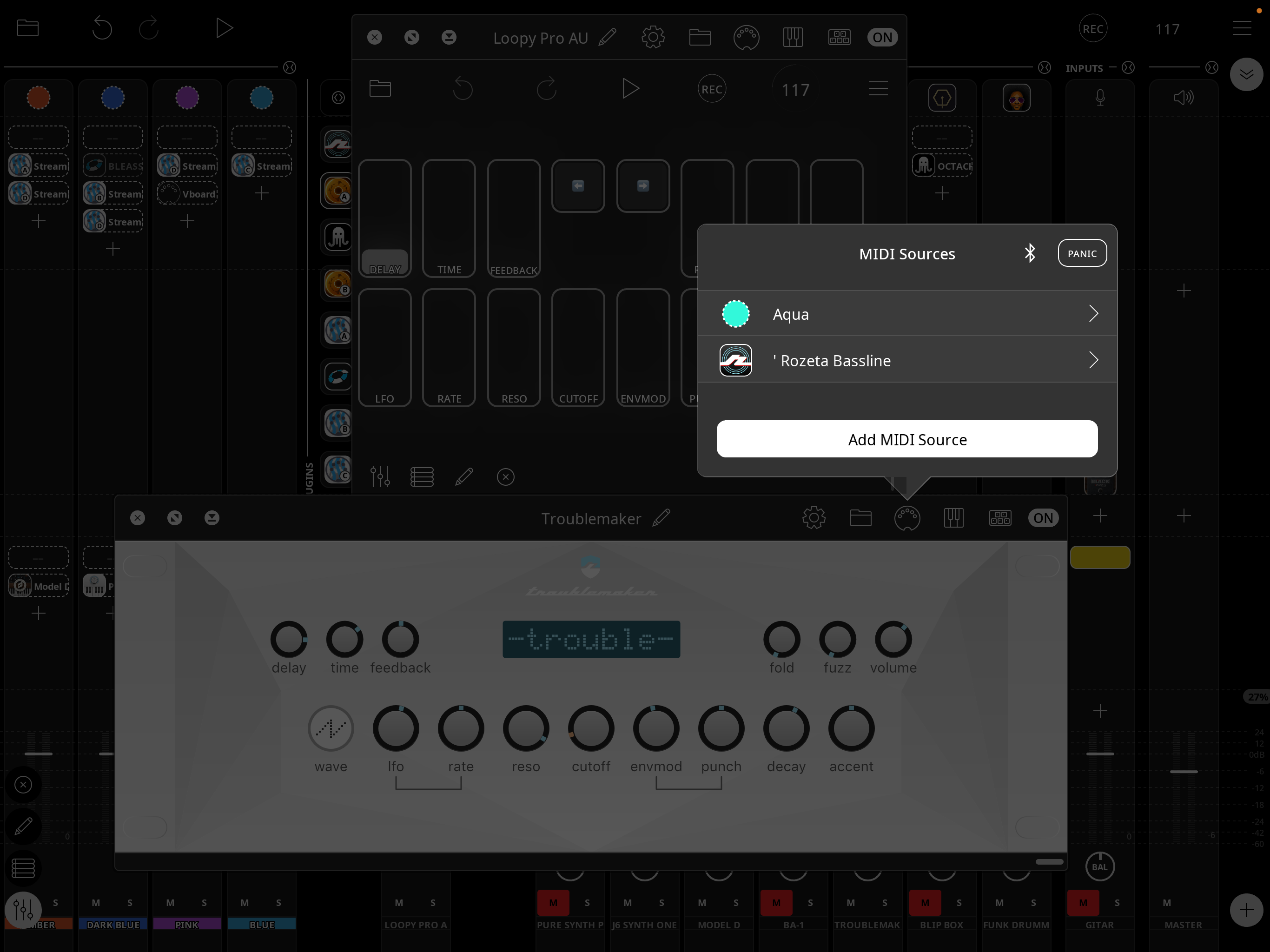
These are my options for triggers, after choosing “Aqua” (sorry) as a midi source for troublemaker
Funny thing it used to work with virtual midi in when I sent it through streambyter, I think
I donno shat to select as the trigger for this…(see pic above)
Is that a global profile? You need to be doing this in a project profile.
Also please post a screenshot that shows your mixer in expanded mode. Post as many screenshots as needed so all channels are seen.
Dang it! Thats probably why It stopped working! I was mapping it by accident in one of my scene tracks when it was working, I didn't want to map it on every single track
Thanx guys!
I bet that cracks the case I’ll check tomorrow (:
Thanks Es