Loopy Pro: Create music, your way.
What is Loopy Pro? — Loopy Pro is a powerful, flexible, and intuitive live looper, sampler, clip launcher and DAW for iPhone and iPad. At its core, it allows you to record and layer sounds in real-time to create complex musical arrangements. But it doesn’t stop there—Loopy Pro offers advanced tools to customize your workflow, build dynamic performance setups, and create a seamless connection between instruments, effects, and external gear.
Use it for live looping, sequencing, arranging, mixing, and much more. Whether you're a live performer, a producer, or just experimenting with sound, Loopy Pro helps you take control of your creative process.
Download on the App StoreLoopy Pro is your all-in-one musical toolkit. Try it for free today.
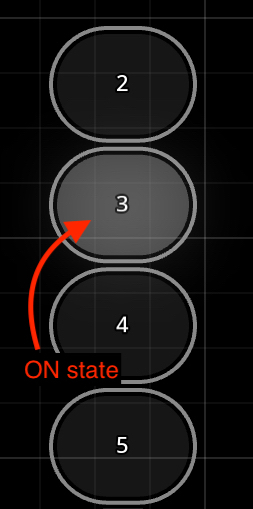
Radio Buttons Grid's state not working

Hello Loopy Pro community!
I’m wondering if it’s a bug or if I’m missing something ;
I’m using a Radio Buttons Grid to adjust different beats per bar, depending on the button that I select. But when using the Adjust Beats Per Bar’s action, the states of the buttons does not work anymore. When using other types of actions, the button’s state works.
In the Buttons Grid menu, I use Select/Adjust Beats Per Bar message.
Actually, I realize that it works when I press two times on a button.
Does someone has experienced this kind of behaviour?
Thank for your help!
Comments
Please post a screenshot of your widget’s actions and also the widget’s options.
This works for me
I have found the solution; from what I understand, it as to do with the State Feedback widget’s settings; it has to be disabled.
Works fine here. Can you screenshot the action settings for a few of the buttons? Are you tapping the buttons on the screen or activating them from a midi controller?
the feedback works fine for me with the setup I showed. Please post a screenshot of your widget’s actions
Same here. It works with the same actions @espiegel123 showed and feedback on. Feedback should not need to be disabled.
Thanks a lot for your reply @wim and @espiegel123.
Sorry for the late reply.
To aswer your question, I don't use any controller, only tapping the screen.
I just realized that the problem occurs when I'm trying to Adjust Beats Per Bar AND also send a MIDI CC value to Auv3 Drambo's CV/Gate sequencer number of steps parameter with Radio Buttons. Then, to have the Radio Buttons widget show the state of the buttons, I have to tap twice.
Here are some screenshots of me settings :
To make it works, I have to disable State Feedback :
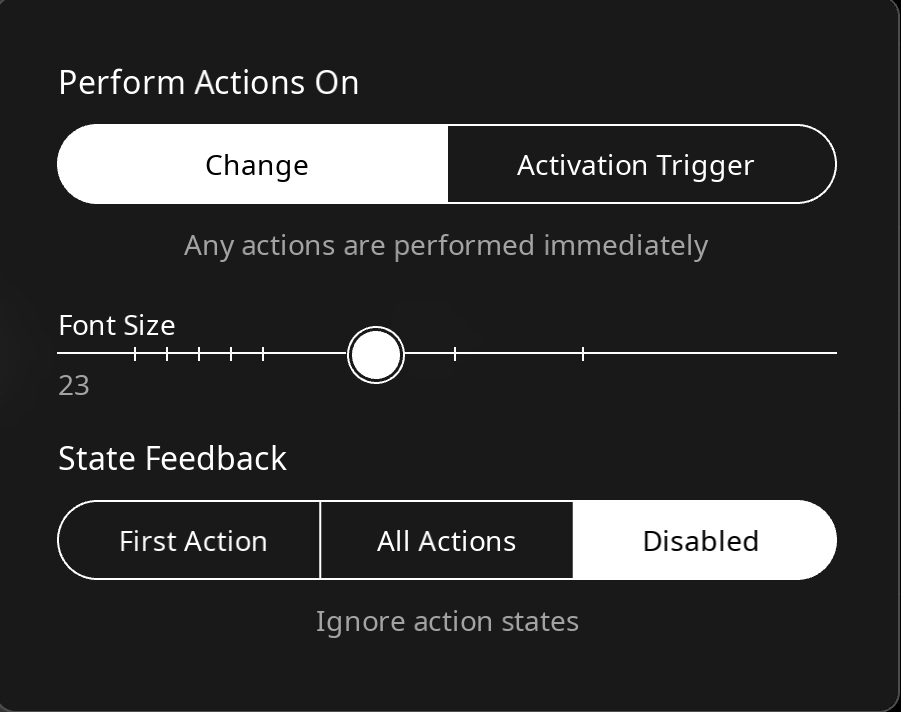
Maybe that's how it works. To be honest, I don't understand exactly what State Feedback does, even after reading the part dedicated to this parameter in the online manual.
Would you be able to confirm if things seems to work as expected?
Thank you very much!
There are a few ways to:
METHOD 1
In the dial’s options (tap the gear icon), disable state feedback. The button state will reflect the last button pressed
METHOD 2
Reorder the actions so that Set beats… is the first action for each step.
In the options, set state feedback to First Action.
For more details on state feedback, see:
https://wiki.loopypro.com/State_Feedback
State feedback just means that the widget should try to reflect the state of something it has controlled. It only works for things like setting an AUv3 parameter or changing the beats per bar. It doesn't work for the Send MIDI action because Loopy just sends the MIDI. It doesn't have any way of knowing the state of what the MIDI affected.
When you have more than one action then feedback has to be told which to reflect. The choices are to reflect the first action, wait until all are complete (then presumably reflect the last target's state? I dunno.), or disable feedback.
In your case above, I think if you move the
Set beats per barto be the first action, then set Feedback to First Action, you'll be good to go. The Send MIDI action isn't going to reflect any state. The Set beats per bar action will.Whoops. Cross-posted with @espiegel123.
Very generous of you guys for these exlanations.
It is clearing things up for me.
I really appreciate!
Tanks a lot!
Another thing to keep in mind about using the Send MIDI action: the state isn't saved and the last used value isn't sent when the project is reloaded. This is for the same reason that feedback doesn't work for send MIDI actions - Loopy has no idea what state the receiver of the MIDI is in. In this case it may not matter because Drambo is going to save its state with the project and doesn't need the value re-sent. But it can be important in other scenarios.
(There is a workaround if you ever do run into that situation. It involves setting up a "dummy" control of the same type and adding an action to adjust the dummy widget. That provides something to provide feedback and a way to save state. The dummy widget can be hidden on a separate page to get it out of the way.)