Loopy Pro: Create music, your way.
What is Loopy Pro? — Loopy Pro is a powerful, flexible, and intuitive live looper, sampler, clip launcher and DAW for iPhone and iPad. At its core, it allows you to record and layer sounds in real-time to create complex musical arrangements. But it doesn’t stop there—Loopy Pro offers advanced tools to customize your workflow, build dynamic performance setups, and create a seamless connection between instruments, effects, and external gear.
Use it for live looping, sequencing, arranging, mixing, and much more. Whether you're a live performer, a producer, or just experimenting with sound, Loopy Pro helps you take control of your creative process.
Download on the App StoreLoopy Pro is your all-in-one musical toolkit. Try it for free today.
(Solved!) Help me set up Octachron to change patterns reliably

I tried using it’s native setting, sending midi notes from my Scene widgets to change patterns 1-5.
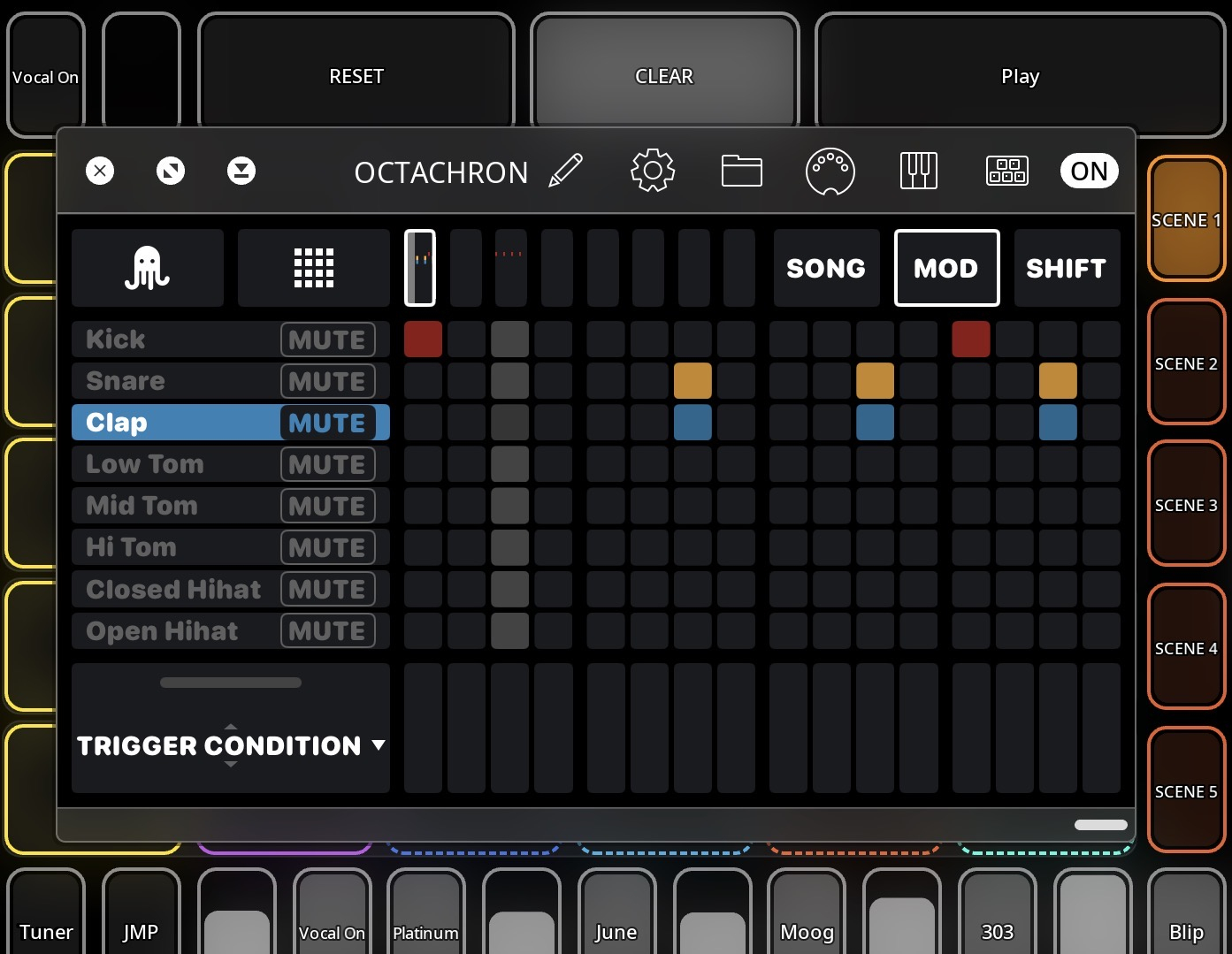
It just works some times, it’s a known issue.
I wantet to try loopys internal midi routing instead, to map CC to Parameter change, but I cant select the widgets as a midi source? I think it needs to be mapped manualy.
I am using a project MIDI profile
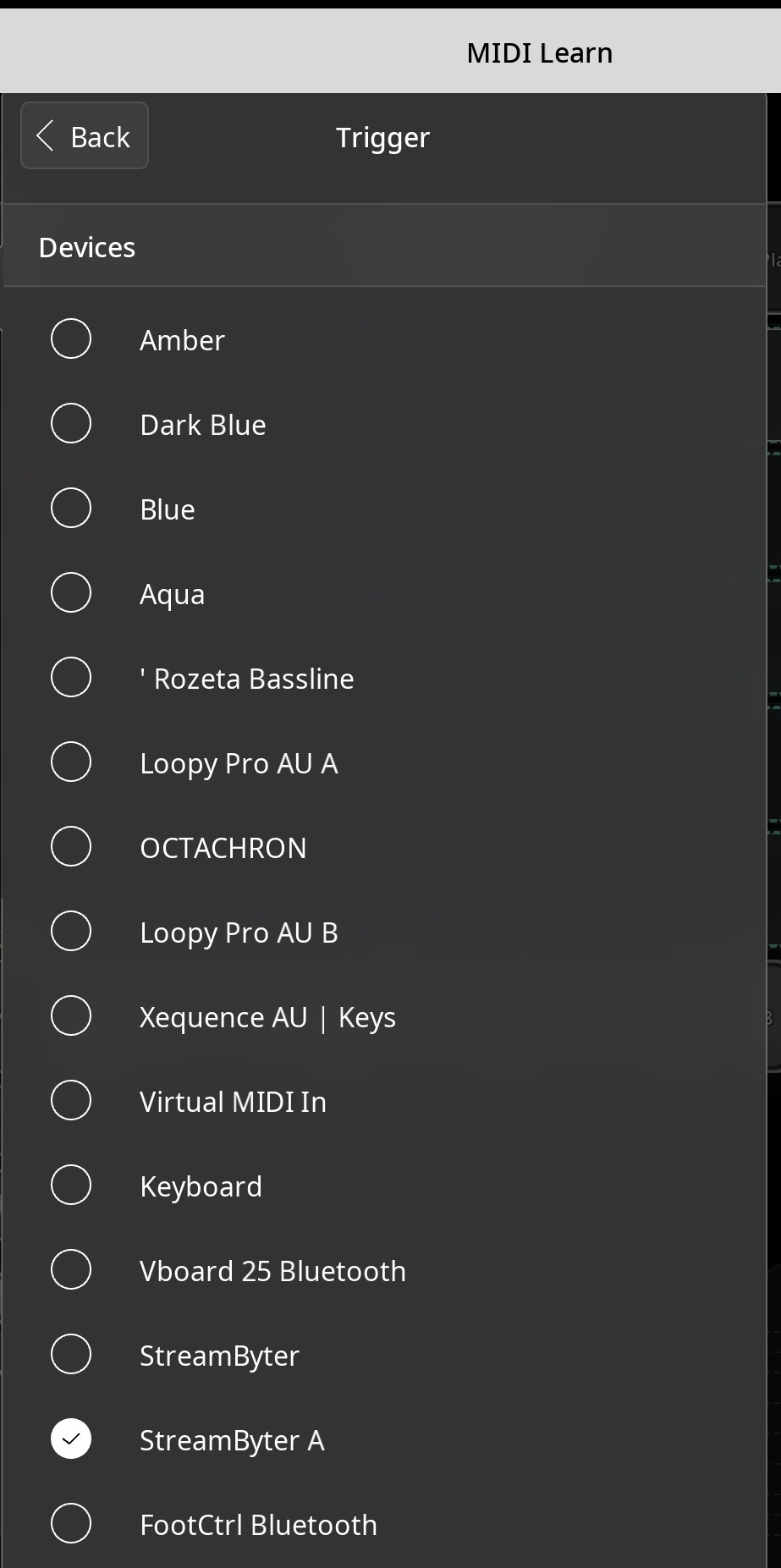
I am using the widgets as pattern change, i dont want to add an extra color clip just for that
Is there a way to do this?
Comments
Nobody?
I belive there is a solution somebody has done, like that might need to
-send on/AND off cc instead of on?
-reccice midi instead of native signals for pattern change?
I have not been able to have octachron receive midi for change patterns yet
Someone must have had this problem. I’ll try to contact the developer
You shouldn't be trying to send midi from your widgets to change patterns. Use the
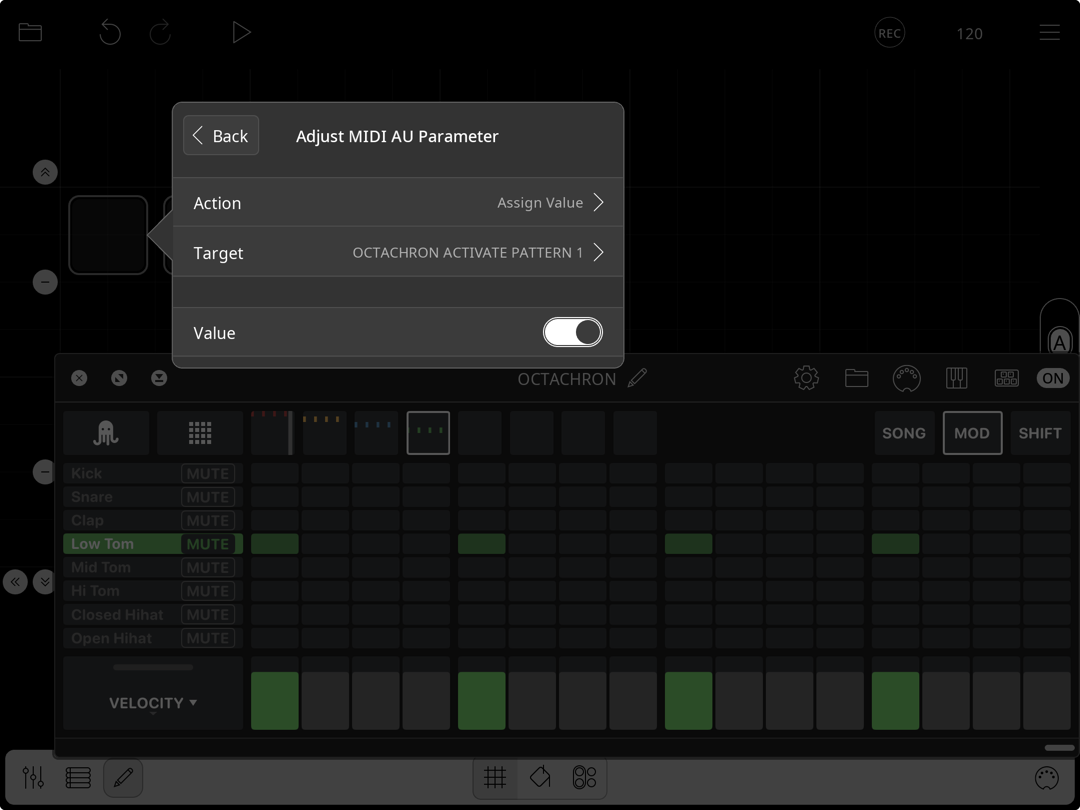
Adjust MIDI AU Parameteraction from your scene buttons instead:Hi @wim
I tried now but it dosent change the pattern for ke. It does work unrealiably with the change pattern midi notes that it came with.
I tried to set up like the pics below, i cant choose midi source in octachron when pressing its 5 pin midi setting, do you think it should matter once I have chosen it as a destination from my widget?
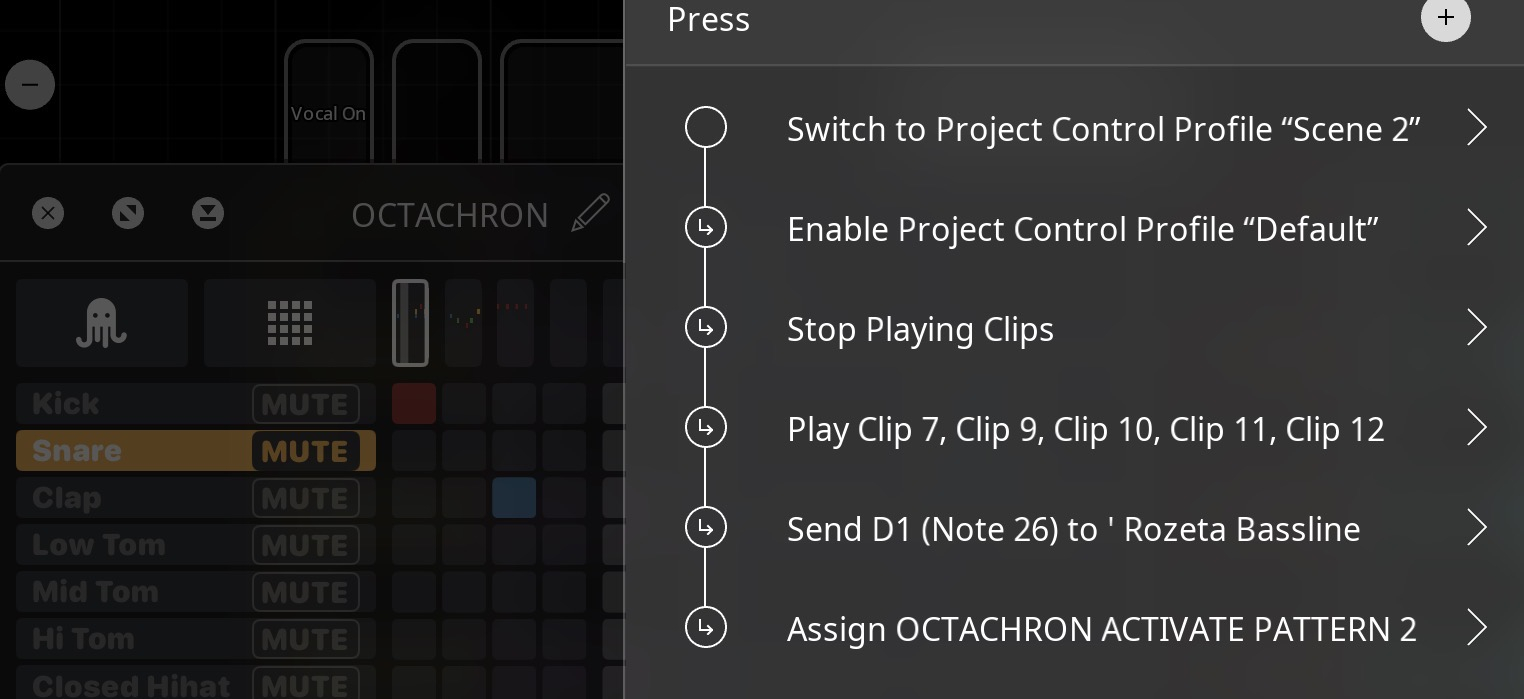
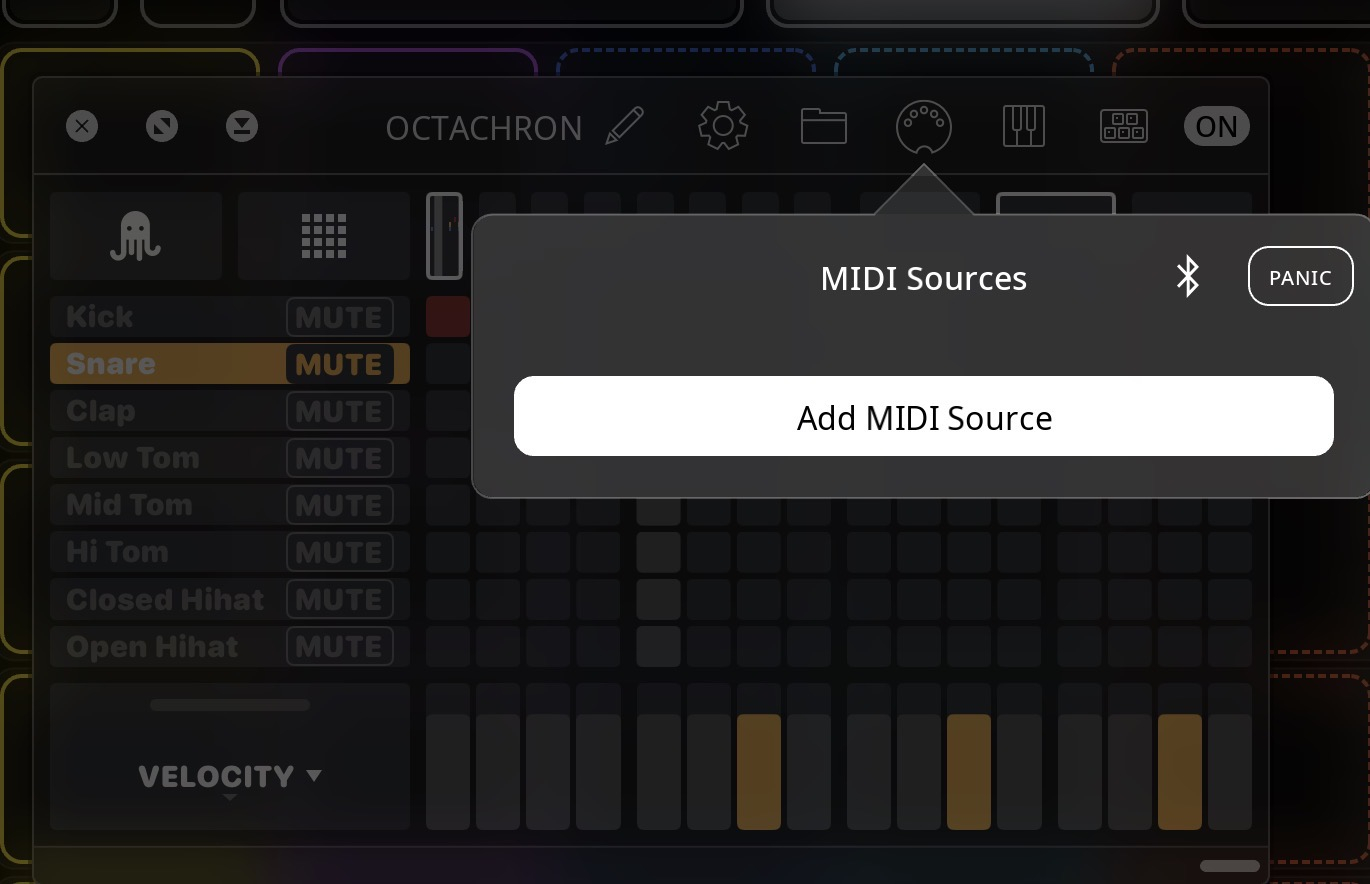
Setting the AU parameter has nothing to do with MIDI in this case, so no, you don't need a MIDI source. Can you show me the settings for the
Assign OCTACHRON ACTIVATE PATTERN 2action? It works for me, so maybe there's a setting you missed in the widget action?btw, I think transport has to be running to see the pattern change.
@wim thing is, it works sometimes, then dosent.
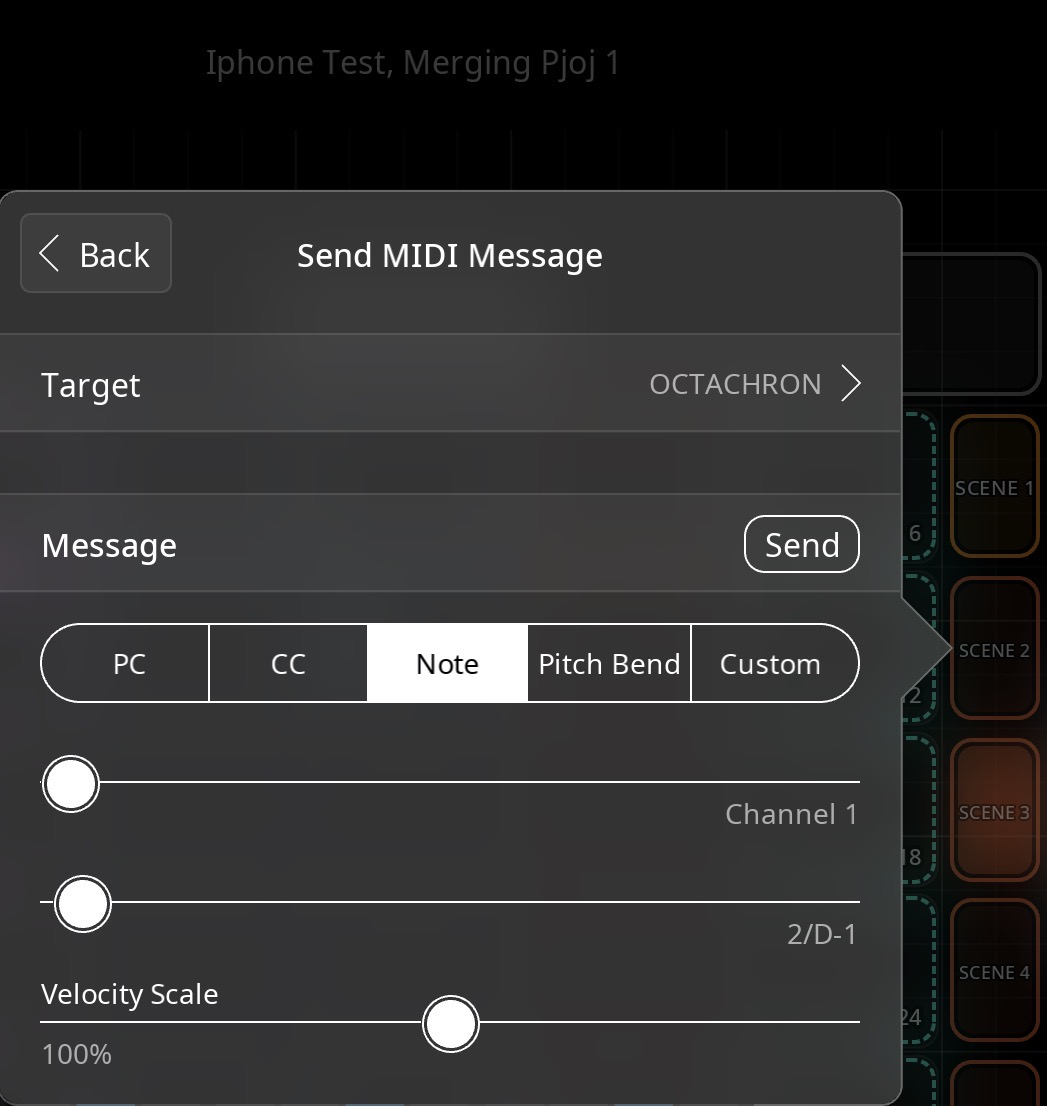
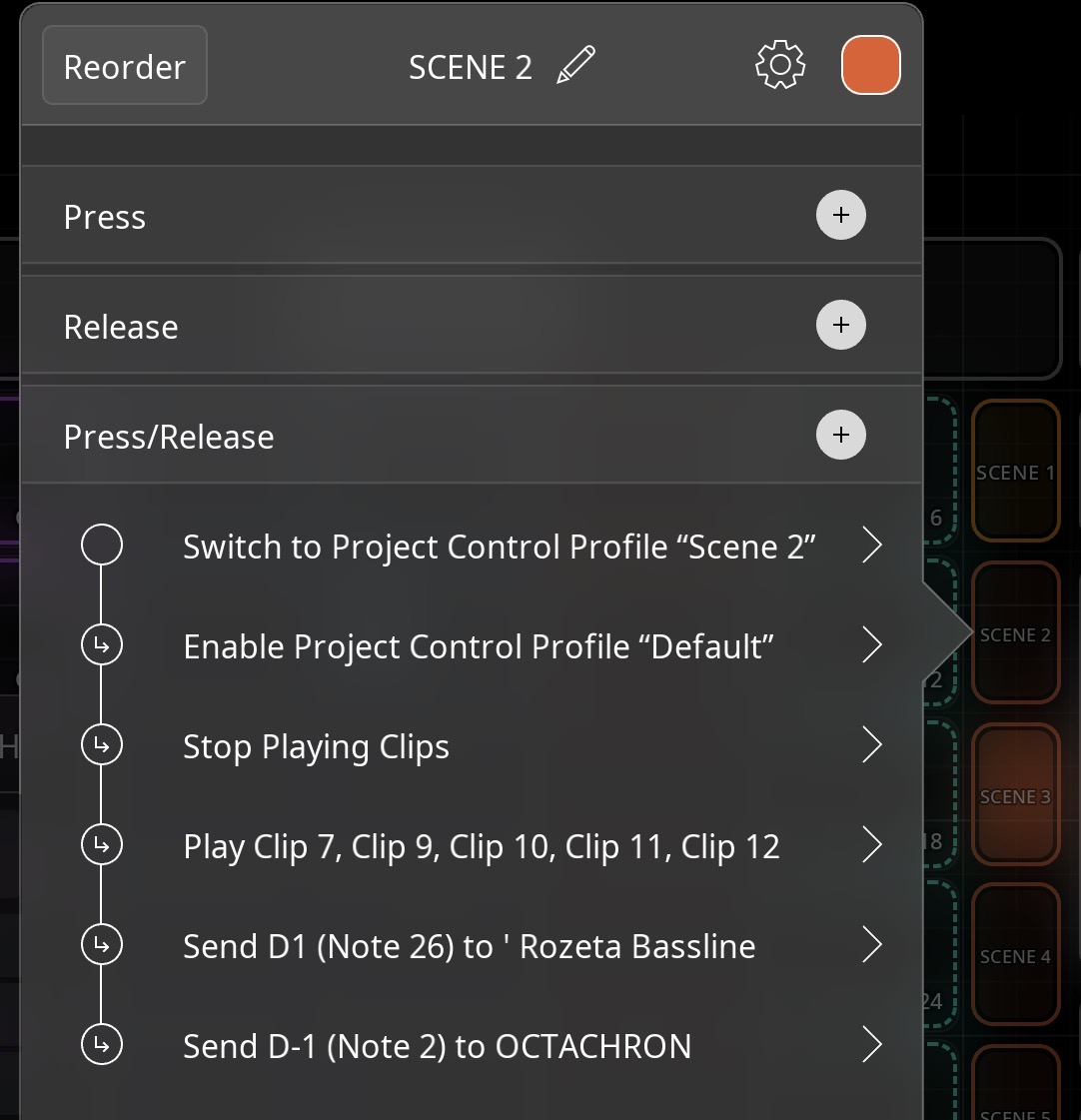
Per communique with Markus it has to be a press/release action (starting from C#, note 1, but it still gets stuck.
I notice I am sending midi notees note to change pattern to roseta bassline on the same widget. Do you think that could be the jiggerymug?
I tried restart and send to streambyter->Octachron on seperate channel but still no good action.
It dosent change reliably for me, and some patterns I have to jump all over to be able to activate
You keep coming back to doing it with MIDI. I think you should do it with the AU parameter. You didn't answer my request for a screenshot from when you tried it with the AU parameter.
@wim ! It seems you pulled me through. It has to be toggled to value!
Ahoy to anyone showing up, To get Octachron to change patterns reliably set up like uncle wim said and change patterns with
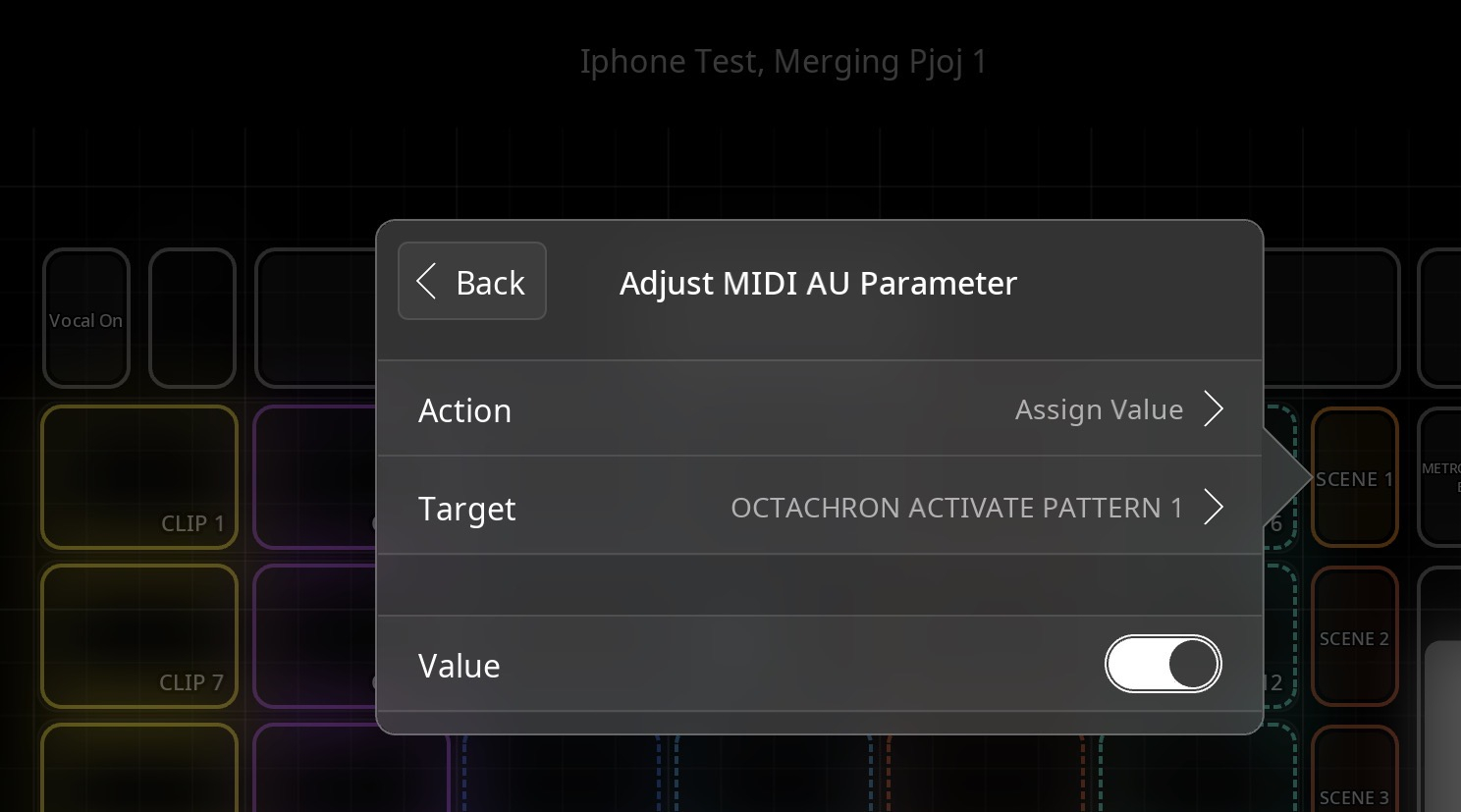
«Adjust MIDI AU Parameter» and chose Patterns from there. And toggle this Value thingy knob
Yeah, I'm not sure why it has to be toggled to Value. I don't even know what that option does. I just got there by trial and error.
@_smund the thread title reads like Octachron has a bug. Changing the thread title would probably be appreciated by the developer that this was a Loopy Pro config question.
The value switch I think is whether it sets 1 or 0 for parameters that are defined as toggles
FWIW, that press/release setup seems wrong. You should put actions meant to be triggered once in press or release.
Press/release is for actions like sending midi notes or on/off messages where you want on sent on press and off sent on release. Most of the actions you have in there are not that sort of action.
I also recommend that if you are debugging something like changing a pattern that you start with a button that only changes the pattern.
Ed are you sure that "most of the actions in there are not that sort of action"? They look exactly like that kind of action to me, IE gets up and running the next control profile thats needed, then blanket make sure all clips stop, before then playing a next section of clips, the next "scene". Feels like exactly what I'd put in a scene changing press. Why would these not be in a press, and where else would they be?
I think you misunderstood what I said. They do seem like actions to go in press.
He has them in press/release rather press (or release).
Press/release is intended for actions where you something happens on both press and release. Such as sending a midi note. Press/release for a midi note sends note on on press and note off on release.
Gotcha,, thanks
EDIT: I think I've made the very same mistake at some point in the past, with actions under Press/Release, that should be in EITHER of, Press, or, Release, and definitely not in Press/Release!!! At least I'm not the only person whose ever got this wrong.
@gusgranite Forgot abot the title! Did and done
@Fantastic Use Loopys own parameter change function for it.
Make an action with press.
Toggle the value knob.
It was so good to have this work