Loopy Pro: Create music, your way.
What is Loopy Pro? — Loopy Pro is a powerful, flexible, and intuitive live looper, sampler, clip launcher and DAW for iPhone and iPad. At its core, it allows you to record and layer sounds in real-time to create complex musical arrangements. But it doesn’t stop there—Loopy Pro offers advanced tools to customize your workflow, build dynamic performance setups, and create a seamless connection between instruments, effects, and external gear.
Use it for live looping, sequencing, arranging, mixing, and much more. Whether you're a live performer, a producer, or just experimenting with sound, Loopy Pro helps you take control of your creative process.
Download on the App StoreLoopy Pro is your all-in-one musical toolkit. Try it for free today.
Ableton gets Extensions Javascript SDK using nodejs and I'm reminded of ClyphX but not exactly

I don't know if anyone remembers or makes use of ClyphX? I found out about it via Sonic Bloom in 2018 and it was a game changer for playing live. It meant having the same kind of batching of actions that actually Loopy Pro has by default, which Ableton does not. It was a hack where you drop python script in to the folder for controller scripts, and this faked controller that doesn't physically exist added the ability to use ClyphX's pseudo code to batch process actions for Live to carry out. Then Stray the dev, got hired by Ableton and ClyphX was kind of in the wilderness for a couple of years while Isotonik figured out the Python behind it in order to maintain it which breaks again pretty much every new version of Live. Now Ableton has launched the Extensions SDK in a completely official way so no more guess work as to what the API is which was sort of the case with the Python user script days for achieving the same batching that ClyphX did. And at first glance this is far far more expansive than the ClyphX hack but I'm still reminded of it, I think these are almost certainly Stray finger prints, and I would not be surprised to find that its why Ableton hired him.
Bottom line, you can write javascript via nodejs to add your own custom extensions to Ableton using the SDK/API for interaction with and control of Live – a very different proposition to patching M4L.
Only works with Live 12.4.5 public Beta.
I don't see myself switching back to Live and the whole ecosystem, largely because Loopy Pro is near perfect and I've really come to appreciate that. But, this is extremely interesting and bodes really well for future. I wonder if Extensions will make it on to Push standalone eventually. A hacked Push standalone with nodejs and my own preferred plugins, would conceiveably be a viable alternative to what I've got on ipad nowadays. I doubt I will ever bring a laptop in to a live gig ever again, as for me I just don't think they're suited/robust enough.
From the webpage:
https://www.ableton.com/en/live/extensions
What are Extensions?
Ableton Extensions, introduced in Live 12.4.5, provide a way for users to develop and use their own tools within Ableton Live using the Ableton Extensions SDK.
Extensions can interact with tracks, clips, MIDI, devices, tempo, and other parts of a Live Set to automate tasks, transform musical data, and customize Live’s capabilities.
In which versions and editions of Live are Extensions available?
What can I do with Extensions?
Extensions can be programmed to affect tracks, clips, MIDI notes, devices, tempo and more. You can build Extensions to:
Transform MIDI
Analyze song and track structure
Automate repetitive tasks
Create unusual generative patterns
Connect to external services
Even play games in Live!
How do I use Extensions in Live?
After you install an Extension in Live (via Settings → Extensions), here's how to access it:
Right-click an item in your Set (e.g. a MIDI clip, track, or other item).
Look in the context menu that appears.
If the Extension can be used on that item, it will show up there.
Click the name to run or edit the Extension.
After choosing it from the menu, a pop-up will appear in which you can alter the parameters of the Extension before running it. Triggering an extension causes it to run once, performing its task which returns a result or applies changes, then stop.
What is needed to develop Extensions?
Developing with Extensions requires the following to be installed on your computer (macOS or Windows):
The Ableton Extensions SDK
Node JS v24.16.0 (LTS)
How do Extensions run inside Live?
Extensions are built on the NodeJS platform, a free, open-source, cross-platform JavaScript runtime environment. Extensions are triggered from the right-click context menu for the relevant item in your Set.
How are Extensions different from Max for Live?
Max for Live is a deep creative patching environment offering synthesis, custom instruments and complex signal chains. Extensions are JavaScript-based tools that interact with the Set itself, affecting structure, data, and workflow.
Do I need to be a developer to build an Extension?
The SDK is built on standard web technologies that AI coding assistants handle well. If you can clearly describe your idea for an Extension, you may be able to build a working Extension with AI assistance, without any coding experience.
Where can I find more information about Extensions?
Check out the documentation in the Ableton Extensions SDK GitHub repository for more information.
Comments
If you never saw ClyphX, here's a typical Stray video demoing a couple of ClyphX commands for controlling Live
How this old video of an older technology relates, I think, is that just at the basic level, the Extensions SDK affords a documented JavaScript/TypeScript API for similar controlling of anything you want Live to do, seemingly going far further than what ClyphX was, very notable, that you can implement your custom UI for your exxtension(!) but I suspect this is all an outgrowth of the original ClyphX concept, now all grown up and sophisticated and well worth the wait since the ClyphX days.
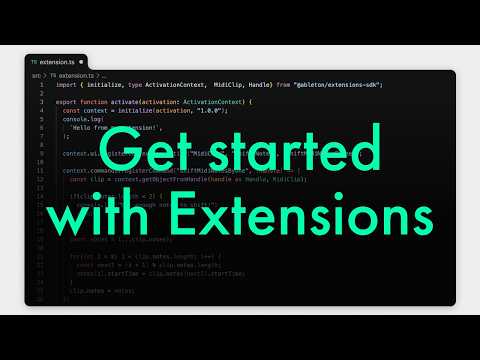
Ah, as I thought, the product R&D literally explains how the old ClyphX style hack of the python scripting interface was the inspiration – I'm convinced this has been led by Stray. Vid shows some good examples. First few shows using them, later you see the javascript in vscode for one of them, and a brilliant example of a "strip silence" extension, which any half decent mix engineer would have to do to prep a session and is a feature Ableton has never had, which always made me think its not a proper DAW
WOW! Fantastic news.. already some super useful extensions on their discord.. hmm..🤔 to install the beta or not..🤷♂️ that is the question.. I believe betas are separate installs that you can run alongside the official release..
Go both Live 12 and the Live beta running on my M2 Mac Mini no problems with extensions my favs at present are the Paul Stetch one.
https://www.patreon.com/posts/paulstretch-for-159914871
Also Simple Radio.
https://winterparkmusic.com/2026/06/03/ableton-extensions-sample-radio/
And Side Brain generator
https://sidebrain.gumroad.com/l/vnwbvc
https://x.com/mrnedrush/status/2061915122193371610?s=46
Reaper had this for years.
https://github.com/ancientplaces/bbc-sound-effects-ableton/releases/tag/v0.1.0
Madeleine (Sonic) Bloom with a video on her favourite 16 extensions (after just the first 2 days!)
Such useful goodness. (Strip silence as number 1, Ableton should have had this feature all along).
A Slicer, a score editor, a wavetable maker, paulstretch, chord detection, etc all good stuff:
This is nuts, coupled with ‘vibe’ coding, there’s going to be a deluge of new stuff to play with.
Top of my wish list would be some kind of wrapper to enable AUv3 MIDI FX hosting, so I can start using my iOS sequencers directly in Live (assuming it’d be possible).
Get Patchwork by Blue Cat, it supports AuV3 and has midi out from AUv3s.
Ah right, didn’t know about that one.
@auxmux very interesting info about Patchworks , just to confirm , do you have this working ?
what midifx are you running if so - steppolyarp & 4Pockets sequencers interest me most .
I tried Autony, Drambo and it worked. Can filter output by midi channel, which works well in Bitwig.
All midi channels will default to Channel 1 in Ableton, since it can't handle multiple midi outputs from VSTs. So one option is to load a single sequencer in Patchwork and then route the midi to another track in Ableton. Or alternatively, load sequencers and vsts in Patchwork.
@auxmux thanks , will proceed further with this .