Loopy Pro: Create music, your way.
What is Loopy Pro? — Loopy Pro is a powerful, flexible, and intuitive live looper, sampler, clip launcher and DAW for iPhone and iPad. At its core, it allows you to record and layer sounds in real-time to create complex musical arrangements. But it doesn’t stop there—Loopy Pro offers advanced tools to customize your workflow, build dynamic performance setups, and create a seamless connection between instruments, effects, and external gear.
Use it for live looping, sequencing, arranging, mixing, and much more. Whether you're a live performer, a producer, or just experimenting with sound, Loopy Pro helps you take control of your creative process.
Download on the App StoreLoopy Pro is your all-in-one musical toolkit. Try it for free today.
Phase Chimes (Released)

App Store:
https://apps.apple.com/us/app/phase-chimes/id6751312171
Unique, Versatile, Powerful
Link "gears" together to create sophisticated, evolving rhythms and melodies.
Works as a standalone instrument with its built-in sounds, or use it as a MIDI controller in your studio or for live performance.
Built for iPhone, iPad, and Silicon Macs.
"Phase Chimes began as a personal creative project by Ken Murphy (me). I was inspired by the "phase music" of composers like Steve Reich, in which simple musical motifs drifting in and out of sync give rise to complex, evolving patterns.
I'm an independent software developer, musician and artist, based in Oakland, California. In my work I often explore things of a cyclical nature.
If you have any questions, thoughts, or suggestions, I would love to hear from you!"
Overview:
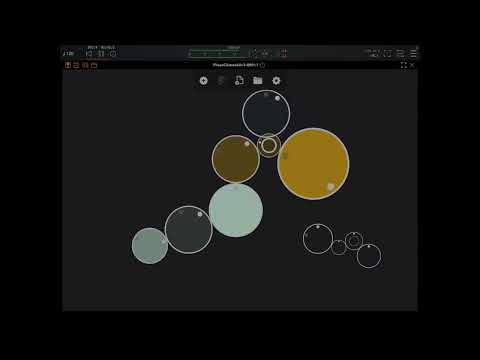
More videos:
https://www.youtube.com/@PhaseChimes
Comments
Congrats @murphlab. I've been on the beta team and have been using this app extensively. It does polyrhythmic stuff in a unique and musical (to my ears) way. I like that it focuses your attention on the rhythm independently of the time signature which tends to yield interesting things.
Nice but no exposed parameters was a bit of a setback, I want to at least be able to change scenes with automation @murphlab
edit: ..and also some kind of sync for scene changes.
I like this, but need to see a walkthrough video - for example does each wheel only contain a single note, or can it contain multiple notes, and maybe scale constraining? A single note per wheel would get a bit cluttered.
Yeah, or a built-in song function to chain a sequence of scenes together.
Can you have more than one driver per scene ?
i have those same questions. also, what determines when the gear sends the note? can you rotate the gear to offset that lil inner dot that looks like the note trigger in the video? if you arrange the gears in a line, do they all play the same note?
Yeah, waiting for a walkthrough for this one, as it's not obvious from the current demos.
@oldsynthguy @Jumpercollins @CracklePot
Doug just posted one on the Sound Test Room:
Ah lovely, thank you.
It's not currently an "official" feature, as it may change in the future, but you can change scenes by sending notes C2 through G2 into the app/plugin.
As I mentioned in another reply, you can change between scenes by sending in notes C2 through G2 (changes 1-8 respectively). That enables automation from an external sequencer, piano roll, etc.
I plan to expose automation parameters in the future.
Yes there is a per-gear offset setting that does exactly that.
Regarding the note: there is a fixed pattern of intervals around the circumference of the gear that is relative to that gear's note, so each note is in relation to its parent. If you move (and thus change the pitch of) a parent gear, all of its children are transposed.
Wow! I’m having fun with this generator in AUM.
Fire off three instances and use the AUM Clock multiplier feature and set them at 1, 2x and fractional Clock Factors (0.750, 0.666, 0.200, etc).
Coordinate instances with Various scale or modal relations (C Mai, A min, D Dorian).
.
Then “roll the dice” in various PhaseChimes and it gets really out there fast.
Theres a good walkthrough on gavinskis pareon …
Thanks. Does the top/main random button randomise everything? Watching a third-party vid, it seemed to load a random existing preset instead.
Is this the case, and if so, is there an option to randomise everything with a single click (I've noted the option to randomise a single 'gear')?
This would be of most interest to me - the option to generate a completely new, unique scene with notes and gears with a single click.
I like those answers, for sure. 😁
This app looks really good. I am liking the sequences in the demo videos, but couldn’t quite figure out what was happening. The notes being determined relative the parent node will definitely produce some unexpected results and happy accidents.