Loopy Pro: Create music, your way.
What is Loopy Pro? — Loopy Pro is a powerful, flexible, and intuitive live looper, sampler, clip launcher and DAW for iPhone and iPad. At its core, it allows you to record and layer sounds in real-time to create complex musical arrangements. But it doesn’t stop there—Loopy Pro offers advanced tools to customize your workflow, build dynamic performance setups, and create a seamless connection between instruments, effects, and external gear.
Use it for live looping, sequencing, arranging, mixing, and much more. Whether you're a live performer, a producer, or just experimenting with sound, Loopy Pro helps you take control of your creative process.
Download on the App StoreLoopy Pro is your all-in-one musical toolkit. Try it for free today.
Loopy Pro and 4 pockets MidiStrummer

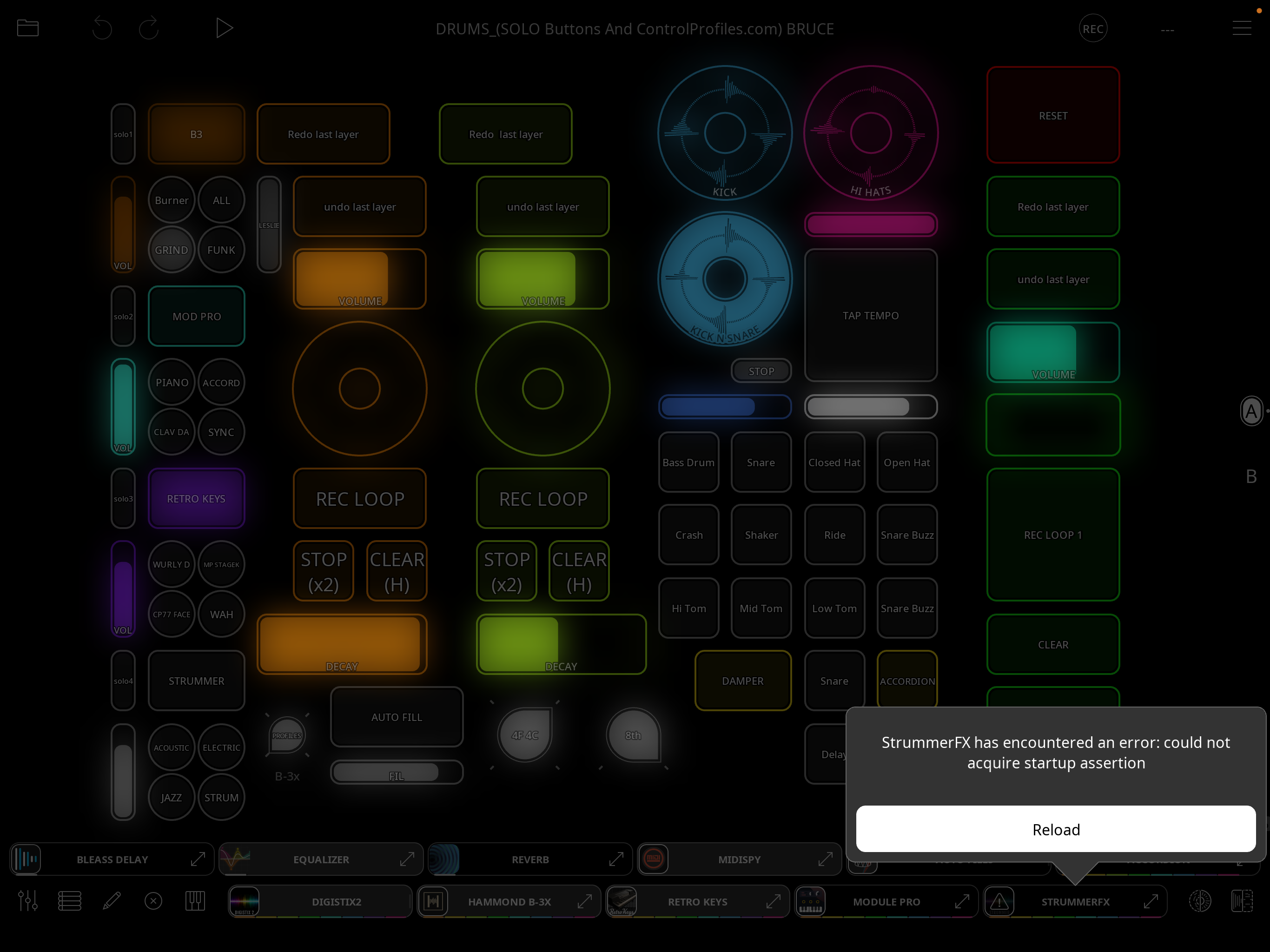
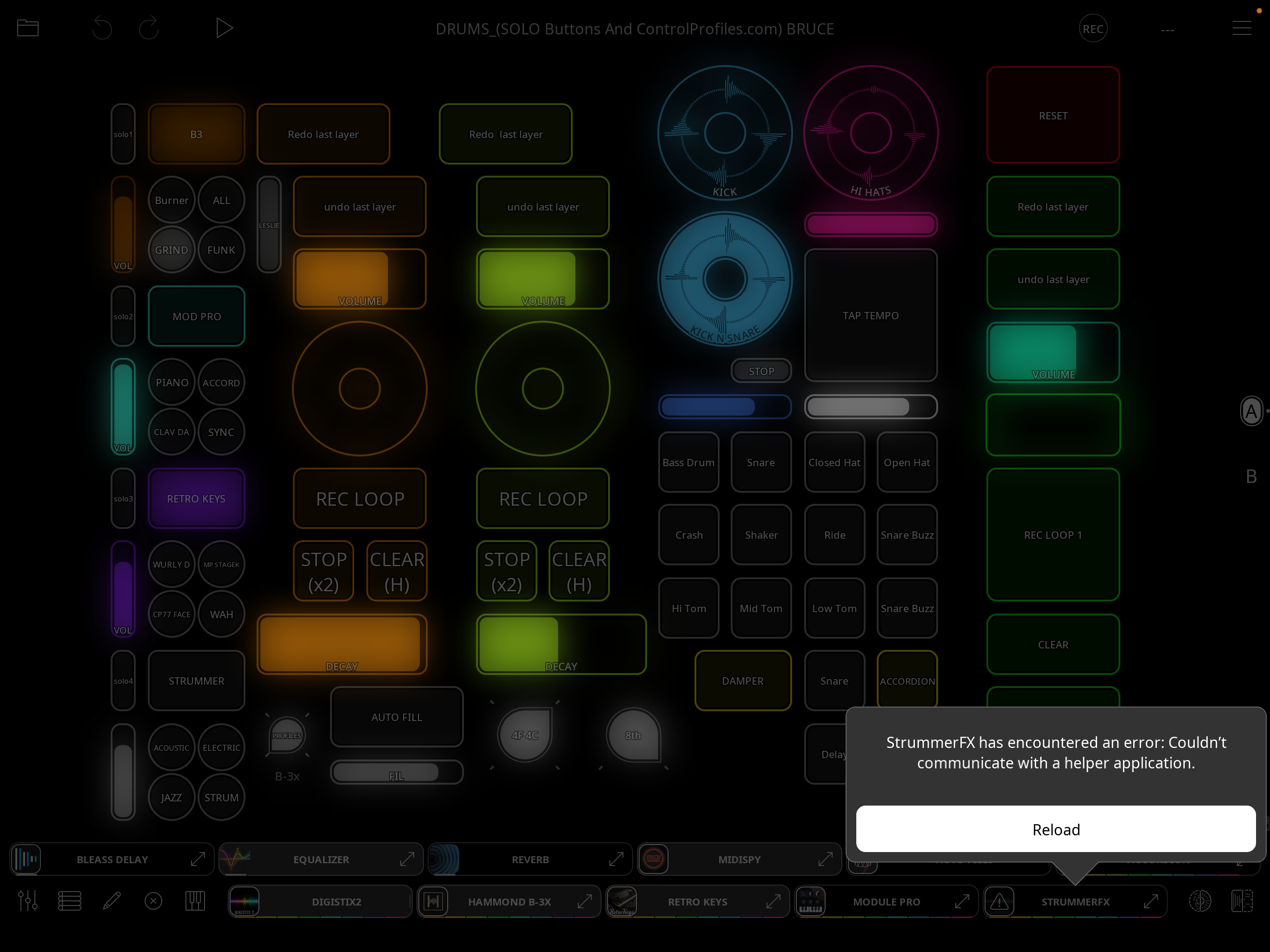
I am trying to learn and use Strummer FX also known as MidiStrummer with Loopy Pro. I am using it as an audio source controlled by the onscreen keyboard in LP.
Encountering error messages on startup and the app refuses to load. After that I can reload it and it works. I am new to StrummerFX and may have done something incorrect.
Here are a couple of pics showing different error messages.
Comments
@Bellows : can you post screenshots of your extended mixer showing all channels?
How are you adding it to the mixer?
Do you have the same problem if you add it to a new project made from Loopy Pro’s default project?
What are your sample rate and buffer size?
Thanks for your help. Mixer on 2screenshots.
I had added StrummerFX to the mixer using the plus sign at the bottom RH side of the mixer.
The same problem occurred when I added it to the Sample Demo project.
@Bellows :
what happens if, in a new default project, you add strummer in an effects slot of mixer channel rather than as an instrument?
What happens if you add it using “add midi”?
@Bellows : Michael says that is a message from the OS for the AU. As I understand it, the message will be meaningful to AU’s developer rather than the host.
@espiegel123
Hi, been experimenting with this a lot.
1) on my project in question (Drums…) sometimes StrummerFX loads properly and sometimes it does not. No reason determined yet.
2) it is not so great of a problem since I found that when you reload it it works well. Previously I thought it would not reload properly because I could get no sound. This was because reloading does not always select a preset in StrummFX.
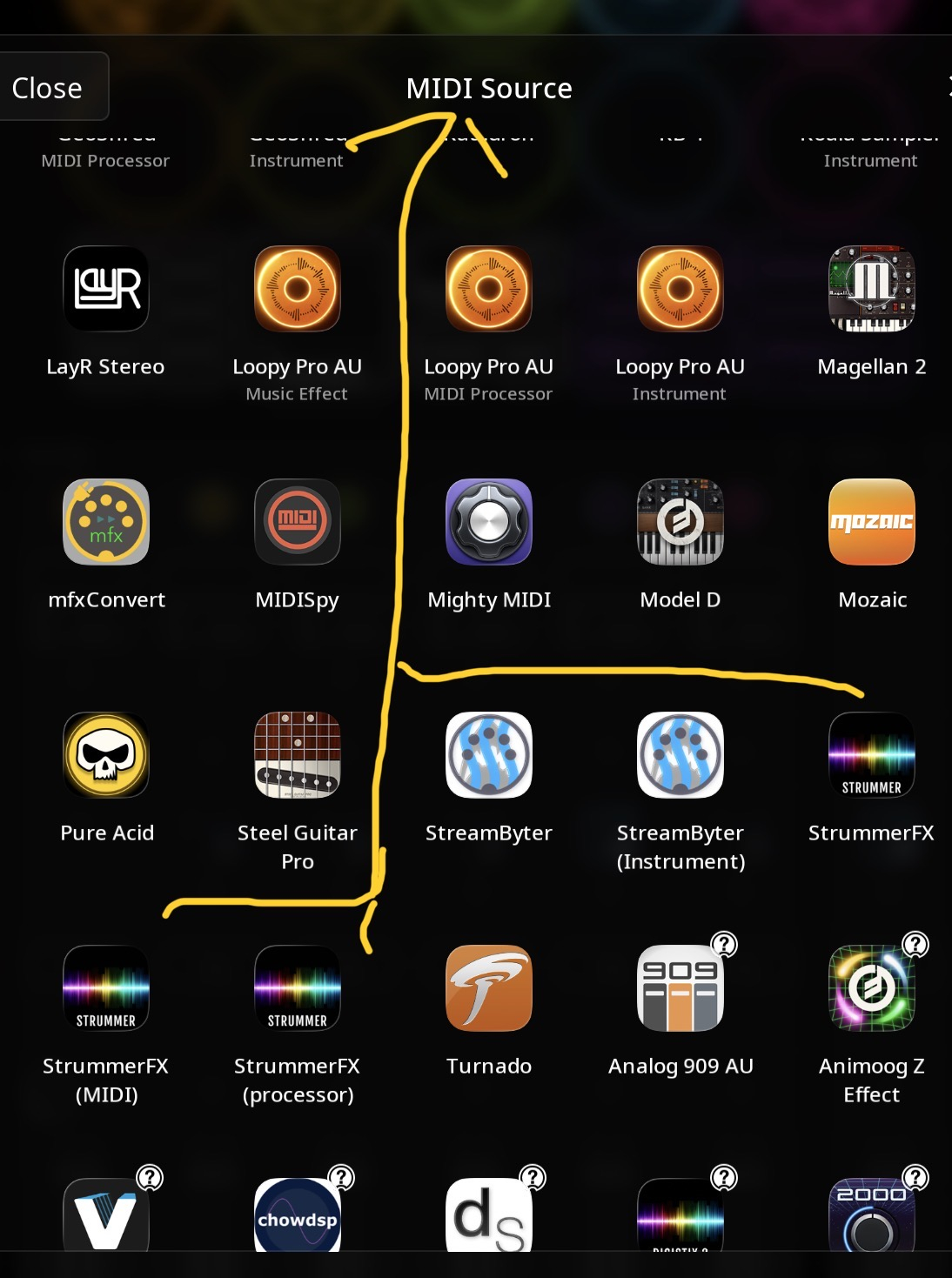
3) To answer your questions about loading as audio source, midi source, or effect there are several options about how to load. See the attached pics for each scenario. This makes a lot of combinations possible.
4) So far different methods of using the app seem not to affect if it loads properly or not.
My plan is to study the tutorial from start to finish to see what I can find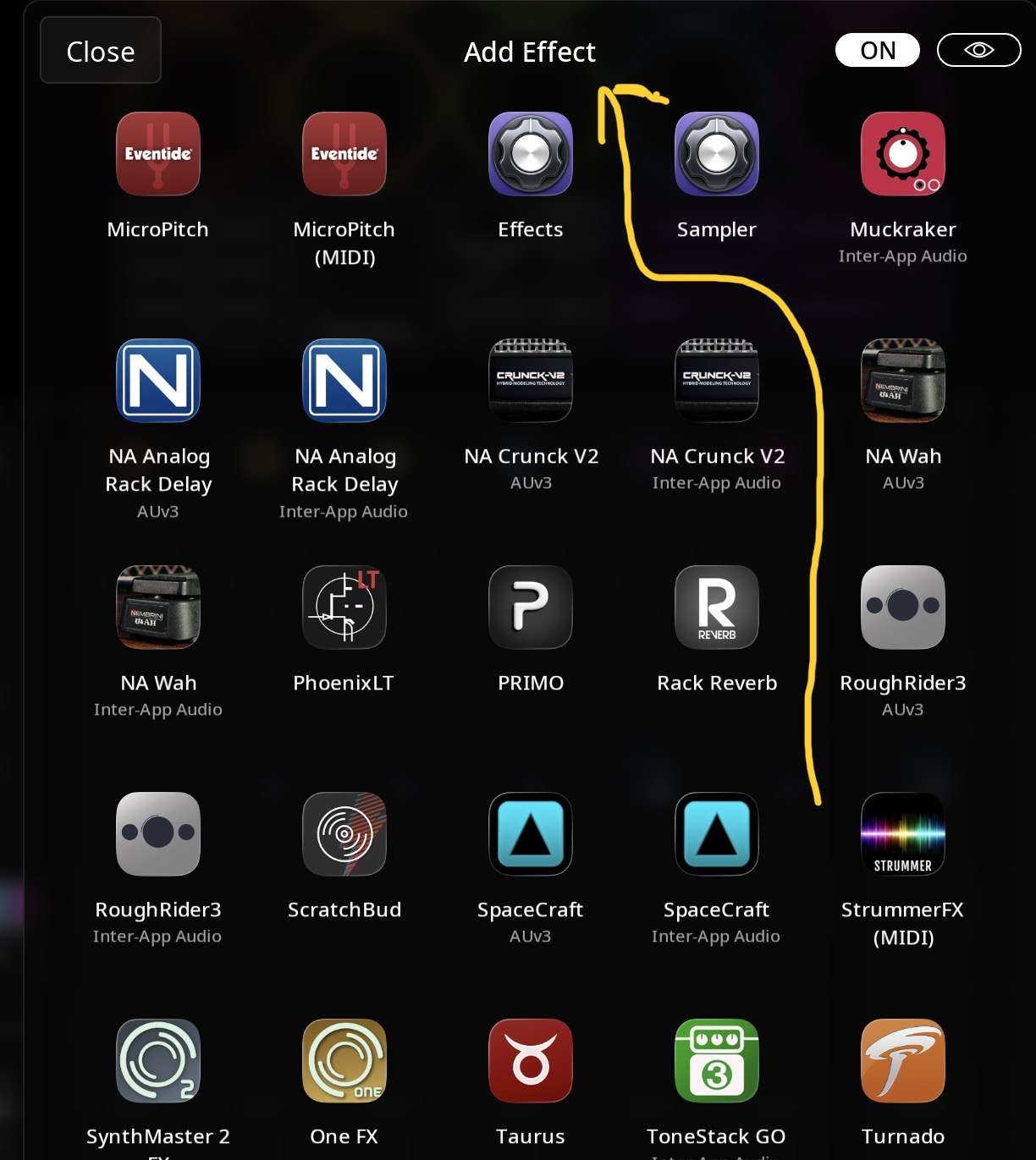
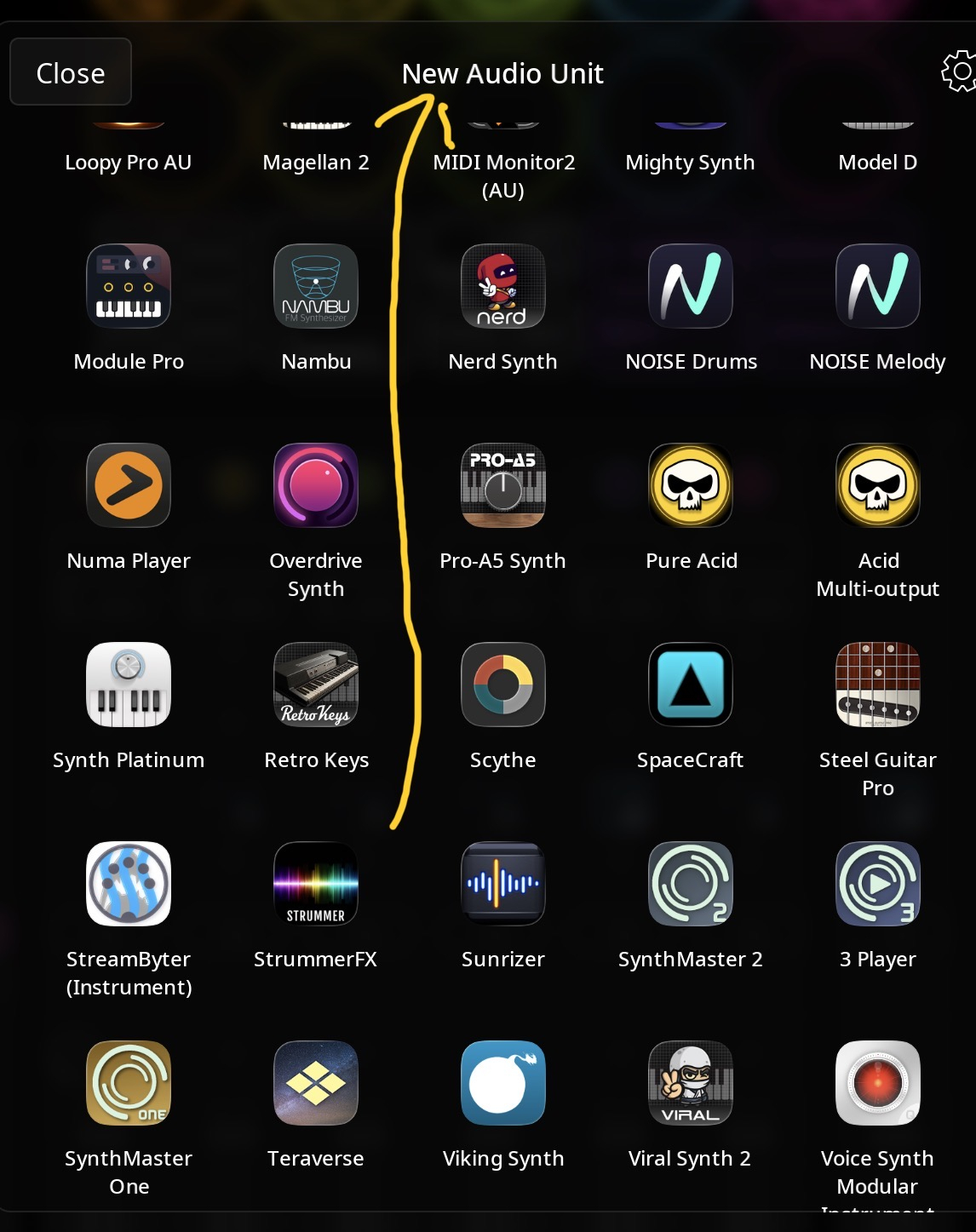
.
@Bellows : please contact 4Pockets about the issue. He will be the one that can assess the cause and either address it or let us know in the event that he finds a Loopy Pro issue that Michael needs to address. There isn’t really anything we can do without information from Paul.
Ok. Thanks for your input. It is much appreciated.
Hi Bellows, I'm not sure what it causing the issue. It's not a message I am displaying but more like something that would be passed to Loopy if an instrument fails to load. Strummer relies on Apple's internal AUSampler so perhaps that is a clue. Are you loading the default sound font (default.sf2 - Steel Picked)? If you are attempting to load a massive sound font this could be a cause. It seems like something is trying to communicate with Strummer as it is being loaded perhaps.
Also make sure that after you select 'Add Audio Unit Instrument' and select Strummer, when prompted for the MIDI Source select 'Keyboard' if you don't have a particular source. Do not pick 'Strummer' a second time.
The options you are selecting look correct, however it is a good idea to turn Idle Mode ON once loaded.
What kind of device are you using? I've just tested on my M2 and M5 iPad's and it's working fine for me. Also could your project already be using a plugin that also uses Apples AUSampler?
Paul
Paul, did you perhaps mean that IDLE mode should be turned off?
Thank you for your replies to this thread. I am loading the internal default.st2 steel picked sound font only. I do not work with sound fonts to my knowledge. The preset is acoustic strumming.
I have not picked Strummer as the midi source.
My midi sources are Loopy Pros internal keyboard and my WIDI wireless from my Roland Accordion.
The only app that I am using that may have sound fonts is Digistix2 and I am using a default kit there.
No samplers in this project.
Apps used are:
B-3x
Module Pro
Digistix2
Retro Keys
LayR
Autofills
Midi Spy
Bleass Delay
I am using an iPad Pro third gen.
I have been experimenting with making sure that trimmer is loaded with preset and default sound font when saving Loopy Pro project. Inconsistent results so far.
Sometimes it loads fine.
@espiegel123
@4Pockets_Support
Here is a link to a screenshot YouTube video (if I did it right).
I am loading Loopy Pro and StrummerFX loads correctly.
Then I close Loopy Pro, reload it and this time StrummerFX does not load correctly as you can see the triangle at the bottom of the screen.
Is strummerfx muted when you open the proj ct? If so what happens if it is not muted when you save snd reopen.
Can you also try creating a simple setup using Loopy’s default project?
This is what I have been experimenting with, saving the project with StrummerFX muted or not. There seems to be no correlation to whether StrummerFX loads or not.
I also have a simple demo with only StrummerFX. Today it is loading properly. I believe it is not always so but I will test it more.
Unfortunately my big project has loaded several times properly in the last few minutes also 😵💫
Can you let me know what model of iPad you are using? It might be memory limits or something because there is no really good reason it should not load like this unless you are pushing the device to its limits. Obviously when loading multiple apps at the same time it might be fighting for resources.
As espiegel123 mentioned, trying to load in a blank project will prove if the issue is StrummerFX or simply a result of having loaded a tonne of stuff prior to Strummer. Strummer uses AUSampler behind the scenes, and it might be a complication which occurs loading the sound font, but the error is displayed in Logic Pro so there must be a reason for this. Is Loopy Pro timing how long something is taking to load perhaps?
So far I have not been able to duplicate this on my M2 and M5 iPad Pro's. I just noticed you mentioning using a 3rd generation iPad Pro. I used to own a 2018 12.9" iPad Pro myself but sadly it stopped charging.
One other thing worth trying as I've had issues myself with Loopy Pro not always saving sessions properly. Instead of swiping up which brings up the task manager, try swiping up (all the way) and letting Loopy Pro become a background task. At this point it saves its session. Now swipe up to show all frozen sessions, and remove Loopy Pro without actually activating it again.
Ok, after much messing around in Loopy Pro and realising half of the interface was missing (Play button and some program icons etc). After upgrading Loopy Pro the interface is fixed, however I'm seeing occasional issues with Strummer not loading. I need to go away and work out if this is me or Matthew at fault here, as it seems to work ok in AUM and Cubasis. This seems to be more of an issue if two instances are loaded at the same time.
Ok, I think I know what the problem is, and whatever it is Strummer did used to work fine in previous versions of Loopy Pro as I've got many demos from Greg Riker performing with multiple Strummers loaded in years gone by. This means something internally has changed with either Loopy or iOS recently. This could be a threading issue that has changed, but I think I might have a solution.
Are you able to give me your email address Bellows so I can pop you on TestFlight. I really don't want to post what I think might be a solution if it in any way causes issues with other apps, as these other apps work fine.
Paul
Hi Paul. Here's some possibly relevant history. The SoundFonts app used to have trouble restoring a session in AUM or Audiobus. The app instances would appear to load, but took minutes before they would generate sound. This was worse when loading a second AUM session; force-quitting AUM helped some. I complained to the dev and he was able to fix it. Now, loading pauses briefly on each SoundFonts instance (waiting for the font to load?), and the instruments are ready immediately.
Thanks! I'm sure something has changed because my mate Greg used to send me projects with 4-5 instances of Strummer and all was working great, but things change over time, and this only seems to be Loopy Pro related in this case. I have a potential fix once I get Bellows email address.
Hi Bruce, I've sent you a direct message. See my previous comments about a possible solution to this, but I need your email.