Loopy Pro: Create music, your way.
What is Loopy Pro? — Loopy Pro is a powerful, flexible, and intuitive live looper, sampler, clip launcher and DAW for iPhone and iPad. At its core, it allows you to record and layer sounds in real-time to create complex musical arrangements. But it doesn’t stop there—Loopy Pro offers advanced tools to customize your workflow, build dynamic performance setups, and create a seamless connection between instruments, effects, and external gear.
Use it for live looping, sequencing, arranging, mixing, and much more. Whether you're a live performer, a producer, or just experimenting with sound, Loopy Pro helps you take control of your creative process.
Download on the App StoreLoopy Pro is your all-in-one musical toolkit. Try it for free today.
Beat Kitchen Apps: Harmonic | Harmony Wheel |chorDLE

Here to answer questions about any of my products or anything Beat Kitchen adjacent.
BKS Harmonic is probably most relevant.
App Store link is here.
Video walk-through: here
BKS Harmony Wheel: real-time harmony identification and tools
Free ear-training game: chorDLE!
Here to help! Nathan

Comments
Hi Nathan, just came across this synth and have downloaded it fro the appstore. No idea what I'm doing yet but like it enough to purchase almost straight away. Where is the IAP located? I'm on iPad 9th gen and the 'options' top left in your screenshot does not show, standalone or in AUM.
Secondly, do you know if the x\y pad will map to an expressive e touche, tactile control of those dimensions would be great. Cheers, Andy.
Unlock is in settings module (bottom left, indicated in circle). Good idea about expressive e. I don't have that device so I don't know what it spits out offhand. But if you can map it to the partials (open) and fold targets shown here, you may be able to get it to work out of the box. Test it and let me know! Click the gears next to partials and fold. The MPE parameters are at the bottom but haven't had much testing yet. (note bend, note pressure, note slide)
Answered above. Not sure if I need to quote in order to generate a notification. Nathan
Thanks that has worked. v1.6.5 (aug 14 2026 11:05) on bottom left was overlaid on top when I pressed settings and took me to another page- preview locked state/ debug etc, not sure if that is meant to happen?
That version and de bugging info gets in the way sometimes. You can collapse the advanced partials section and it should move up far enough to reach it. If not, can you send me a screenshot?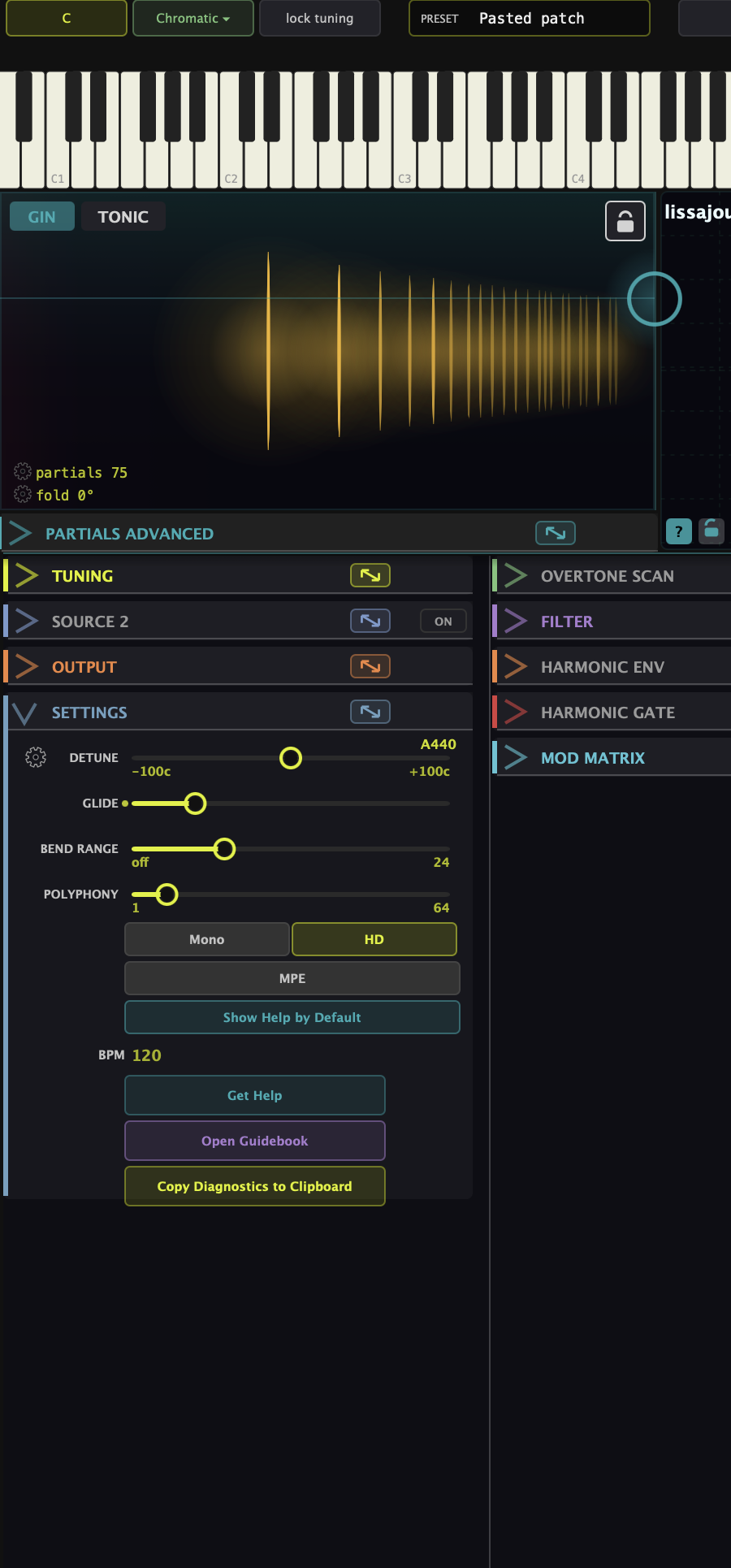
Pressing left of settings brings up top screenshot, moving finger to right brings up settings.
I think what I understand you to be saying is that you cannot open the settings menu because it is colliding with the debug panel? If that is the case, click the chevron (>) to the left of the 'P' in "PARTIALS", and it will collapse that part of the interface. You should get more room. Alternatively, rotate to portrait might solve it. Let me know.

Cheers Nathan, sorted it by moving my finger to the right. I was just wondering if the debug panel part of the app for users, I've never noticed anything like that before with other auv3s?
Ah, yeah. I see. I should probably get rid of it at some point. It's been useful to have a version number badge, particularly to confirm parity with the desktop version. And as I'm pretty sure I've not seen the last bug, those diagnostics still may come in handy. Most of that stuff is baked into the preset format anyhow. I had it hidden a while behind a special key press, but purposely hiding anything in software isn't the best idea so I just exposed it :-)
I had it hidden a while behind a special key press, but purposely hiding anything in software isn't the best idea so I just exposed it :-)
It is still hidden from me when I haven't a clue what I'm looking at...but I like your style.