Loopy Pro: Create music, your way.
What is Loopy Pro? — Loopy Pro is a powerful, flexible, and intuitive live looper, sampler, clip launcher and DAW for iPhone and iPad. At its core, it allows you to record and layer sounds in real-time to create complex musical arrangements. But it doesn’t stop there—Loopy Pro offers advanced tools to customize your workflow, build dynamic performance setups, and create a seamless connection between instruments, effects, and external gear.
Use it for live looping, sequencing, arranging, mixing, and much more. Whether you're a live performer, a producer, or just experimenting with sound, Loopy Pro helps you take control of your creative process.
Download on the App StoreLoopy Pro is your all-in-one musical toolkit. Try it for free today.
Apple Pencil functionality
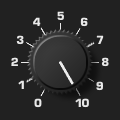
Using Loopy Pro dials, radio buttons and faders with the Apple Pencil is the way to go, specifically when things getting small etc. It would be a huge improvement if we could just map the ‘double tapping’ of the AP to any function inside LP, but at least the ‘pencil’ button on the left bottom. Think about the time this would save if you are editing hundreds of clips and parameters each project!
Comments
Don’t forget you can use it to reach those hard to scratch points on your back
It works great, but where do you store it? And I know the smart ass response
What do you mean “where do you store it”? I don’t know about you, but I’m constantly switching from ‘pencil’ to ‘normal’ mode and to be able to map the edit menu to the ‘double tap’ function of the Apple Pencil, would be a huge improvement!