Loopy Pro: Create music, your way.
What is Loopy Pro? — Loopy Pro is a powerful, flexible, and intuitive live looper, sampler, clip launcher and DAW for iPhone and iPad. At its core, it allows you to record and layer sounds in real-time to create complex musical arrangements. But it doesn’t stop there—Loopy Pro offers advanced tools to customize your workflow, build dynamic performance setups, and create a seamless connection between instruments, effects, and external gear.
Use it for live looping, sequencing, arranging, mixing, and much more. Whether you're a live performer, a producer, or just experimenting with sound, Loopy Pro helps you take control of your creative process.
Download on the App StoreLoopy Pro is your all-in-one musical toolkit. Try it for free today.
Went from iOs to Ableton and considering PUSH 2

Hello,
I bought Ableton Live Suite Education (same as full but less pricey) few months ago and I am considering buying the PUSH 2 while it is on sale. It is still expensive so I hesitate.
I have already a launchpad mini with the awesome launchpad95 remote script and few korg nanokontrol that I have managed to map automatically with the userconfiguration.txt file. I also have a novation launchkey mini with some midi keyboard. The thing is, there are still a lot of useful Live functions that are not covered by these.
I found the Remotify website that is really good for creating custom controller script, but again, some functions aren't covered (yet?) , and 75$can subscription is quite expensive for a new website with unknown future.
I tried Touchable on iOS which is nice, but have too much sub menus, and lacks real buttons and knobs with inherent touch feedback.
Anyone have any thought on this that might shed some light, or not 
Thanks
Comments
Since you already have an iPad , have you looked at the ShoveD lemur template? Gives full Push functionality through your iPad. It was originally free but recently was (massively) updated and now costs $10, but much less than buying Push.
nice idea
Seems not too bad but lemur is 35can$ + 15% tax + the 10$ template, and only to try it. I like the fact that I have all transport control on one page but I really wish to have those functions on physical buttons.
Push 2 is built like a tank and can be incredibly expressive. Plus it's designed by the same people that make the software, so you won't find better integration.
Another option might be maschine jam, which is nicely intergrated with ableton. You also get machine 2.5 software. Cost $399 US.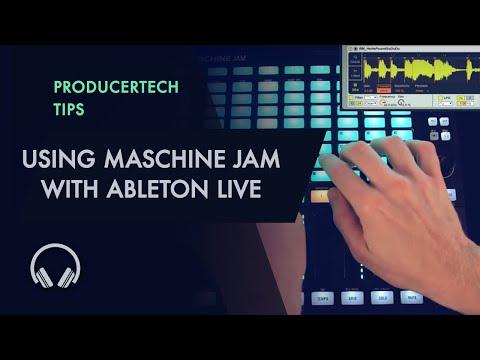
Is there a link for it?
I have searched. First Google result leads to an empty page on the horrible Liine site. I tried backing out to the general user submissions but couldn't find it.
The second Google result leads to a YouTube video. It looks nice. Not a link for it in sight though.
Third Google result leads to a forum last updated 2013, which has a link to the same blank user submission on the Liine site. I'm by now thinking it is easier to ask here...:)
Lemur Forum link to ShoveD
https://forum.liine.net/viewtopic.php?f=25&t=5308
Perfect, thanks. Looks good.
I only use Ableton occasionally and I already have LK so I will have to have a think on if I need this or not (I do have Lemur as well). Now I know where to find it at least.
You just saved me $400
Thank you
I also moved from iOS to Ableton Live (as my DAW/central hub... Still using iOS apps sequenced from Live)
My method of connecting all of my controllers to Live's deeper functionality is to use Bome's Midi Translator plus a really comprehensive Midi Remote Script called Selected Track Control.
Install Selected Track Control. Then use Bome's to translate the output of all of your midi controllers to the incoming spec that Selected Track Control exposes. You can pretty much leave all of your controllers set to their default mappings and let Bome convert them to the messages Selected Track Control needs. Be sure to download the latest Selected Track Control version from their Github site.
Fwiw I too was in the same camp. I tried every variant of Touchable, Conductr, Lemur,LK and various midi controllers but in the end I opted to get the Push2. It just works and the workflow is great if you are ok with a Grid keyboard. I have no regrets on the cost. It was a worthwhile purchase for how I like to compose and play.
Let me know if you have any questions. A hardware input like Push2 for Live is the way to go. I feel great using it. Browsing and loading and tweaking devices is just crazy awesome from the Push2.
Cheers,
-policarpo
I have an iPad and Ableton with Push 2. I also tried the Touchable app. It has a lot of functionality but it was not for me.
I ended up selling some extra gear I had in order to save up for the Push 2. I did not buy it full price. I paid for it in monthly installments over the course of a year from a local music shop. Now I own it and is definitely worth the investment if you have Ableton. There are other options to select from but you can't be the natural synergy Ableton and Push have.
If you have a PC have you seen this? http://discchord.com/appnews/2016/12/14/review-yeco-touch-control-for-ableton-live
It's a multitouch UI which runs in parallel with Live on the same device.
Thanks everyone. I made the move and should receive it this friday. The only way to really know is to jump in. I could always sell it back if it does not suit my needs though I am confident that it'll do. I can at least finally stop looking for a setup emulating it.
Congrats. You will love it!!
Good decision, i would give yourself 3 to 6months to learn it tho, depending how much time you spend in the studio as it has a ton of features and muscle memory takes a while but you can acheive a flow state with it for sure with practice.
I also reccomend a Novation Remote SL Zero Mk 1 (the one with 2 LCD screens) to complement it, they make a great team.
Push is great. I have push1 and really dig it. I play ipad synths with it quite often and the touchstrip as mod wheel is really great. Drum sequencer etc are great. Also if you dont have need for sampling on the screen and can live with not as soft pads. You should look into getting used push1. I paid 260€ for mine in new like condition
As someone who has lemur and push. Having the interface on a touch screen is completely different thing.
Lemur plus launchpad pro could also be an option, best of both worlds