Loopy Pro: Create music, your way.
What is Loopy Pro? — Loopy Pro is a powerful, flexible, and intuitive live looper, sampler, clip launcher and DAW for iPhone and iPad. At its core, it allows you to record and layer sounds in real-time to create complex musical arrangements. But it doesn’t stop there—Loopy Pro offers advanced tools to customize your workflow, build dynamic performance setups, and create a seamless connection between instruments, effects, and external gear.
Use it for live looping, sequencing, arranging, mixing, and much more. Whether you're a live performer, a producer, or just experimenting with sound, Loopy Pro helps you take control of your creative process.
Download on the App StoreLoopy Pro is your all-in-one musical toolkit. Try it for free today.
Comments
I feel like there's enough new here to justify the new app. $12 all in (including IAP) isn't bad - I'd be much more frustrated if this was priced like Korg's apps....
Agree
My first impression was so wrong.
(ignore vocals on this please but listen to Gal.app on this)
I was jamming and did this and realized that the sounds in this app inspire me musically.
Sweet!
the organ is awesome
that is about all...lol
I bought Galileo 1 and then bought 2. I love them both but I’m puzzled by something in 2. With 1 there are separate Keyboard Hold buttons for Upper, Lower and Pedal but in 2 there is just one general hold button that I can see - labeled Key Hold. Are there separate buttons buried somewhere that I have not found yet? If not there should be! I often want to hold notes on the pedals and lower but then play something on the upper.
This is a great sounding organ and it is certainly an improvement over the G1 soundwise. I'll definitely get some good use out of this thing, but damn.. yonac is a baffling company. Their UI are almost always counterintuitive to me.
Just to set up midi channels and splits... I had to set midi info in 3 completely different panels of the app (one of them, buried in a submenu.. sheesh!) I feel like the midi setup is worse than Galileo 1.
..and don't get me started on how utterly ridiculous the keyboard split section is. who designed that? it's the most confusing split setup I've ever encountered.
I tried to use the midi learn, but even though I saved it, the mapping disappeared upon reopening AUM. And so I'll stick to mapping it in the channel settings in AUM..
and as others have pondered... what the hell are those other models? you've got the B, Vox, Farfisa, and then a handful of made up organ names.. at least give us a hint as to what they might be modelled after? There's no information anywhere about this.
don't get me wrong.. I love that there are some less familiar organ tones to be had with this app, but I really just don't understand the reason for such opacity. at least give us a "Ronald" or "Yam-a-tron".. or "Ass-Tone".. anything!
VIMA? hmm, I'm going to assume it's an emulation of a roland mp3 karaoke machine??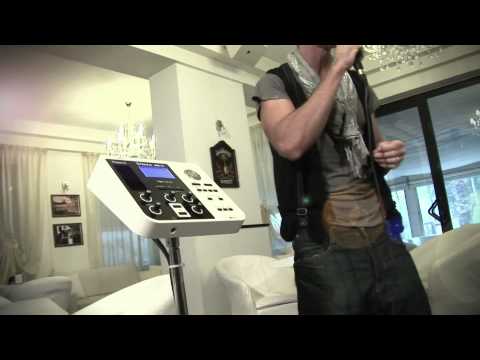
And as others have pointed out: how they've gone out of their way to make the majority of the presets not sound like organs, buried in effects (Arturia is guilty of this as well with their organ VSTs). Yonac, you don't have to convince me that you can coax synth sounds out of an organ with tons of effects. I've got synths up the wazoo. I bought it because it's an organ app - because organs are beautiful things!
Does anyone know how the presets are organized in G2 and what type of program change messages I can use to switch between programs with iMIDI Patchbay?
Edit: Galileo2 accepts LSB Bank changes. Bank numbers are in brackets. Bank 0 and 1 are 'Favorites' and 'Recent'. If you want to select one of the factory presets you need to send LSB 2 or higher together with a programm number. Program numbers are also in brackets in the Gallileo2 preset browser.
I want to use Galileo as audio unit in aum, controlling it with an external sequencer. but gallileo work only with 1-3 channels, how to make him see, for example, channel 8? The settings in Aum unfortunately do not work with gallileo. No have problem with another au, only with this organ.
This is on sale at the mo. How does it stack up against other organ auv3’s?
Tap expert at the top then MIDI in the bottom-right corner to get to the midi settings.
It’s sitting on top of the stack squashing the life right outta the rest of them.
Thank you! It’s a strange place for this preferences, could not find it.
It'd be great to know what the organ models are.
Anyone know what the supposed Solina model is? None of them sound like one...
yup, nice sounding organ. but the midi settings are much more confusing than they need to be. Really annoying to have to dive into non-intuitive menus to set midi settings. And the Auv3 is one of the worst offenders in this regard.. the midi settings are spread out all over the place and some of them don't work well and are overly complicated to set up (seriously the worst keyboard split controls I've encountered in some time).
Just a quick note: if you are using AUv3 Galileo inside AUM as the host, then all the MIDI parameters are available inside the AUM routing. It works great from what I can tell by a quick test.
not exactly true.. for setting up midi channels and splits, it all has to be done through the plugin's labyrinthine menus. And for me, it crashes regularly at which point it all has to be reset manually or the project reloaded as it's not stored in the patch.
I’m experiencing crashes (Audio Unit plugin invalidated) in AUM, when minimising/maximising AUM, or minimising/maximising any IAA app in the session.
Anyone with an iPad 5th generation on iOS 14 care to test?
P.S. I’ve power cycled, messed with buffer size/sample rate, that sort of thing. Also reported the issue to Yonac.
I currently own the IK B3X, for Windows.
Has anyone transferred it to IOS? is it possible?
From what I can see, that isn't possible. They're separate products. I think you'll have to contact IK Multimedia to see if they are willing to work some kind of a deal with you.
Thank You @wim!
Looks like I'm going to go for the Galileo2 then, @ $15.00 instead of the IKM's $99.00.
I switched from the" Studio One" for my Windows recording DAW
to Loopy Pro for my one man stage operation.
I bought the new (to me) Sheehan looper+,
then discovered Loopy Pro, and Free, to low priced stuff, and got Hooked!!!
So, I'll either keep L+ as a back up, or sell it.
Ghazz
Hi. Why not go straight to Yonac's current organ, the KingB? It is presumably more up to date.
Hmmm! I wasn't aware of it's existence..
(Still learning how to navigate the "APP" store) Unlike eBay, or Amazon there's no
Menu of categories to search thru. More like a grab bag...and you're really lucky if
you know what to look for
Just now found the KingB ! WOW! Thank you for the direction!!!
It's exactly what I was looking for. Real draw bars, that actually are additive!
edit 5:26 : spelling
Hi. G1 and G2 have similar features; KB is just the latest iteration.
Hints for the AppStore:
And follow Poppadocrock's sales thread for interesting ideas.
Also I’d hold off on buying if you haven’t yet, decent chance it’ll go on sale for Black Friday
Oops, yeah... was so excited I already bought for quarter of a "C" note.
that's around 20ish GB pounds for my Brits...
Now looking for a cool acoustic Drum mach for Loopy Pro. It must have sequencer tho....
On this platform you're sometimes better off having a separate sequencer and drum app. There just aren't that many combination apps that aren't limited, or just don't fit one's workflow, in one way or the other. It's not terribly difficult to use the two together, and you have much more flexibility that way.
That said, Digistix 2 is probably the most rounded "traditional" sequencer + drum kit combo. It's drum sequencer isn't bad, and it has five layer per pad capability.
Thanks wim... that's good news. My work flow isn't yet considered as I don't know just how I'll implement.
Considering doing
...1 man
...basically 60's to late 80's rock
...sequencing (or looping) multiple vocals
...Keyboard centric
Have material enough for 4 sets, but will probably do 2ea. 45 min sets followed by a 30 minute closer, and leave them wanting more... LOL~!
DrumPerfect Pro might also be a good choice. It's a little bit convoluted in that sequencing is done in the standalone app only, but then you can play back patterns and songs from an AUv3 player that also has some nice features. Very realistic drums are possible.
Anyway, you'll get more suggestions than you'll ever want or need if you start a thread on the topic when you're ready. 👍🏼