Loopy Pro: Create music, your way.
What is Loopy Pro? — Loopy Pro is a powerful, flexible, and intuitive live looper, sampler, clip launcher and DAW for iPhone and iPad. At its core, it allows you to record and layer sounds in real-time to create complex musical arrangements. But it doesn’t stop there—Loopy Pro offers advanced tools to customize your workflow, build dynamic performance setups, and create a seamless connection between instruments, effects, and external gear.
Use it for live looping, sequencing, arranging, mixing, and much more. Whether you're a live performer, a producer, or just experimenting with sound, Loopy Pro helps you take control of your creative process.
Download on the App StoreLoopy Pro is your all-in-one musical toolkit. Try it for free today.
good garageband forums

Recommendations for a good Garageband forum? I've looked around. Mostly YouTube videos and websites. ..I found the official Apple Garageband IOS forum, but I see lots of posts with zero replies.
Or maybe this would be the appropriate forum to ask a question about Garageband? If so, here it is: What is the best way to do a multitake recording on one of two measures at a time. Is the best way to do this to split the track up so that this particular measure sequence can be temporarily isolated , then merged back into the rest of the track after the best take is selected?
thanks!
Comments
GarageBand doesn’t have AB locators, so here is the workaround:
Here is an arrangement
I want to add a synth lead only on tenth bar, and to record multiple takes and perhaps do some comping with those takes
I select concerned tracks regions
And then split them to create selectable regions on tenth bar
Select all tenth bar regions and copy them
I tap undo two times to keep my arrangement unmodified
Now create a new one bar section
Paste your previously copied selection in that new section
Create your instrument and arm multi takes recording in that track
Start to record your stuff in several consecutive passes
Now you have your multi takes region recording
You can select your take easily
Copy/paste this region to your previous arrangement section on tenth bar
You can now even copy/paste multiple times this region with different takes settings
When you’re done, you can eventually delete all unused takes
If this is midi data, you can join regions
You can use your special recording section when needed by copy paste regions again and again, then don’t forget to delete it before song export
Very generous @Janosax
very thorough explanation. Thank you for taking the time. It seems like I was on the right track.
Glad to help
You’re welcome, yes you had the right logic
You mentioned YouTube videos, did you check Pete Johns? Here’s got a lot of good vids out there: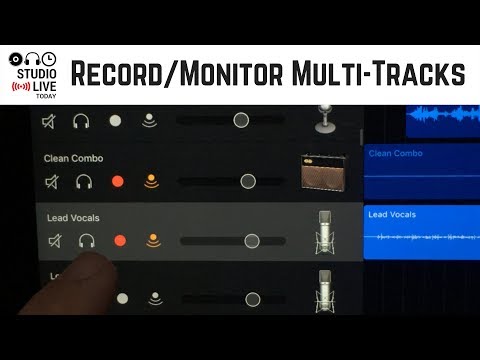
Here’s one:
yes, have been exploring his videos as well as Dan Baker. Amazing what can be done with Garageband IOS!
WTF@Janosax , you’re a freaking wizard! Thanks for that.
Pete Johns also has a GB iOS user group on FB which is excellent but it’s hard to imagine a better GB group than what is on here.
I had another question which I've solved. How do I delete this particular reply?
If I understood correctly, just do that:
Create a new section and set the number of bars you need
Tap on that blue modify button
And then by dragging one of these triple line buttons change the sections order to place your freshly created section at the beginning of the arrangement
If you tap on « all sections » you will see your whole arrangement
Additionnal tip, no need to tap on + button to navigate between sections, you can just swipe the whole screen on left or right
In short you can arrange sections like you want. You can also as an alternative just add bars to an existing section, select all existing regions and move them in the section.
BTW I’ve learned GarageBand mostly without looking in manual or watching tutorials. I’ve just tapped everywhere and learned what does what. To me, this app is pretty logical, with lot of clever gems here and there. That’s a brain question: I’m at ease with GB, AUM, apeMatrix, whole Audiobus/iOS modular thing or Ableton Live, but I’m just absolutely unable to do any track in KEW, BM2 or Grooverider. Some musicians are the opposite I think. No problems with that, we must use what we like and what we’re confortable with
You can’t delete posts. You can just replace the content with a period or something, or some people just replace with the word “deleted”.
Cool!! Have you seen my post above? Was it your solution too?
yes, exactly. Figured it out pretty quickly, thanks to the logical way Garageband is designed.
Nice!! Have fun
Two quick tips:
When holding left or right region handle, this will temporary zoom to max level helping in setting region lenght. When a region is looped, this will only work with right handle.
And on capable iPhones, using 3D Touch on a region will play it solo.