Loopy Pro: Create music, your way.
What is Loopy Pro? — Loopy Pro is a powerful, flexible, and intuitive live looper, sampler, clip launcher and DAW for iPhone and iPad. At its core, it allows you to record and layer sounds in real-time to create complex musical arrangements. But it doesn’t stop there—Loopy Pro offers advanced tools to customize your workflow, build dynamic performance setups, and create a seamless connection between instruments, effects, and external gear.
Use it for live looping, sequencing, arranging, mixing, and much more. Whether you're a live performer, a producer, or just experimenting with sound, Loopy Pro helps you take control of your creative process.
Download on the App StoreLoopy Pro is your all-in-one musical toolkit. Try it for free today.
Comments
Yeah tunemaker seems like it's supporting composition, where ModStep is really for live use.
Gotta love how this forum comes back alive every couple of months. Anyway, I've been using Modstep for a few years straight but find some MIDI related bugs so annoying that I keep bugging the devs about it. Everyone saying that it's dead should re-read @White 's post from a few days ago where he links to the devs' site where they clearly stated that they wish to have a new beta out in weeks. Apparently they've been working on a complete rewrite which would explain the delay whereas the upcoming version should be easier to maintain and update in the future... Soon, we should all have THE sequencer for live performance with outboard gear. Drop the audio part for all I care..
Having some fun again with Modstep after the revival of this thread.
Using it in conjunction with my new Microfreak and boy is it ever fun 😬

Resulting lunch time jam:
Yeah, I have high hopes for modstep 2.
To me, even with all of its current bugs it shows potential to be the best midi sequencer for hardware.
mainly thru event corruption, some routing issues, and channel assignment on midi import
I have the following problem, I want to integrate modstep into my live setup to record midi clips. In AUM I open Ruismaker and Rozeta XOX. I send Midi directly from XOX to a track in modstep and from there back to AUM and Ruismaker. That works great. Now when I record a MIDI clip in modstep, the first note is almost always cut off. There seem to be timing problems. I've tried everything. Midi clock sync, sync only via link, both apps in audio bus or stand-alone, reboot, reinstall. I always have these midi fluctuations. Do you have problems like that?
It should work if you load modstep before starting Audiobus, then adding modstep into audiobus.
I usually do all my routing in aum. With modstep I wanted to record midi tracks to be able to play different scenes. I made some screenshots. On the pictures you can see the timing problems. Sometimes the first beat seems to come before modstep starts recording. I recorded the same pattern in genome and it worked. It also worked in nanostudio. But maybe my setup is to strange.
The notes are always a little bit off.
First note is missing.
Similar sentiments here. I really like Modstep except it always crashes on me.
Are you hosting IAA in Modstep? Once I offloaded my IAA synths to AUM or AB3, it became very stable. (With the exception of the lack of undo button...!)
I see the same issue, notes are placed too early on the modstep piano roll, and the first note is frequently cut off.
When I used modstep more I would work directly in its piano roll instead of recording from outside sources.
Another big problem I’ve had is the clip CC export / import issue I wrote about in this thread:
https://forum.audiob.us/discussion/19471/modstep-bugs-and-new-features
Basically, if you export a clip with CCs, when you reimport it the CCs are lost. If you export as a MIDI clip, the CCs remain, but when you reimport, the CCs have extra points that change the curves’ shapes.
You can see the issue here: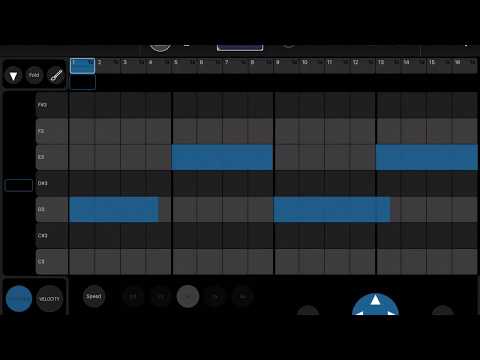
0:00 - showing the CC data in the source clip (a sine-like wave in CC 1, a two point slope in CC 2)
0:08 - clip with CC data is exported
0:16 - clip is imported into another track (but it's the same if imported to a different scene of the same track or replacing the existing clip)
0:23 - CC data is missing. Since no controls have been assigned to this channel, I add the assignments, but it's still missing any data.
0:35 - switching back to the original clip to compare.
0:49 - now I'm exporting MIDI
0:59 - importing that MIDI
1:02 - going into the imported clip you can see that there is CC data, but it's been modified. Instead of interpolating between the exported points, an additional point is added before the change in value. So the sine-like curve is now a stepped sine and the two point slope is now a three point step.
At 1:28 I'm showing an issue that has been resolved. At the time you could not delete an exported clip without resorting to something like iFunBox. However, the funky name mangling seen at 1:34 still exists