Loopy Pro: Create music, your way.
What is Loopy Pro? — Loopy Pro is a powerful, flexible, and intuitive live looper, sampler, clip launcher and DAW for iPhone and iPad. At its core, it allows you to record and layer sounds in real-time to create complex musical arrangements. But it doesn’t stop there—Loopy Pro offers advanced tools to customize your workflow, build dynamic performance setups, and create a seamless connection between instruments, effects, and external gear.
Use it for live looping, sequencing, arranging, mixing, and much more. Whether you're a live performer, a producer, or just experimenting with sound, Loopy Pro helps you take control of your creative process.
Download on the App StoreLoopy Pro is your all-in-one musical toolkit. Try it for free today.
Modstep iPad Pro 2018

I'm just getting started in the whole iOS music making thing. I'm planning to build up an Ableton-Style Live-Setup and Modstep seemed to be the way to go. However I'm running into some problems where I'm not sure whether it's my fault or if the App is not working properly.
I'm using an iPad Pro 2018, 12.9" on iPadOS 13.4.
The issues I'm facing:
1. Whenever I'm using IAA, there is no sound. I choose the IAA-App in Modstep, the IAA-App opens, I play the MIDI-Part in Modstep, I see it's beeing played in the IAA-App on the keyboard but there is no sound. Am I missing something here, do I have to activate the sound somewhere? I've tried this with Synth One and the Moog Model D-App several times. It works instantly when I use GarageBand.
2. How can I resize AU-Plugin-Windows? On the default Window size there's Information being cut off for some Plugins (for example Primer Synth).
3. Is there a way to control the parameters of AU-Plugins through a MIDI-Controller in Modstep?
I have checked the manual and couldn't find anything that solved my problems. Are those bugs or am I doing something wrong?
Thanks in advance for any help!
Comments
Use Aum as an audio host. Try to keep modstep as only midi. It never used to be able to handle iaa and auv3 apps even when it was being actively developed. Currently it's not been updated in years so it's even worse now. That being said it still works pretty well as a midi sequencer only.
If the IAA apps have a background audio setting, make sure that it is turned on.
An alternative to Modtsep (I really wanted Modstep to work its amazing in so many ways, except it kinda sux at hosting apps as noted) is Whitenoise Audio's Genome sequencer.
In this case you'd use our forum host's app AB3 if you're using either IAA or AUv3. AB3 presents both very nicely, in terms of connection and sscaling, with the little AB3 sidebar on all including Genome which allows you to switch around among all the apps.
an aside: often IAA apps need to be opened first, using whatever host.
Thank you! So is it possible to have Modstep give the MIDI Information to the IAA Apps which then give out the Audio to AUM?
Thank you for the reply. I did check the setting and I also checked with different IAA-Apps, it seems to be a problem of Modstep...
I will look into Genome Sequencer, thank you very much! Modstep seemed almost a little too perfect.. Too bad
Modstep is really a great sequencer. Once you get over the couple of hoops it’s a great tool to use.
My workflow is to host everything in AUM and just use Modstep to sequence all the synths in there. Works great for hardware and software..
I’m interested in the workflow too. Are you hosting Modstep in the Audio out? Or are you using it standalone with AUM doing the connecting of Midi to your instruments?
Edit: answered that one myself though I’m not yet figuring out the cc (I’m used to Genome here)
How’s the switching back and forth between Modstep and the IAAs getting sequenced?
This one I’m curious about- it seems like it’s using the devices function button...?
Here's a quick overview video. Hope it helps:
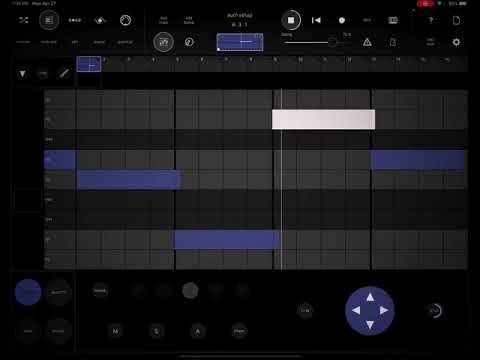
@echoopera Thank you!
Great tutorial, @echoopera
Wonderful
Many thanks for your skill and the time you spent to make this, and for the info itself. I was an early adopter of Modstep but was trying to force a use case onto it that wasn’t it’s real forté. The devs generously tried to stretch the app towards that very use case, but I think their initial plan (as demonstrated in their own videos) was best...
@Pierre118 @ExAsperis99 @Littlewoodg Thanks...hope it clears up a couple things when using both apps in this manner. I really love Modstep and I'm glad it still works to this day. Let's all just ping the dev and ask for an update already Anything can happen. We did get an update for Samplr ya know
The midi only thing is sweet! (and I never tried it).
Funnily enough, playing with the onboard instruments (only) is pretty cool too...useful at least to reacquaint myself with the intricacies.
I know! The built in synth is pretty fantastic, and the effects are really robust too.
Maybe Modstep was too far ahead of this time and we had to wait for AU to catch up to it....
Yup. modstep was years ahead of its time. I really hope they update it this year, because it's one of the best midi sequencers around for people who like the Clip Launching workflow...that being said...I'm goo goo over DRAMBO...and to me it's a nearly perfect app for the way I create.
True about Drambo. I keep trying to deny it, picking up on stuff like Modstep where someone starts a thread like this and I open up something cool I haven’t touched since ever. With Drambo is waiting over there, biding it’s time, Knowing I can check out any time but I can never leave.
@Littlewoodg Heheh...yeah, modstep is one of those 'classic' iOS music making apps I will always have a fondness for. Drambo is just the future of making music on iOS for me...giku just got so much of it right on the launch of the app. It's like giving me access to multiple Octatracks and Digitakts on my iPad in a single session.
So if modstep ummmm...lingers too long in its current state, what app is the stand in for all of this midi goodness?
That crazy additive synth and the clip launch support is pretty sweet still
Not to mention all the midi goodness
Oh. It’s totally fine until something in iOS breaks it.
Wow, thank you all for the discussion and especially @echoopera for the video, what a great forum!
so, I managed to find a Workaround for my goal:
I send all the MIDI-Information from Modstep to Audiobus and in there I link them to the Audio-Apps I want.
Looking back, that may seem obvious, but as I said I'm new to this... Learned alot!
I am really hoping that Modstep gets an update soon.
Regarding midi
nothing is too obvious
Until it clicks with you