Loopy Pro: Create music, your way.
What is Loopy Pro? — Loopy Pro is a powerful, flexible, and intuitive live looper, sampler, clip launcher and DAW for iPhone and iPad. At its core, it allows you to record and layer sounds in real-time to create complex musical arrangements. But it doesn’t stop there—Loopy Pro offers advanced tools to customize your workflow, build dynamic performance setups, and create a seamless connection between instruments, effects, and external gear.
Use it for live looping, sequencing, arranging, mixing, and much more. Whether you're a live performer, a producer, or just experimenting with sound, Loopy Pro helps you take control of your creative process.
Download on the App StoreLoopy Pro is your all-in-one musical toolkit. Try it for free today.
What apps do you use for your Novation Launchpad?

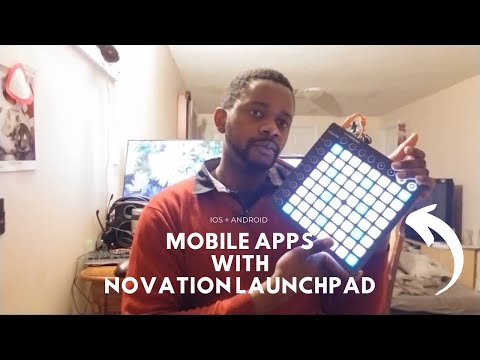
Recently picked a Novation Launchpad up and I spent the past week figuring out which apps work best on the Novation Launchpad. Turns out, there’s quite a few. Here’s a video going over the few that I found to work.
Made references to @wim @Gravitas @eni_ott @espiegel123 @jimpavloff and more...
Are there any other apps which I may have missed? Also, feel free to subscribe as I plan on making similar content in the following weeks.
Here's the list I tested:
- Ampify Launchpad
- Remix Live
- Koala
- Beatmaker 3
- Grid Instrument
- Drambo
- Audiobus/AUM
Other apps that work depending on your controller include:
Grooverider
MIDI Wrench
Atom 2
LK by Imaginando
Mozaic
Streambyter
MIDI Synth Control
Comments
GR-16, Atom, GeoShred are my favorites
GR-16 is probably the best out of the box implementation.
Atom 2 is good too.
Hopefully more developers will include support in the future.
@seonnthaproducer
I can confirm that Novation's Components doesn't
work via iOS hence why I use MIDISynthControl
for custom mappings.
When putting together complex projects
custom mappings become essential.
Loved the shout out.
Nice one.
Good review.
I use my launchpad mini with BM3. I setup a custom configuration for is using the Components software and it works great for my use case. Having midi CC for start, stop, record, next bank, octave switching in the pad mode and some macro control
@wexy - Can't believe I forgot to try Geoshred. Thanks for this tip. I gotta test it ASAP.
Agreed, @duncank. I wish it was so. I'm glad some apps are getting support, even if it's a slow process.
Thanks, @Gravitas. I wish Novation made an app on iOS to map their controllers easily. Ah well. Keep up the great work.
@YZJustDatGuy - Yeah, Beatmaker integration is packed. I might actually need my Novation Launch key AND Launchpad for it, haha.
Launchpad mini will probably to transpose euclidean drum samples across 3 custom modes but probably not so each custom page transposes these samples in different octaves but replica custom modes ( same octaves ) Its just when I transpose melodies on the other half of each custom mode. The drum samples will always be available and the melodies will be 2 custom modes. The 3rd custom mode might be for a sampler. Maybe drambo will trigger the samples and write to another drambo sequencer and an ec4 will have knobs for arps and effects, pitch. Id maybe not map a few buttons of each custom mode because the launchpad will be near my headache sound omni. I could maybe trigger a delay. Trigger a gauss if any scratch stuff sounds good looped. Maybe mute tracks, when scratching ( even though all mutes and solos will be on a nanokontrol ) the nanokontrol will be far away from deck. Hoping I can have mute groups though. There were a problem before with mute groups, when everything were on bus sends but I think that were because of a morphit monitor setup. Havent bought it yet though.
So drums will be able to pitch 32 notes which is plenty. Melodies which are already generative be 64 notes across 2 modes. The drums will be available on each mode. 3rd mode might be for a sampler. Not sure if you get the standard modes if you map 3 custom modes. Maybe another synth mapped could be cool but pads arnt velocity so would just use a microkey ( which could be switchable from the launchpad ) near the buttons allocated for the deck. So I guess theres not 32 for drums and 64 for melodies.
Encountered a problem. Some synths will be on another ipad which will be audio inputs to another aum. Dont think the filter system will be needed ( hopefully ) but will have to make a drambo in each obviously. A faderfox pc12 green buttons that select the tracks ( which will then be transposed by the launchpad ) Id need to make the drambo track selection the same cc and midi ch as the other drambo on other ipad and create dummy tracks in each drambo. This will be so the track selection works linear ( like if you needed to create more than 8 multi outs ) See what I mean. I dont even use the gear, so you might be like what. Im actually laughing at how complicated it sounds. Hope it works. It does actually create a basic system like if you have hardware. Will showcase the madness when its all bought. Almost there. Just to point out. Id have to use more than 2 drambos. Even if theres only 8 drum tracks and 4 synths. To be able to create dummy tracks. So that the green buttons be linear and launchpad transpose. Might be better to just control pitch via knob but Id lose an effect knob for each track. If I just need a distortion for kick, then I might be able to use drambo to switch drum songs. Switching songs across drambos wont work I guess.
Probably being annoying now.
Where drums will be 8 tracks. Before it were 12 drums. Now theres 4 tracks on pc12. This means I dont need to create dummy tracks as the launchpad can be a midi ch per pad. I can still transpose via key and select on pc12. Select the 4 synths to transpose via pc12. The launchpad melodies and drums will be different midi channels. This means I can transpose by key and not pitch via knob. Still have a knob for effect and maybe drambo does have a kit switch also for all drums.
@sigma79 Were you thinking of a setup to use the Launchpad with Drambo? That is, 32 drum tracks?
Hi mate. Feel silly stating my setup but it were for euclidean drums and euclidean melodies. If transposing samples and generative melodies are what I need launchpad to do. then using Drambo midi input on a per track basis. Switching tracks via midi or screen, would give more amount of note transposing than if I just used custom modes. Launchpad would still be in custom modes for the midi channels and notes I allocate. Its just an extra controller to compliment other controllers and think ( without buying ) transposing samples and melodies might be good along with sample triggers for say vocal ( and effects for this to ec4 controller ) also a few buttons to mute or solo aum (a turnatable input ) as launchpad will be near turntable. Launchpad wont control turntable software. An iphone uses djplayerpro. So it will be an audio input to an ipad. Hopefully there will be 2 ipads and an iphone input to line in of audio4c. Launchpad could maybe loop the turntable input as launchpad will be routed to ipad/ipads. It will be good I think.
Great idea for the thread and the video Seonn! We needed this info all in one place!
I bought my Launchpad Pro MK3 a few weeks ago after I had the realization that the “8x8 grid” and the default scale layouts (4ths) were exactly what I’ve been looking at in GeoShred’s surface, and I just had to have it in hardware form.
After 35+ years of learning and looking at music theory through the fretboard and the chromatic piano keyboard, I really feel like the 8x8 grid is the fast lane, and not just because I think learning about music theory would be quicker on this, but I feel like it’s removed a lot of barriers to improvisation and completely opened up my creative potential, where on the fretboard or piano keyboard, I’d be more apt to reach for something within my comfort zone.
Musical habits and “go to” riffs or licks are non existent on the 8x8 grid (to me anyway!).
Oh btw, thanks for reminding me of “Remix live”.. I evidently already downloaded this app before, but haven’t tried it yet with my new LPPMK3.
Thanks again for another thoughtful and concise video!
Both Novation Components and MidiSynth Control
have made custom mappings as easy as can be.
The thing about mappings isn't the mapping per se,
it's how you're using the Launchpad and what you need to map.
Apps that are already premapped for the LP's means the user
doesn't have think about anything else except for loading up
and launching clips and when in Note mode playing scales.
It's when the user is designing a full on performance rig
that's when custom mappings come into their own.
Using the LP X as an example.
'Session' mode is the Launchpad app standard mode which Remix Live also uses.
Open up the apps and there they are with all the clips(Loops) laid out already.
'Note' mode is perfect for playing scales and chords,
basically using a Launchpad as any other musical instrument.
Custom mappings 1-4 is where things get interesting.
My current rig for instance has the following
i. Custom layout for launching clips, sequencers and effects in dRambo
ii & iii Custom mappings for my 16 step or 32 step drum sequencer,
the 32 step version needs two custom mappings
whereas the 16 step version only needs one.
iv. midi controllers mapped to drum computer's volume faders on 2nd iPad.
Each of these mappings are sent to separate midi channels
so that cc messages and midi notes don't conflict
and I can adjust parameters on the fly combined with the LC XL.
It all depends upon what the user would like to do.
MK3pro not compatible, sadly. MK2pro compatible.
They keep saying they're gonna add support. Also said that about adding midi learn, but I doubt thats gonna happen anytime soon.
That must be annoying.
Is there some way to reroute the output of an LPP mkiii to a third party app to
launch Remix Live or is it the case that Remix Live is using specific sysex messages
when communicating with an LPP mkii?
Another thought, couldn't users use Atom2, Mozaic or StreamByter
to translate the messages that an LPP mkiii transmits?
Only you (and a handful of these other mad scientists around here) would know how to do all that lol
Yeah, okay.
I'll accept that for all of us mad scientists on here with a great big grin. Lololol
Not sure. I'm sure there's some sysex involved. Haven't tried activating session mode on the LPP3 and trying tho.
I found out that the Launchpad X goes into Session mode
when it receives sysex messages so I'm presuming the same
for other models of the Launchpad.
LPP3 does not go into session mode. I just tried enabling session mode, but get the same pop-up both with and without session mode:
I also wouldn't be surprised if its all done in programmers mode if its looking at the DIN port. Frankly, I don't understand why they just don't allow midi mapping. App would probably see a lot more action than it does.
Is that with Remix:Live?
if so then they will need to add the device specific sysex messages.
Yeah, I'm not holding my breath, lol
Yeah, I hear ya. Lololol...
Shame, because its not a bad simple sample player for live use considering you can play more than 1 sound in a column.