Loopy Pro: Create music, your way.
What is Loopy Pro? — Loopy Pro is a powerful, flexible, and intuitive live looper, sampler, clip launcher and DAW for iPhone and iPad. At its core, it allows you to record and layer sounds in real-time to create complex musical arrangements. But it doesn’t stop there—Loopy Pro offers advanced tools to customize your workflow, build dynamic performance setups, and create a seamless connection between instruments, effects, and external gear.
Use it for live looping, sequencing, arranging, mixing, and much more. Whether you're a live performer, a producer, or just experimenting with sound, Loopy Pro helps you take control of your creative process.
Download on the App StoreLoopy Pro is your all-in-one musical toolkit. Try it for free today.
Comments
I think we're planning to add Save Preset in the next update.
That's great news Will be watching closely...
Im blown away that this has a very comprehensive ab3 midi integration. I bought ab3 on day one but found it aw
kward but today with krft, its like they were designed to work together. An amazingly smooth workflow. Im very happy*
I really love what youve done here so let me know what to do and Ill give you some of my time to troubleshoot this completely free, no strings.
Glad you're enjoying it (minus the bug!) - Are you adding KRFT to your saved AB3 session? Currently KRFT doesn't support state saving, it's probably something we need to add. It would be cool to get you on the beta so we can debug your problem - email me on [email protected]
I have steered away from KRFT because the whole surface thing makes me think I will spend all my time making surfaces rather than making/playing tunes...
The MIDI out addition is making it harder to resist....
How are you all finding it, are you
making actual tunes ?
making lots of snippets ?
making lots of surfaces ?
or all of the above ?
Currently KRFT doesn't support state saving, it's probably something we need to add.
I am surprised that guys as on the ball as you are haven't already added this feature. It's like having a ticket to be on the (Audio)Bus.
I used it constantly when I first got it, but have held off recently waiting for the update, but made a few tunes on it. Plus points are that it's great fun to use, and you can really build up complex arrangements with it.
The MIDI update takes this into another league though - I've had a quick test with a couple of iPad synths and it's rock solid. Once I've watched the tutorials and get a handle on a few things (working out how to add a button for transposing MIDI loops for example) I can really see this becoming a serious little workstation. I find Modstep a bit of a chore to use, so this has the potential to become my 'go to' MIDI sequencer.
As someone who likes to jam out arrangements on Launchpad before comitting to recording, I think this could suit you quite well.
Awesome. Step one for me is building a controller for the Lumen video synth (hopefully this weekend).
Now that MIDI control is in the wild, are there any plans to introduce an X-Y pad? It looks like I can work around it with four Morph controls (X+, X-, Y+, Y- for smooth fades) but since I'm greedy, I thought I would ask.
I hope this app does midi to other apps without AB3...
I've tried looking for midi settings in krft to link with other apps and cannot find...
I got poison 202 to recognise krft but no sound triggers from krft to it
Help!!!!
What is drawing me in....and to me what seems to be KRFT's USP is that by arranging objects on the surface you can document the performance....
Does it do this , if you arrange your surfaces properly ?
Does KRFT support MIDI in? This would be in a scenario where I could use an external keyboard to record the sequences, instead of the on-screen pad keyboard... I'm considering KRFT for replacing modstep and sequencing external gear.
Not sure what you mean by document the performance, but you can arrange tons of loops, fills, samples etc. onto the surface in whatever order you want, so you can set them up for easy live playing.
I reckon it's one of the best live jamming tools on iOS, definitely the most fun to use.
Important to note how responsive and hard working this dev has been, and the new MIDI stuff has been added free.
XY is on the menu for 1.6.
It doesn't need AB3 to use MIDI. I have used Gadget, GeoShred & Animoog all fine. You need to add a MIDI channel first. Check the tutorial: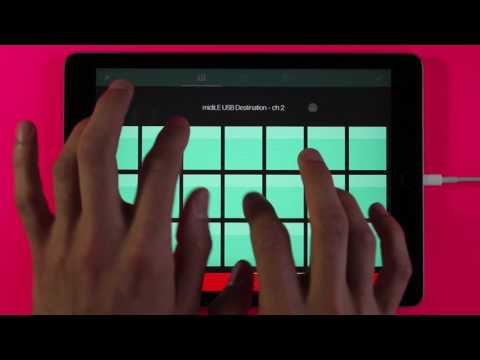
Sorry, it currently does not support midi in.
@Alex fox - is there an easy way to transpose MIDI loops? I use the Morph element for changing pitch with the internal synths, but this doesn't seem to be an option for MIDI loops. Is this possible, or will I need to set up a CC Dial to control synth pitch changes that way?
Really hope you guys add midi in soon. My launchpad pro is just begging to be used to record sequences.....
is there a way to move notes in the matrix ? or move start position, always while recording i miss the first beat, loop brackets would be awesome
Currently you'll have to set up a CC to control the synths pitch. In 1.6 we're looking at adding a transform cell which will do things like harmonize and ryhthmate the raw notes in KRFT so you could easily transpose them or add another sort of harmony.
I bought this app because of the reponsive attitude of the dev and the enthusiasm of the community. If it gets midi in for external keyboards, I'll definitely start using it
Example..I have a row of 8 loops in Launchpad...and 4 pads in a column on Circuit (each containing 6 tracks)....and jam out an arrangement..turning loops on and off at certain times, tweaking knobs etc.....standard stuff...
What I then have to do is learn the performance (the order I started / ended loops/used FX) so that i can repeat it, and I have to do this by listening to the recording of the performance and noting down where these things happened...and then practicing that until it is ingrained.....then I have to write it down so that i don't forget it in 6 months time....btw I am not just using Launchpad and Circuit, there are keys and guitars involved in this too.
Can I use a KRFT surface as a way of doing the noting down, so that when i open a surface in 6 months I know by looking at it what order stuff is supposed to happen in ?
OK, I guess the wait is back on...For MIDI in this time...
Kind of. You could arrange the buttons and whatnot into an order that works for you, e.g. from the top down. A better option is the 'Groups' feature, where you can group and trigger a selection of loops, fills etc. Using this, you could build up a really complex combination of loops, but all you have to do to trigger them is hit a single button. Arrange these in a logical sequence and you've got a really easy way to recreate a performance live.
Thanks for the reply. That's a shame, but I'll work with the CC's for now. Really appreciate the update though.
or maybe IOS11 you can just do a screen recording
This is what I was thinking...can you create multiple groups that utilise the same bunch of loops (not copies) so that if I tweak a MIDI loop then all places its used get that tweak.
Yes, they just reference the loops. Have a look at the tutorial =>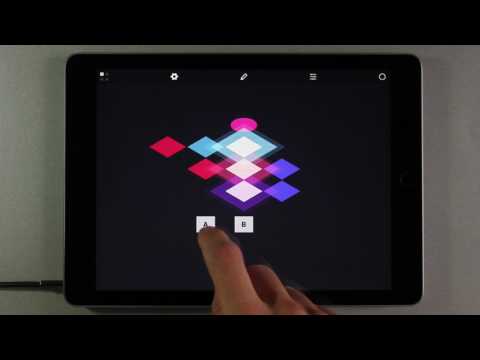
So much potential with this update, v excited to sit down tonight with it
Yeah think so - the Groups are simply controlling the loops, samples etc. within them, so if you change the loop the Group triggering it will pick up the change.
I'm loving this. Just trying it out to control Gadget. Have 2 dials to control Freq and Resonance on a bass synth and using the new modulator on a morph trigger to create some crazy filter frequency effect. So much potential here.
Sounds naughty !