Loopy Pro: Create music, your way.
What is Loopy Pro? — Loopy Pro is a powerful, flexible, and intuitive live looper, sampler, clip launcher and DAW for iPhone and iPad. At its core, it allows you to record and layer sounds in real-time to create complex musical arrangements. But it doesn’t stop there—Loopy Pro offers advanced tools to customize your workflow, build dynamic performance setups, and create a seamless connection between instruments, effects, and external gear.
Use it for live looping, sequencing, arranging, mixing, and much more. Whether you're a live performer, a producer, or just experimenting with sound, Loopy Pro helps you take control of your creative process.
Download on the App StoreLoopy Pro is your all-in-one musical toolkit. Try it for free today.
Comments
Auria Pro has a tempo and time signature track, @Telstar5! In fact, i’ve done quite a few songs in Auria with complex tempo and time signature changes, so it’s possible in iOS, definitely - as long as you use Auria Pro!
Modstep provides for this too. Not as complex as Auria or typical desktop DAWs. More like Live in scene view, you can have each scene have a tempo. But so it is hard to have gradual increases/decreases.
But it is much easier to do on the fly, I am fine with it as is. While most music traditionally had a lot of tempo changes, most were relatively small. I don't find a perfect jump from verse/chorus of a couple bpm jarring. That's into a realm of subtlety most people are not going to feel live. I mean the last couple bars ramping up or down, people will feel the 2 bpm change. I've literally tested this on people who were skeptical.
@theconnactic : Does Auria Pro have a sequencer ?
@Multicellular : I thought so, thanks. Mod step 2 will prob be even more extensive . Can you record freely off the grid in Mod step?
Not exactly since there is no straight up linear option in Modstep.
Rather, as most screen shots would suggest, you have scenes and patterns. You can have 16 pattern measures per scene per part, so a pattern can be pretty long.
So if you wanted to play mostly off the grid but within patterns, i.e. keep the tempo coming back on the 1s or whatever. That is easy, just turn quantization off.
I suppose if you set tempo really slow, you could quite simply record without quantization a whole song in a single pattern or two. But it is not optimized for that. I'd use another app if I wanted that.
For me personally, almost all my stuff has some type of swing, not the swing slider, actual human complex swing. What, if I were working in some lap/desktop DAWs, I could deal with as a 'groove template'.
So in Modstep, I just get some percussion going with the right swing played or dialed in and overdub. Quantize just the 1s or other notes that aren't swung. Modstep works fine for that.
Playing totally off the grid is not useful to me. That eliminates the ability to use tempo tracked delays, modulations, and arpegiators. But again, I just need a grid that can change with the song parts naturally.
When bringing something over to desktop, I'll tempo map everything. Even live recorded bands not to a click for the delays, mods, arps issue. But also, it takes a little time to do that, but once you've done it, it makes editing mistakes, editing comps or changing arrangements so much faster.
@Multicellular : Great explanation, thanks!
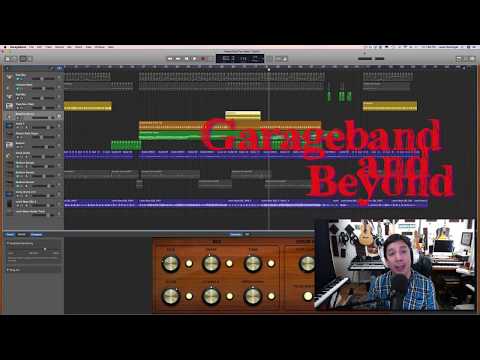
From Lewis Baringer (Garageband users group) I have made a video about how to do that!! It's a "work around" but it works!
I guess it depends how you do your live thing. I would never expect to able to do what I can with Ableton on an iPad.
I gotta give a huge shout out for Patterning 2 and its ability to move between time signatures and tempos with adjustable slew time. So amazingly well done!
Indeed. Elegantly done.
Can it control other apps?
If the apps support it via Link or Midi Clock.