Loopy Pro: Create music, your way.
What is Loopy Pro? — Loopy Pro is a powerful, flexible, and intuitive live looper, sampler, clip launcher and DAW for iPhone and iPad. At its core, it allows you to record and layer sounds in real-time to create complex musical arrangements. But it doesn’t stop there—Loopy Pro offers advanced tools to customize your workflow, build dynamic performance setups, and create a seamless connection between instruments, effects, and external gear.
Use it for live looping, sequencing, arranging, mixing, and much more. Whether you're a live performer, a producer, or just experimenting with sound, Loopy Pro helps you take control of your creative process.
Download on the App StoreLoopy Pro is your all-in-one musical toolkit. Try it for free today.
Comments
@brambos
Audition button in the Sounds panel Is great
Can see much better in the view panel now
Sweet
Superb update @brambos !! 👏🏼🙌🏼
Most excellent
Eh, needs more random algorithms. Won’t buy until fixed
Two quick diagrams for anyone who is experimenting with mixing different pattern divisions...
Summary:
Thank You Bram ++
These really are superb, mate.
Lovely diagrams!. Thanks!.
It’s so nice to find these little nuggets. Gotta love this forum! 🙏
This is quality content.
Choosing random algorithms manually is so 2020. Hammerhead chooses its random algos randomly.
fantastic !
Does HH have predesignated CC assignments? I thought I read so a few days ago, but I may have been mistaken. Rtfm already
They are there but they’re “unlisted”. I automatically make them for all AU parameters as a fallback. But since they only work in the AU anyway I recommend using AU Parameters whenever possible since most hosts support those these days
If you need them I will make a list.
Could I trouble you for that list? I’d like to make and share some controllers for HH. So in order for it to work for everyone I’ll need to use the default mappings 🙂
I’m loving running some loops into Hammerhead and just seeing what happens. Loops with different bpm’s and fiddling around with start positions, you don’t know what’s gonna come out, keeps surprising you. Specially if you don’t even know what the sample sounds like beforehand. So much more than a drum machine, amazing app.
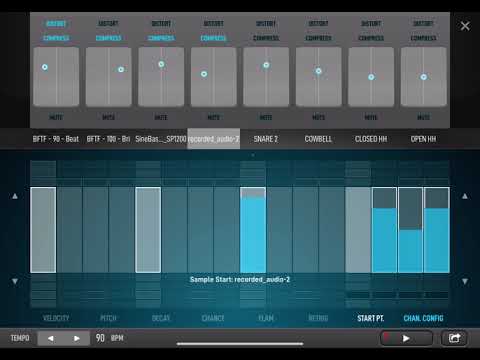
Thank you! I really didn’t want to do the extra math as I create audible mathematics and I’ve really been meaning to sit down and figure this out
Thanks for the update @brambos
The thicker lines in the parameter lane is highly appreciated 😊
Nice update, the audition is a big help.
Thank you much..
Thanks!!
Posted to the Wiki Forum Gold Page.
Son of a. For that I’m getting a refund!
yessss!
Great stuff, the best keeps getting better it would seem
I appreciate the brighter, clearer box surrounds for the selected sounds on the grid but has any consideration been given to doing the same for the smaller non-selected notes on the grid? I certainly struggle to see those.
Anyway thanks for an absolutely fantastic drum machine. Stunning value too.
@brambos
In view mode
It’s hard to set the pitch back to default if I have altered all 16
It’s time consuming
Any chance of a small button to reset all to default on pitch etc
You can already use the "Clear" on "This channel" to quickly reset the entire channel to default values.
@brambos would you consider looking at adding a way to control all steps at once? Long hold a step slider and it controls all steps or something? This app is so crazy quick to use I find the most tedious thing is trying to repitch a sample on each step or worse, across patterns.
By no means a deal breaker though and completely get if something like this isn’t on the cards, if anything it just speaks to how crazy good the UI is!
Also huuuge thanks you for the first update, audition and mulitout bypassing level were such sweet touches. Absolutely adore this thing 😍