Loopy Pro: Create music, your way.
What is Loopy Pro? — Loopy Pro is a powerful, flexible, and intuitive live looper, sampler, clip launcher and DAW for iPhone and iPad. At its core, it allows you to record and layer sounds in real-time to create complex musical arrangements. But it doesn’t stop there—Loopy Pro offers advanced tools to customize your workflow, build dynamic performance setups, and create a seamless connection between instruments, effects, and external gear.
Use it for live looping, sequencing, arranging, mixing, and much more. Whether you're a live performer, a producer, or just experimenting with sound, Loopy Pro helps you take control of your creative process.
Download on the App StoreLoopy Pro is your all-in-one musical toolkit. Try it for free today.
Upcoming App: OODA

I'm not sure who was looking for this kind of step sequencer on iOS, but here it is:
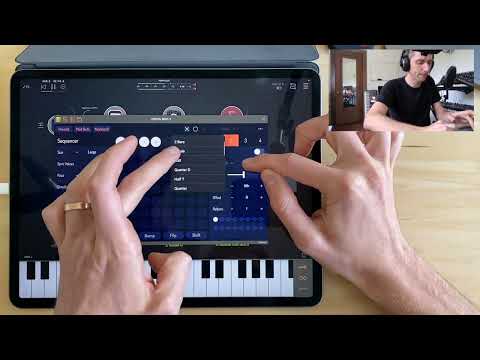
OODA is scheduled to launch Thursday, April 28 at $3.99 USD for 72 hours after which the standard price will be $7.99 USD. ZOA will also be on discount during that time.
Comments
BTW, I physicly look like the developper, but I'm not the developper of this app just to be clear. I don't know the guy, but I found a post from djpuzzle on Reddit who was reffering to this upcoming app.
Really like the look of this app, but in Loopy Pro and AUM, I couldn't get the wormhole values you register the way he does in this video, and also I couldn't get the polyphonic aspect to work, notes played in at the same time still played back separately. Anyone else experience this? I've sent feedback within Testflight.
I love the Interface and design of ZOA and OODA. Looks are important!.
This is a perfect example of a dev paying attention to design and UI and sticking to it for consistency.
One minor gripe, probably just me though, Is the implementation of popup menus where you have to use both hands. Took me a while to figure out in ZOA and I find it a bit weird to use.
Me too, check the persistent menus option in the settings to fix this
I'm not sure if I get you right but my understanding is that each of the 4 voices will only play one note at a time, so you can get max 4 polyphony at once.
You can enter several notes on a step by holding them and the system will pick up to 4 from this pool of notes, depending on the rules you've set.
Is that what you meant?
Lots more discussion in this thread.
Aha, thx for this!
@jsmonzani Not really. I know that was a feature, but in the video I'm sure it said if you play in more than one note at a time it will put them on the same step, so you can do chords etc that way. Maybe I'll have to watch the video to see if I got that wrong.
Yes you can record multiple notes on a step but I'm not sure if you can play them all at once ona single voice. Please notify us if you manage to do so 👍
I rewatched that bit... yeh he says you can record multiple notes on a step, but then he arpeggiates them on playback. I thought that was just an option he chose to do, but maybe they can't actually be played back as chords in the way I thought.
Downloaded the beta and have to say, one of the most innovative sequencers I’ve played with in a while. Results are excellent and once you set up an arrangement, just changing chord progressions can change the song entirely. Lots of mileage in this one…
Also not clear yet on whether any step can be individually re-recorded or edited ... if this isn't possible then I guess the whole thing has to be rerecorded to make changes? The manual and video are quite good, but I haven't been able to answer this yet.
Yeah I was confused too. I didn't know a way to remove a step but as from the manual, you can be in rec mode, select a step and anything you'll enter will replace the current step.
Yeah I think I may have stumbled across that come to think of it, but I realised I have to stop the AUM transport first, or at some point the playhead/recordhead will move on to the next slot and begin recording in that slot instead.
From what I can tell, the sequencer works like backspace on a computer. Open the in app keyboard, and there is a back button. Select the step after the one you want to delete, then press the back button to “backspace” delete the step before.
that annoyed me too in ZOA. Good to know you can change it
A very nice feature is that presets continue from stand alone to auv3. So I can play around with stand alone in little bits of free time, then once I get something going I like, open that preset up in loopy pro or AUM to do more with it.
An interface that requires two hands can be difficult to use when the iPad is mounted on a mic stand and/or while holding an instrument in one hand. I hope some alternate modes (MIDI?) are possible.
The manual says there is a mode specifically designed for 1 handed use. I haven’t tried it, so I can’t comment on how it works.
One-handed mode can be enabled by going to:
Settings > Persist Menus & Modifiers
Soon?
OODA is scheduled to launch Thursday, April 28 at $3.99 USD for 72 hours after which the standard price will be $7.99 USD. ZOA will also be on discount during that time.
Two questions:
1. Do OODA and ZOA naturally interact?
Yep.. looking forward to tomorrow…
But I must throw this in for the future.. Groove Lock..
9:13 into the video..
Super nice. Any iOS sequencer can do this?
Photon AU will get the same result, but it's not quite as easy.
There might be a Mozaic script for that.
I love Ooda it’s easy to get chords, an Arp, a bassline and lead going. I’m on beta and I’ll be buying day 1.