Loopy Pro: Create music, your way.
What is Loopy Pro? — Loopy Pro is a powerful, flexible, and intuitive live looper, sampler, clip launcher and DAW for iPhone and iPad. At its core, it allows you to record and layer sounds in real-time to create complex musical arrangements. But it doesn’t stop there—Loopy Pro offers advanced tools to customize your workflow, build dynamic performance setups, and create a seamless connection between instruments, effects, and external gear.
Use it for live looping, sequencing, arranging, mixing, and much more. Whether you're a live performer, a producer, or just experimenting with sound, Loopy Pro helps you take control of your creative process.
Download on the App StoreLoopy Pro is your all-in-one musical toolkit. Try it for free today.
Comments
It is not in full version either. Probably not implemented yet.
Thanks..
Edit.. while we are at it… seems IBassist does not do Indian Drummer also…
When you guys are saying “ibassist does not do (insert lumbeat drummer)” what do you mean? Sorry if dumb question, I seem to be in the minority that’s new to lumbeat round here
Once you have made a bassline in Ibassist, pressing the “make drums” button brings up icons for each of the other lumbeat drum apps that Ibassist does do. Pressing the button opens the relevant app (assuming you have it installed) and generates a drum pattern that matches your bassline.
Neat, thanks! 🤙
Just Magic… 😍
Sorry, and sending a drumbeat to iBassist to generate a bassLine also..
Thanks Mr Lumbeat.. nice..
added it to my library of Lumbeat! Very very good drum app, WELL worth the dollars, in fact probably worth a good deal more tbh.
Just a tip...always delete the existing Pop Drummer app and then re-install!
I haven't bought the IAP. Is there a guide on how to get per kit piece reverb? I've had no luck with that after some time trying.
The mixer isn’t working for you?
I gave the mixer a good look over in conjunction with the effects control on the main page. Could only get reverb on everything.
Something I just noticed: there is no velocity control?
I'm used to Funk Drummer that has sperate controls for "Jam" and "Intensity" with the latter being overall velocity.
Now in Pop Drummer, there is just the "Jam Intensity" control which is now the same as "Jam" but it has no impact on velocity.
Am I missing something?
Did you try turning down the reverb on each channel? It is working for me.
Purchased because of track record and flexibility of developer. I am having trouble (all user no doubt) getting it to record on Logic. It plays nicely enough mind Just no recording.
Any good tuts out yet on this one, I need the educating etc.. (sorry if I've missed anything already posted herein ...)
Downloading purchased update! Thank you for such an amazing drumming app! Can't wait to really learn this one and pair up with DrumPerfect Pro or Drum Session! All amazing sounding apps! Oh man, we are so blessed to be able to enjoy this amazing virtual drummers!
You miss nothing. This feature is not there. I discussed this with the developer, and he chose Jam effects over intensity for this genre, similar to Future Drummer, for example.
I figured it out. User error fortunately.
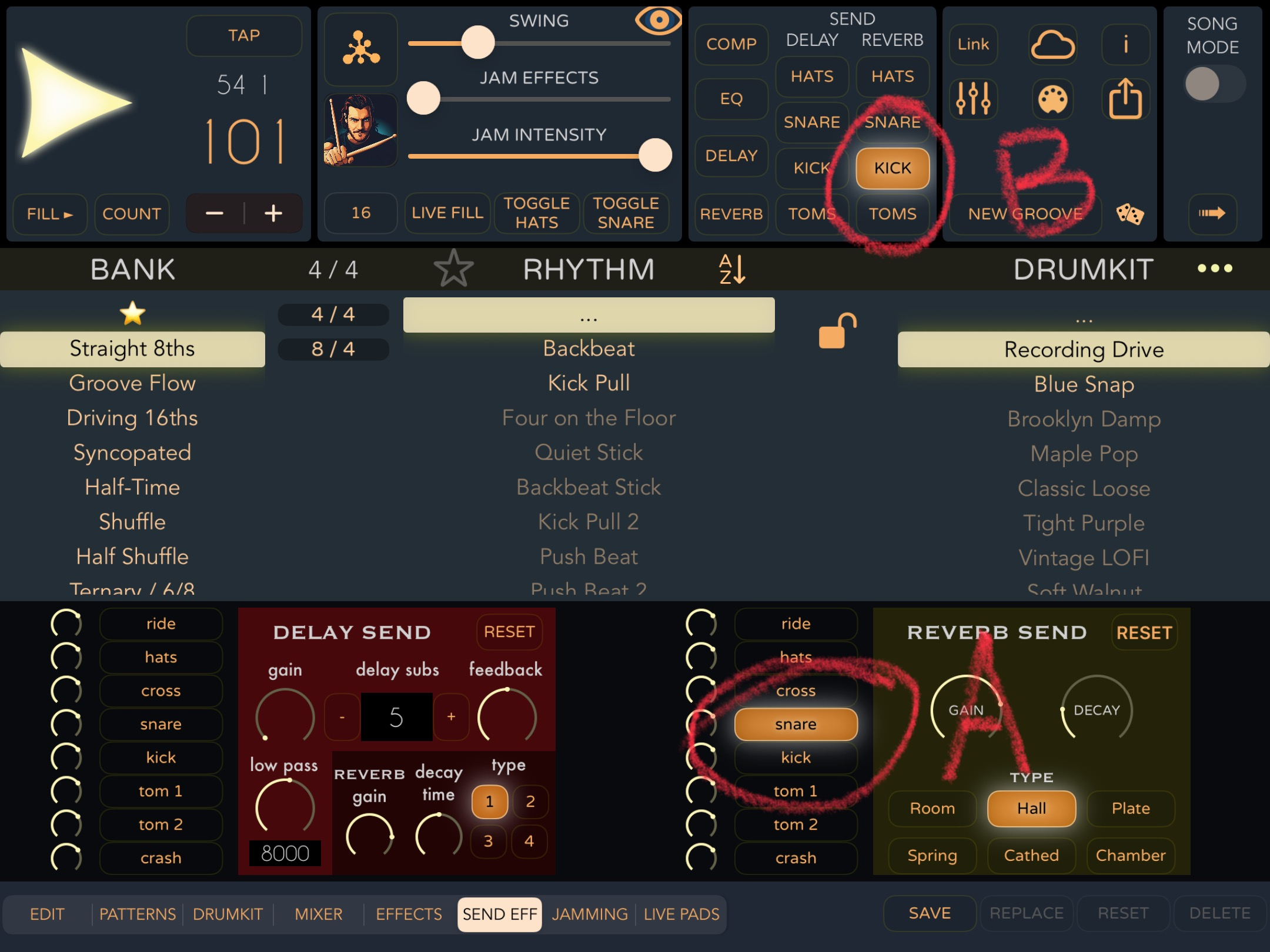
I did come across this though. When I tap A snare Kick comes on at B
i have chrashes when touching the swing knob in auv3 cubasis
happens standalone also
auv3 in cubasis doesnt save the last state.
also chrash when changing the drummer
(is there any difference changing drummers, it sounds exactly the same for me)
when trying to record the midi output auv3 to another midichannel/instrument it gives me total weird notes, way to long.
another thing: it seems to put out for example the snare midi note at exactly the same velocity, even for the "ghost" notes
this seems weird to me. never heard a pop song with dub style send effects on drums.
i would have gone for velocity control.
Yes, and honestly this is probably a deal-breaker for me. I was getting ready to purchase until I noticed this lack of velocity control, but now I'm having serious doubts...
seems to be a "reportaproblem" to me.
this product is not ready.
It was discussed earlier, and the problem seems to be that the note-on and the note-off midi are send at the exact same time, and many DAWs will not record the note (since it is active for 0 ms), but the note will be played when sent to an instrument live.
The solution would probably be to delay the note-off even by a couple of ms, but that's a bug that needs to be fixed in the app, nothing you can do.
@LuisMartinez did you catch this issue in the middle of all the reactions to the subscription model?
And also: thank you for changing the pricing in the way you did.
edit: here is the part of the thread were the problem is explained well:
https://forum.loopypro.com/discussion/comment/1423209/#Comment_1423209
I can add that Helium can record from Pop Drummer, and I can use the recoded notes to play Hammerhead and Drum Computer, but in Cubasis 3 each note is recorded as several bars long, and the recording can't really be used.
Is it not ready because of the missing Intensity function (which several other drummers don't have) or because of something else?
-chrash standalone and auv3 changing swing
-chrash changing drummer auv3
-all 3 drummers do exactly the same
-weird midi output as auv3 without velocity
-no velocity control
-no state saving as auv3 in cubasis
-how does one save and name a groove?
I tested your all points (I don't have a Cubasis)
just to answer one of your points.
velocity randomize is not the same. i want the gost notes with less velo. not any of the others.
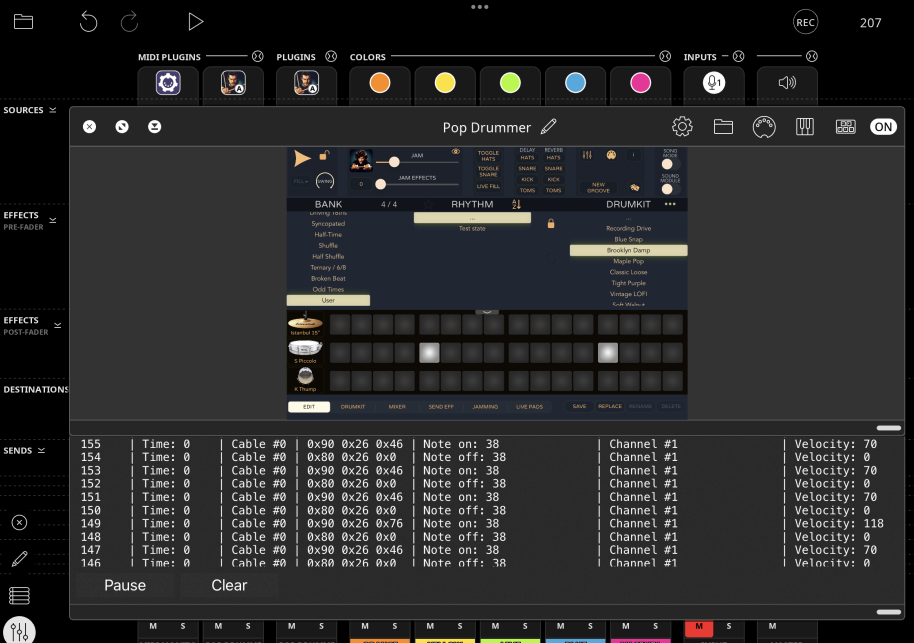
I hear ghost snare notes when Cindy is playing. So I checked it in MIDI monitor and ghost snare notes are transferred with vel 70, normal notes with vel 118. No other values, just these two.
BTW the latest update still has a pop-up for the subscription if you let it play for enough bars (until the free demo expires).