Loopy Pro: Create music, your way.
What is Loopy Pro? — Loopy Pro is a powerful, flexible, and intuitive live looper, sampler, clip launcher and DAW for iPhone and iPad. At its core, it allows you to record and layer sounds in real-time to create complex musical arrangements. But it doesn’t stop there—Loopy Pro offers advanced tools to customize your workflow, build dynamic performance setups, and create a seamless connection between instruments, effects, and external gear.
Use it for live looping, sequencing, arranging, mixing, and much more. Whether you're a live performer, a producer, or just experimenting with sound, Loopy Pro helps you take control of your creative process.
Download on the App StoreLoopy Pro is your all-in-one musical toolkit. Try it for free today.
Comments
Ah i see, thanks!
Tbh I hate the teenage engineering company and all of their stuff and would never buy anything from them... and I am pretty happy with the Push 2.
So I have to wait a few years for a used MPC One III then ;-)
Having built in audio/midi/CV I/O, hardware knobs/controls for performance/efficiency. Real pads for drums/instrumentation. An all-in-one DAW with an incredibly dense feature set and no subscription costs, no distractions ..as the only thing it does and does very well is audio production.
Tablets tend to go obsolete much quicker, or suffer from problems after a few years, requiring an expensive battery replacement since they're completely inoperable when the battery inevitably fails. .
MPC is known to be a far more stable and reliable platform in the long term, with little risk of OS updates causing incompatibilities...and more importantly to me, it doesn't need a healthy battery to continue using it. Music production isn't a top priority to Apple, so when a major update comes along, there is always a risk of it breaking your preferred setup.
Compared to iOS, MPC doesn't have anywhere near the quality or amount of instruments and effects, so it doesn't make iPad obsolete. I think it's a match made in heaven...especially since Live 3 can stream multitrack audio and midi to/from a tablet or phone.
this thing represents all reasons why i abandoned big desktop DAW world and will never return to that hell .. pure UI overcrowded nightmare 😂
what exactly it does ??
@dendy :Aw, forget it, I’ve changed my mind..Fighting myself from pulling the trigger on this here bad boy ..
FWIW, Akai has shown the competition what a hardware groove box should be in this day and age.
24 Channels of Audio and 32 Channels of MIDI over USB-C.
This is how it’s done.
Now any computer or iPad or iPhone is a sound source to crate dig on to your hearts content.
For people who enjoy playing on hardware the new [III] is a joy to play on. The pads feel amazing.
I can’t wait to go deeper with it.
Yeah, man! A dream come true for us IOS users. I use the Ipad now mostly as a sound module with an interface, but the usb c thing would be so much smarter.
Yep. So many great sound engines and effects on the iPad that it’s going to be great pairing them together.
I’m hearing nothing but praise for this device. The latest YouTube vid I saw the guy was seriously thinking about selling the rest of his kit and just keep this.
Ordering mine for sure . Make sure you buy the “MPC Bible “…too
Well worth it ..
Echoopera:
I'd love to hear how your experience goes with multi-track audio over USB with your iPad, when you get a chance to put your Live 3 through its paces. i.e. Can you get multiple bi-directional audio streams going without any issue. Are iPad DAWs or Drambo recognizing all the sources & sends, etc...
I just placed my order for Live 3 through a New York based retailer called Alto music and I'm soo excited!. I've never dealt with them before, but I've heard good things and they were one of the few outlets whose online store claimed it was in stock.
I have an MPC One and purchased Pro Pack 3 with the 3.6 download. The Clip Matrix is a “game changer”!!!
It is making song creation so fast.
I wish there was a way to map my Launchpad to trigger clips and create clips.
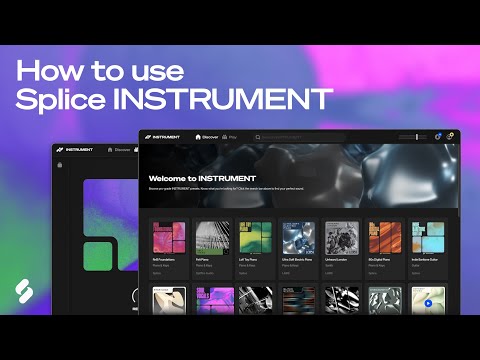
@ZenEagle :Actually MPC integrates with Splice and Splice just put out “Instrument “ through its association with Spitfire..Not to mention its recent partnering with NI…So it’s really got a lot of instruments on its own…But yeah with an iPad, even more so for sure
Did anyone find any substantial use for your MPC One after upgrading to MPC Live? I'm debating on whether to sell my One+ ..or maybe find some utility for it as a dedicated multi-sampler or something. Though maybe I'd be better off buying Sample Robot 6 for that.
It's nice that all these options exist, serving different needs and interests. .. I've personally never looked into Splice since I'm mostly a pure synthesis guy. I've never really been into samples or romplers unless I record or design my own.
“”@ZenEagle
Echoopera,
When you start using usb c in from ios let me know how magical or pita it is, pretty please. I’m thinking about picking one up and maybe selling the mpc x to partially fund it.
Happy [III] Monday folks.
This doesn’t seem to have all the AIR plug ins that the Key 61 has. I guess we’ll have to just buy them separately?
You can see everything it includes at the bottom of the product page here:
https://www.akaipro.com/mpc-live-3.html
Also anything you already own carries over via your inMusic account.
iPad effects Bliss:
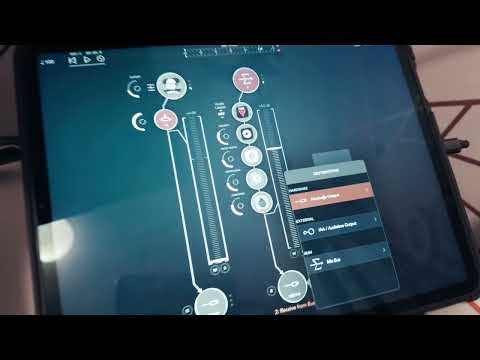
please note that no Tonverks were harmed in the making of this video
can't stop, won't stop...its just flows and grows:
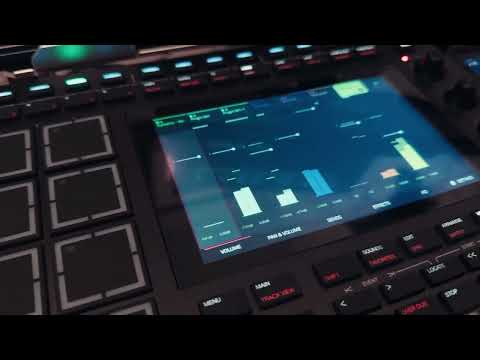
Wow, how is the workflow comparing to ipad? Does it have enough instruments/sounds to produce?
>
Looks like the old limitation of using the usb interface OR the analogue I/O is now fixed?
Hope you enjoy this one:
Thanks in advance for listening.
Nice @echoopera.. Having a single usb cable between the MPC and iPad, while still using the x4 in and x 6 analogue outs is huge. Are the pads really near Maschine level sensitivity?
While I don’t nave a live 3 the pads on the mpc x are amazing. With note repeat you can press the pad softer and harber to get plush velocity response on hats. So yes mpc pads are known for their playability. Don’t get me wrong my maschine controller has good pads but mpc pads are on point and this goes for every mpc i have played on since the 2000 model which has amazing pads.
I think it would be easy to challenge just with capability of huge number of auv3's integrated to Loopy Pro and Koala buildup (e.g. with 13" and 11 air models - also something like Drambo and AUM included).
But it certainly it is all about everyone's own preference, to make music. I Have to admit that I like MPC workflow to get grooves quickly ready, most, But for a studio tool the screen is too small (e.g. compared to 13" iPad Air) and limited number of plugins. Have to say that limitation are sometimes good while making music.. Noticing after 30 years of gathering gadgets and plugins and struggling with configurations of the daw's. But probably as TheTemplateDude I will buy it and create templates for it at some point..