Loopy Pro: Create music, your way.
What is Loopy Pro? — Loopy Pro is a powerful, flexible, and intuitive live looper, sampler, clip launcher and DAW for iPhone and iPad. At its core, it allows you to record and layer sounds in real-time to create complex musical arrangements. But it doesn’t stop there—Loopy Pro offers advanced tools to customize your workflow, build dynamic performance setups, and create a seamless connection between instruments, effects, and external gear.
Use it for live looping, sequencing, arranging, mixing, and much more. Whether you're a live performer, a producer, or just experimenting with sound, Loopy Pro helps you take control of your creative process.
Download on the App StoreLoopy Pro is your all-in-one musical toolkit. Try it for free today.
Comments
@guitarhero07 Regarding crispness: did you try out a buffer with the shortest possible cable between pickup and buffer? This does wonders to my sound. Try 20 MegOhms input impedance, this just at least to my ears sounds awesome.
Might it be that your input channel is in line in input mode? For guitar input the channel mode should be instrument to match the guitar impedance.
Did you ever try standalone MIDI guitar standalone?
@ultracello do you mean to use a shorter cable from the audiofuse to the guitar?
@alfred input channel is in line in input mode? not sure what you mean, im a novice in audio talk
@frizzylizzy yes, everything i try the sound is just not present/clean, it not distorted either, its just sound.....not present
@guitarhero07:
We can help you figure things out but will need you to post demonstrations.
First, we need a baseline with no effects where we see the input level and here the unprocessed guitar straight from the interface
Make one screen recording for the Arturia and one from the zoom.
Make sure the Arturia is set for a high-impedance input if it has such a switch
Imo, we should see/hear those before offering advice.
Screenshots of the setup vs pictures of the iPad would be helpful to understand the chain. Press the volume up and power button at the same time for a screenshot.
For screen recording, swipe down from the top right and press the record button.
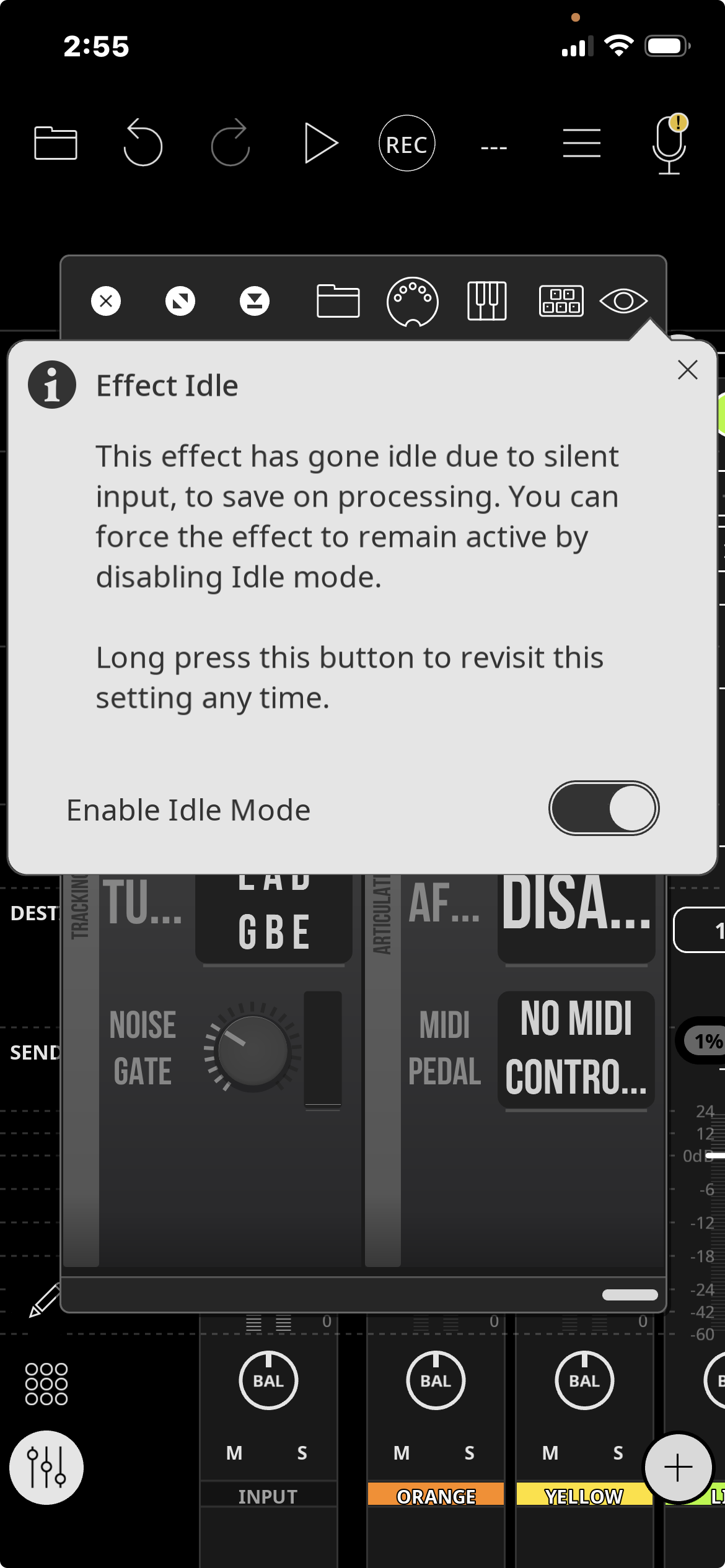
I loaded up MIDI Guitar 2 for the first time in Loopy Pro and got this message. I’m not sure if it’s relevant but it might be a clue for troubleshooting down the line so here we go:
I love troubleshooting so please don’t give up! Lol
An effect goes idle if there is no input. It will stop being idle as soon as there is input.
IMO, given that he has commented on the sound from the interfaces being noticeably different, the first step is a path with no effects where we can see the guitar level and hear it with each interface.
It could be a faulty interface or a matter of adjusting the input signal.
ill give this a try and report back, thank you
On the interface you can choose three different input modes: microphone, line in and instrument. The leds show wich mode is active. Line in is what you use for synths, instrument is what you use for electric guitars.
Different levels and resistance (impedance) in those modes.
i have tried both, sound is very similar, no big change, i will try to create a new loopy template and start fresh what espiegel123 said,, and go from there, thankx for the input though, pun intended
No, the cable between your pickup and the buffer itself should be as short as possible. The cable between buffer and audio interface can be as long as needed, it's "buffered", so no worries. But if you don't use a buffer, what I definitely do not recommend, then indeed having the shortest cable is possible, is way better. But your sound with a buffer will be much better and can't be compared. Google: Creation Audio Labs Buffer and watch the videos. I have their buffers installed on all my pickups and won't play any live performance without them again.
Sound without buffer: noisy, hum noises, too raw, too early roll-off of high frequency, too much muddyness and you need to crank more gain to get the same volume level what results into a higher noise floor. The difference depends what kind of pickup do you use. I can't speak about magnetic pickups but for all of my different piezo pickups it does wonders.
@guitarhero07 Btw I have their Redeemer Inline. The website information is a bit outdated and not fully correct but the maker told me the Redeemer let you dial the input impedance from 750K to way up to +20 MegOhms. For my sound indeed the maximum possible input impedance works best. I have also a 10 MegOhms buffer made from a danish maker. I hear and feel the difference. I always would play at least with that 10 MegOhms, otherwise at least in my setup the sound gets too muddy.
https://www.creationaudiolabs.com/redeemer
I think I'll ask him later to create a custom buffer with a fixed 20 MegOhms input impedance. To my ears it's: the higher the input impedance, the more the sound is "HD". The lower the input impedancy, the more the sound has grid. I like the grid but if I have to decice between grid and clear crispness, the answer is clear. You have to try it out on your own. But as I said: cable between pickup and buffer really should be as short as possible to avoid as much roll-off in the highs if you like it crispy like me.
Seems to me this is getting off-track. Talking about fine-tuning at this level is way beyond what is likely to be relevant to the real problem. Sound as low quality as @guitarhero07 is talking about has almost surely got to be a different sort of issue.
Interesting for tone purists, though, for sure.
i agree, but thanks for your input @ultracello
i will find some time this evening and try out some options mentioned above, i will report back, thx all for the help