Loopy Pro: Create music, your way.

What is Loopy Pro?Loopy Pro is a powerful, flexible, and intuitive live looper, sampler, clip launcher and DAW for iPhone and iPad. At its core, it allows you to record and layer sounds in real-time to create complex musical arrangements. But it doesn’t stop there—Loopy Pro offers advanced tools to customize your workflow, build dynamic performance setups, and create a seamless connection between instruments, effects, and external gear.

Use it for live looping, sequencing, arranging, mixing, and much more. Whether you're a live performer, a producer, or just experimenting with sound, Loopy Pro helps you take control of your creative process.

Download on the App Store

Loopy Pro is your all-in-one musical toolkit. Try it for free today.

Preview MIDI using Helium

I saw someone post a video on previewing MIDI loops using Helium. I think it was in Cubasis. Anyone have that link?

Comments

  • Are you talking about my video using Helum to preview midi beat thru One shot ?

  • @ecou said:
    Are you talking about my video using Helum to preview midi beat thru One shot ?

    I think so. Do you have the link?

  • edited February 22

    Super helpful video @ecou.. I use it all the time with MIDI Drum files.. thanks for sharing it..

    https://forum.loopypro.com/discussion/comment/1432298/#Comment_1432298

  • edited February 22

    @royor said:
    Super helpful video @ecou.. I use it all the time with MIDI Drum files.. thanks for sharing it..

    https://forum.loopypro.com/discussion/comment/1432298/#Comment_1432298

    Happy to be of help.

    Does midi dragging file in Cubasis currently work for you guys? It was working with 3.8.1 but it stopped again with 3.8.2.

  • @ecou I pretty much was using this method of previewing in AUM.. Helium + OneShot is a great combo for checking which midi drum files I want to work with.. I’ll build a fairly complete drum track using Helium.. so the only dragging + dropping I’m doing is within Helium itself.. from the media bay clips section to the timeline once I’ve found the right file..

    Strange to hear that it’s not working for you in Cubasis 3 anymore..from one update to the next.. that’s odd.. let me test it out..

    I just tried it in Cubasis (3.8.2) using Helium as a midi effect on a OneShot track and it worked perfectly for me.. 🤷‍♂️
    iPad (A16) iPadOS 26.2.1

  • @royor said:
    @ecou I pretty much was using this method of previewing in AUM.. Helium + OneShot is a great combo for checking which midi drum files I want to work with.. I’ll build a fairly complete drum track using Helium.. so the only dragging + dropping I’m doing is within Helium itself.. from the media bay clips section to the timeline once I’ve found the right file..

    Strange to hear that it’s not working for you in Cubasis 3 anymore..from one update to the next.. that’s odd.. let me test it out..

    I just tried it in Cubasis (3.8.2) using Helium as a midi effect on a OneShot track and it worked perfectly for me.. 🤷‍♂️
    iPad (A16) iPadOS 26.2.1

    I prefer to use the timeline in Cubasis. Because I can move midi region around.

  • @ecou said:

    @royor said:
    @ecou I pretty much was using this method of previewing in AUM.. Helium + OneShot is a great combo for checking which midi drum files I want to work with.. I’ll build a fairly complete drum track using Helium.. so the only dragging + dropping I’m doing is within Helium itself.. from the media bay clips section to the timeline once I’ve found the right file..

    Strange to hear that it’s not working for you in Cubasis 3 anymore..from one update to the next.. that’s odd.. let me test it out..

    I just tried it in Cubasis (3.8.2) using Helium as a midi effect on a OneShot track and it worked perfectly for me.. 🤷‍♂️
    iPad (A16) iPadOS 26.2.1

    I prefer to use the timeline in Cubasis. Because I can move midi region around.

    I’ve been messing with it in Cubasis 3 all morning now and I do like the workflow.. region moving is sweet.. I get it now..

  • @ecou what OneShot kit were you using?

  • edited February 22

    @FizzyLizzy27 said:
    @ecou what OneShot kit were you using?

    In that video I use the Unholy kit. I also bought a Bogren kit that sounds awesome but is complicated to put together. Also you need two instance of One Shot because you have a top mic and a bottom mic for each kit piece. That could be fixed if One Shot would let you trigger two kit piece from one midi note. I asked and they said interesting. I think it would need more request.

    https://bogrendigital.com/products/krimh-drums-mix-samples

    In this video i compare the unholy kit vs the Bogren kit.
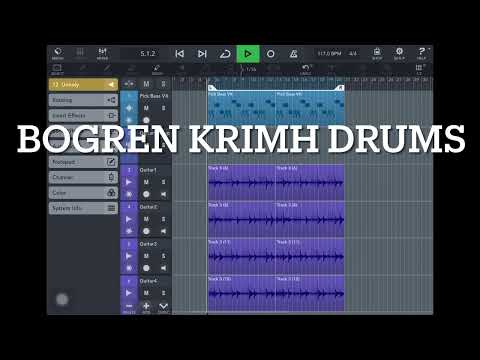
    I think the Bogren is better for fast parts. It is thighter and sharper. The Unholy is better for groovier material.

  • @ecou said:

    @FizzyLizzy27 said:
    @ecou what OneShot kit were you using?

    In that video I use the Unholy kit. I also bought a Bogren kit that sounds awesome but is complicated to put together. Also you need two instance of One Shot because you have a top mic and a bottom mic for each kit piece. That could be fixed if One Shot would let you trigger two kit piece from one midi note. I asked and they said interesting. I think it would need more request.

    https://bogrendigital.com/products/krimh-drums-mix-samples

    In this video i compare the unholy kit vs the Bogren kit.

    I think the Bogren is better for fast parts. It is thighter and sharper. The Unholy is better for groovier material.

    I’m curious if you’ve used DrumPerfect Pro’s Metal drumkit. I use both that and OneShot.

  • @FizzyLizzy27 said:

    @ecou said:

    @FizzyLizzy27 said:
    @ecou what OneShot kit were you using?

    In that video I use the Unholy kit. I also bought a Bogren kit that sounds awesome but is complicated to put together. Also you need two instance of One Shot because you have a top mic and a bottom mic for each kit piece. That could be fixed if One Shot would let you trigger two kit piece from one midi note. I asked and they said interesting. I think it would need more request.

    https://bogrendigital.com/products/krimh-drums-mix-samples

    In this video i compare the unholy kit vs the Bogren kit.

    I think the Bogren is better for fast parts. It is thighter and sharper. The Unholy is better for groovier material.

    I’m curious if you’ve used DrumPerfect Pro’s Metal drumkit. I use both that and OneShot.

    I do not care for DPP bizarre work flow.

Sign In or Register to comment.