Loopy Pro: Create music, your way.
What is Loopy Pro? — Loopy Pro is a powerful, flexible, and intuitive live looper, sampler, clip launcher and DAW for iPhone and iPad. At its core, it allows you to record and layer sounds in real-time to create complex musical arrangements. But it doesn’t stop there—Loopy Pro offers advanced tools to customize your workflow, build dynamic performance setups, and create a seamless connection between instruments, effects, and external gear.
Use it for live looping, sequencing, arranging, mixing, and much more. Whether you're a live performer, a producer, or just experimenting with sound, Loopy Pro helps you take control of your creative process.
Download on the App StoreLoopy Pro is your all-in-one musical toolkit. Try it for free today.
Digistix2 and AUM song select

Hi Friends,
I am using iPad 6th gen with AUM for live performance. I generally use less than four sessions all having multiple instruments controlled from my Roland accordion, M-Vave footswitches , and This is Noise NMSVE midi controller.
At present I select a session via midi and then select presets within the session to change instruments via midi also. For instance, I can select organ, piano, Clav, and synth individually or in combinations in one session. I would like to also select simple rhythm patterns with breaks.
I have added Digistix2 to each session to try to add simple drum patterns and breaks into performances. My idea is to be able to select drum rhythm as songs in any session the way I use presets to select instruments.
In other words I would select a session, and then pick a digistix song such as a blues rhythm eg,
eight bars and a one bar break that could be used as a general backing track.
Can this be done via midi? I have many buttons available on the NMSVE controller. I could conveniently assign a group of 12 of them to select these rhythms. Is Digistix the wrong app to use this way?
Thanks
Comments
Trying to figure out why I can’t see wims response to this post and why it looks different in this list with a gear icon. Help appreciated.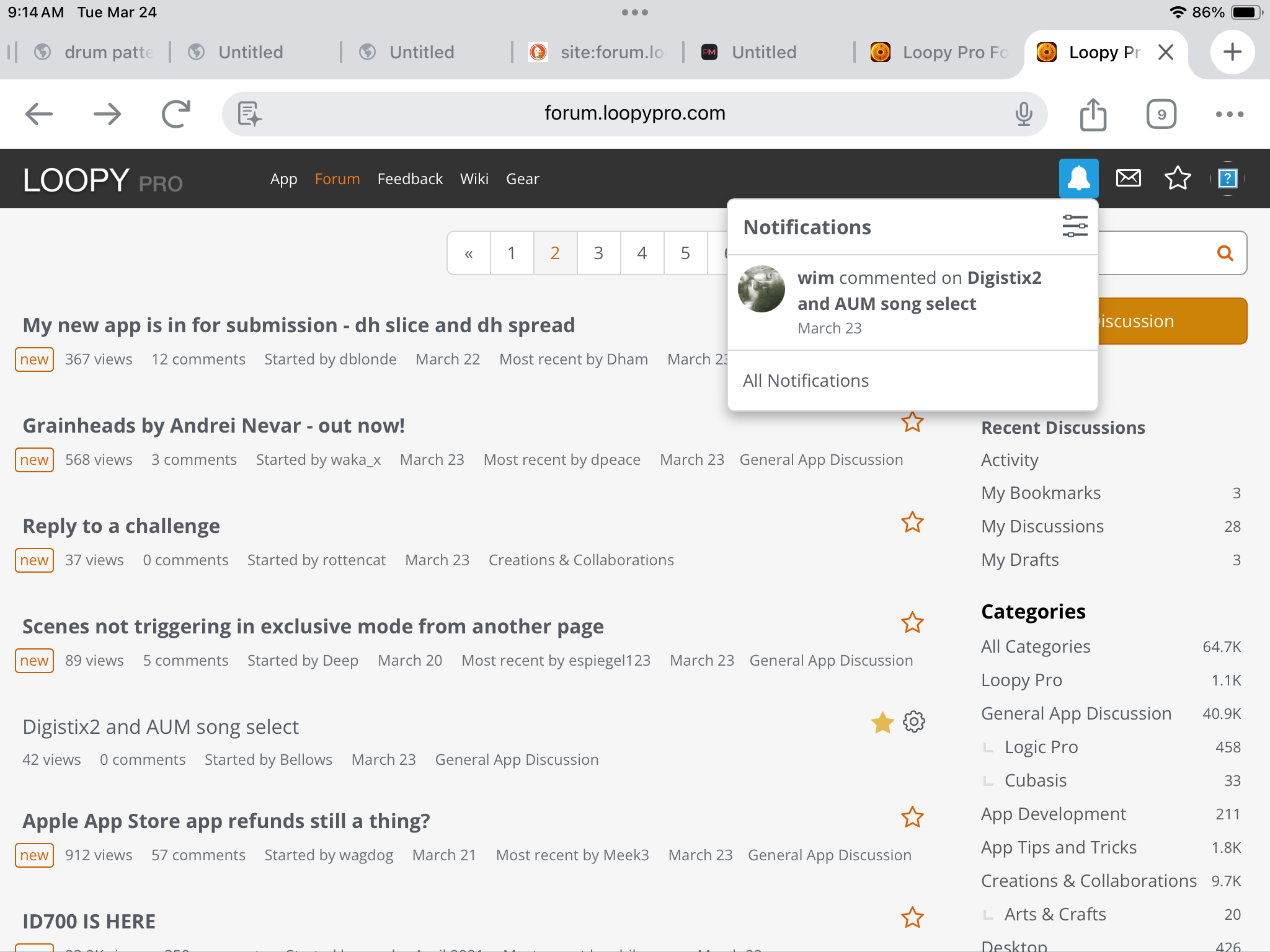
There is an internal manual in the app under help, which should provide the answers you need. I also found a few discussions on this same subject, shared below.
The manual says that pattern changes can be made via CC 20.
I found this in the beepstreet forum. They are using drambo but it should apply to aum.
Here is the thread from beepstreet forum
Here is another discussion in this forum on DS2 bank changes
Hopefully this helps.
The gear icon is because you're the OP; you can edit the title and the first post.
I don't see any posts here but yours. wim may have made his post vanish.
Thats odd you couldn’t see @wim response, i don’t see it either. Maybe a redacted comment or something.
I think the gear icon shows up if you are the one who created the discussion that way you can edit the title/category from the main page.
Thanks all for your help.
It appears I would really like to select a song not a single pattern.
Will investigate more.
Sorry for the confusion. It was a slip up of my moderator ability to delete posts.
I realized the info was wrong anyway. 🙄
I had assumed Digistix saves the pattern in presets. It doesn't, which is weird.