Loopy Pro: Create music, your way.
What is Loopy Pro? — Loopy Pro is a powerful, flexible, and intuitive live looper, sampler, clip launcher and DAW for iPhone and iPad. At its core, it allows you to record and layer sounds in real-time to create complex musical arrangements. But it doesn’t stop there—Loopy Pro offers advanced tools to customize your workflow, build dynamic performance setups, and create a seamless connection between instruments, effects, and external gear.
Use it for live looping, sequencing, arranging, mixing, and much more. Whether you're a live performer, a producer, or just experimenting with sound, Loopy Pro helps you take control of your creative process.
Download on the App StoreLoopy Pro is your all-in-one musical toolkit. Try it for free today.
Synth Stamp
Anyone seen this? It’s an Auv3 Sk1 it looks like…
Sk1
ARP 2600
Auv3
Universal
Coming out on the tomorrow
Comments
wow that looks cool
Yes. Why were we not informed of this?
Looks like his only previous app is AmpStamp, which came out in 2017. So he's not an active player in our world. He may not be up on the marketing tricks to generate some noise about a new app.
@egobeats, how did you find it?
AppRaven it wasn’t on the main page tho
I mean... that UI.
this must be April fools or an insane deal.. an arp 2600 and the Casio sampler for a fiver? It looks legit kind of, we will see soon enough! Cheers.
Huh? A Casio SK-1 and ARP 2600 combined, somehow, in one app... Interesting.
Website https://themusicologygroup.com/synthstamp/
No video or sound examples unfortunately.
I had one of those Casios as a wee lad. The sampler function was hours of fun. Neat!
Same.
I reached out to the dev and told him we are why his palms are itching. He might show up..he might even be observing us now!
Eeeeee
Looks interesting. I’ll wait and listen to some samples first.
It's available (at least in germany), bought it, had some fun with it. Although everything’s really hard to read on my 10 inch iPad. An option to have just the ui and not the table in the background in full screen or even some zooming and panning would be really useful. I think the zoom factor in the video is the highest possible.
And a quick play with the sk1
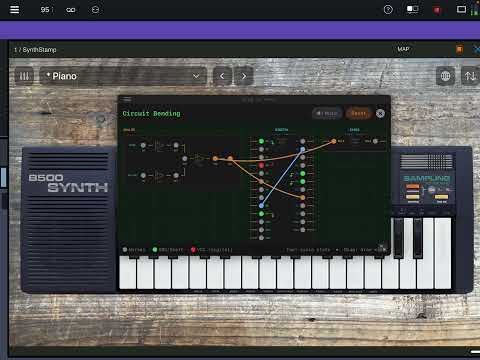
Is there any other modular that shows jack destinations highlighted? Like the ARP does above.
Ooooooo that bit at 0:50 is niiiice! 👍
Sounds really good but….
1) the UI is unusable… I’m going to only be able to use it as a preset player
2) when you first load it as standalone , it asks what synth you would like to use. Despite what it says on the launch screen , there appears to be no way to switch afterwards, including in AU
https://apps.apple.com/it/app/synthstamp/id6760490718?l=en-GB
Looks interesting, sounds interesting, the UI is impossible to decipher on my iPad mini. Can’t figure out how to switch synths, the controls are waaaaaaay too small for my old eyes.
The ui is unusable and yeah as of now there is no way to switch synths . I basically can just use it as a preset player .
on a positive note, it's Auv3!
Impossible to patch on my ipad mini, everything is just sooooooo small!
Haven't downloaded but looking at the screen shots, my god, looks unusable indeed, madness...
I mean no ill will to the dev, but, nah.
I figured it out !!! You change instruments in the preset browser , hit the left arrow until you get to the spot where you can change the instruments,
And you can zoom by swiping and holding vertically on the black bar on the 5200 . Still too small but better than before .
….
Those design choices were um well they really were choices I guess . It sounds good though…. Haven’t noticed any bugs yet in GarageBand. Famous last words?
That circuit bent sk1 is very interesting, looks usable in the videos… might give it a go later
Hopefully, from the comments here and this on the developer’s website…
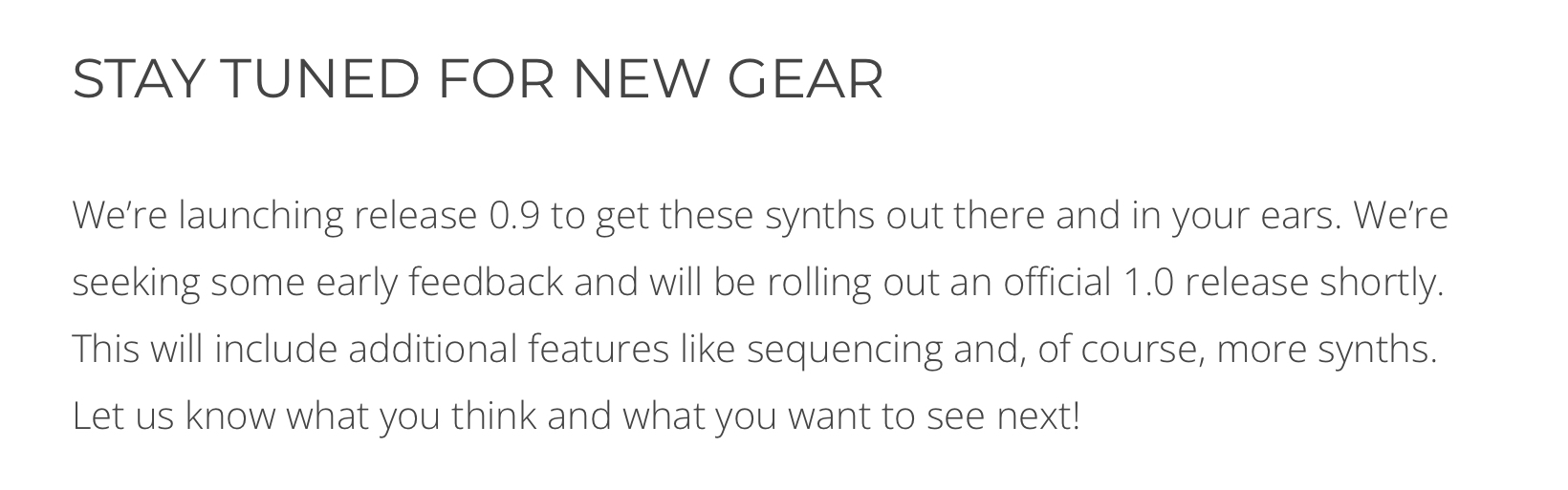
…the developer will be open to addressing the UI issues?
Also, though, this from the website if it helps?
Flicking the scroll dot worked better than dragging for me, iPhone 16
I bought it purely out of fascination as to ‘how bad can the zoom thing be?’ and it is just readable (iPad A16) on the ARP 2600 at highest zoom. Bewildering that it was considered acceptable - do developers forget that others are coming to these interfaces fresh without already knowing them inside out in the way that they do?
Plus, I can’t open the preset browser - if I tap it the whole plugin freezes. After that happens the AU won’t reload without fully/force closing the host app.
I’m sure these things will be fixed but I’m getting the feeling that this should have been made available as a public beta test before being released?
Edit: The presets I was able to hear using the arrows instead of opening the browser did sound very good though.
I’ve only had a quick play with the sk so far and it’s fun wee thing, be nice to just load samples rather than sample them in. I haven’t dig deeper into the interface or presets at all so can’t speak for them, but on a big iPad it didn’t feel at all cramped, and you can resize the windows that open to within the au window…
Same issue here - this was a quick refund for me. (Might consider buying it agan later, if things get fixed and it gets a more usable interface…)