Loopy Pro: Create music, your way.
What is Loopy Pro? — Loopy Pro is a powerful, flexible, and intuitive live looper, sampler, clip launcher and DAW for iPhone and iPad. At its core, it allows you to record and layer sounds in real-time to create complex musical arrangements. But it doesn’t stop there—Loopy Pro offers advanced tools to customize your workflow, build dynamic performance setups, and create a seamless connection between instruments, effects, and external gear.
Use it for live looping, sequencing, arranging, mixing, and much more. Whether you're a live performer, a producer, or just experimenting with sound, Loopy Pro helps you take control of your creative process.
Download on the App StoreLoopy Pro is your all-in-one musical toolkit. Try it for free today.
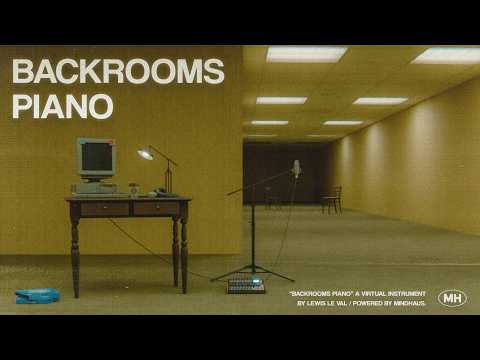
Backrooms Piano by Lewis Le Val (Released)

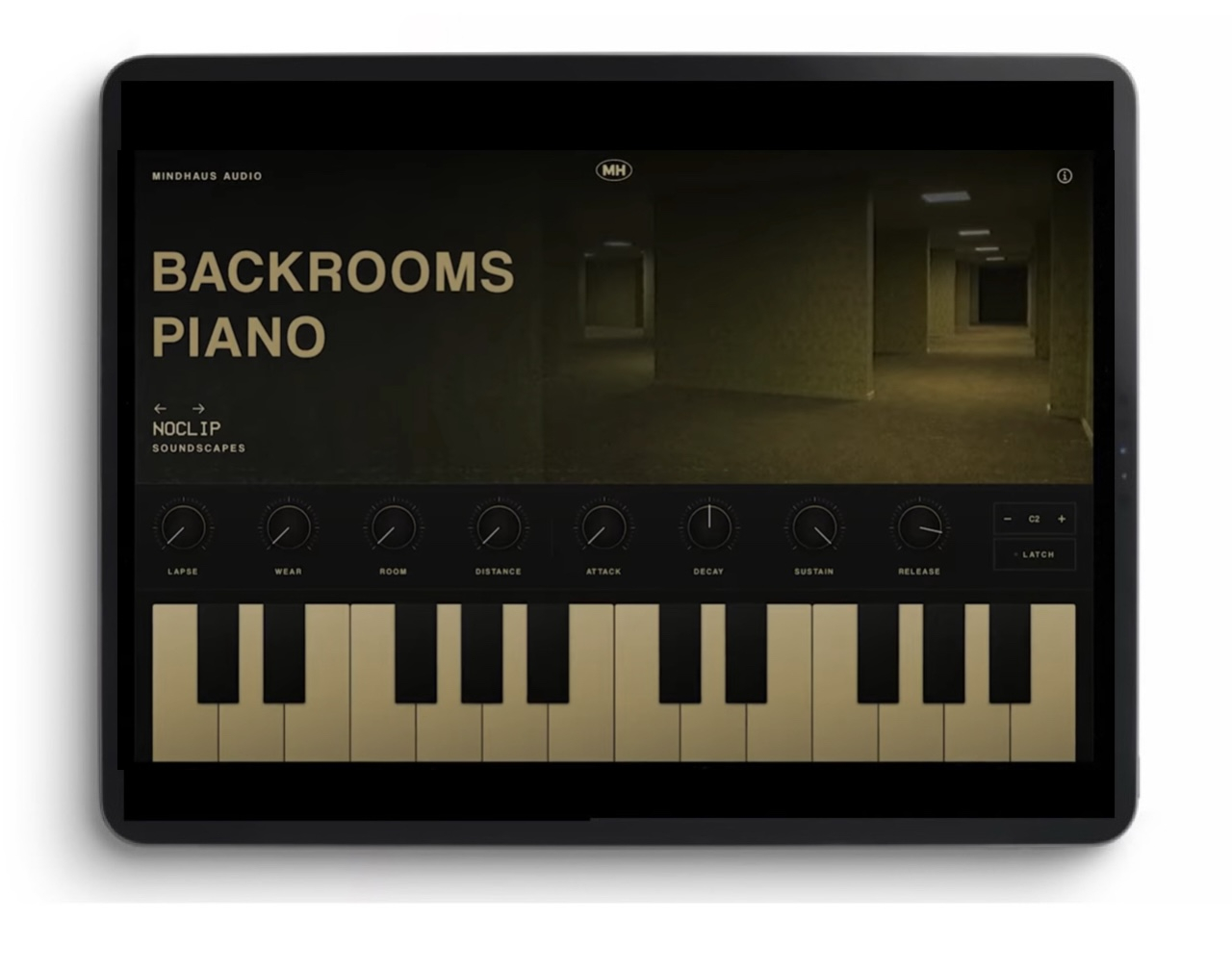
https://apps.apple.com/us/app/backrooms-piano/id6785076374
Intro price now on! Ends 11th July, 2026. Regular price will be £7.99
Step out of reality and into a sample-based instrument built for the space between rooms: faded pianos, uneasy pads, room tones and half-remembered melodies. Made for liminal space, dreamcore and the particular dread of a place that's empty when it shouldn't be.
Whether you're scoring analogue horror, building dreamcore loops, or just want a keyboard that sounds wrong in interesting ways, Backrooms Piano gives you a deep, atmosphere-first instrument designed around four custom effects.
SOUND DESIGN, NOT JUST SAMPLES
Presets are grouped into Keys, Pads, Soundscapes and Ambience, each one built to sit somewhere between familiar and not quite right.
FOUR EFFECTS BUILT FOR THE GENRE LAPSE: tape-motor drift and seasick wobble, like old machinery losing its grip
WEAR: ages the sound, rolling off the top end and adding instability and dust
ROOM: from close and dry to a washed-out, oversized reverb
DISTANCE: pulls the source away, softening the highs and revealing a filtered echo behind it
FULL PERFORMANCE CONTROL
A velocity-sensitive, multi-touch keyboard with octave shifting and note latch for hands-free drones and pads. Full ADSR shaping on pitched presets, so you can go from a natural attack to slow, creeping swells.
BUILT FOR IPHONE AND IPAD
Backrooms Piano runs as a standalone app on both iPhone and iPad, so you can explore ideas, audition presets and play live wherever you are.
IMPORTANT: RECORDING REQUIRES AN AUV3
HOST
The standalone app is for playing and exploring sounds. It does not record, sequence or save what you play on its own. To record your performance, sequence it, or automate parameters, you need to open Backrooms Piano as an AUv3 instrument inside a host app such as GarageBand, AUM, Cubasis, Logic Pro, or any other AUv3-compatible host. If you want to keep what you play, make sure you have a host app installed before you buy.
More presets are on the way in future updates.
This app and its associated content are independent creations inspired by the Backrooms internet phenomenon. They are not affiliated with, endorsed by, sponsored by, or associated with A24, Kane Parsons, The Backrooms feature film, or any of their respective rights holders.
Comments
Please iOS 15
Really nice, cinematic approach to making a promo; refreshing, thanks @lewisleval.
This looks good! Same guy who made Dark Park and Midnight Plaza.
Look, I don't know how you got to that place, but now I've got to spend my hard earned app money on a tub of spackle to patch up this giant hole I just put in my wall so thanks a lot! @lewisleval
😭🤣😭
This trailer is better than the movie, frankly, haha, which I was hugely looking forward to but found very disappointing.
@lewisleval this looks fantastic and what a brilliant trailer!! I am so in!!
“But I haven’t been down there…” nice
I look forward to exploring and manifesting some of these spaces.
I had no idea what it was aside from a meme but my daughter wanted (needed, as it is rated R) me to take her so I did. I learned later that the director has been releasing the web series since he was 16 which I found impressive anyway. It’s like he knows composition and mood setting but now needs to add some dramatic sense.
@lewisleval speaking of drama, I love your sense of it, nicely done!
Yeah, the marketing/presentation is pro. I'll leave it at that, not looking back.
Film was a game changer. Rewrote the horror rulebook. In my humble opinion.
Hype
It’s out
https://apps.apple.com/us/app/backrooms-piano/id6785076374
Nice even the app symbol looks mouldy ! Sounds great,
Here's a preset playthrough:
This sound nice, but stand-alone is scaled totally off on my iPad. (12.9 iPad pro, 6th gen running 18.7.7)
Looks like this - which also means I can’t select the presets.
Looks fine as AUv3 in AUM.
@lewisleval is this a known issue?
Yep I reported that, will be fixed!
Was really hoping for a TestFlight for this one, but never got a response from the dev.
Presets sound cool tho
I don’t know much about “Backrooms” but the preset playthrough gave me serious Lynchian vibes. Pretty cool!
Its good, very very good sounding. Instant buy
So I’ve only had about 15 minutes with this but I have made some observations.
1) it’s very straightforward. It’s Ronseal. Does exactly what it says on the tin.
2) in a lot of ways that is like Dark park, but with an extra layer of something else. That could be a percussive, wonkyness, just glitchy. It’s a bit like layering dark park and relic flow to my ears.
3) Perhaps weirdly, adding even more reverb & grainy glitchiness worked great. I think I used grain fx, need to check.
4) it’s great for lofi, obviously. But I see room here for other genres. Ben bohmer, Kolsch pads that modulate over time came pretty quickly.
My conclusion is that while I can achieve similar things with other apps, I can get there quickly with this.
What AU parameters does it expose?
Is it just a rompler or can I load in my own samples?
Can I put it in an effects slot and pass other audio through those effects?
Does it support scala or tun file import?
I thought i wanted this but after listening to Leo’s video, i feel i would enjoy listening to other people use it more than me playing it.
Just the knobs: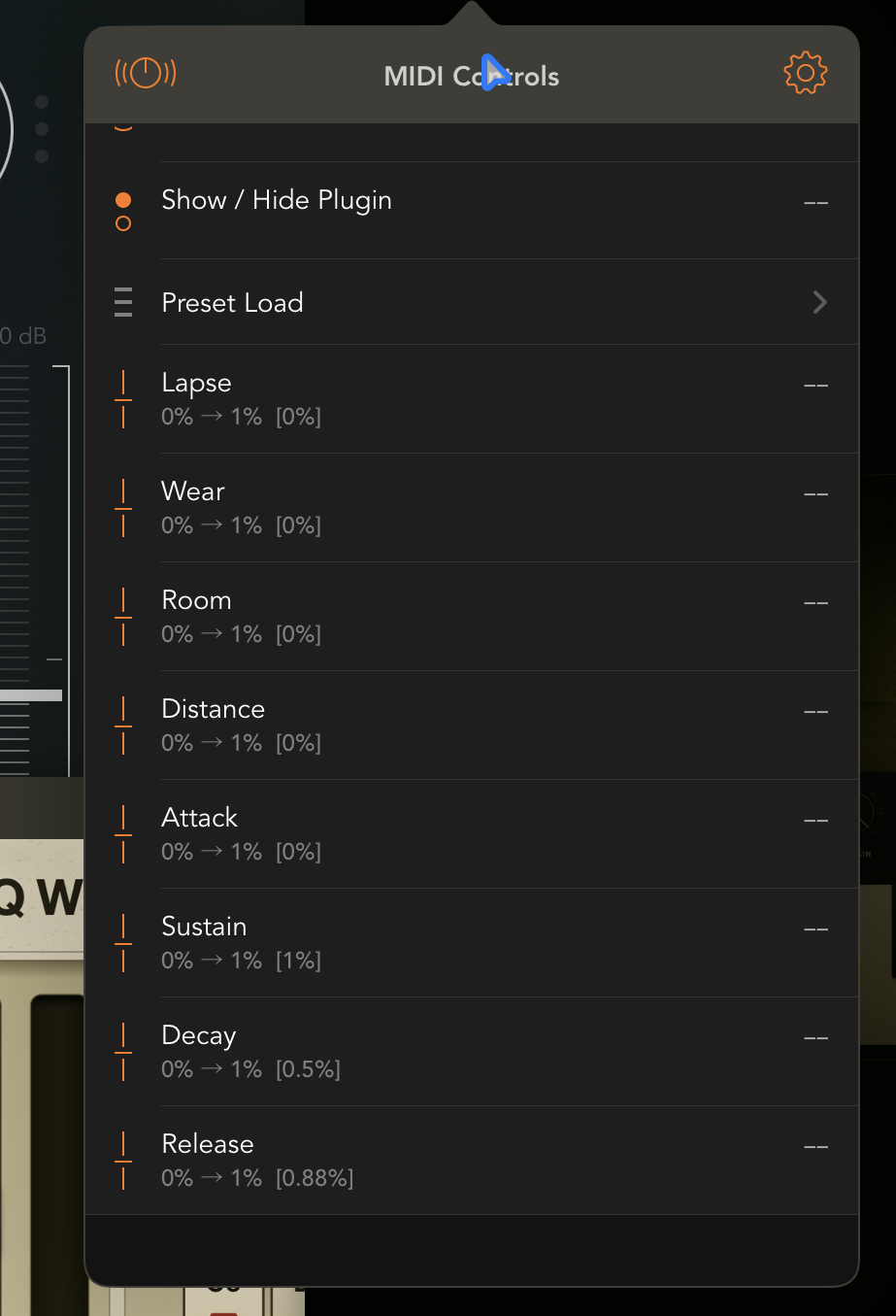
No, but that doesn’t seem like what it’s intended for, it’s described as a sample-based instrument.
From the info screen:
Backrooms Piano is a sample-based instrument for faded pianos, uneasy pads, room tones and half-remembered melodies. It's built for the world that started with a single blurry photo on an imageboard and a stranger's warning about noclipping out of reality: the yellow rooms, the carpet that's always slightly damp, the fluorescent hum that never quite stops. Liminal space, dreamcore, vaporwave's degraded nostalgia. The sound of somewhere you've never been but recognise anyway.
The preset name sits on the left of the screen. Use the arrows to step through sounds, or tap the name to open the preset browser. Presets are grouped into Keys, Pads, Soundscapes and Ambience. Tap the star beside a preset to keep it in your favourites.
Some presets change character across the keyboard. A sound might be warm and close in the lower notes, then thinner, stranger or more music-box-like higher up. Try the same phrase in a few octaves before you decide where it belongs.
Ambience presets are different. They are background recordings, so they play the same sound across the whole keyboard instead of changing pitch from note to note. The ADSR controls do not shape them, but LAPSE, WEAR, ROOM and DISTANCE still work.
LAPSE adds tape-motor drift: slow pitch sag, wobble and that slightly seasick feeling of old machinery losing its grip.
WEAR ages the sound. The top end rolls away, small pitch movement creeps in and the tone becomes dusty, worn and a little unstable.
ROOM adds space. Low settings keep the sound close. Higher settings push it into a larger, washed-out reverb.
DISTANCE moves the source away from you. The direct sound drops back, the highs soften and a filtered echo appears behind it.
ATTACK controls how quickly a note fades in. Keep it low for the natural start of the sample, or raise it for slow swells.
DECAY controls how quickly the note falls from its first peak down to the sustain level.
SUSTAIN is the level a held note rests at while your finger stays on the key.
RELEASE controls how long the note lingers after you let go.
The on-screen keyboard shows two octaves and supports multi-touch chords. It is velocity-sensitive: hit lower on a key for a louder note, higher on a key for a softer one.
OCTAVE shifts the keyboard up or down. LATCH holds notes after you lift your fingers, which is useful for drones, pads and hands-free tweaking.
For Backrooms or liminal pieces, restraint matters more than skill.
Most of the genre is built from two or three chords looping well past the point of comfort, the way a found-footage tape runs out of new things to show you and just keeps going. A plain major melody, especially one that sounds like it's trying to be reassuring, reads as more unsettling than anything minor or dissonant. Dissonance tells the listener to be afraid. A wrong-feeling major chord makes them work it out themselves.
Timing should feel slightly off rather than tight. Quantised perfection reads as composed; a fractionally late note reads as found, like something a tape machine picked up rather than something a person played. Repetition is the engine of the genre, so don't be afraid to loop a two-bar phrase far longer than feels natural; the discomfort builds in the repeat, not the variation.
For dreamcore, lean into the nostalgic end: soft major chords, a simple high melody, long RELEASE and a little WEAR, so it sounds like a childhood TV theme half-remembered through static. For something closer to true Backrooms territory, drop lower on the keyboard, thin the harmony out to single notes or open fifths, and push ROOM and DISTANCE together so the source feels like it's down a corridor that's grown since you last looked.
You can play the standalone app on its own. To record, sequence or automate anything you play, open Backrooms Piano inside a suitable AUv3 host such as GarageBand, AUM, Cubasis, Logic Pro or another host that supports AUv3 instruments.
More presets will be added with future updates.
If you spot any bugs or have any questions, please send us an email at [email protected]
My quick review is I’m a bit disappointed by the sound shaping capabilities. Lapse and wear are basic tape warble, and the reverb is nice sounding but with limited controls beyond what feel like mix and decay, and then a basic ADSR amp envelope.
But these are all additive. You can’t adjust the envelope of a preset with a slow decay to be snappier, you can’t reduce the warble of an already warbly sound. Very nice sounding presets but I would view this as a preset machine only.
I'd agree with that. Very lovely presets, the effects are nice but there's not much room for sculpting sounds. I found myself wishing there was a filter, for example. It's also quite clicky when feeding midi in from sequencers etc, even if not a huge number of notes, so I think it can't handle much polyphony. It's also clicky when switching presets. Many apps don't do that part well, but I wish that all apps had the very slick transitions between presets that something like Tera Pro has. Elastic Osc also does that well, from memory, since a recent update. Audiokit apps are one example, among many of apps that don't tend to do that very well
Just use it as a base and run it through other apps. I think its great. 😎✌🏼