Loopy Pro: Create music, your way.
What is Loopy Pro? — Loopy Pro is a powerful, flexible, and intuitive live looper, sampler, clip launcher and DAW for iPhone and iPad. At its core, it allows you to record and layer sounds in real-time to create complex musical arrangements. But it doesn’t stop there—Loopy Pro offers advanced tools to customize your workflow, build dynamic performance setups, and create a seamless connection between instruments, effects, and external gear.
Use it for live looping, sequencing, arranging, mixing, and much more. Whether you're a live performer, a producer, or just experimenting with sound, Loopy Pro helps you take control of your creative process.
Download on the App StoreLoopy Pro is your all-in-one musical toolkit. Try it for free today.
Comments
thank you @j_liljedahl.
no problem, I'm learning it and probably will laugh a few days from now at how little I knew in the beginning.
Thanks. It is quite fun and full of potential.
Just been playing with Lucinate yeah similar to Kodelife and Resolume in nature it’s really cool, easy to hook up to MIDI CC/Note/Pitch Bend and audio levels to modulate Metal shaders uniforms
Would be great to see an AUv3 version (embed and save into Loopy Pro, AUM, Drambo etc)
Also edit the msl like you can with Kodelife would be pretty neat too
Ngl, I wasn’t interested until I saw @mchl nrvs videos. I totally want to check it out
Am I the only one who feels this way? I don't understand this "layers" principle at all, from an artistic perspective. Overlaying shaders probably causes more problems with color composition, masking, unwanted obfuscation and interference than it achieves any useful effect. I really wonder if anyone has actually thought this through, copying concepts from each other, instead of integrating classic artistic video editing techniques. Only then is it possible to fully utilize the technology, because it enables frameless editing and creation (no borders). As it is now, you need a separate video editor anyway to get results that are even remotely satisfying from a dramaturgical point of view.
To be somewhat clearer: All I have seen until now is … well it moves somehow … right. But even these “animated” schaders often look ‚static‘ nevertheless, because of the fixed perspective, it is frozen at a point, which is finally always visually extremely boring and tiring somehow. There is not much visual complexity. it is like watching a movie with a statically fixed camera and distance thru the complete story.
The answer to your question is Yes.
Did you see the code editor button at the top left of the screen?
😂
I feel you, I wonder if it’s possible to make these things really seem like they’re moving with and reacting to the audio. I imagine it is, but it’s all way over my head lol.
For instance, something remotely resembling this lol.
Can these visualizer apps do something like this? I have no idea what’s possible, just curious. Like particle generators being triggered by certain sounds, or midi? Sorry guys, it’s hard to find words when I’m completely ignorant of what a shader is, exactly. Hope this makes sense.
Shaders are algorithms that render pixels, track vertices, and do color and transform calculations. There are different implementations that are similar but often run on optimized hardware/software...
Here are many examples at this website
https://www.metalshaders.com/
These shaders are done using Apples Metal Shading language (there are others)
specification found here
https://developer.apple.com/metal/Metal-Shading-Language-Specification.pdf
A Basic definition of what a "shader" is
Apple's Metal shaders are designed for low-level, hardware-accelerated graphics and compute tasks, providing direct control over GPU operations, while typical video game shaders often rely on higher-level APIs like OpenGL or DirectX
@Gagapokerface your video was likely done with either clever video editing or using clips in a program like After Effects and scripts to sync visuals to audio.
Most of that aphex video is simple video trickery; fades ,loops, reverses, and ping pongs alongside a good smattering of stop motion and editing. You could probably line up clips to match the beats as well, but creating the shots is more a real world or compositing/editing job than something you’d do in a shader…
Thank you for the shader explanation! Goodness, some of those examples on metalshaders.com are wild.
I know that video was chopped up, not looking to recreate it exactly, just get some balls bouncing and firing off in a similar manner. Something visually rhythmic. I guess if you can create geometries and write some math functions, anything is possible… Might have to reactivate whatever part of my brain got me through CS in college.
I´m not sure about Lucinate, but at least Drambo Visual has video input with support for scrubbing. You could import a bouncing ball video and modulate the scrubbing to be aligned with your audio or midi. You would have to do some work to do it, of course. I think you could do it without any coding.
Could absolutely be done in DV without writing a single line of code.
Spent about 10 minutes with Lucinate this morning. First time with a visual app. Pretty cool stuff. The AudioPipeline app is a must if you are doing everything internal to the iPad without an interface that supports loopback.
https://youtube.com/shorts/z7HNzj_SrNo?si=Ne-NW_psS1p7Pszy
Loving lucinate. Spent a little more time with it, writing a few shaders. Well vibe coding some shaders but really fun.
This one is featuring some built in ones and also an audio visualizer that I developed.
iPad Chill Jam with AUM | Lucinate Audio Visual Test
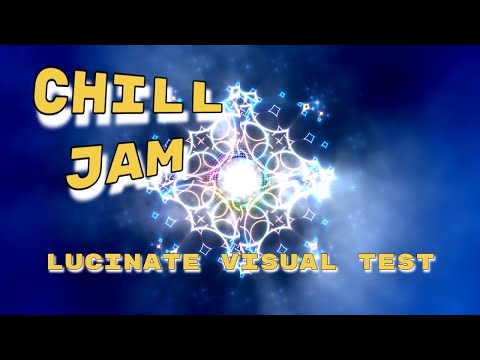
Nice. There is a proper coherence between the audio and visuals.
Excellent work @TheAudioDabbler 👍
I said the same thing on the Kymatica Facebook. They said I should read the manual.
It looks awesome, but seemingly with a high skill ceiling for actually cool results?
The value proposition isn’t immediately obvious, especially for someone with limited time, but I would love to be informed. Maybe it’s much easier to make unique results than is immediately obvious from a cursory glance?
A lot of the demonstrations for these visualization apps suffer from same-look syndrome. Is it just a skill issue on behalf of the users?
Alternatives are milkdrop/geiss with thousands of amazing presets for no skill at all (or people could write their own). Or reactive setups in Blender for probably similar skill investment but definitely more flexible outcomes/powerful pipeline.
Not throwing shade, just thinking out loud and wondering.
@Darkstring I would say it's a combination of skill and not as many presets. More so it's modular, so it could do a lot since it is modular but it is going to be daunting, think of Drambo. I have drambo but never used it because I haven't had a need or that doesn't fit into my workflow. I have watched cool videos utilizing drambo so I know it can do a lot.
Although Lucinate has a lot of demos and built in stuff you can use to start. This is my first Visualizer I have used.
It is a bit overwhelming if you are not skilled at programming or utilizing AI to help you write the custom shaders. Even then, from my experience the AI I have used has been just ok with the programming.
My question is always, what to do, rather than what can I do. Do I have a specific need or do I just want to mess around with some cool visuals like I'm in the late 90's using Winamp.
Question for you. What is a use case you would like to see? example of the same-look syndrome or what you would like to see different? Curious as I might could build something visually inside of Lucinate.
@deadpoetlive Thanks.
Some more fun with lucinate.
https://youtube.com/shorts/oj8-tnd8G2o?feature=share
Crazy Humming Birds | Koala Lo-fi Beat | Lucinate blocks #lucinate #hummingbird #koala #lofi
https://youtube.com/shorts/ptAvw7pQgsI?feature=share
Agreed.
Right now I'm thoroughly enjoying the fractals and animating them because I am practising animating objects.
Whether it's DV, Lucinate or Touch Designer before you can walk you have to learn how crawl.
It doesn't happen over night and it's not something that just happens.
One has to put in the effort.
By the way that's not directed at you @Edward_Alexander or @bleep
I thought you should know that.
Nicely done.
@Gravitas thanks.
Also I can check to see about video scrubbing. That would be a cool thing to be able to modulate the play head and playback speed.
That would be cool for Lucinate because being able to modulate video scrubbing
in real time is a lot of fun because I know that can be done in DV.
Hey, for those of you who’ve been playing with DV, Lucinate, and VS - which one offers the quickest learning curve? I already have VS2 but I haven’t taken the time with it yet.
I don’t want to invest the time to learn all three, but if DV or Lucinate offer an easier learning curve, I may pick up one of them when/if they go on sale.
I don’t want have to code or even have to edit shader code to be able to get good results out of the app.
I also don’t need to know how to get everything out of the app. Just want the shortest path to mixing audio reactive graphics and video to audio composition experiments.
I need to get back to Polagone too, as it showed great promise early on.