Loopy Pro: Create music, your way.
What is Loopy Pro? — Loopy Pro is a powerful, flexible, and intuitive live looper, sampler, clip launcher and DAW for iPhone and iPad. At its core, it allows you to record and layer sounds in real-time to create complex musical arrangements. But it doesn’t stop there—Loopy Pro offers advanced tools to customize your workflow, build dynamic performance setups, and create a seamless connection between instruments, effects, and external gear.
Use it for live looping, sequencing, arranging, mixing, and much more. Whether you're a live performer, a producer, or just experimenting with sound, Loopy Pro helps you take control of your creative process.
Download on the App StoreLoopy Pro is your all-in-one musical toolkit. Try it for free today.
Comments
Upcoming the following..
liveset usage splitting to two ipads - good to split the instrument pages not to create chaos and to be able change an manipulate sounds and loops (E.g. ipad for drum, perc and bass and ipad for melodic instrument and vocals).
Preview under the hood, how are things on the LP mixer, how to change auv3 instruments and effects.
How to use e.g. Koala to create a loop / sound library and then browse soundsets with a dial.
And maybe more song creation - song in 5 mins (ok they are more like background music or so).
Will also demo some recording sessions with my daughter
And more
Dunno how soon or in which order these will happen though 👌 So no promises made 👍
Also want to give some credits to my supporters for the boost to my work with Coffee 😊☕️
Adding to previous post. List of upcoming additional improvements to templates
Optimizing performance by adjusting default effects and auv3 insttuments.
Making versions to 10.5” ipads.
Mixer routings needs some adjustments.
Getting rid of some not so important buttons.
Plan and improve audio input bus for mic and stereo input
Remix functionality need also mastering.. and maybe some buses needs compression and limiting features and eq is currenly only in bus A
Interesting ! Have you checked out Oneshot? Its the best for accoustic drums.
@ecou Thanks for the recommendation, I prefer Koala with single hits and nice timestretching.. But as an appaholic, probably will buy and try Oneshot also, understood it has some good jazz drums. I have more than million oneshot / loops (samples) bought, and sometimes just putting them to Koala and record then to Loopy with personal flavour..covers so much. I have tried also different Powershell scripts to organize samples according to Bpm and scale. That is actually demanding but would be worth it to bring like Loopcloud logic to command line level.. Sorry might be jumping with the topics, so many ideas on the mind currently..
Hey there, I am new in LP and I have not had time to read all of this, I am very interested in LP as a DAW, it looks like you have recreated the mixer as a performance control page… is that right?
One thing I miss in LP is a recorded midi timeline, have you looked at this?
Amazing work, thank you for sharing
It's coming. Should be soon now.
@plasmo @wim I have non-typical workflow with LP. Like mentioned I will anyways bounce to audio and now I have song page to organize clips in multiple ways and small mixer included, also have mastering+mixer page.. But will still be happy about the upcoming features of midi.. it will be integrated to my effect station + clip / sound creation page, so no more Atom needed.. But in general the point is to lower performance need by using only audio clips at the end. I will use midi only as a staging tool to get audio into clips and when i need to quantize my playing - less often all the time ☺️
Some screenshots from the MIxer here:
https://buymeacoffee.com/akivilla/auv3-combos-create-audio-clips
Hi All! Finally sharing a bit more deep dive to my LP template. Maybe this gives some idea of how deep it is.
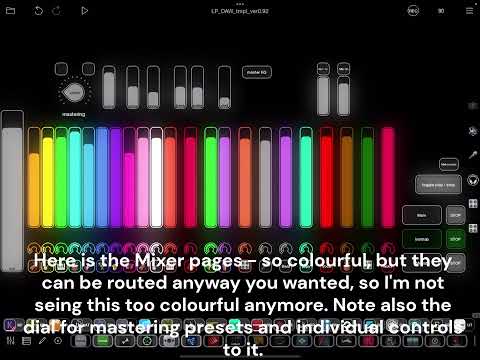
Sorry for some clumsy video cutting and annoying sounds..
That is great news.
Some introduction from Miisa and me, two ipads and Loopy Pro Liveset template (shared in patchstorage.com)
Jamming with Miisa Yesterday evening
Check my article on Koala specific template. Access Koala songs with a big dial.. <more compact version of template, thinking of 10.5" iPad.. while doing this
https://buymeacoffee.com/akivilla/lp-koala-template
Loopy Pro template - Just listen Amazing some sounds, all created in the template with auv3 instruments and effects. Almost a song, but triggering in demo purpose
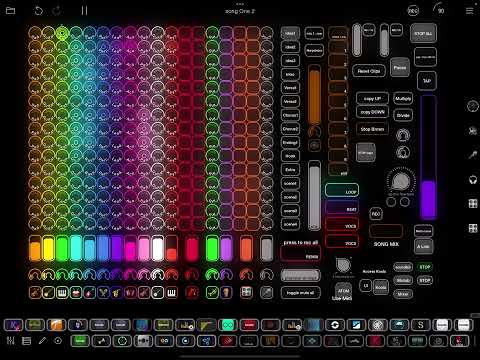
Hi. I might be strange and crazy.. presenting my setup where the workflow is using Logic Pro to record audio to Loopy Pro - just loving those audio clips and their flexibility - I think no DAW can compete the touch screen handling convenience especially with a bigger ipad.
Also investigating further enchancements to my Loopy Pro template with upcoming 2.0 and checking from the beta version. New version offers some additional functionality to make audio clip handling and UI even more capable than before 🤩 So other DAW's will be abandoned soon - this workflow is so much more efficient to create audio (only my humble opinion and personal preference)
I think I still need to remind, what an audio clip in Loopy Pro can be:
Why its more convenient than traditional DAW
Sorry, just have to mention these ;-)
After investigating Loopy Pro 2.0 public beta:
I need to rethink the routing of buses, they can be grouped now. And good to have sends to effects probably per auv3 instrument (and they should be able to be automated controls)
So I probably will have buses grouped to 4-6 and send could be controlled.. in the mixer.. Then a separate page for midi, routed to instruments and to one color and separate midi clip for beats routed to another color. Then some automate to bounce that to audio and to song page. Maybe changing bus routing to colors not to instruments as now it is..
Any thoughts raising from this loudly thinking.. My Goal is still to greate more simplier recording system than DAW. And keeping song, instrument / beat creation, mixer pages and now to add separate midi page, keeping it simple by having only two kind of midi clips: inst and beat
A little preview Loopy Pro Beta 2.0 features, I'm investigating..
Had to add basketball to bounce midi to audio clips - thinking more like to be able mix midi clips to one audio and then move automatically to Song page, it had to be recorded to audio, so it's not yet as quick as in the DAW's - just playing with the idea.. anyways I will create a handy midi page
Also wanted to use keyboard picture to open the midi keyboard. Mapped it to my instruments as you see from the mixer pic.
Liking also the mixer, where you can hide parts, and it still makes sense..
Haven't decided, how to group / route effects in upcoming versions, but it has nice flexibility, so something that could save some cpu (Templates I'm creating are using a lot of cpu, because wnat to benefit from auv3 insts and effs
Small preview of the draft, so you'll got the point
Hi. Just testing the midi of the beta 2.0 with my template. I will make it much better, but you might get an idea where it's heading to.. Anyway it will be HUGE, when I'm ready. Now also using 10.5" iPad to develop, so maybe tiny dials will become bigger ;-) Also goong to make a video how to build beats with midi and then bounce to audio with effect
Hi Trying to get everything relevant for recording instruments and beats to audio and using MIDI as an intermediate tool. And then mix and move to song page. With 12 auv3 instruments and most relevant effect buses - I suppose there are too many, but investigating to find out the best ones.. This is how the current version looks like in my 10.5" ipad (much more usable in 13"), but a controller would improve the usability
updated and now finally getting to something more usable.. This combination is unbeatable 😊
This page is for adjusting more easily the combination of 12 auv3 instruments.
Earlier thought to separate instrument and beatmaking ones, but then decided that it doesn't matter actually and have more flexibility by having one page to record loops and another one to record one shots.. just building up this. So nice to be able to adjust midi clip and then bounce it to audio with any effect adjustments while midi clip is playing
Hi All. Didn't remember how GREAT my Liveset template is, so I had to do some testdrive with Disco loops 120 Am.
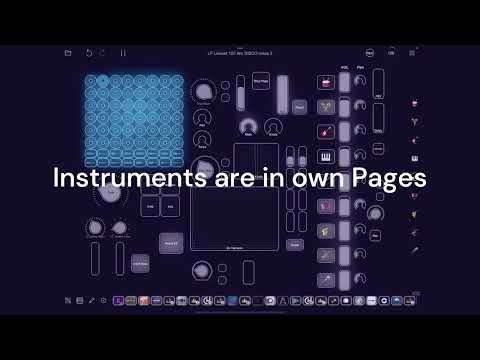
Template you can get from here:
https://patchstorage.com/loopy-pro-liveset-template-0-5/
Support my work with coffee
https://buymeacoffee.com/akivilla
Lowering amount of effect buses and grouping them also kind of duplicating effs on/ off buttons to have them organized with buses and dials
Splitting Auv3 instruments to separate page
Effect page now contains midi and audio clips - can be copied or mixed and other clip action also
Finally got some kind of a longer demo of the Loopy Pro Beta 2.0 features in my template. It has enormous potential.. Will prove it more later.. Everything done with 10.5" Ipad air - so much missing my 13" version, but didn't want to have beta also in there..
Latest video of the effect / midi clip / audio clip page in my template
Check how it's evolving to be really usable.. Now also possible to make it cpu friendlier with easier ways..
MUST CHECK AT LEAST THE BASS SOUND AT THE ENDING ;-)
Turnado, Koala Effects and Looperator used now with "instrument", it can create crazy results either with auv3 drums or instruments
https://buymeacoffee.com/akivilla/loopy-pro-beta-template-available-supporters
Sorry.. I had to make another video of sound sculpting possibilities - will make it so easy to you after this "project" is completed. Will of course share this template to supporters with improved song page soon..
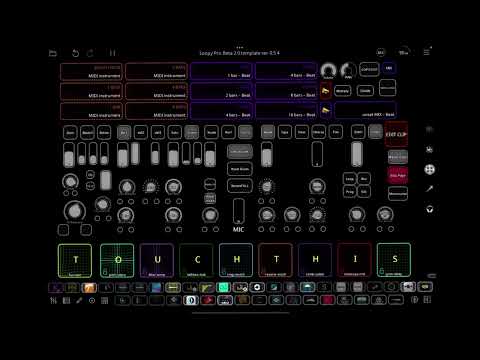
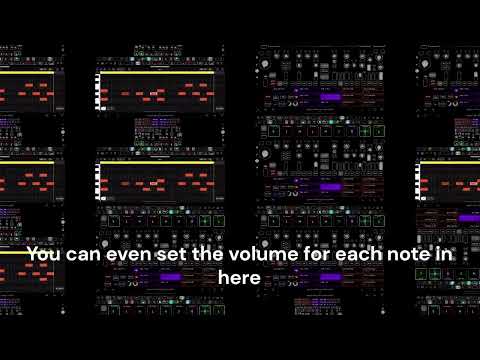
Starting a small series of tutorials - not that complete, but just to give an idea to templates - Showing features from my template.
Must have EDIT button
I will keep on publishing the ten most "relevant to me" features.. might end up with even more. This export and import of midi / audio clip might be a basic feature, but still quite handy..
Collecting some basic features and presenting my template construction with Loopy Pro Beta - maybe nothing new for advance Loopy Pro user. And not going to details. Still thinking that it's a good idea to think about the foundation features and use the ideas from there to build up templates.