Loopy Pro: Create music, your way.
What is Loopy Pro? — Loopy Pro is a powerful, flexible, and intuitive live looper, sampler, clip launcher and DAW for iPhone and iPad. At its core, it allows you to record and layer sounds in real-time to create complex musical arrangements. But it doesn’t stop there—Loopy Pro offers advanced tools to customize your workflow, build dynamic performance setups, and create a seamless connection between instruments, effects, and external gear.
Use it for live looping, sequencing, arranging, mixing, and much more. Whether you're a live performer, a producer, or just experimenting with sound, Loopy Pro helps you take control of your creative process.
Download on the App StoreLoopy Pro is your all-in-one musical toolkit. Try it for free today.
Comments
I was looking for potential/complexity but accessibility as well, something that could be used to produce and perform. Drambo is not super accessible for live performances without spending time preparing patches. Midistep looks more appropriate, how does it compare do the other midi sequencer from the same dev, Helium? Helium seems to have a handy library of midi samples that could spark some creativity maybe
Agreed. Feature-wise, Thesys is incredible but after several attempts to become friends with it over the years, I always end up closing the app.
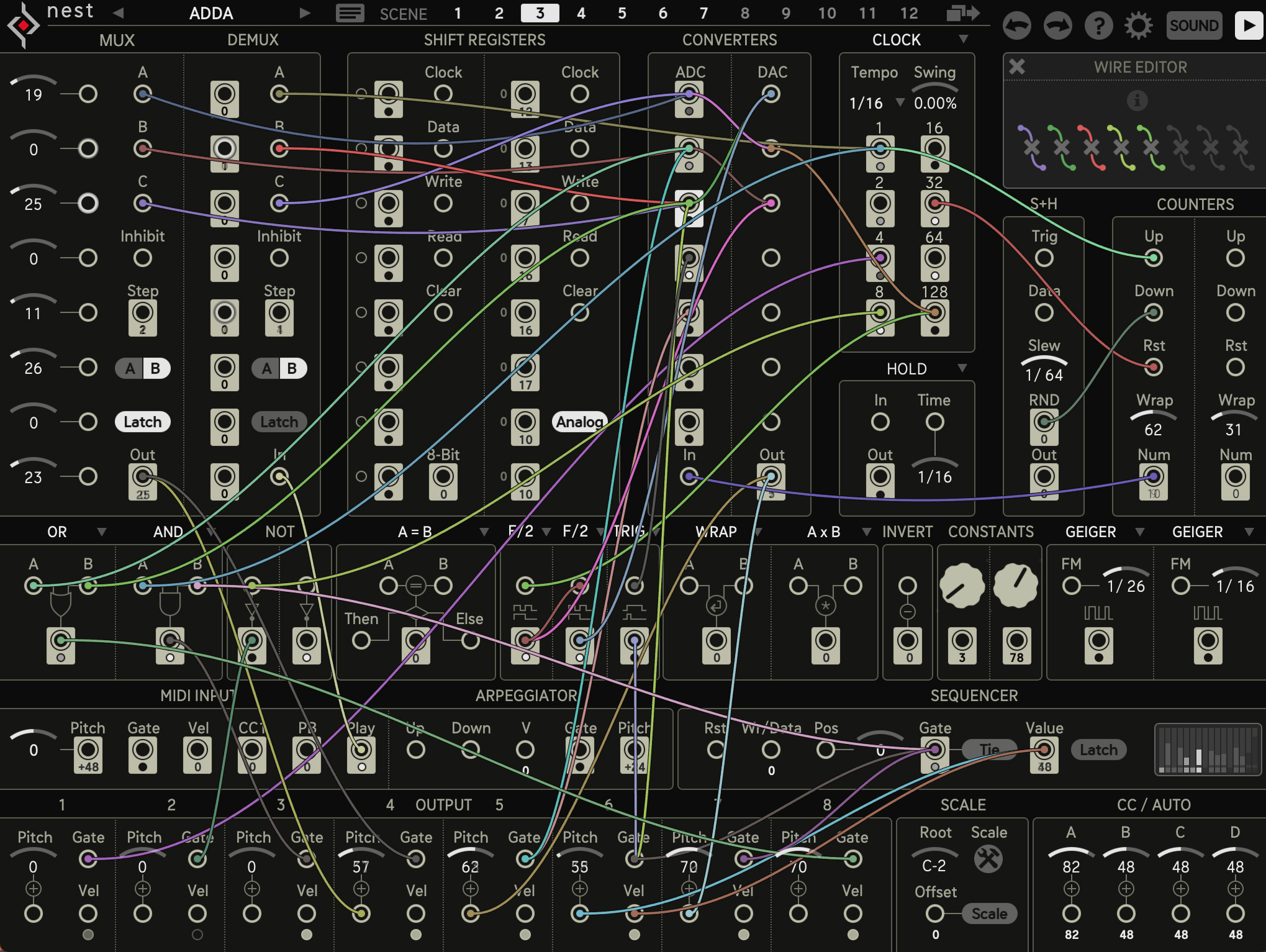
My main gripes would be the fiddly UI and the unintuitive representation of its features.
I wouldn't be surprised if the newer "Nest" sequencer came from the same creative mind 😉
@egobeats
Would love to know more about this “plays extremely well with each other” concept with the 4pocket midi apps. A while ago I tried to find a way of linking some of them together (I believe I was trying to run helium notes through progressions to change the root notes/key) and after watching all of Paul’s masterclasses, Leo’s tutorials, and rereading the manual I hit a wall and concluded it couldn’t be done. How are you using Pauls apps with one another successfully? Maybe I’m missing a core “brain” app or something like Cems Brainbud?
I am not familiar with this sequencer
Ah, when I referred to play nice I meant the Helium integration including tone packets, and the Hove Mind demonstration in Paul's masterclass #8 I believe where you have multiple instances and can share settings similar to the BrainBud apps (which only does scale/key) and to demonstrate it, he uses several of his other synths like RingsFX, and I believe stringlab.
I have n older Ipad and use many of Paul's apps at once and my dsp is always really low.
I'll post a screenshot.
Rozeta?
The core questions when looking for a sequencer are: What kind of music do you want to create?
How do you play / produce / compose (DAW, live sequence launching, live sequence creation and modification)?
Do you prefer a classic analog sequencer UI with sliders or knobs, or better a piano roll, or both?
Do you want to sequence external hardware?
I'm a sucker for StepPolyArp Unit when I need either an arpeggiator, step-sequencer or a combination of both, that is if I'm not using Drambo or Logic's built-in step-sequencer...
Since there's so many possibilities, and they're being covered already, I'll comment on some key features of MIDIStep and Helium:
MIDIStep
Helium
Supports three main modes:
Custom grid options
These points just touch on some of the main features. Both apps are very deep and feature rich. I'm very familiar with the 4Pockets apps from years of experience. If you're considering them, I highly recommend that you check out some of the videos from Paul the Musicman (the dev), Jade Starr and The Sound Test Room. As with many iOS apps the workflow and interface may suit some, but not others.
MIDIdreams has a very accessible UI. Great for live performance: https://apps.apple.com/us/app/mididreams/id1553799788
And there is GlitchStep that looks a bit like a Korg SQ-1 on steroids. In my opinion a very usable UI and loads of glitch and randomisation features:
https://apps.apple.com/us/app/glitchstep/id6708239273
@egobeats @EdZAB
Cheers guys! Musta overlooked the “hive mind” masterclass vid from Paul. I’ll give it a gander later 🤙
GlitchStep and SnakeBud are fantastic sequencers love them both. SnakeBud for the traditional note sequencing and GlitchStep for its ease of mangling traditional note sequencing. However if you wanna go the @cem_olcay route which I always do... adding Rollbud onto SnakeBud can do some very impressive glitchery.
Also if you like the step sequence glitches- @axartsoftware 's ChaosArp has a familiar interface for rhythm sequencing.
I'm a big fan of Alex Matheu's glitch apps and as a person. Really good stuff.
I've always been curious about Mididreams, MidiSteps (art kerns) as I hear they are fantastic. I also remember Poly2 and Prism being spoken very highly of.
I love All things sequencing. Hell, even the lil sequencer @CaelumAudio put in their toy microphone AU makes me happy. I wish every effect had a lil sequencer / arpeggiator.
Also, while some wouldn't consider AUTony to be a sequencer and more of a midi generator. I often cite it as one of my favorites.
If you want to crank up the complexity and throw out simplicity Fugue Machine Rubato is my favorite sequencer. The multi playhead sequencing is really fun - but I can’t say it’s the most intuitive app on earth. Definitely have to watch videos and play around with it but it’s great once you wrap your head around it.
Any recommendation of a Sequencer with a "Fill" buton? like in bitwig or elektron, where some notes only play when a "Fill" button is pressed.
There is one with fill… can’t recall which. I have so many 😭
An Octachron walks into a bar...
Maybe use Auto Fills by Cem Olcay (in combination with your other sequencers) for that. Good little app.
Thanks, luce like an option...
I'm taking a close look to it now. Seems like a very Elektronissh sequencer, like it. Will test if it works well for melodics beside the drums.
lately i’ve been digging drambo as a midi sequencer. it can do what i want pretty quickly
If you’re looking for something “Elektronish” then definitely check out Prism Midi Sequence .. great for chords, melodies, drums, arps, step fx, cc profiles, lfos ……. etc etc etc ……… my fav.
Can’t find it in the appstore. Is it local?
I'm tryng it. But seems over complicated and the documentation is very poor.
I whish it didn't had those weird features to merge paterns or harmonize, and things that I will never use but use a lot of the main space.
And a simplified UI, it has different menu diving logics, sometimes you have to click on a button, some others click in a label, some times the options are on your right hand and some other on your left... etc..
Still, I will dedicate more time to it..
It might just be in US App Store ..
Does this work for you?
https://apps.apple.com/app/prism-midi-sequencer/id6502302630
Patterning 3 has a fill button that plays a particular pattern when pressed. I’ve barely ever used it, can’t say much about it.
Patterning can also be used as an interesting note and cc sequencer in addition to drums. It has a couple of LFOs too now that I think of it (in reference to the original post).
Looks like EU law has struck again... and I can totally understand developers when they don't want to share their private address with the world.
It says “app not available”
Agreed. There are plenty of characterful and quirky iOS sequencers, but unless we're trying to be "iOS purists," I don't feel it's necessary to limit ourselves to exclusively using iOS apps for sequencing. Recently I've been using a monome Teletype as my main sequencer for my hardware synths and iOS synths. I like the Teletype 's command line-style interface for typing out lines of code to generate sequences. The text-based interface is dramatically different from any graphic interface, and I find that the representational paradigm of text opens up rhythmic and melodic possibilities aren't as immediately accessible via other methods. In particular, I enjoy the ability to define arrays of data that correspond to particular notes which can be procedurally scrubbed through in determinate or aleatoric fashion.
This demo video is the one that sold me on it -- particular the section at 1:30.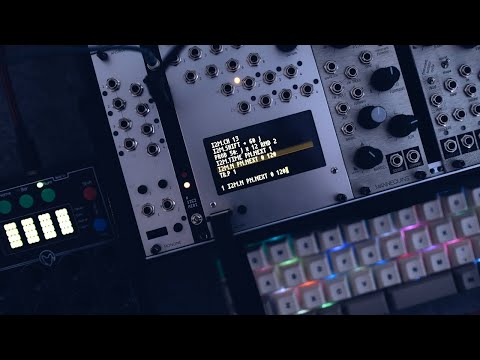
Are you in the EU by any chance? Seems likely this dev has withdrawn his apps from EU stores because he's not willing to share his address. See here:
https://developer.apple.com/help/app-store-connect/manage-compliance-information/manage-european-union-digital-services-act-trader-requirements/